Companies Overview
Companies play an important role in managing visibility within Deepser. Users, with the exception of Empowered Users, can only see Service Operations and other entities that are assigned to or belong to their company. This article explains how companies are associated with various Deepser entities and how those associations affect access and visibility.
Company

If a user is a company supervisor and is assigned to Additional Companies, they can see all entities belonging to or assigned to those Additional Companies.
Users whose company is the parent of other companies can see entities connected to subsidiary companies, but only if the Limit to Company Data field in their user configuration is not set to "Company Data."
CIs
Companies in Deepser can be both assignees and owners of a CI.

If the company is an assignee of a CI (Figure 1), users of that company or its subsidiary companies can see and interact with the CI, provided there is no group-level visibility restriction defined at the CMDB level.
If the company owns a CI (Figure 2), users of that company can see and interact with that CI.
CI visibility is evaluated using an "or" condition between owner companies and assignee companies.
Service Operations
Companies play a fundamental role in Service Operation management. Deepser evaluates company associations to determine which Service Operations a given user can view. If the user is an End User who is not a Company Supervisor or an Empowered User, they can only see Service Operations they created. Operators, Key Users, and Administrators can also be restricted to company data; in that case, they only see Service Operations created by their company in both the User Portal and the Deepser Backend.

Contacts and CRM Items
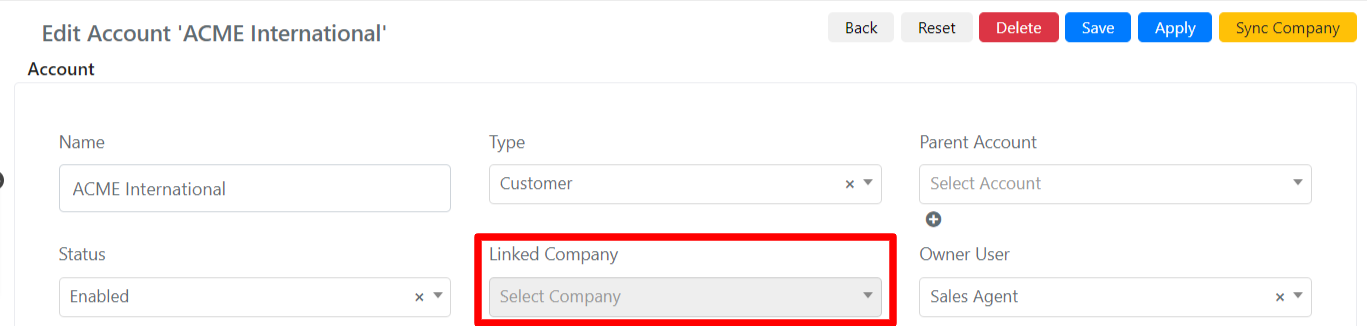
In Deepser, you can associate a company with an account in the CRM or create a company from a CRM account. CRM accounts serve as an address book and allow you to store contact information related to the company.
Contracts
In Deepser, you can create contracts and associate them with a company. The company can be the owner (Fig. 1) or an assignee of the contract (Fig. 2). This allows you to automatically manage costs related to a supplier company or assistance lines. For example, you can track the total number of assistance hours and the hours spent for a customer company.
For a more in-depth look at contracts in Deepser, refer to the Contracts documentation.