Configure Parent Companies
Parent Companies in Deepser are companies that serve as parents to related subsidiary companies and do not have a parent company themselves. Supervisor users who belong to the parent company, if not limited to viewing only their own company data, also have visibility on entities belonging to or assigned to the subsidiaries.
A company can have only one parent company, while a parent company can have several subsidiary companies.
Assign a Parent Company
To make a company a subsidiary of a parent company, follow these steps:
-
Go to System > Companies.
-
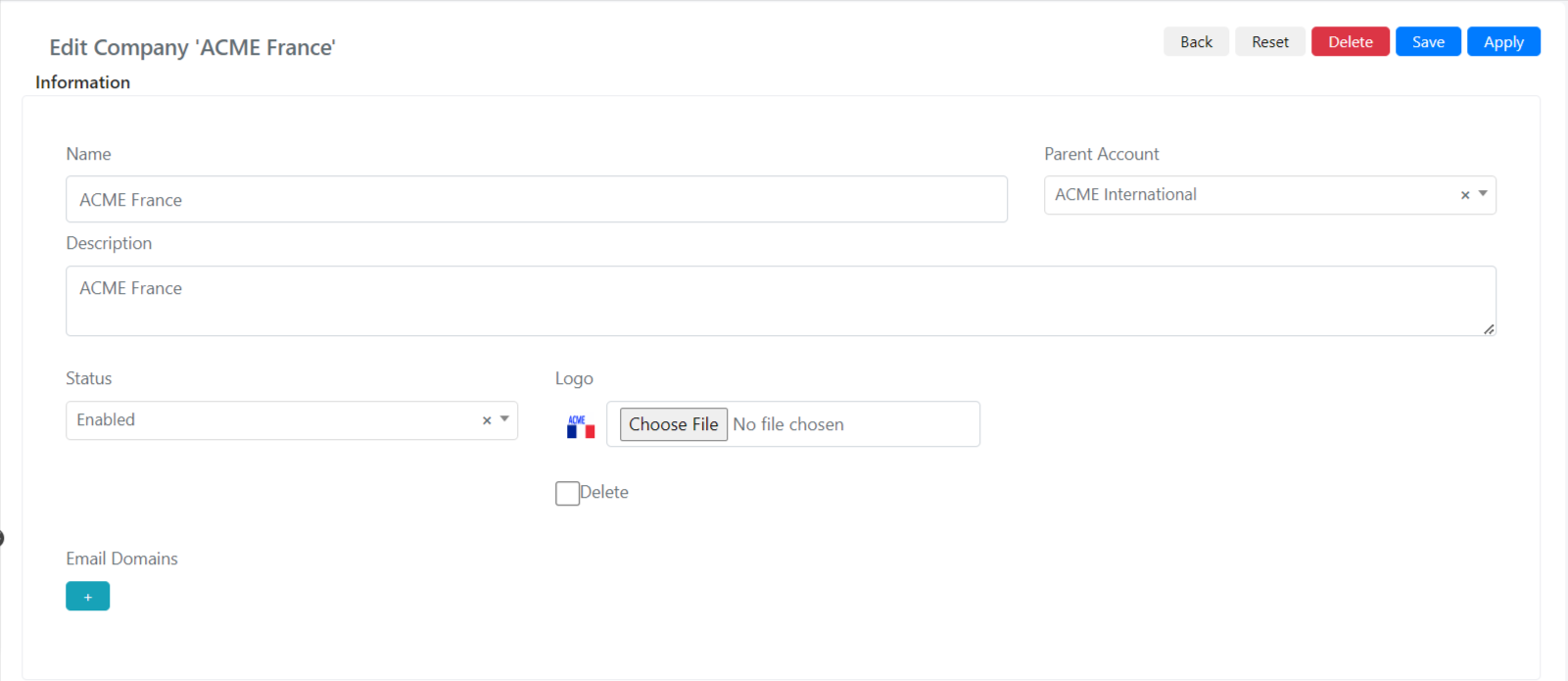
Open the record of the company that will become a subsidiary company.
-
Modify the Parent Account field and select the company that will become the parent company.
-
Click Save or Apply. The company will be saved as a subsidiary of the selected parent.
For example, if "Acme Corp" has a regional office called "Acme West," open the "Acme West" company record and set the Parent Account to "Acme Corp." Supervisors at Acme Corp will then be able to see Service Operations from Acme West.