Permission and Visibility Handling
Deepser provides two systems for managing user visibility and access to entities: Roles and Groups. Roles control vertical visibility (which modules a user can access), while Groups control horizontal visibility (which records within those modules a user can see). This page explains how each system works and how to configure permission rules.
Visibility Management
Roles allow you to manage visibility vertically, preventing access to entire modules (Service, CMDB, CRM, etc.) or areas (System submenu) of Deepser.
Groups allow you to manage visibility horizontally. They control the visibility of, for example:
- Types of Service
- Visibility of individual Service Operations (through group rules)
- CMDB classes
- Types of Contacts
- Any standard grid in Deepser
- Visibility or ability to modify fields in Form Templates
- Email Notifications (notifications to entire groups)
Permission Management
You can configure specific rules for each group to manage the permissions that users have on Deepser entities.
The permissions on which rules can be defined are:
| Permission | Explanation |
|---|---|
| CREATE | Indicates whether the user can create records for a given entity. Normally, the conditions are simply true or false, or indicate whether a user can create that record. |
| READ | Indicates whether the user can view the details of records for a given entity. You can define custom expressions to filter visibility on certain record types. For example, you can define that users in a group can view Service Operations but only those of a certain Service Type, or only those assigned to users in the group. |
| UPDATE | Indicates whether the user can edit records for a given entity. You can define custom expressions to filter editing for certain record types. |
| DELETE | Indicates whether the user can delete (physically delete) records for a given entity. You can define custom expressions to filter deletion for certain record types. |
| GRID | Indicates whether the user can view records in the grids for a given entity. You can define custom expressions to filter display for certain record types. This permission filters queries made by Deepser's grids, separating the visibility of your service records for individual teams. |
Configure Permission Rules
To configure permissions, follow these steps:
- Access the Rules tab from the group configuration menu.
A list of any rules already configured for that group will appear.
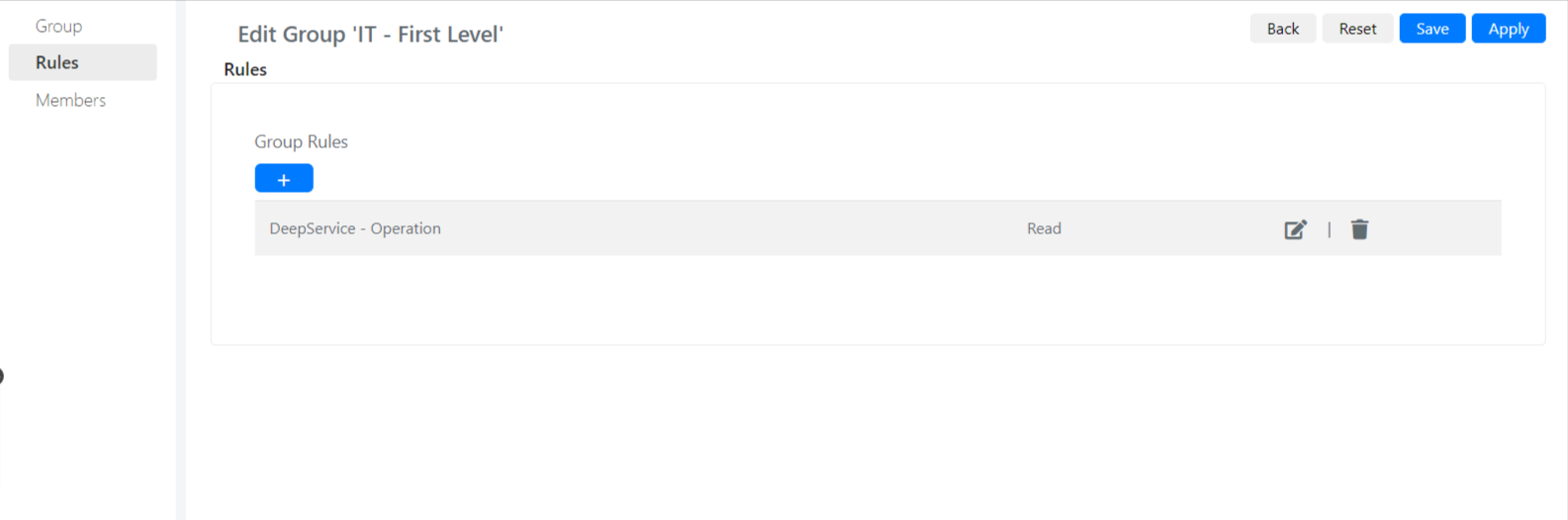
- Click the + button to open the form for adding a new rule.
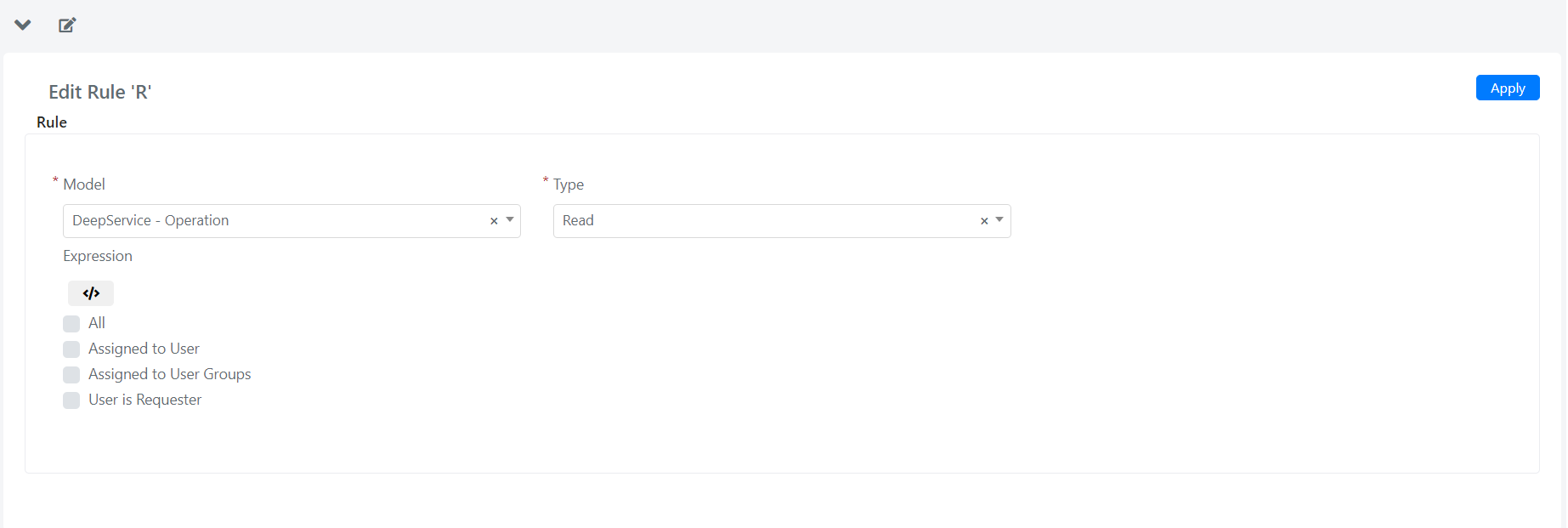
- Fill in the fields described below:
| Field | Meaning |
|---|---|
| Model | Model on which to define a rule/permission |
| Type | Type of permission for which to define the rule: Create, Read, Update, Delete, Grid |
| Expression | PHP scripting area where you can define the rule by code |
| All | Enables the permission (Type) for all members of the current group on all model entities |
| Assigned to User | Enables the permission (Type) for all members of the current group on all entities of the model where the User is the Assignee |
| Assigned to User Groups | Enables the permission (Type) for all members of the current group on all entities of the model that have the current group as the Assignee group |
| User is Requester | Enables the permission (Type) for all members of the current group on all entities of the model where the User is the Requester |
If a group has no rules configured for some models, that group has read, display, write, and delete privileges on all records of those models. Always set permissions within groups whose privileges you want to restrict.
If a user belongs to several groups with different rules, the most restrictive rule is applied on a case-by-case basis.