Empowered End User (EEU)
An EEU (Empowered End User) is a licensed user who has access to specific features on the User Portal. This license type is separate from the Deepser Backend user license and is intended exclusively for end users who access only the User Portal.
EEU features include:
- Approval workflows
- Advanced data visibility
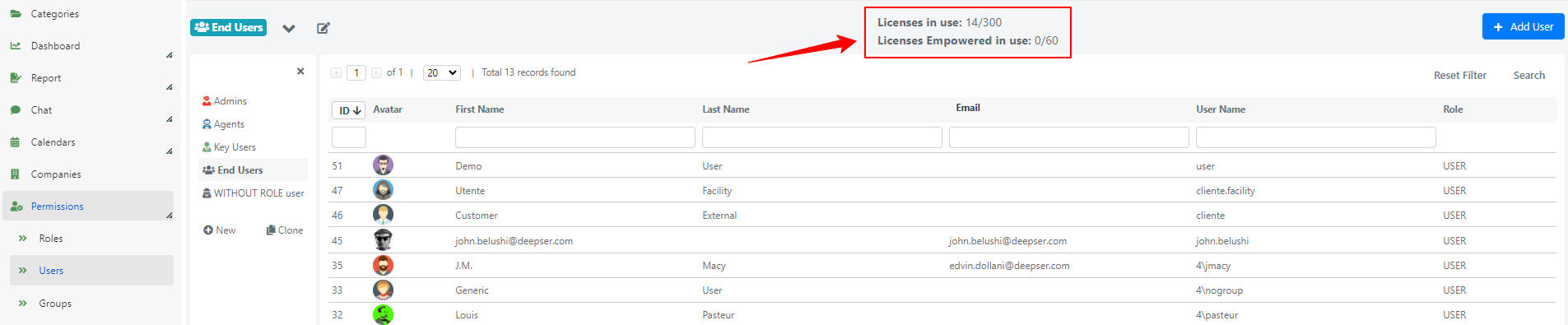
You can check available and active licenses directly from the main users screen in the Deepser Backend (System > Permissions > Users):
Enable an Empowered End User
To set an end user as empowered, set the Empowered field to Yes on the User model form template. The "Empowered" field is visible for users with the "End User" role.

You can set this to "Yes" only if you have the EEU license type available. Additionally, it can only be set for users with the "Users" (End User) role.
EEU Approvals
The Empowered End User can approve or refuse an approval process. All approvals are visible through the user menu in the User Portal.

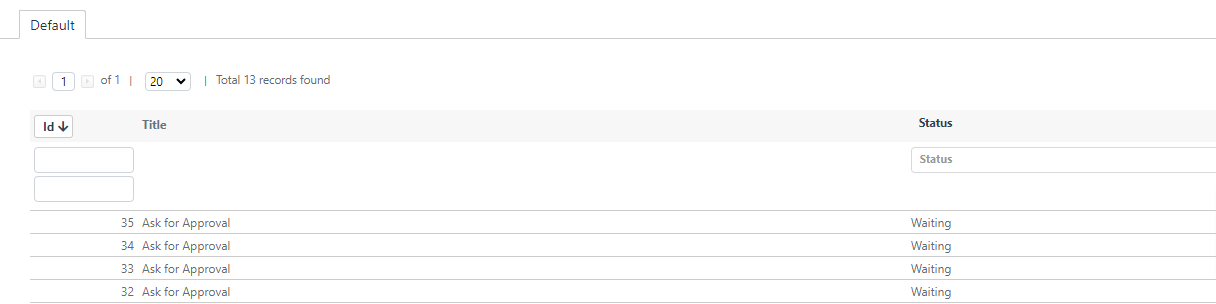
After clicking My Approvals, the EEU can see the approvals grid assigned to them.
For details on the approval workflow, see Portal Approval.
EEU Access Users and Access Groups
When a user is configured as Empowered, they gain expanded visibility access for Service Operations and other models, in addition to the approval flow. This is achieved through the Access Users and Access Groups fields, which are available by default in the Operation model and allow for more granular control over permissions and data visibility.
- Access User: By using this field in a Service Operation, you can grant each individual EEU access to specific entities. Once access is granted, the EEU can view the Service Operation through the User Portal.
- Access Group: Like the Access User field, when populated within a Service Operation, it extends the visibility of an entity if the user who is part of the group is of the "Empowered" type.
For details on configuring these fields, see Access Groups and Access Users.