Configure Comment Settings
Deepser allows you to make advanced system configurations for comments, such as setting the display order and automating the status change of a Service Operation when a comment is inserted.
Access Comment Configuration
- In the Deepser Backend, navigate to System > Configuration > Activity > Configurations.
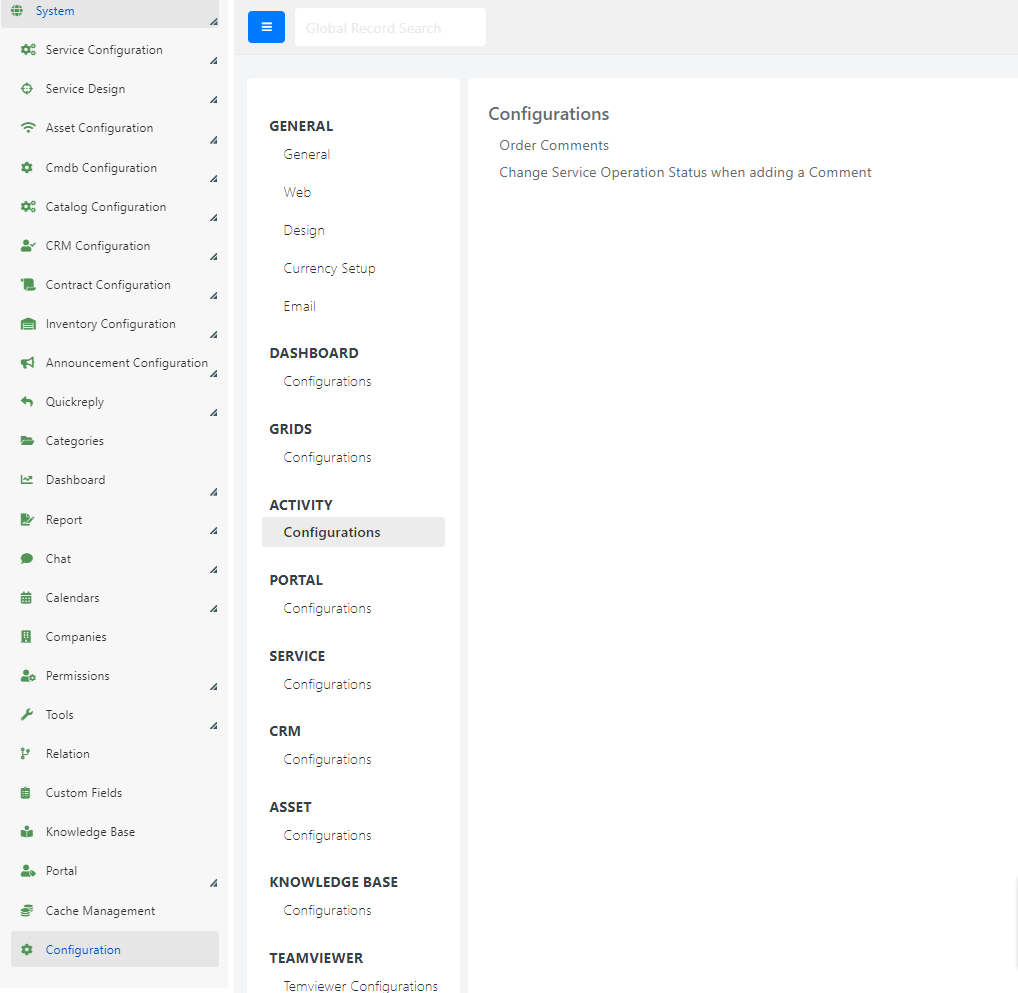
- The comment configuration section will appear:
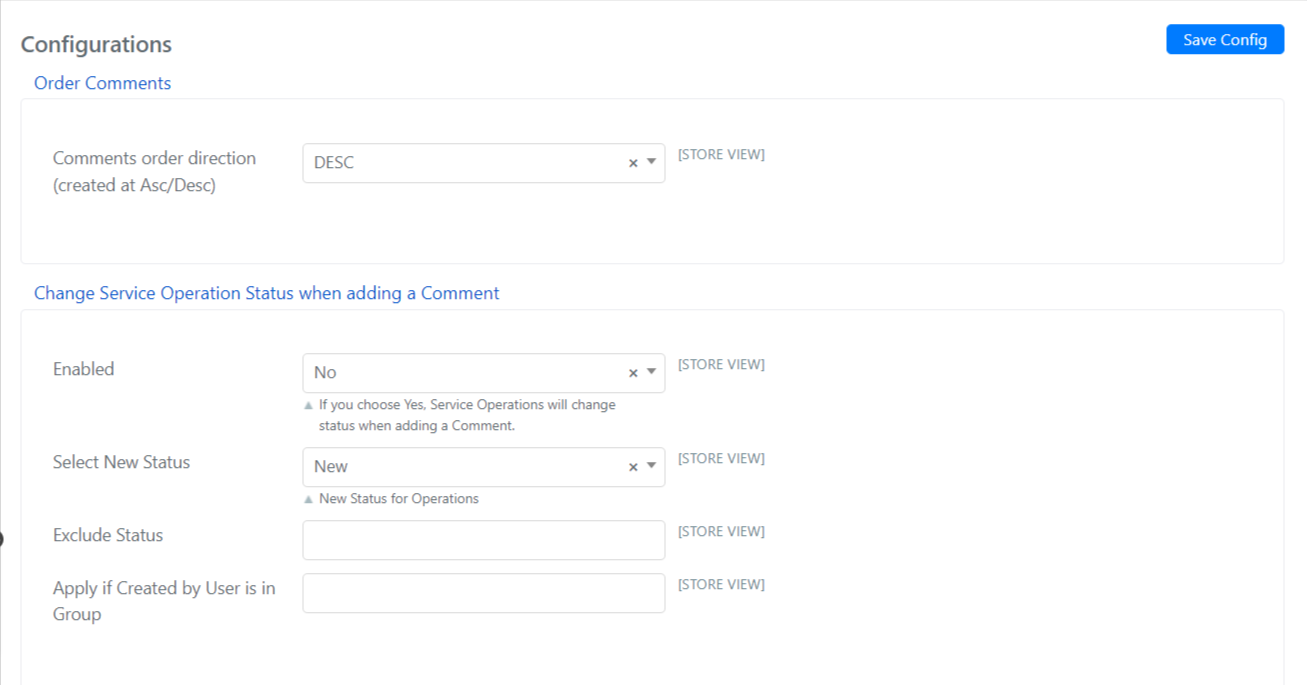
Configuration Fields
| Section | Field | Description |
|---|---|---|
| Order Comments | Comment order direction (creation date Asc/Desc) | Sort comments from least to most recent (Asc), or from most recent to least recent (Desc). |
| Changes Service Operation status when adding a Comment | Enabled | If set to Yes, adding a comment to a Service Operation will automatically change its status based on the rules defined below. |
| Select New Status | The status that the commented Service Operation should change to (e.g., Taken over). | |
| Exclude Status | Service Operations in any status shown in this list will not be affected by this automation. For example, if you only want to change Service Operations with New status, enter all other statuses in this field. | |
| Apply if Created By user is in Group | Enable this automation only for users who are members of certain groups. For example, if the status change should occur only when an Operator enters a comment, select an Operator group. |
- Click Save Config to apply the configuration.
tip
Use the Exclude Status field to prevent unwanted automatic status changes on Service Operations that are already in a final or closed state.