Worklog Global Grid
The Worklog Global Grid is a configurable grid that allows you to view all work activities in one place. You can access this grid only from the Deepser Backend.
Access the Grid
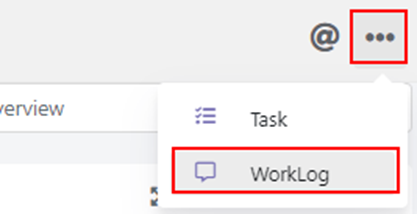
- At the top right of the Deepser Backend, click the three-dot menu.
- Click Worklog to access the grid.
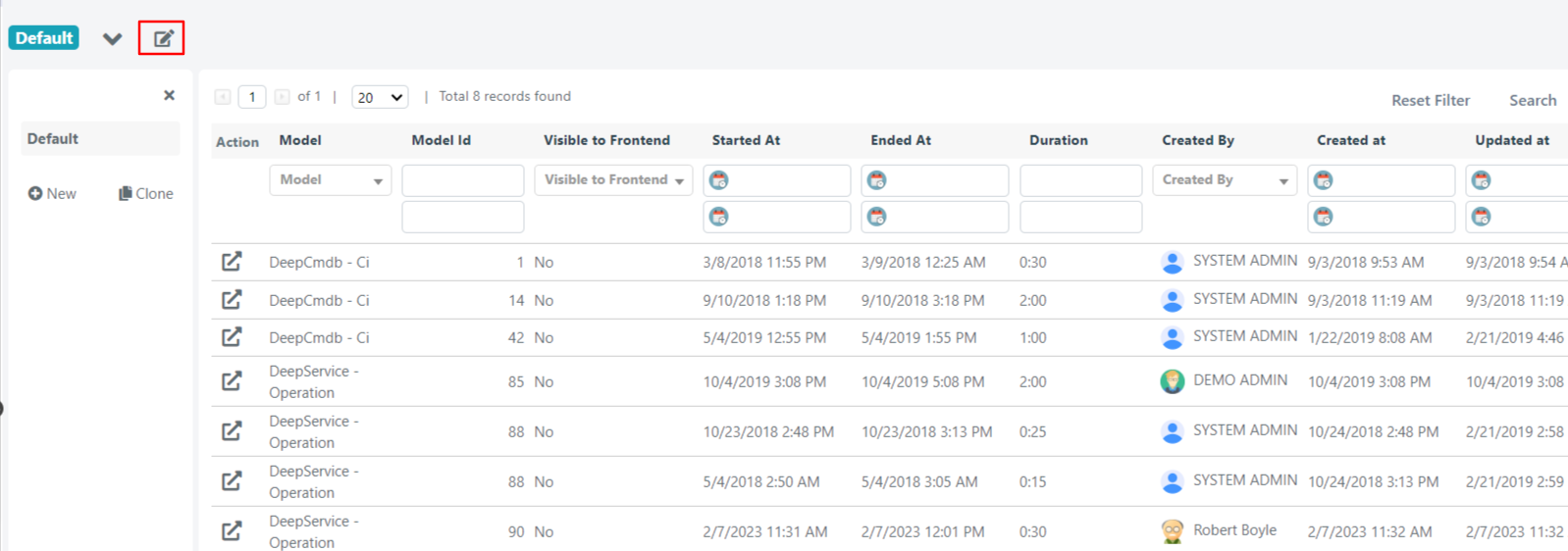
If not configured, the grid will show the following default fields:
| Field | Description |
|---|---|
| Action | Opens the entity containing the related work activity in a floating window (for example, the Service Operation in which the activity is contained). Clicking inside the row instead opens the work activity itself in a floating window. |
| Model | The entity type that contains the work activity (usually contained in Service Operations). |
| Model Id | The ID of the entity in which the activity is contained. If the work activity is in a Service Operation, the ID of that Service Operation will be shown. |
| Visible to User Portal | Indicates whether the activity is visible in the User Portal. By default, work activities are never shown in the User Portal. |
| Started At | The date and time that indicates the start of the activity. |
| Ended At | The date and time that indicates the end of the activity. |
| Duration | Duration of the activity. |
| Created By | The user who created the activity. |
| Created At | The date and time that indicates the creation of the work activity. |
| Updated At | The date and time that indicates the last change to the work activity. |
Configure Grid Fields
You can access the global grid configuration through the edit button shown below.
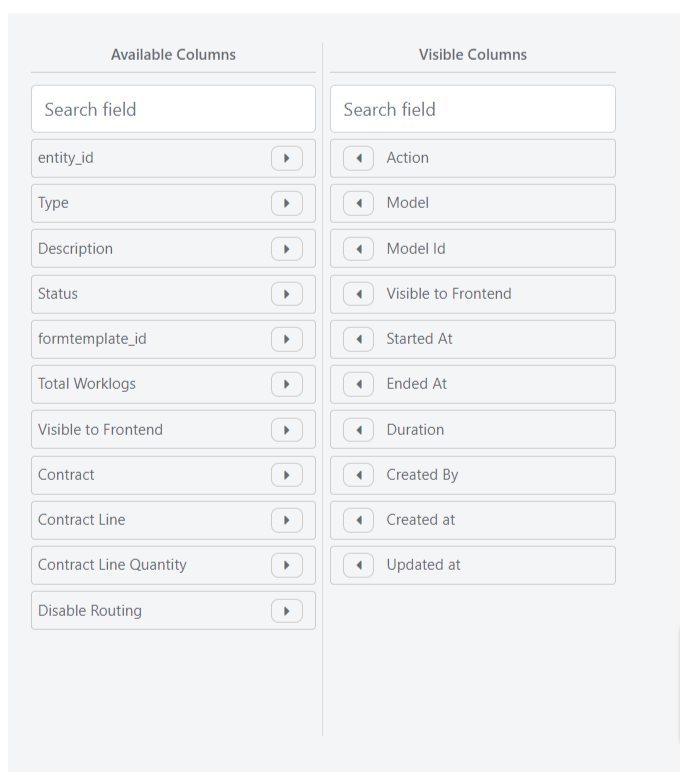
Inside, you can choose which fields to display:
- The Available Columns list shows all fields not currently shown in the grid.
- The Visible Columns list shows all fields currently displayed, and you can choose the order in which they appear.
To insert or remove fields, use the arrows next to each field.
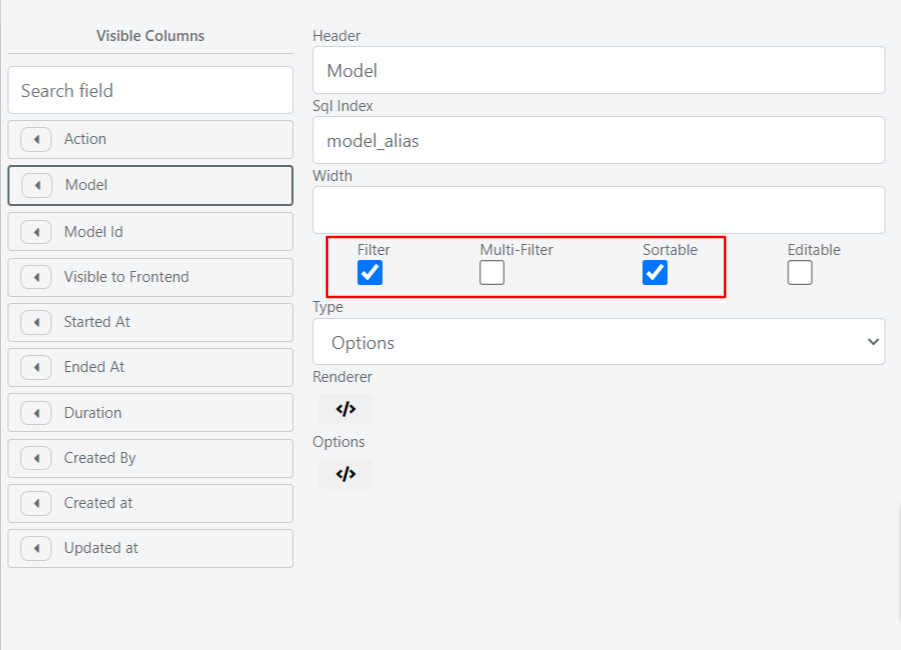
To change the order of displayed fields, use Drag & Drop to rearrange them. By clicking on one of the displayed fields, you can define whether the field is sortable, filterable, and/or multifilterable (in the case of a select field) through the corresponding checkboxes.
Filter the Activity Collection
Within the grid, you can define the collection of work activities to retrieve and display using the Query Builder.
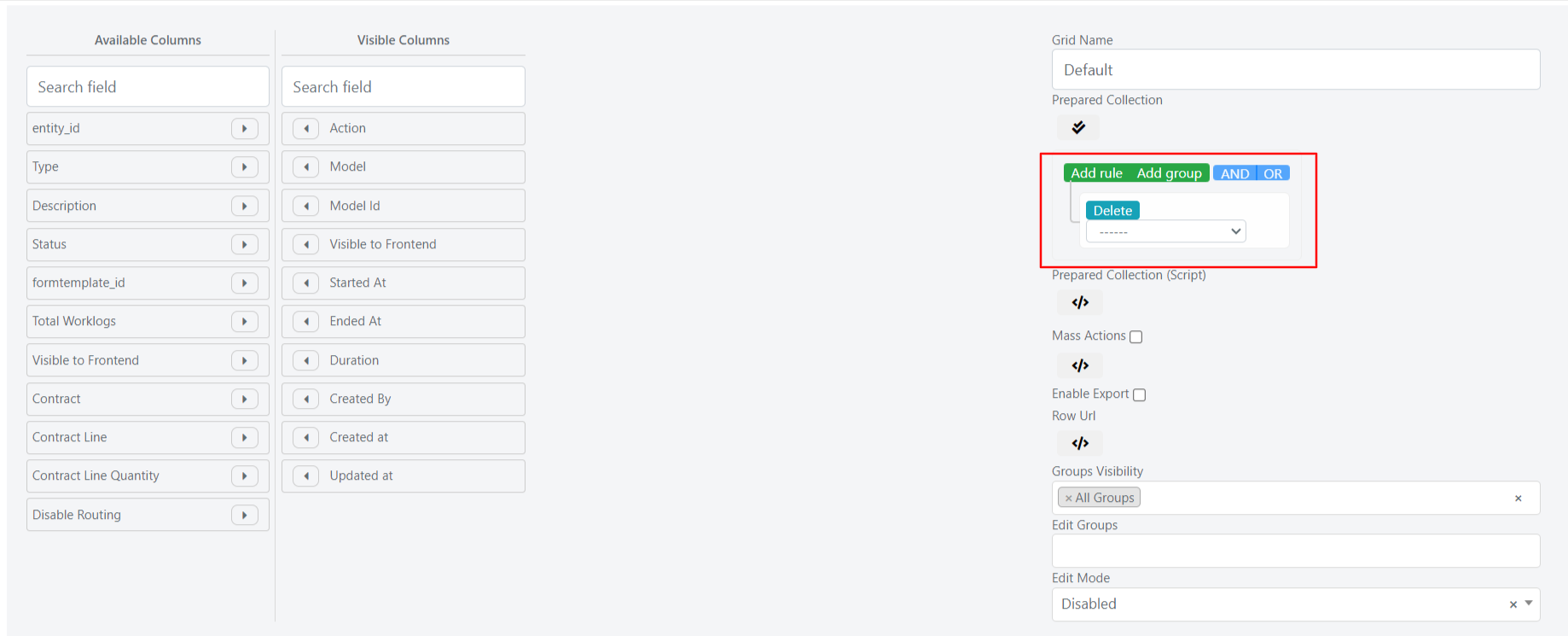
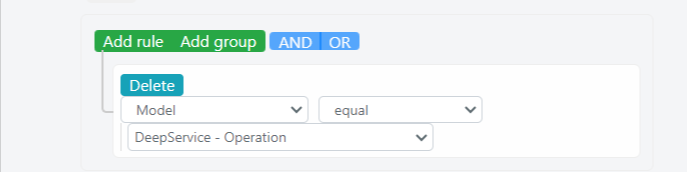
For example, you can view only activities placed within Service Operations by setting the following condition: Model equal DeepService -- Operation.
Mass Actions and Exports
Mass Actions
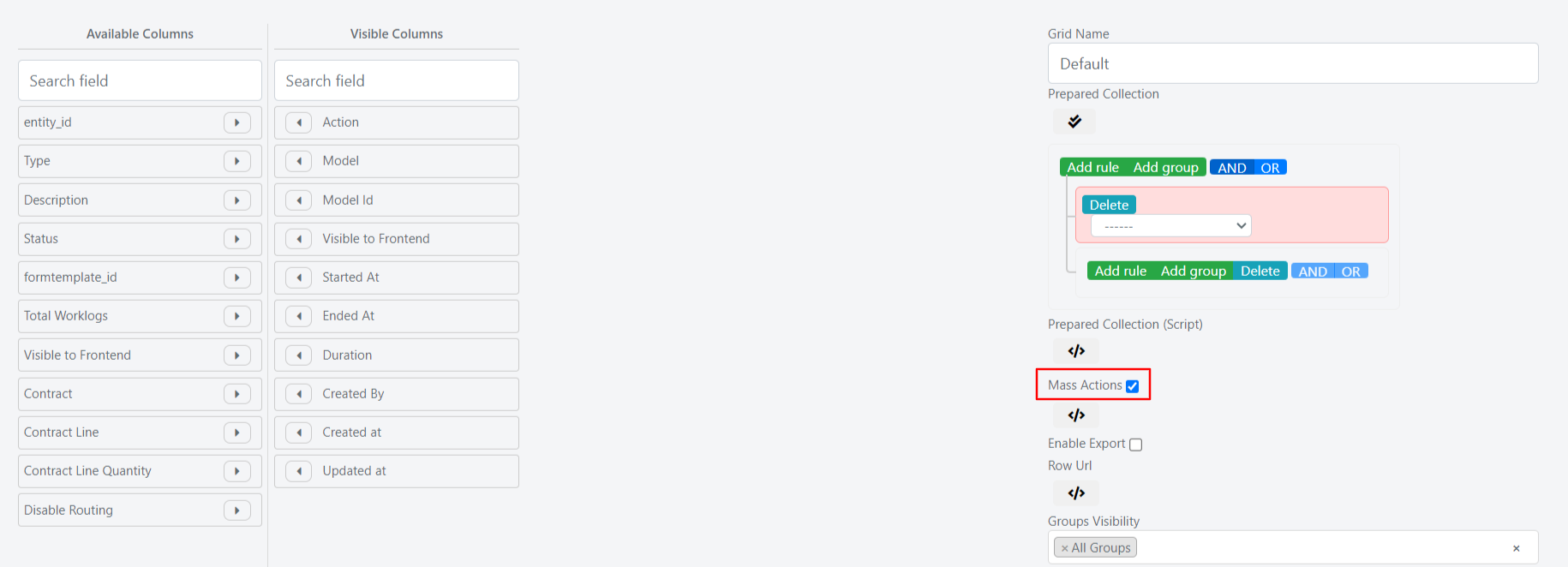
Through the Mass Actions checkbox, you can activate mass actions in the grid. Mass actions allow you to modify one or more work activities through a grid selection. The default mass action available is deletion.
Deletion through mass action results in a physical deletion from the database. Deleted work activities cannot be recovered.
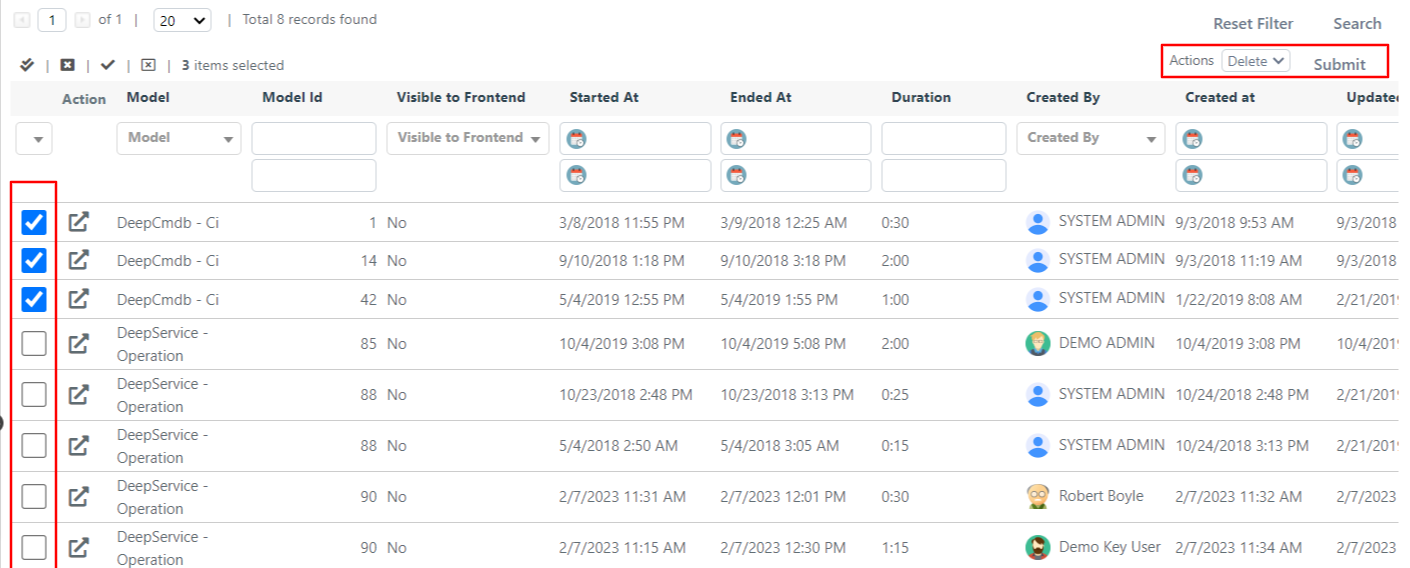
Exports
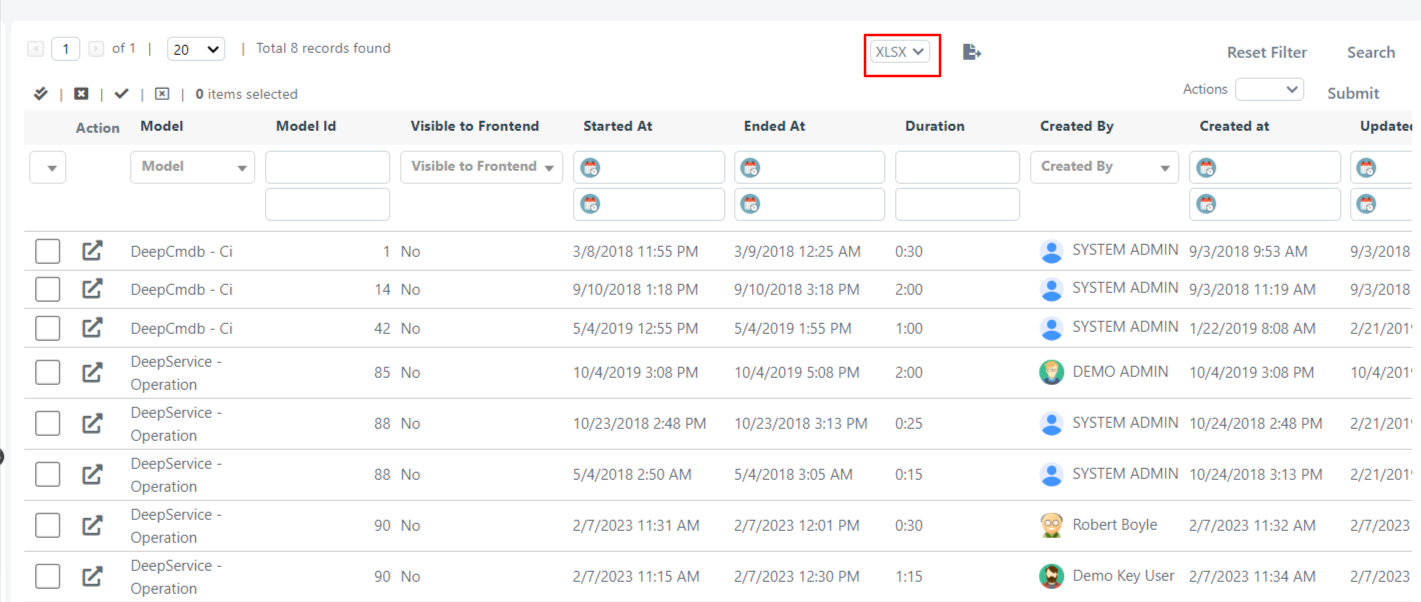
Through the Enable Export checkbox, you can enable the export of grid data in XLSX or CSV format.
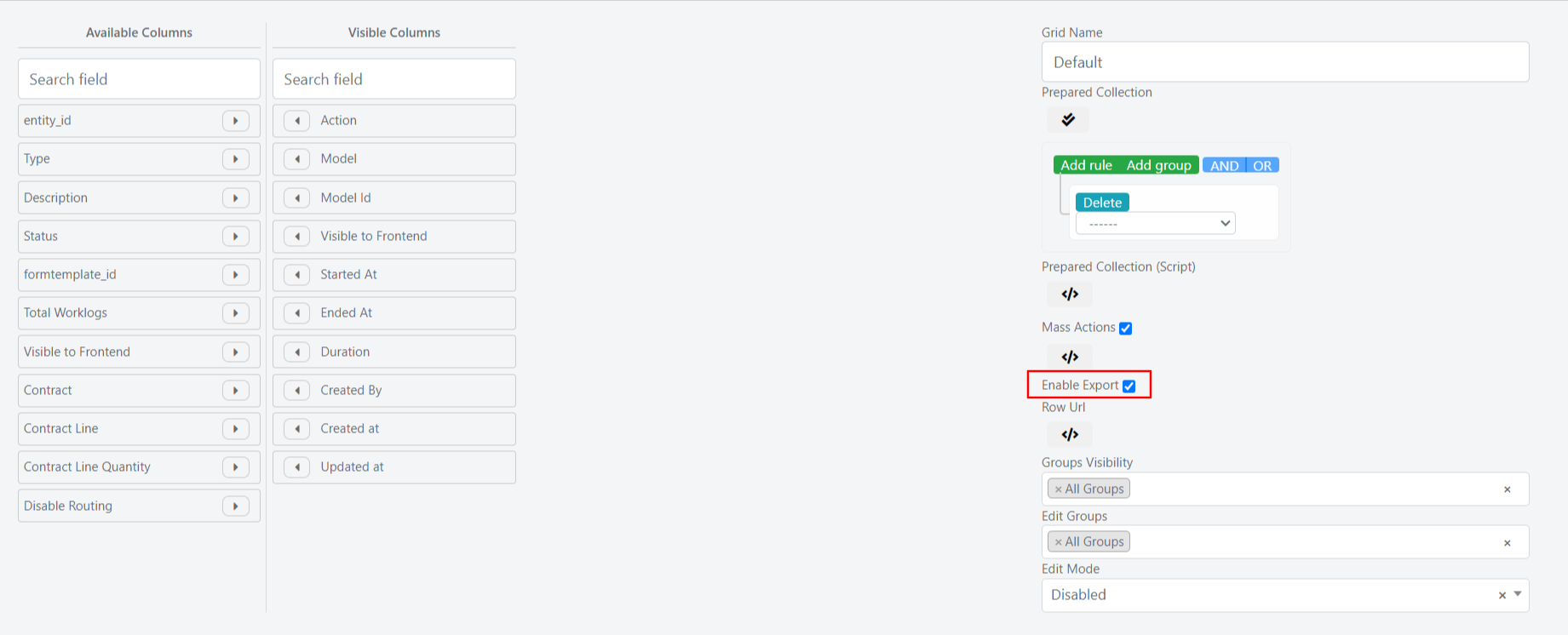
Once export is enabled, the grid displays a format selector and an export button. When you click the export button, a popup asks whether you want to export only the currently visible work activities or all work activities.