Enable Worklogs in the User Portal
By default, Worklogs are not visible to end users. Follow these steps to display Worklogs in the User Portal and optionally allow end users to create or edit them.
Configure Worklog Visibility
- In the Deepser Backend, navigate to System > Configuration > Portal > Configurations.
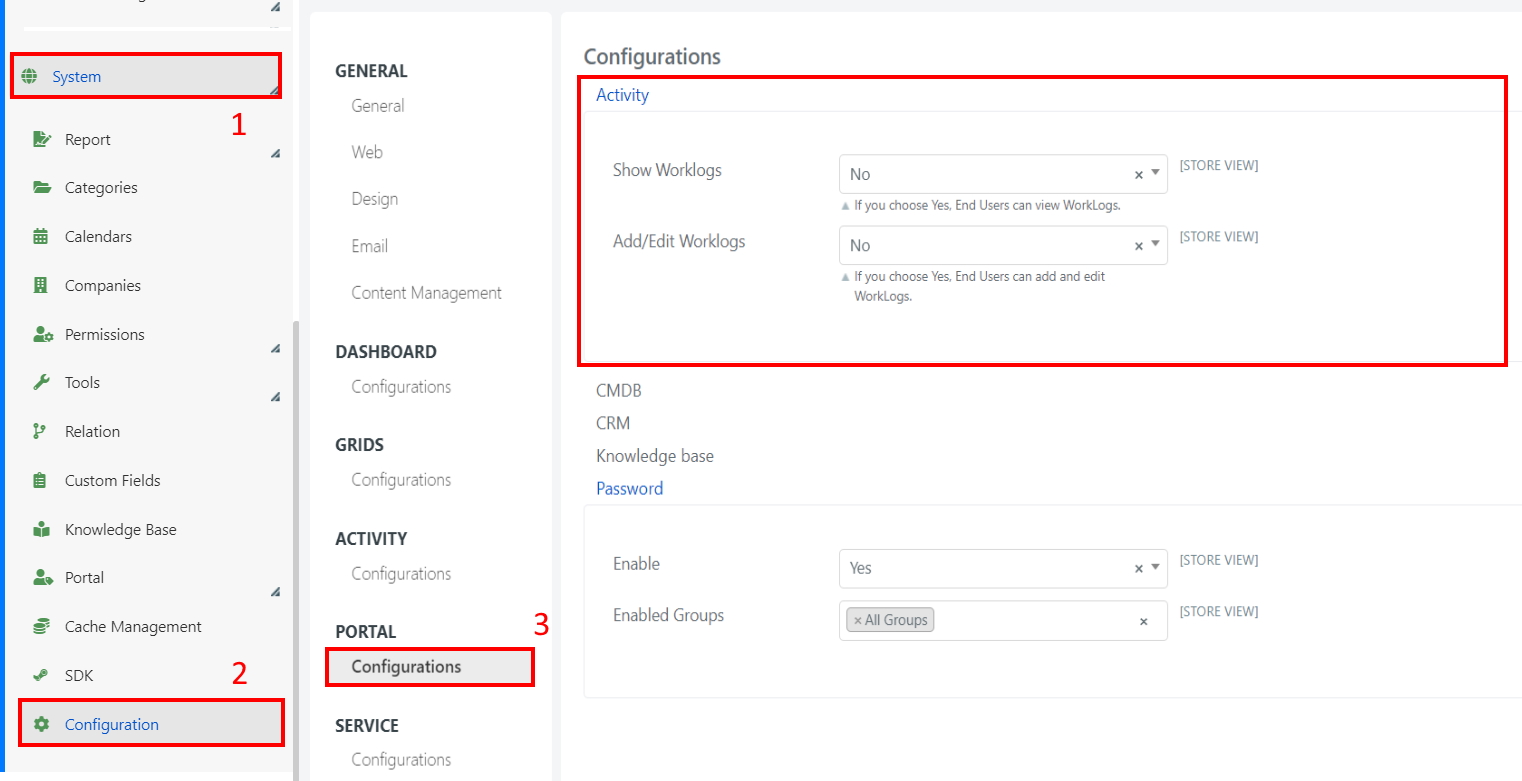
- Locate the Worklog configuration section:
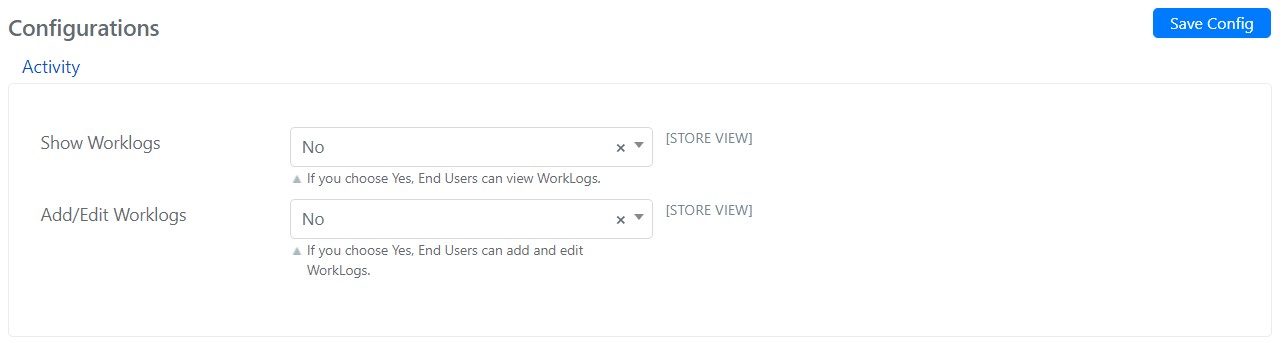
- Configure the following fields:
| Field | Description |
|---|---|
| Show Worklog | Makes Worklogs visible in the User Portal. The Worklogs will be read-only if Add/Edit Worklog is set to No. |
| Add/Edit Worklog | Gives end users the ability to insert Worklogs, or modify those already present in Service Operations. |
- Click Save Config to apply the configuration.
note
Even when Show Worklog is enabled, end users can only view Worklogs. To allow them to create or edit Worklogs, you must also set Add/Edit Worklog to Yes.