Configure External Calendars
When your calendar data originates from an external source, you can configure Deepser to connect with external calendars such as Google Calendar or Outlook Calendar. This page covers the calendar and source configuration required for external calendar integration.
For external calendars, the following sections should be configured:

Calendar
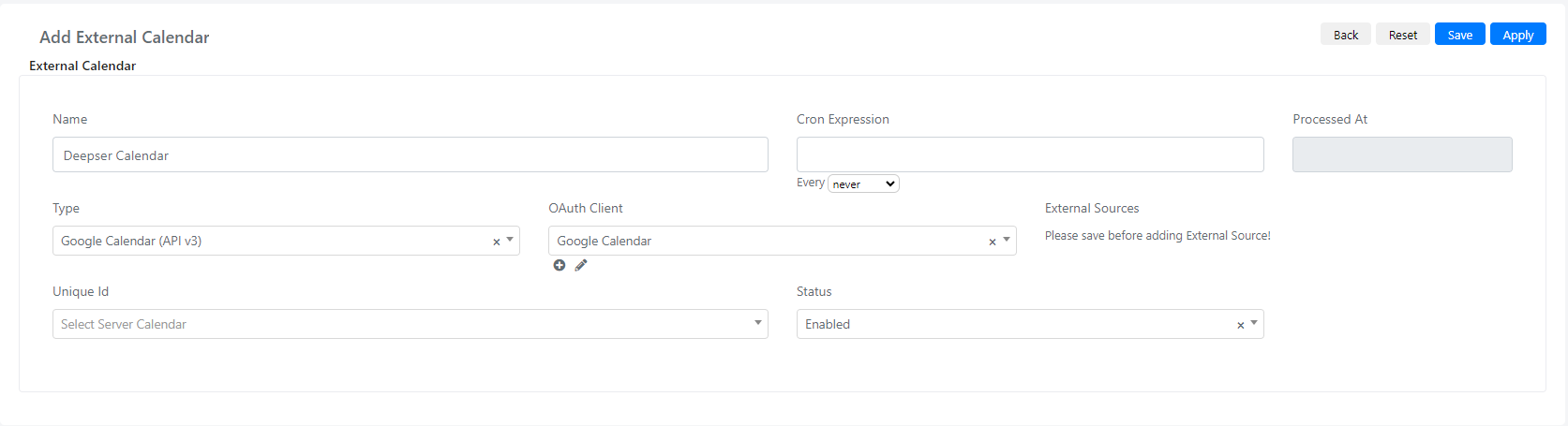
In the calendar module, you can name the calendar, define the "Type" as Google Calendar or Outlook Calendar, select the Client you previously created in "OAuth Client", and choose the desired calendar in "Unique Id".
(To view a complete example, you can check the Google Calendar configuration example accessible here)
Source
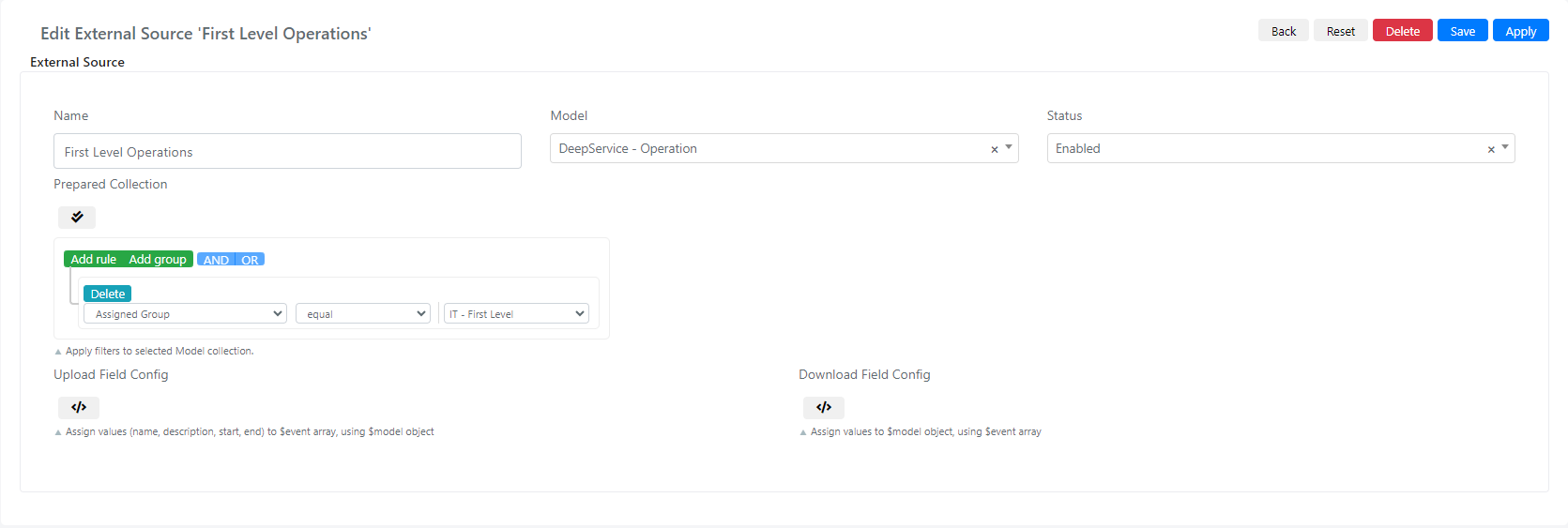
An external source is used to link Deepser models like Service Operations, activities, or tasks with external calendars. On the external source multiselect field, you can choose an existing source or create a new one.
| Field | Description |
|---|---|
| Name | In this field, you can set a name for the source. |
| Model | Select field where you can choose the model you want to use on the calendar. |
| Status | Select field where you can choose to enable or disable the source. |
| Prepare Collection | With this query builder, you can filter the collection chosen based on their fields. |
| Upload Field Config | With this scripting area, you assign values from the model as calendar events. |
| Download Field Config | With this scripting area, you can create models with values from the calendar events. |
Upload Field Config
/*event variable is an array with keys of name, description, start and end
This keys will be mapped to the model values.
*/
$event['name'] = $model->getTitle();
$event['description'] = $model->getDescription();
$event['start'] = $model->getCreatedAt();
$event['end'] = $model->getDueDate();
Download Field Config
/* model variable corresponds to the chosen model and its data is set by the calendar event */
$model->setTitle($event['name']);
$model->setDescription($event['description']);
$model->setCreatedAt($event['start']);
$model->setDueDate($event['end']);
Related Articles
- Integrate Google Calendar with Deepser -- Step-by-step Google Calendar setup
- Integrate Outlook Calendar with Deepser -- Step-by-step Outlook Calendar setup
- Configure Internal Calendars -- Set up calendars with Deepser data
- Calendar Usage -- Access and use configured calendars