Use Categories in Modules and Grids
Categories are a flexible classification tool that you can use across different Deepser modules. This page explains how to work with the category field in forms and how to display categories in grids.
Use Categories in Modules
The category field is available by default in Service Operation and CMDB models, through a custom field with element type "category."
The screenshot below shows a typical category field configuration:

This is how the category field appears on the form template after configuration:

The first select field shows all Level 1 categories. After you choose a first-level category, the second-level select field appears, and so on.
You can configure up to three levels of category selection, allowing users to progressively narrow down their choice.
Display Categories in Grids
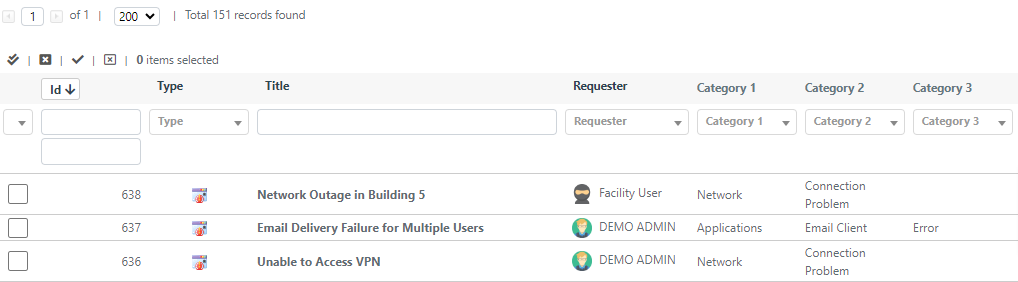
Categories of different levels can be displayed in the grids of any model that has the category field configured.
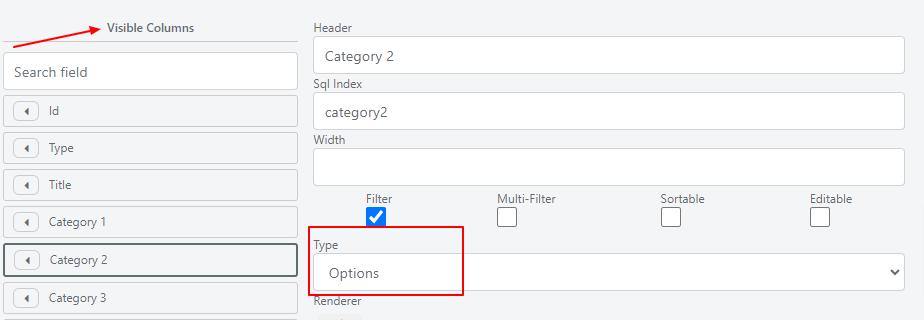
- Drag the category fields into the visible columns of the grid.
- Set the column type to options so that the category name is displayed instead of its entity ID.
After adding the categories, this is how they appear on the grid: