Configure Chat Rooms and Moderators
Deepser's chat allows Key Users, Operators, and Admins to create rooms for group communication. Rooms are spaces where multiple users can collaborate, typically organized around a particular topic.
Create a Room
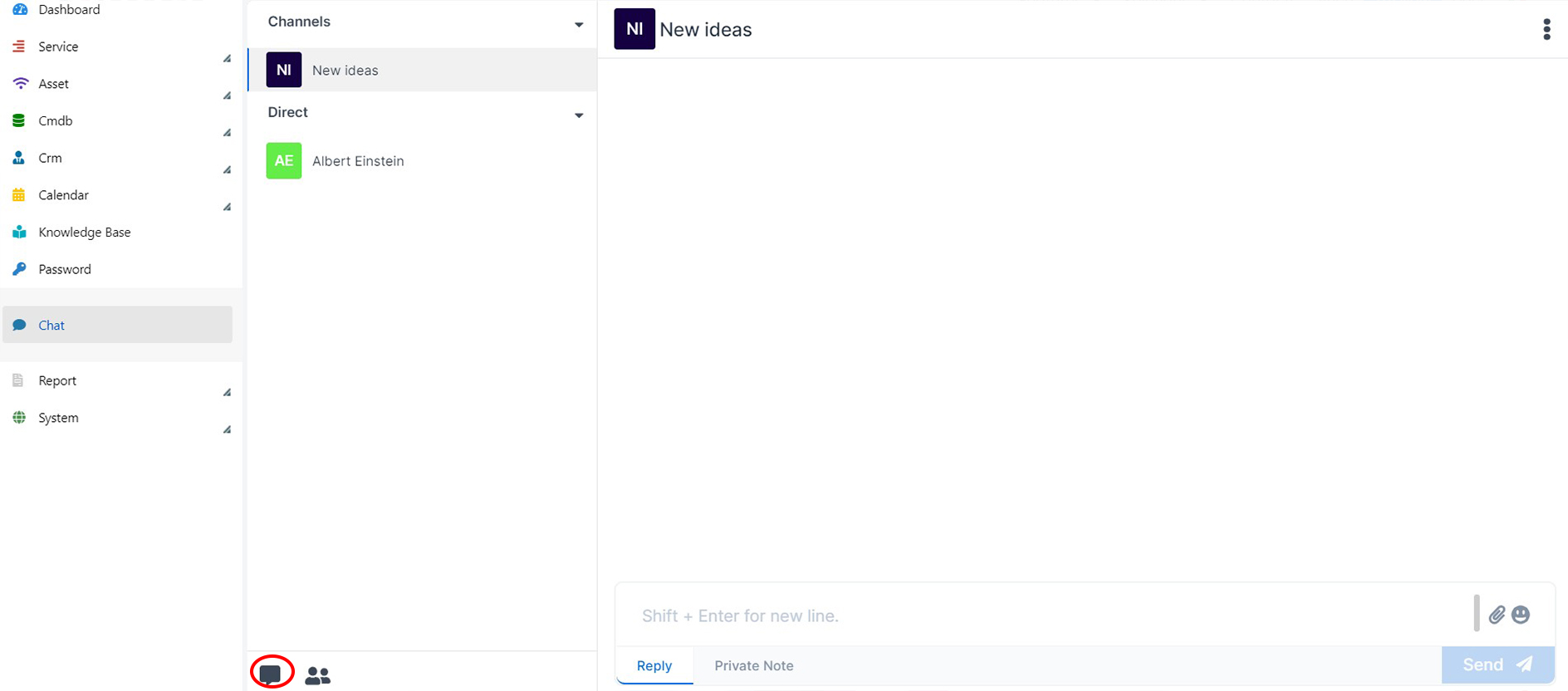
- Click the Room creation button.
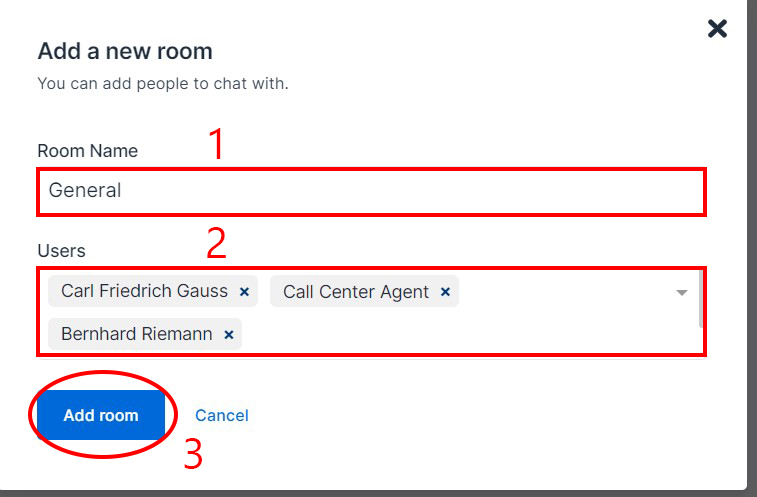
- Enter a Name for the room and select the participating users, then click Add room.
Edit a Room and Add Moderators
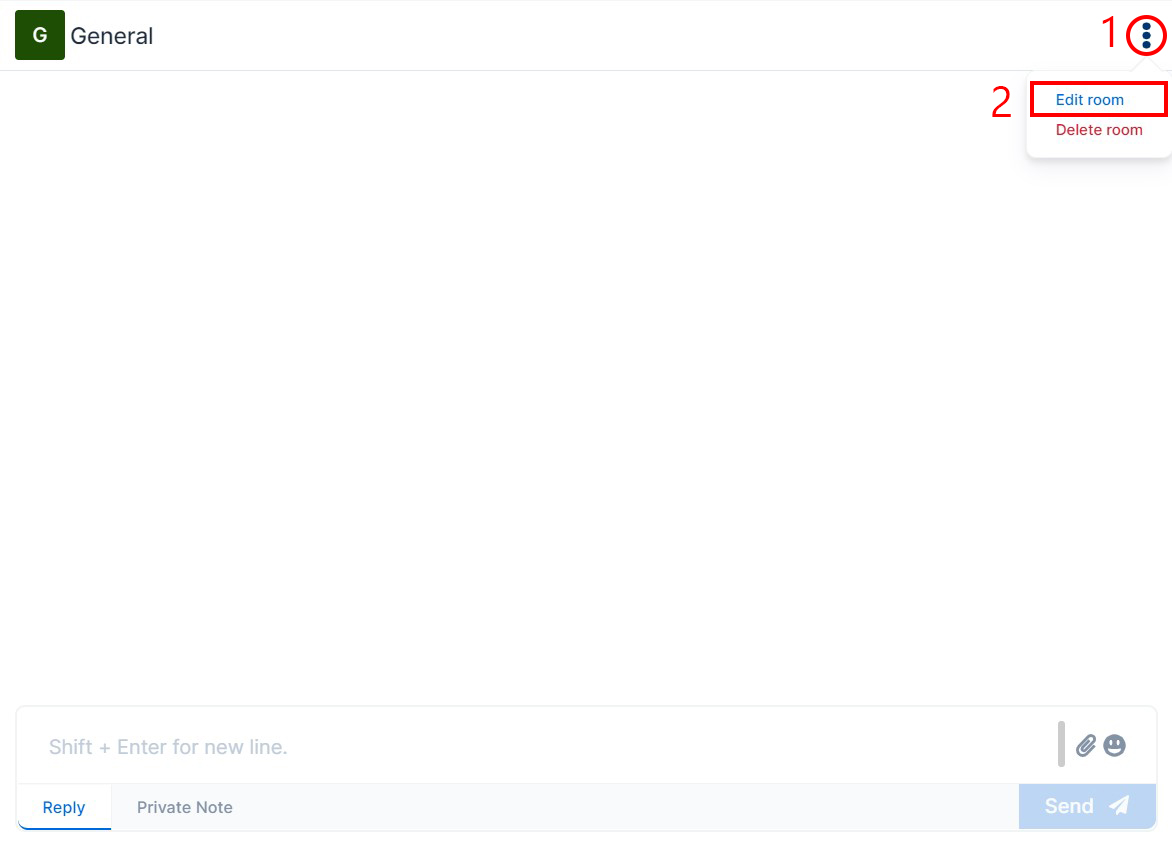
- Click the three dots at the top left, then select Edit Room.
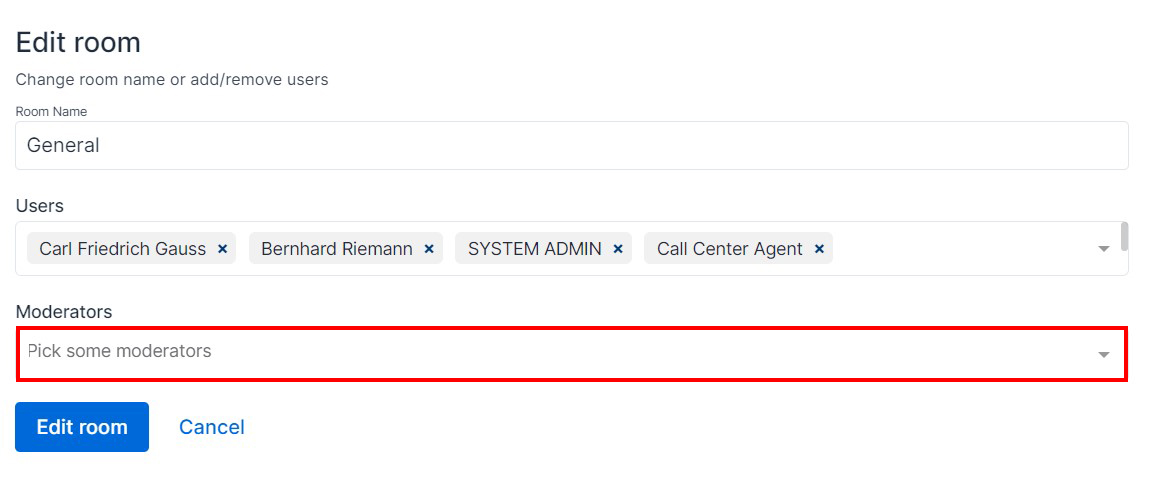
- The room editing menu appears, where you can add Moderator users.
Permissions
The following table describes the permissions of the room creator, moderators, and end users.
| End User | Moderator | Creator | |
|---|---|---|---|
| Edit/Delete Room | No | Yes | Yes |
| Edit/Delete Messages | Only their own messages | Any message | Any message |
| Add/Edit Moderators | No | No | Yes |
| Remove the Creator | No | No | No |
note
No one, not even the creator, can remove themselves from one of their own channels.