Associate a Contract with Other Entities
Contracts and contract lines can be linked to Service Operations, worklogs, and other Deepser modules. These associations enable reporting, filtering, and automatic time or quantity tracking against contract lines.
Associate with a Service Operation
The Service Operations form includes a Contract field that lets you link a Service Operation to a specific contract.
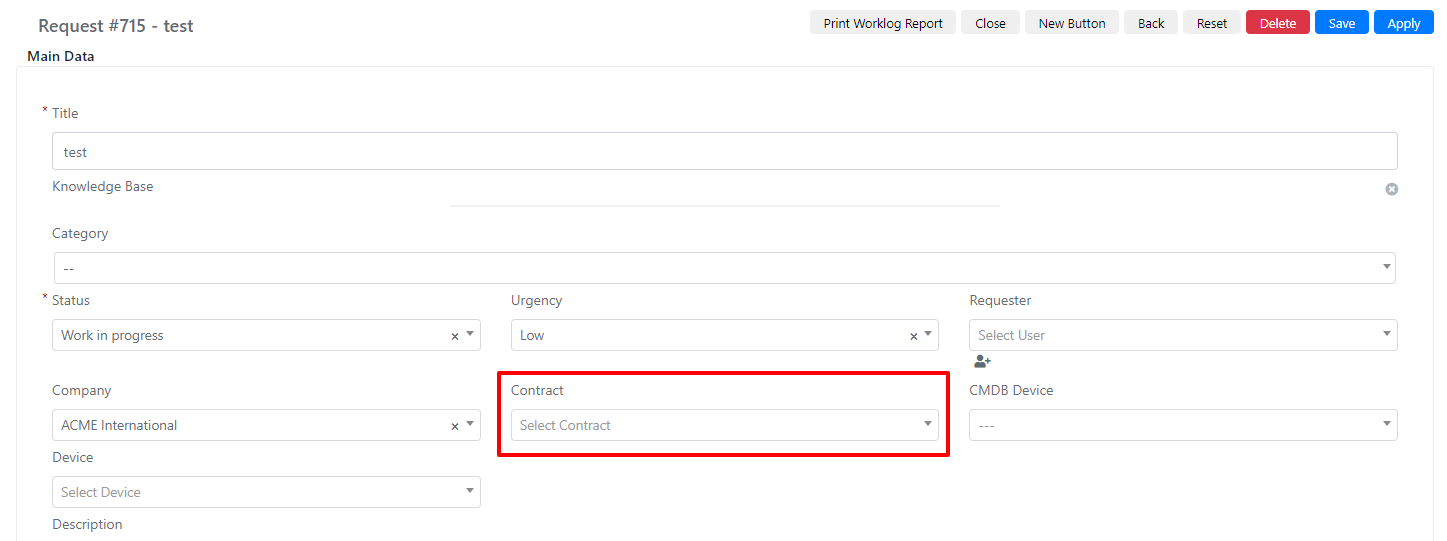
This association is useful for reporting, data exports, and applying grid filters.

Associate with a Worklog
The worklog form contains both a Contract and a Contract Line field.
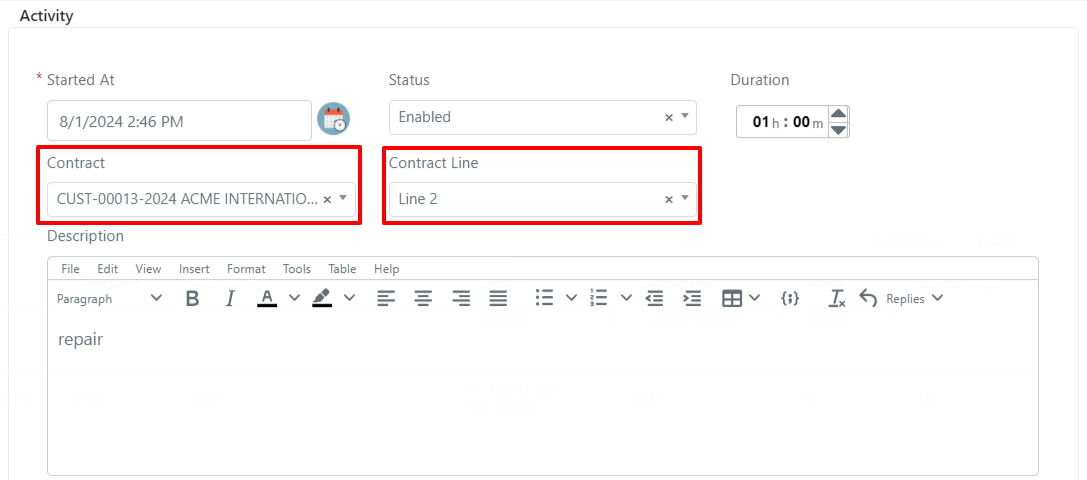
These fields serve two purposes: they provide an informational link to the contract, and they are required for billing the worklog against the contract.
Line Calculation
When a worklog is associated with a contract line, Deepser can automatically deduct the time or quantity consumed from the line totals. The Line Calculation fieldset inside the Lines form manages this behavior.
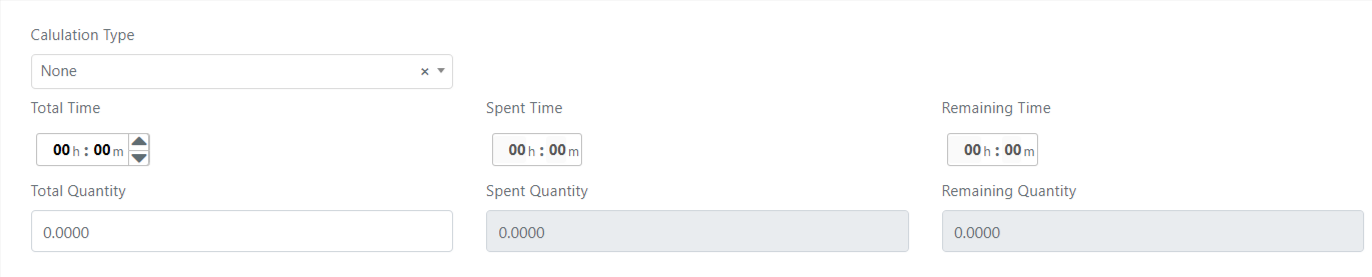
| Field Name | Description | Note |
|---|---|---|
| Calculation Type | Select with values: None, Time, Quantity. | |
| Total Time | Total line time. | Visible when Calculation Type = Time. |
| Spent Time | Time spent on the line. | Visible when Calculation Type = Time. |
| Remaining Time | Remaining line time. | Visible when Calculation Type = Time. |
| Total Quantity | Total line quantity. | Visible when Calculation Type = Quantity. |
| Spent Quantity | Quantity used on the line. | Visible when Calculation Type = Quantity. |
| Remaining Quantity | Remaining quantity of the line. | Visible when Calculation Type = Quantity. |
If the "Calculation Type" field is set to "None," no deduction occurs even if "Total Quantity" or "Total Time" is populated.
Calculation Type: Time
When you set the Calculation Type to Time, fill in the Total Time field with the contracted amount.

To deduct time from the line:
-
Open a Service Operation and add a new activity (worklog).
-
Fill in the Contract, Contract Line, and Duration fields.
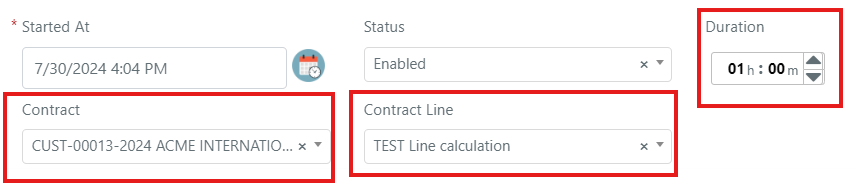
-
Save the activity. The time fields on the contract line update automatically.

Calculation Type: Quantity
When you set the Calculation Type to Quantity, fill in the Total Quantity field with the contracted amount.

To deduct quantity from the line:
-
Open a Service Operation and add a new activity (worklog).
-
Fill in the Contract, Contract Line, and Contract Line Quantity fields.
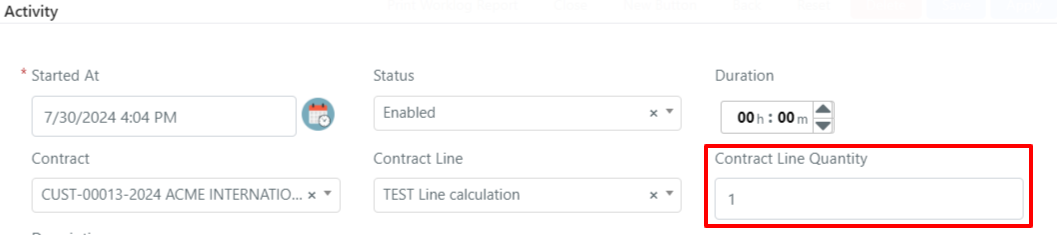
-
Save the activity. The quantity fields on the contract line update automatically.
