Contract Automations
The contract module includes system automations to help you manage contracts effectively. This page covers expiration and renewal handling, group-based visibility, and amount tracking.
Expiration and Renewal
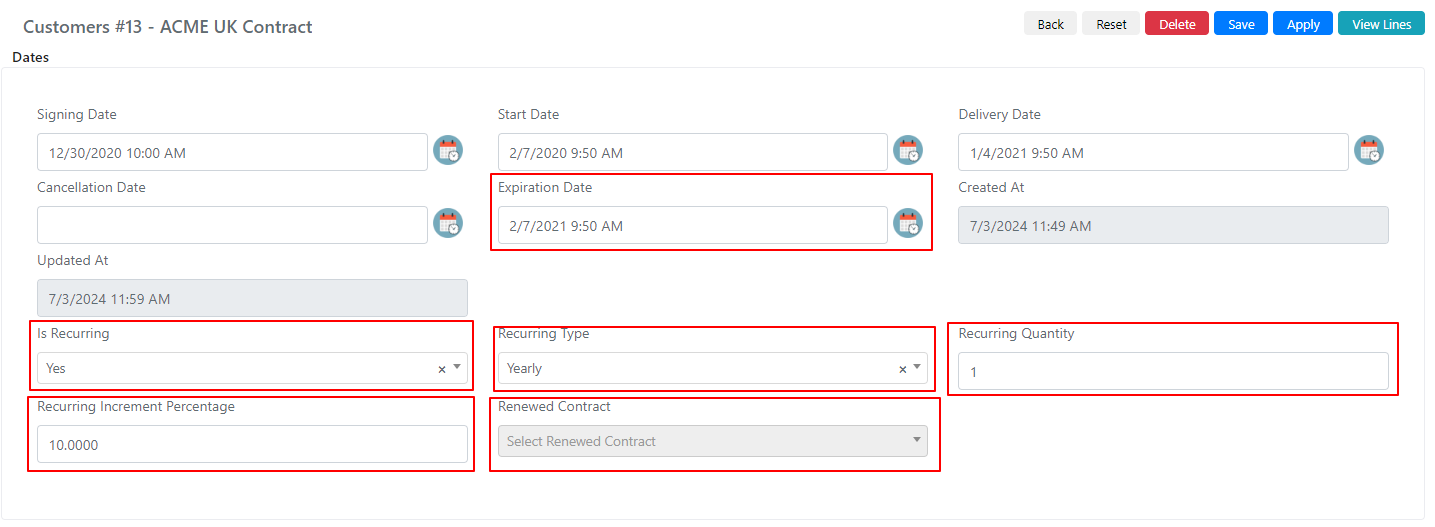
Deepser automatically tracks contract expiration dates and can renew contracts based on the fields below.
| Field Name | Description | Note |
|---|---|---|
| Expiration Date | Contract expiration date. | |
| Is Recurring | Flag indicating if the contract is renewable. | If set to "No," the contract will not be renewed. |
| Recurring Type | Time recurrence unit. | |
| Recurring Quantity | Amount of temporal recurrence. | Related to "Recurring Type." For example, if set to Yearly with a quantity of 2, the contract is renewed by 2 years on the expiration date. |
| Recurring Increment Percentage | Increment applied to the "Total Amount" field at renewal. | For example, if 10% is set and "Total Amount" is 40000, the renewed contract will have a "Total Amount" of 44000. |
| Renewed Contract | Populated with the new renewed contract. |
A System Job runs automatically every 2 hours to check for contract expiration and handle possible renewals.
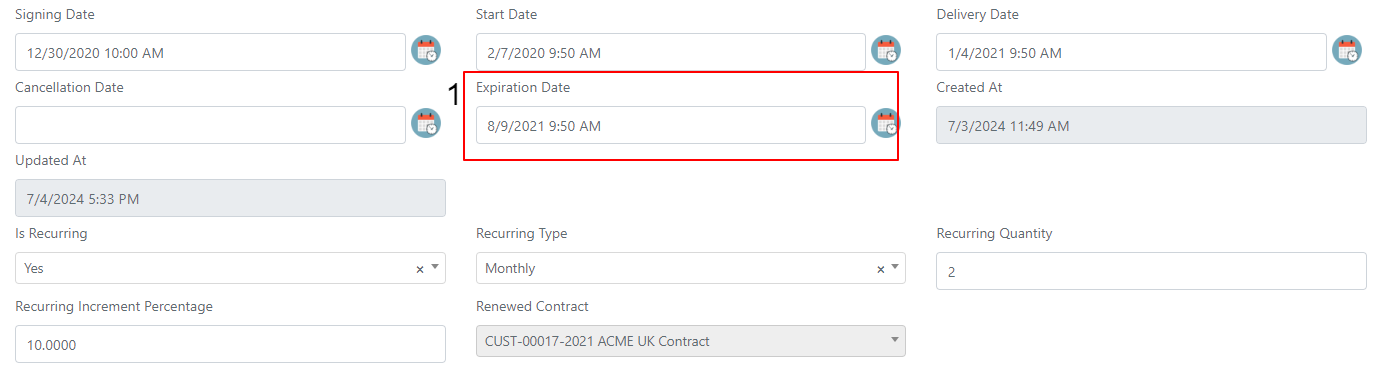
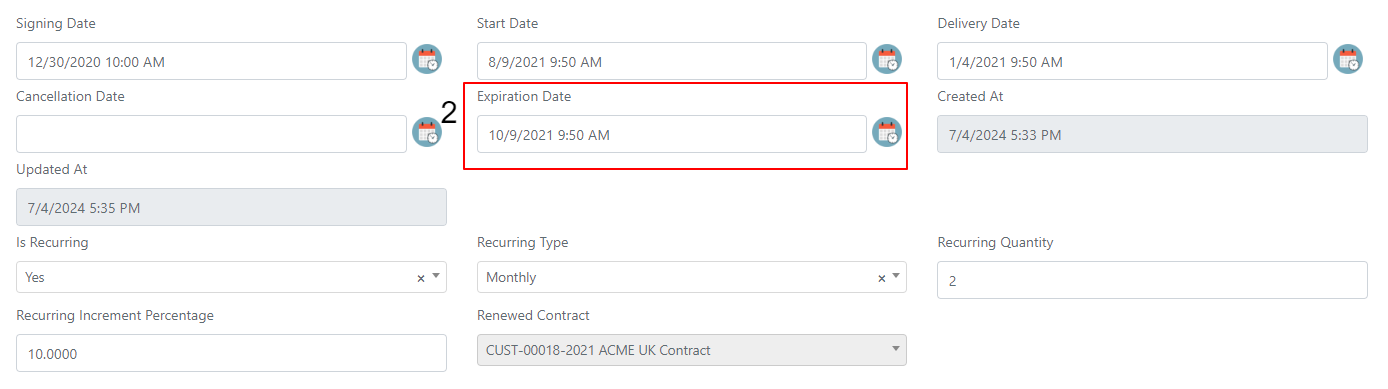
If the job finds a contract with an expiration date earlier than the current date (1), it sets the "Expired" field to "Yes" (2).

Additionally, if the "Is Recurring" field is set to "Yes," the renewal automation is triggered. The date in the "Expiration Date" field is retrieved, and the new contract is renewed according to the specified timing.
Example: If the expiration date of the expired contract (1) is 09/08/2021 and the recurrence is 2 months, the new contract (2) will automatically have the expiration date set to 09/10/2021.
Use Groups Field
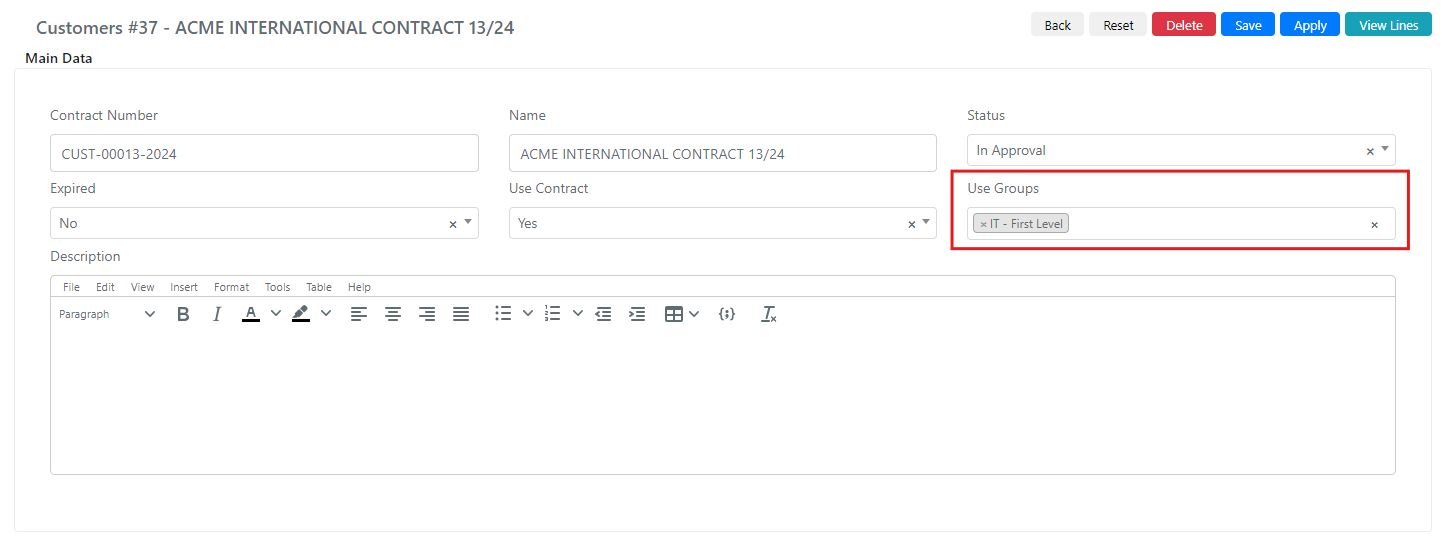
The "Use Groups" field inside the contract manages the contract's visibility within other modules.
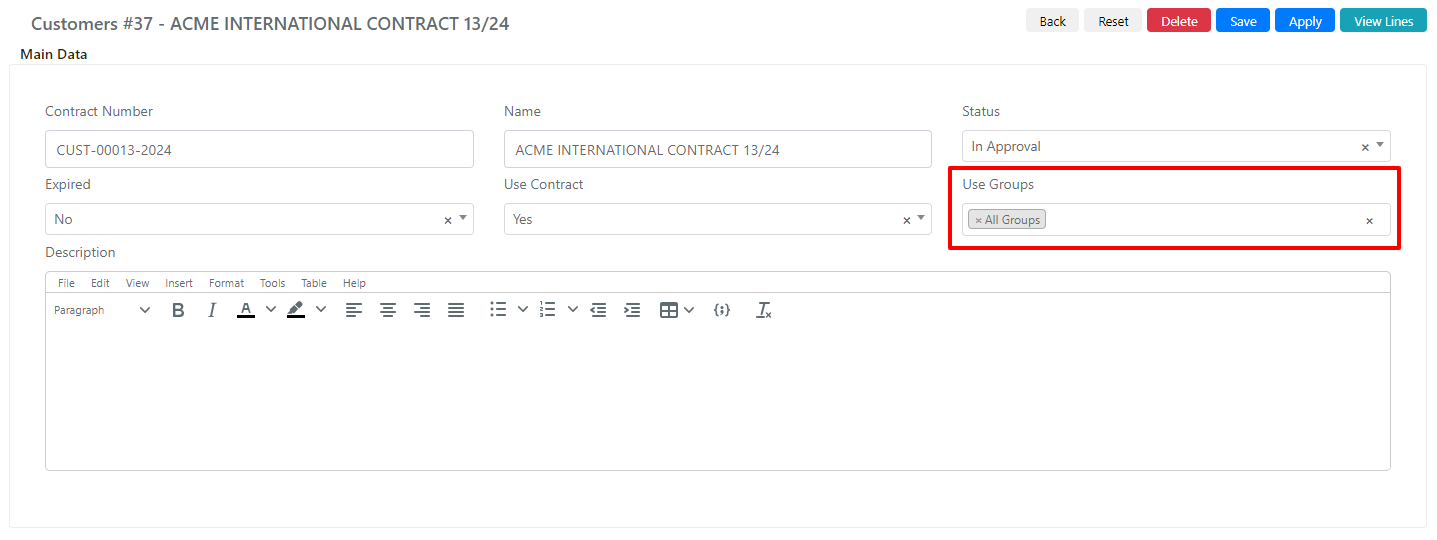
By setting the "All Groups" field, the contract can be used in Service Operations by all users. If a specific group is set (for example, "IT -- First Level"), all users will have visibility of the contract if their role and permissions allow, but only users belonging to that specific group can select it in a Service Operation.
User member of the group

User not a member of the group

Setting the "Use Contract" field to "No" hides the contract from other module selects, regardless of which group the user belongs to.
Amounts
Within the Contracts form, there is a fieldset called "Amounts" where the financial totals of contracts and related lines are managed.
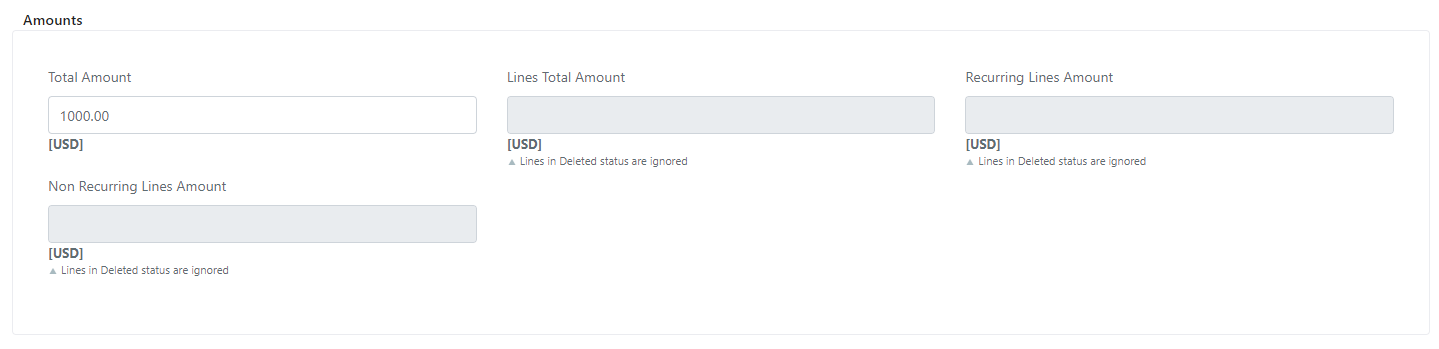
| Field Name | Description |
|---|---|
| Total Amount | Total contract amount. |
| Lines Total Amount | Total amount used in the lines. |
| Recurring Lines Amount | Total amount used in recurring lines. |
| Non Recurring Lines Amount | Total amount used in non-recurring lines. |
The "Total Amount" field is affected by the "Recurring Increment Percentage" described in the Expiration and Renewal section above.