Create a Contract
Contracts in Deepser let you track agreements with customers and suppliers, including dates, billing, and related Service Operations. This guide walks you through selecting a contract type and filling in the required fields.
Create a New Contract
-
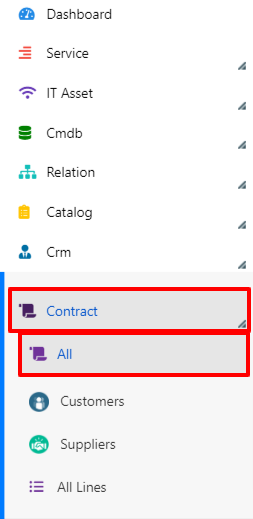
Open the Contracts form in the Deepser Backend.
-
Click the Add Contract button.

-
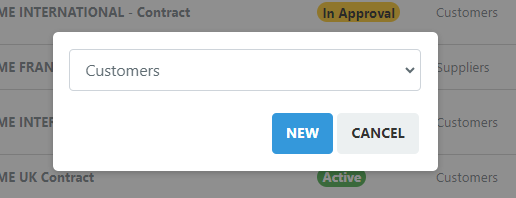
In the floating window that appears, select the contract type and click New.
-
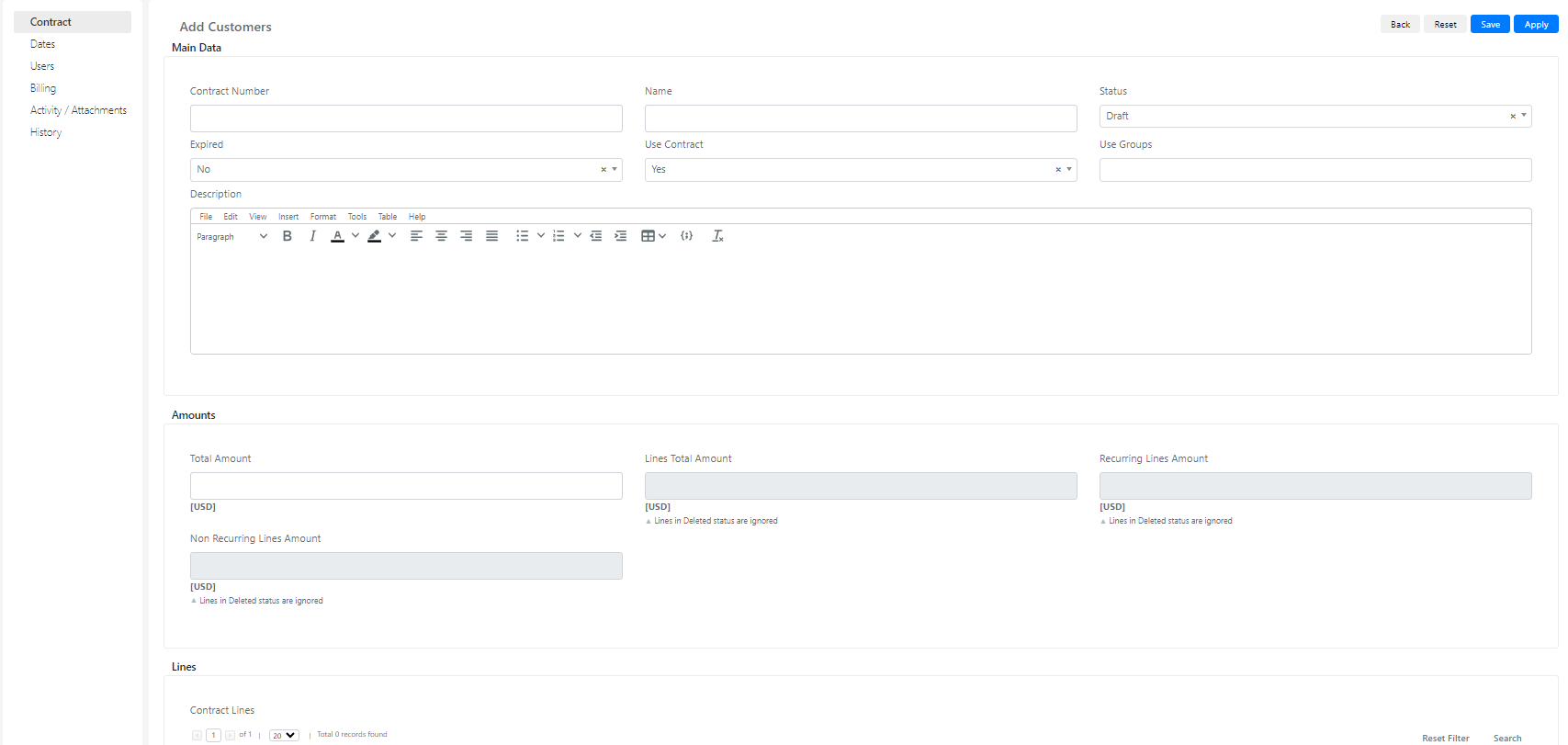
Fill in the fields on the contract form and save.
Contract Fields Reference
The contract form is organized into several tabs. The table below describes each field.
| Tab | Field | Description | Note |
|---|---|---|---|
| Contract | |||
| Contract Number | Unique identifier for the contract. | ||
| Name | Display name of the contract. | ||
| Status | Current status of the contract. | ||
| Use Contract | Controls whether the contract is selectable in other forms. | If set to "No," the contract will not appear in other form selects. | |
| Use Groups | Restricts visibility to specific groups. | If set to "No," group-based filtering is disabled. | |
| Description | Free-text description of the contract. | ||
| Total Amount | Financial total of the contract. | ||
| Contract Lines | Grid showing the lines linked to the contract. | ||
| Dates | |||
| Signing Date | Date the contract was signed. | ||
| Start Date | Date the contract becomes active. | ||
| Delivery Date | Expected delivery date. | ||
| Cancellation Date | Date the contract was cancelled, if applicable. | ||
| Expiration Date | Date the contract expires. | ||
| Is Recurring | Whether the contract renews automatically. | Used for managing automatic renewals. | |
| Users | |||
| Customer Company | The customer company associated with the contract. | ||
| Supplier Company | The supplier company associated with the contract. | ||
| Vendor | The vendor associated with the contract. | ||
| Owner Company | Company that owns the contract. | ||
| Owner Group | Group that owns the contract. | ||
| Owner User | User that owns the contract. | ||
| Assigned Company | Company assigned to fulfill the contract. | ||
| Assigned Group | Group assigned to fulfill the contract. | ||
| Assigned User | User assigned to fulfill the contract. | ||
| Billing | |||
| Billing Mode | Determines how billing is handled. | Used for billing automation. | |
| Billing Recurring Type | Recurrence interval for billing. | Used for billing automation. | |
| Billing Recurring Quantity | Number of recurrence intervals. | Used for billing automation. | |
| Payment Condition | Payment terms for the contract. | Values come from the Payment Condition form. | |
| Price List | Price list applied to the contract. | Values come from the Price List form. | |
| Billing Last Date | Date of the most recent billing. | Used for billing automation. | |
| Billing Next Date | Date of the next scheduled billing. | Used for billing automation. | |
| Invoices | Grid containing invoices related to the contract. | ||
| Activity/Attachments | |||
| Activity | Comments and worklogs related to the contract. | ||
| Tasks | Tasks related to the contract. | ||
| Attachments | Attachments related to the contract. |