Create a Contract Line
Contract lines represent individual items or services within a contract. You can create a line either from within an existing contract or directly from the deep_contract_line module. This guide covers both methods and describes all available fields.
Create from a Contract
-
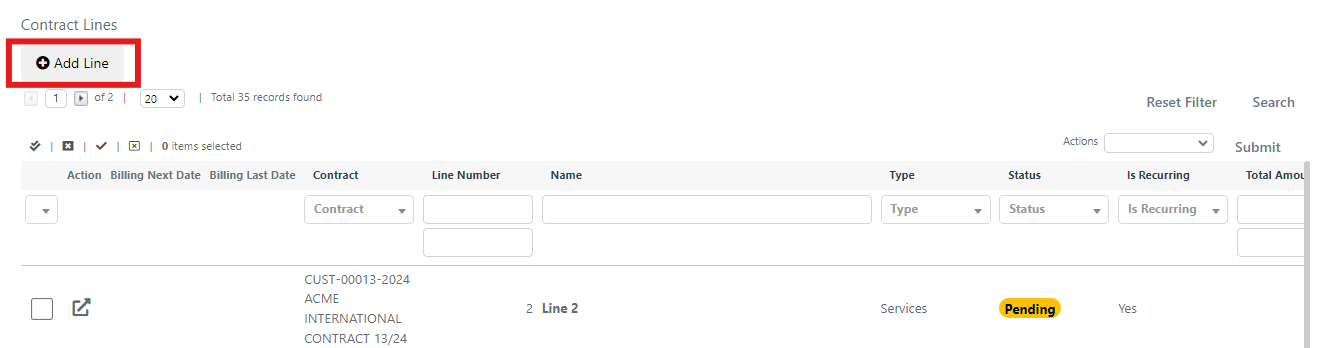
Open the contract and navigate to the Contract Lines grid.
-
Click the Add Line button.
-
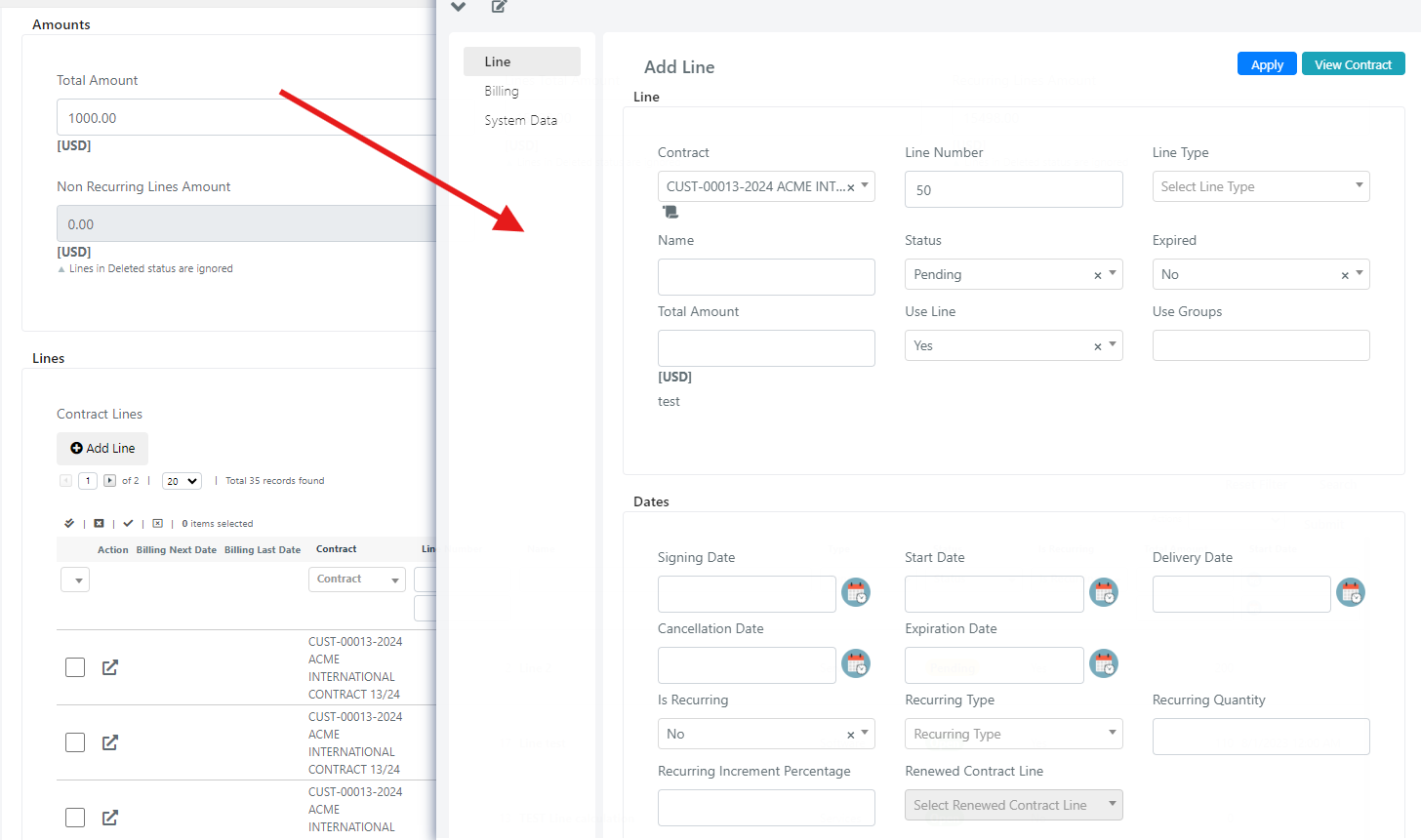
A floating window opens with some fields pre-populated from the parent contract. Fill in the remaining fields and save.
Create from the Lines Module
-
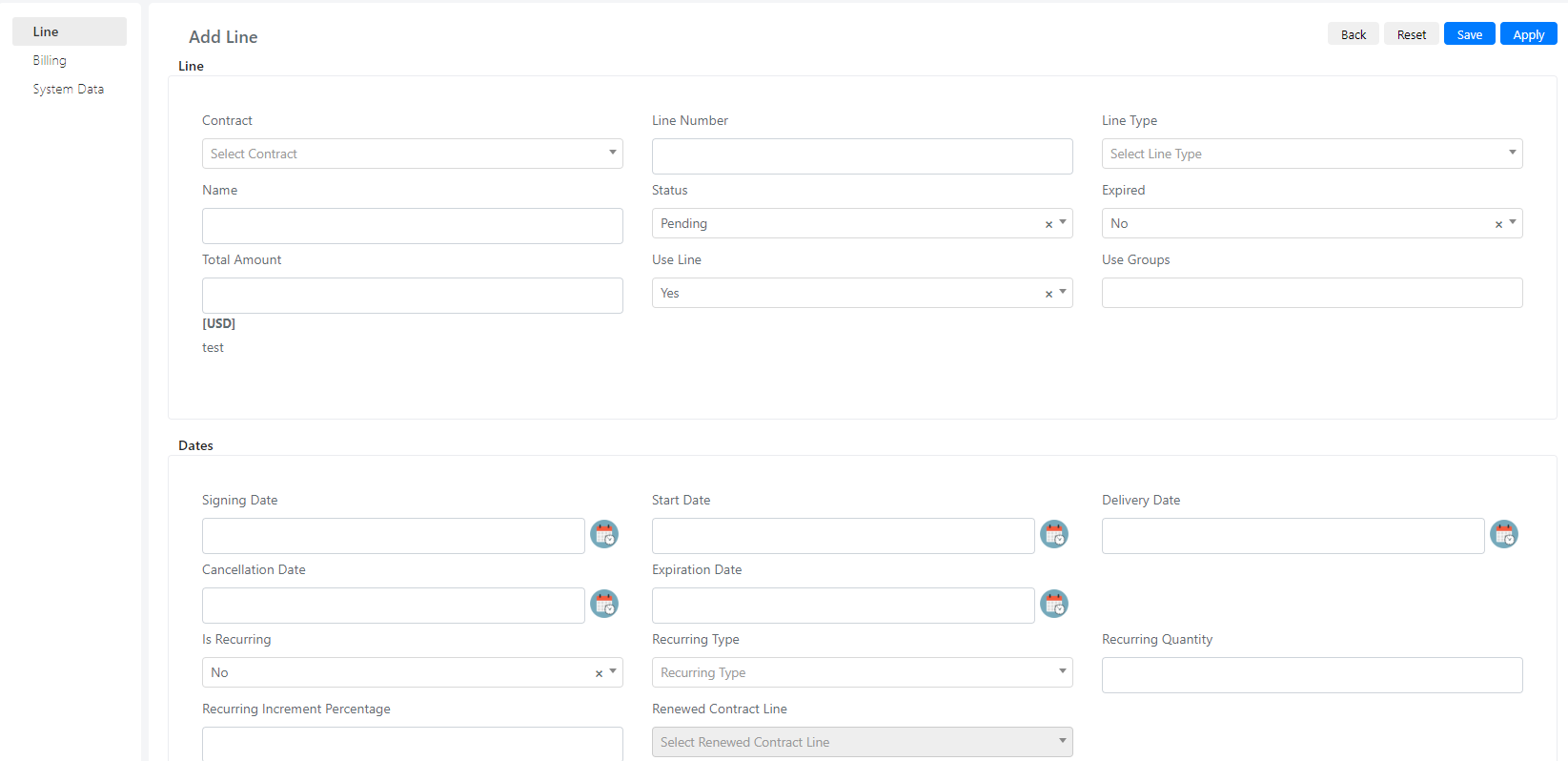
Navigate to the Contract Lines form in the Deepser Backend.

-
Click the Add Line button.

-
Fill in all fields manually (no fields are pre-populated when creating from the module) and save.
Contract Line Fields Reference
| Tab | Field | Description | Note |
|---|---|---|---|
| Line | |||
| Contract | Contract to which the line belongs. | ||
| Line Type | Type classification for the line. | ||
| Name | Display name of the line. | ||
| Status | Current status of the line. | ||
| Use Line | Controls whether the line is selectable in other forms. | ||
| Use Groups | Restricts visibility to specific groups. | ||
| Start Date | Date the line becomes active. | ||
| Expiration Date | Date the line expires. | ||
| Is Recurring | Whether the line renews automatically. | If set to "No," the line will not be renewed. | |
| Recurring Type | Time recurrence unit. | ||
| Recurring Quantity | Amount of temporal recurrence. | Related to "Recurring Type." For example, if set to Yearly with a quantity of 2, the line is renewed by 2 years on the expiration date. | |
| Recurring Increment Percentage | Increase applied to the "Total Amount" at renewal. | For example, if 10% is set and "Total Amount" is 40000, the renewed line will have a "Total Amount" of 44000. | |
| Renewed Contract Line | Populated with the new renewed line. | ||
| Calculation Type | Determines how usage is tracked: None, Time, or Quantity. | ||
| Total Time | Total contracted time. | ||
| Spent Time | Time consumed so far. | Active when Calculation Type = Time. | |
| Remaining Time | Time remaining on the line. | Active when Calculation Type = Time. | |
| Total Quantity | Total contracted quantity. | Active when Calculation Type = Quantity. | |
| Spent Quantity | Quantity consumed so far. | Active when Calculation Type = Quantity. | |
| Remaining Quantity | Quantity remaining on the line. | Active when Calculation Type = Quantity. | |
| Billing | |||
| Product | Product that is billed. | ||
| Product Price | Product price. | Visible only if a product is selected. | |
| Product Quantity | Quantity of product for the line. | Visible only if a product is selected. | |
| Product Sku | SKU of the selected product. | Visible only if a product is selected. | |
| Product Name | Name of the selected product. | Visible only if a product is selected. | |
| Price List | Price list applied to the line. | Visible only if a product is selected. | |
| Product Recurring Quantity | Recurrence of the quantity (temporal) of the product. | Visible only if a product is selected. | |
| Product Recurring Type | Temporal recurrence of the product. | Visible only if a product is selected. | |
| Billing Mode | Determines how billing is handled. | ||
| Billing Recurring Type | Type of billing recurrence. | ||
| Billing Recurring Quantity | Quantity of billing recurrence. | Related to the "Billing Recurring Type" field. | |
| Billing Last Date | Date of the most recent billing. | Required for billing. | |
| Billing Next Date | Date of the next scheduled billing. |