Configure Line Types
Line types let you classify contract lines and control which user groups can access them. This guide explains how to create and configure a new line type.
Create a Line Type
-
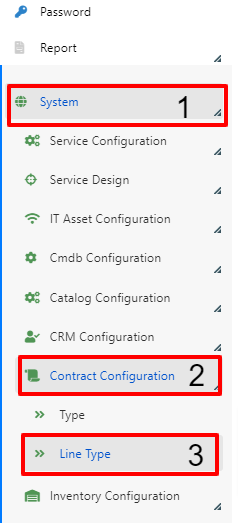
In the Deepser Backend, go to System (1) > Contract Configuration (2) > Line Type (3).
-
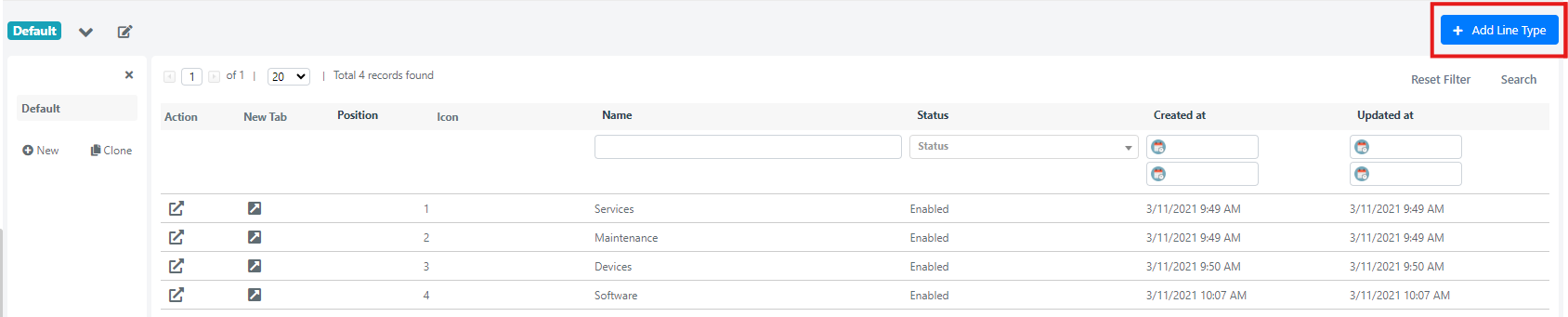
Click the Add Line Type button.
-
Fill in the fields described below and save.
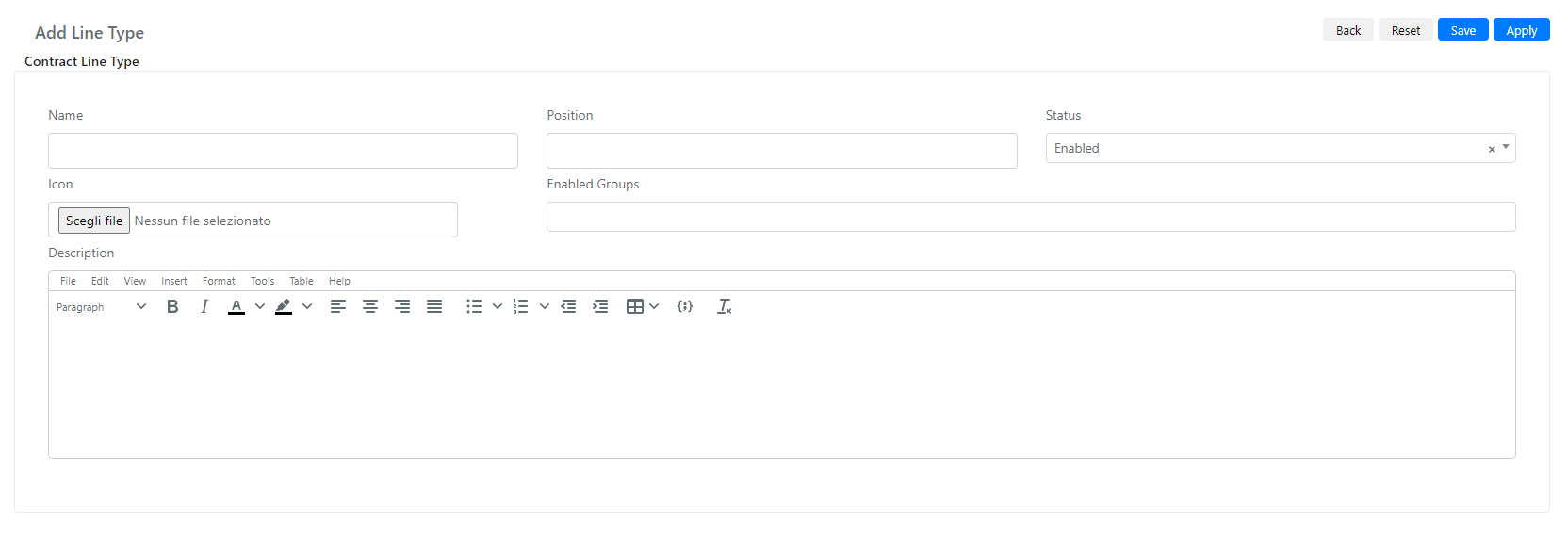
Line Type Fields Reference
| Field | Description | Note |
|---|---|---|
| Name | Line type name. | |
| Position | Position in the select dropdown. | |
| Status | Whether the type is enabled or disabled. | If disabled, the type will not appear in the select dropdown. |
| Icon | Icon displayed next to the type name. | |
| Enabled Groups | Groups that can use this type. | |
| Description | Free-text description of the type. |