Create a CRM Opportunity
This guide walks you through creating an Opportunity in the CRM module and explains each field in the standard input form.
Open the Opportunity Form
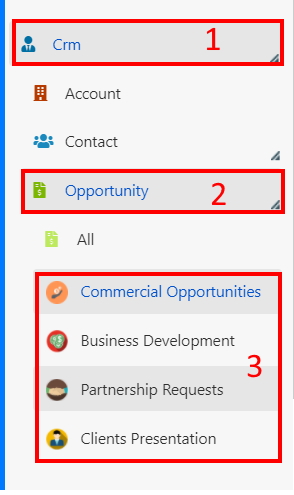
- Navigate to CRM > Opportunity.
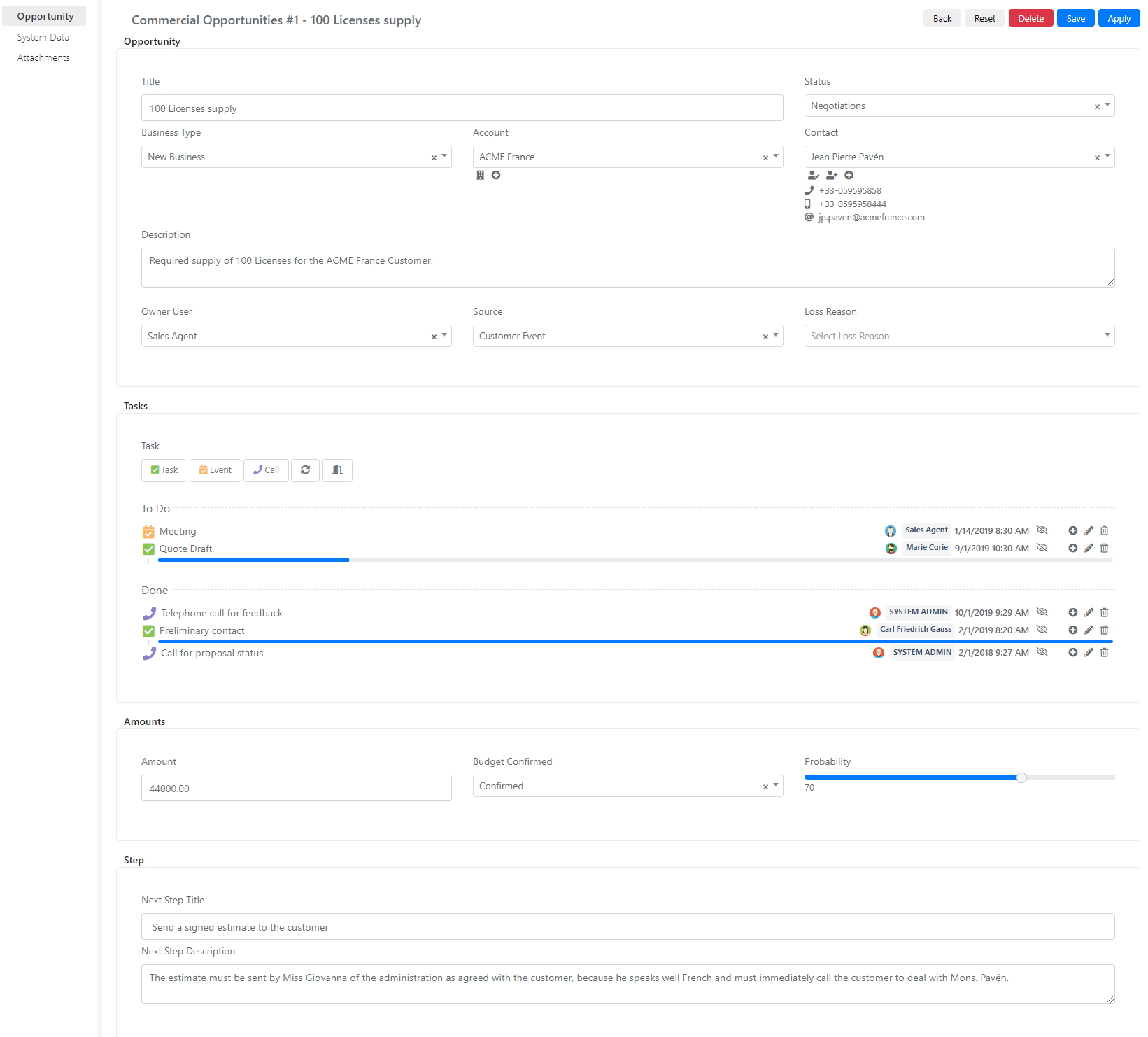
Opportunity Entry Form Fields
- The following fields will be displayed in the insert form:
| Section | Field | Description |
|---|---|---|
| Opportunity | Title | The opportunity title. |
| State | Indicates the status of the Opportunity. | |
| Business Type | Indicates the type of Opportunity. | |
| Account | Indicates the reference account. | |
| Contact | Indicates the reference contact. | |
| Description | Allows you to enter a description of the opportunity. | |
| User Owner | Allows you to indicate the owner of the Opportunity. | |
| Source | Indicates the source that generated the opportunity. | |
| Loss Reason | Indicates the reason that led to the loss of the opportunity. | |
| Amounts | Amount | Specifies the sum of money the opportunity could generate. |
| Budget Confirmed | Indicates the confirmation status of the amount. | |
| Probability | Indicates the probability of obtaining this amount. | |
| Step | Next Step Title | Indicates the title of the next step needed to advance the opportunity. |
| Next Step Description | Indicates the description of the next step needed to advance the opportunity. |
- Fill in the required fields and click Save to store the new Opportunity.