Authenticate with the Deepser API
Before you can use the Deepser API, you must authenticate your requests. Deepser supports two authentication methods: Basic Authentication and Token Authentication. This guide walks you through both approaches.
We strongly recommend using Token Authentication for improved security.
Authenticate with a Token
Token authentication requires you to add an Authorization header to every HTTP request. Before you can use this method, you must generate a token for the target user account.
Generate an API Token
-
Log in to the Deepser Backend as a System Admin.
-
Navigate to System > Permissions > Users and select the user you want to enable for token authentication.
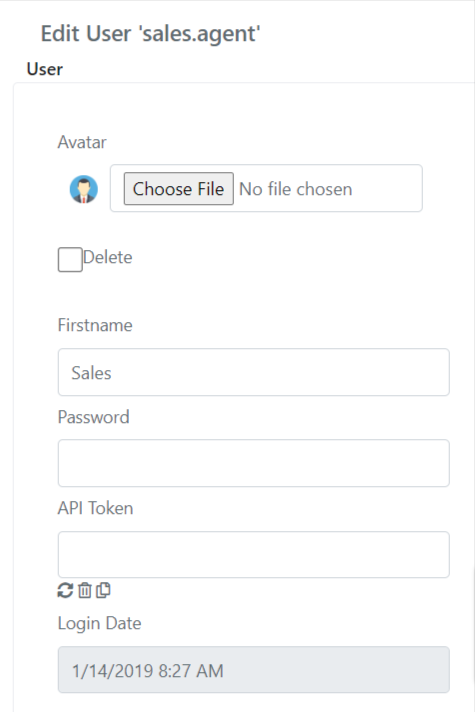
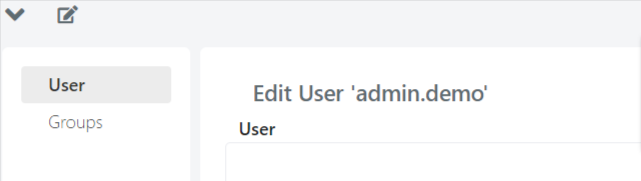
!!! note If the "API Token" field is not visible, expose it by pressing the edit form button.
-
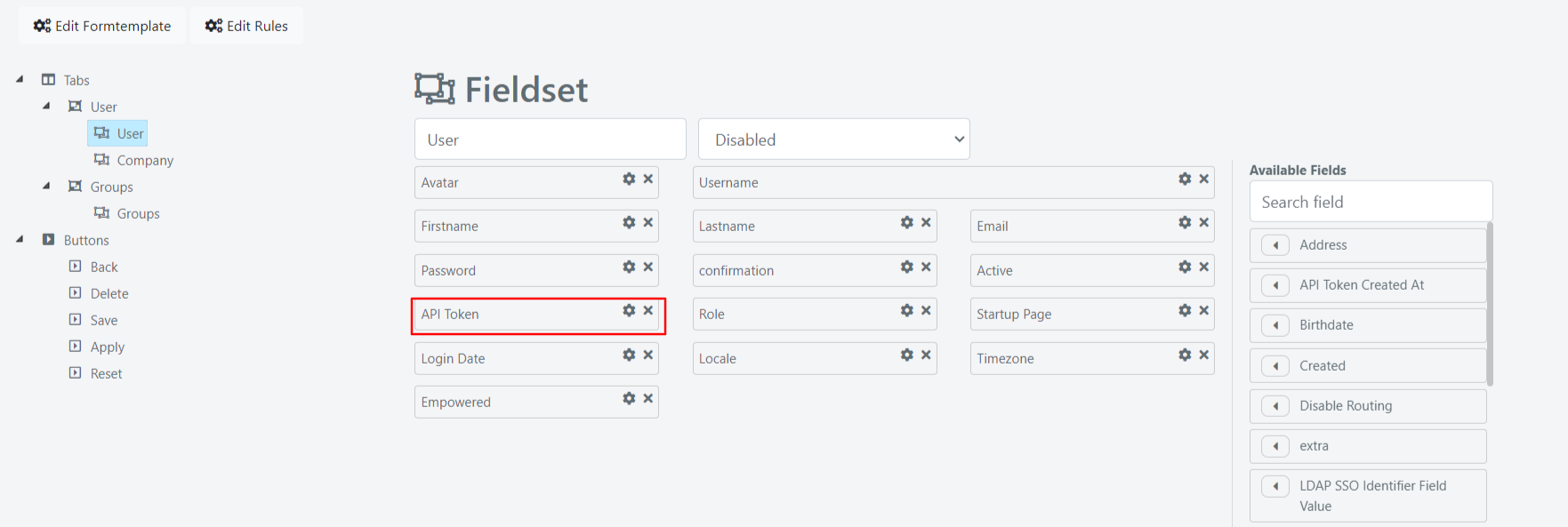
Drag and drop the API Token field onto the form to expose it.
-
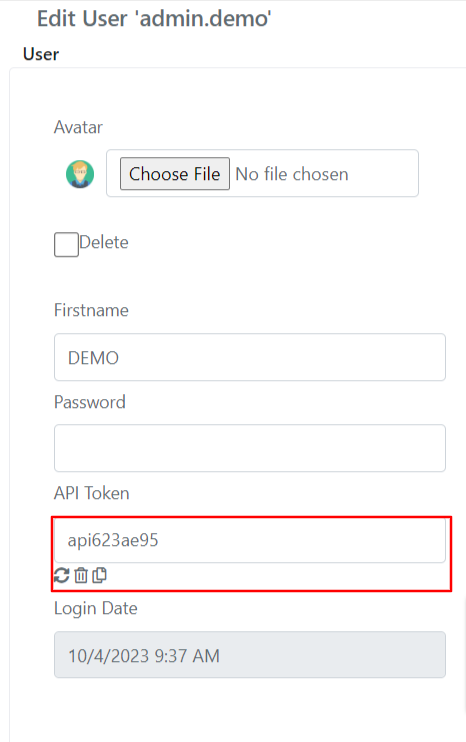
Use the three buttons next to the token field to generate, delete, or copy to clipboard the token value.
Use the Token in API Requests
Once you have generated a token, include it in the Authorization header as a Bearer token. The following PHP example shows how to set the header for a cURL request:
					$host = 'http://deepserhost';
$process = curl_init($host);
$token="DEMO_TOKEN";
$headers = array(
'Authorization: Bearer '. $token,
'Accept: application/json'
);
curl_setopt($process, CURLOPT_HTTPHEADER, $headers);
// other lines to set the API request
…
// call the API using CURL
$return = curl_exec($process);
curl_close($process);
Replace http://deepserhost with the address of your Deepser instance and DEMO_TOKEN with the token generated for the user.
Authenticate with Basic Authentication
Basic Authentication requires you to pass the username and password in the Authorization header, encoded in Base64 format. Set the header value to Basic followed by the Base64-encoded string username:password.
The following PHP example shows how to set the header for a cURL request:
					$host = 'http://deepserhost';
$process = curl_init($host);
$headers = array(
      'Authorization: Basic '. base64_encode("user:password")
);
curl_setopt($process, CURLOPT_HTTPHEADER, $headers);
// other lines to set the API request
…
// call the API using CURL
$return = curl_exec($process);
curl_close($process);
Replace http://deepserhost with the address of your Deepser instance and user:password with your actual credentials.
Since the REST API is language-independent, you can use any HTTP client. Here is the same call in Java:
					String encoding = Base64Encoder.encode ("user:password");
HttpPost httppost = new HttpPost("http://deepserhost");
httppost.setHeader("Authorization", "Basic " + encoding);
// other lines to set the API request
…
// call the API using Java HttpRespnse
HttpResponse response = httpclient.execute(httppost);
HttpEntity entity = response.getEntity();