Create Custom Email Events
Deepser allows you to define custom email events in addition to the preconfigured ones. You can create a new event from scratch or duplicate an existing one.
Create an Email Event
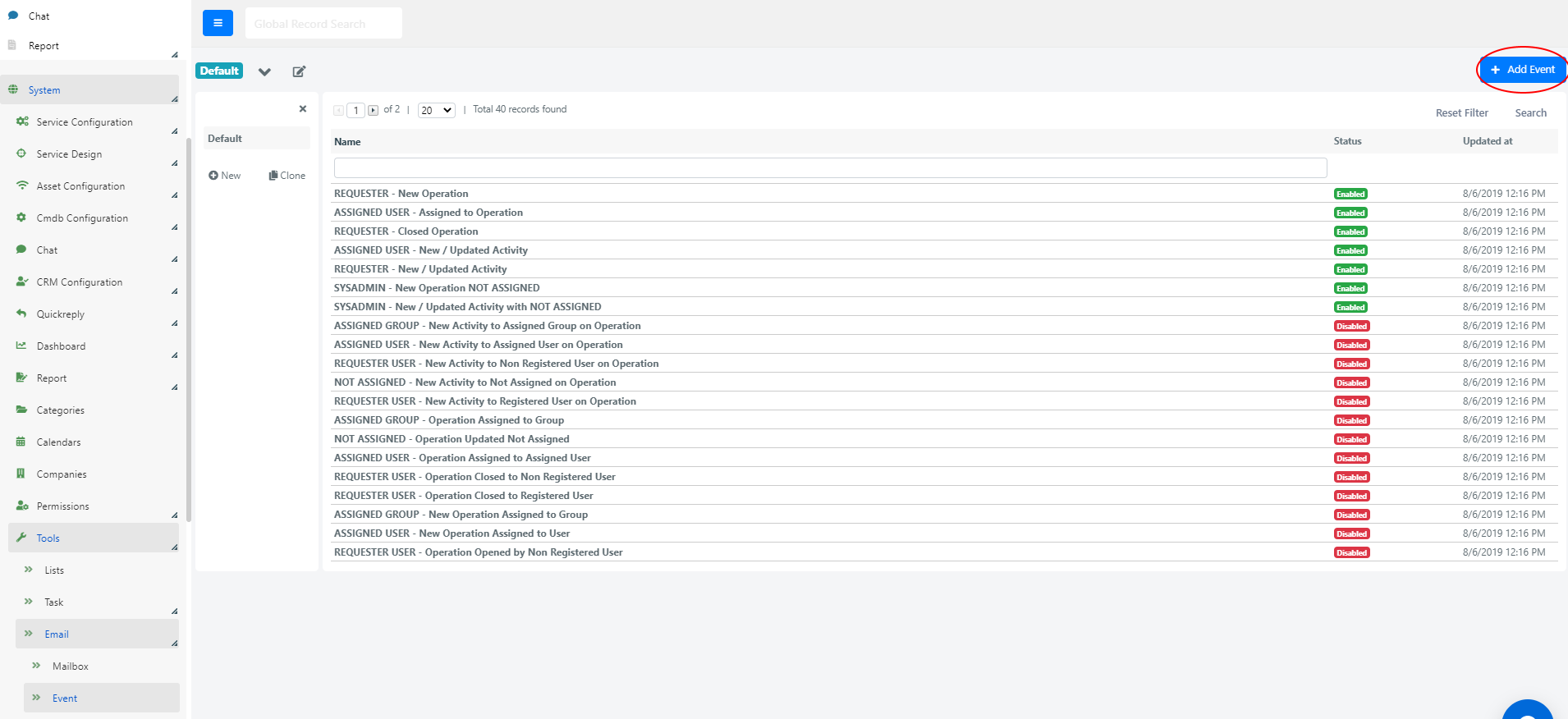
To create a new event from scratch, go to System > Tools > Email > Events and click the + Create Event button.
Duplicate an Email Event
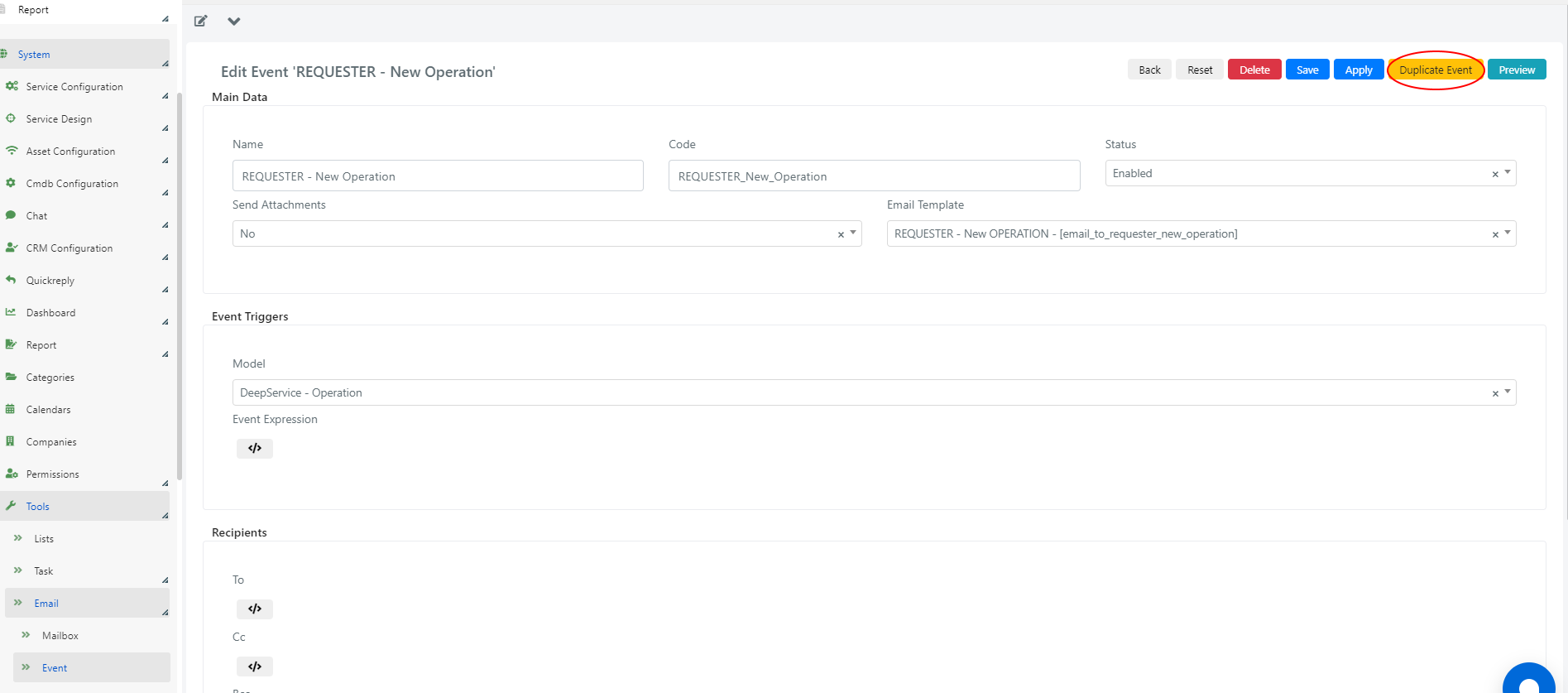
Duplicating creates an exact copy of an existing event so you can reuse its configuration. The Name and Code will have "(copy)" and "_copy" suffixes respectively.
From an existing event's form, click the Duplicate Event button.
Configure a Custom Email Event
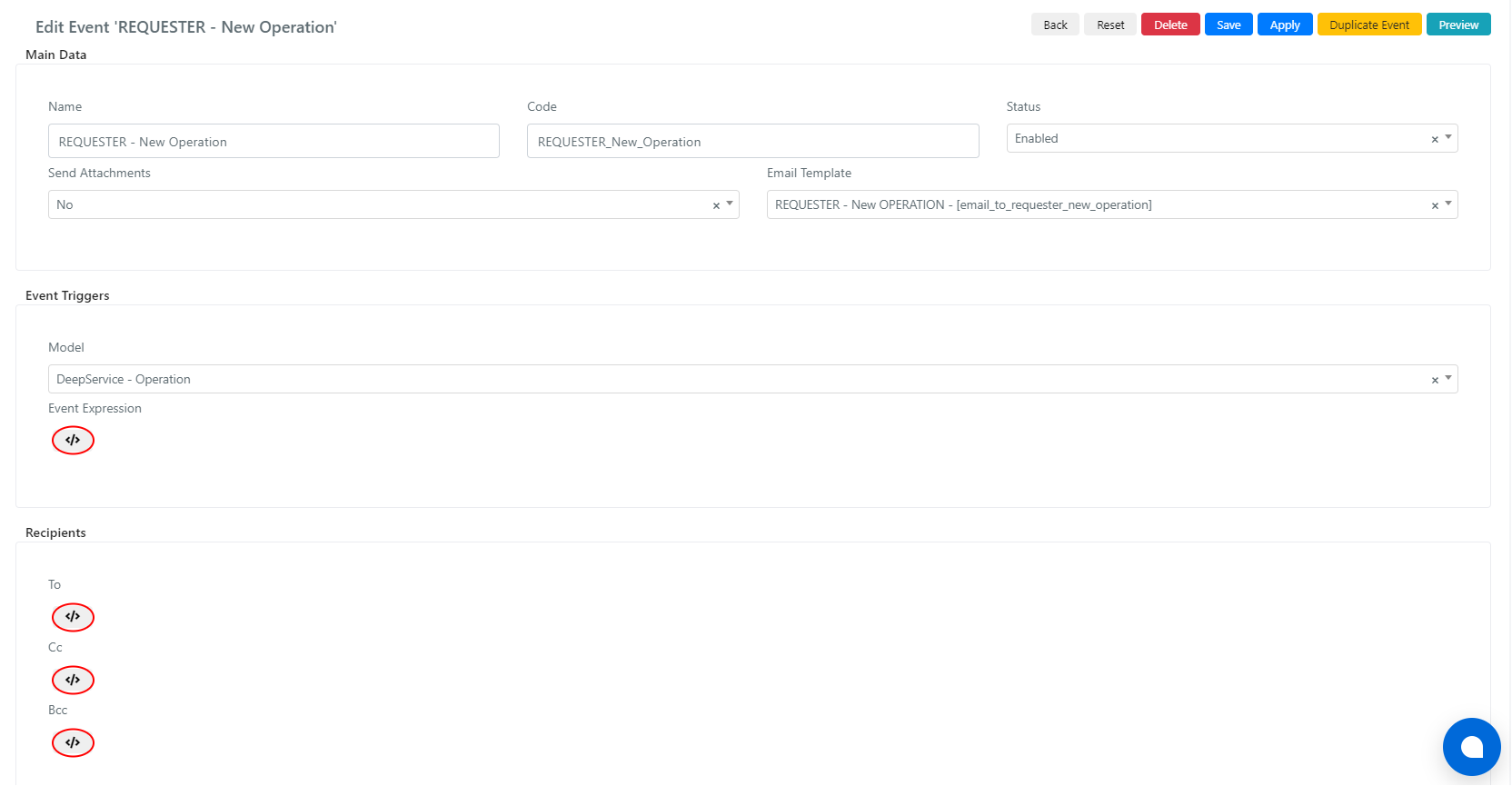
Fill in the event form fields (generally in the "Main Data" fieldset), then select the model (entity) for which to send the notification.
To enter PHP code for the Event Expression and recipient fields, expand the scripting areas by clicking the </> icon.
From the scripting areas, use $this->getModel() to access the instance of the selected model. If the model is DeepActivity - Activity (for comment notifications), $this->getModel() accesses the comment instance. To access the related Service Operation, use $this->getModel()->loadModelInstance().
You cannot modify system email event configurations directly. Duplicate the system event and modify the copy.
Example 1: Notify Manager Group for Critical Priority Service Operations
In this example, an email is sent to the "IT Managers" group when a Service Operation with "Critical" priority is created and assigned to the "IT First Level" group.
Event Expression
The PHP code checks whether the Service Operation is new, has Critical priority, and is assigned to IT First Level:
					// Retrieve the operation object
$operation = $this->getModel();
// The IT First Level group entity_id
$itFirstLevelGroupId = 10;
// Check if Operation new and Assigned Group is defined and it's exactly IT First Level
if($operation->isObjectNew() &&
    $operation->getAssignedGroupId() &&
    $operation->getAssignedGroupId() == $itFirstLevelGroupId){
    // "Critical" list value key
    $criticalPriorityId = 1;
    // If Operation has Critical priority then send the email notification
    if($operation->getPriorityId() == $criticalPriorityId){
        return true;
    }
}
return false;
Recipients Configuration
The To field sends the notification to all members of the IT Managers group:
					// The IT Managers group entity_id
$itManagerGroupId = 28;
// Load the IT Managers group object instance
$itManagerGroup = Deep::getModel('deep_group/group')->load($itManagerGroupId);
// Set message locale
$this->changeLanguage('en_US');
// If IT Managers group has its own email address (ex: mailing list)
if ($itManagerGroup->getEmail()) {
    // Send email to its email address
    $this->addTo($itManagerGroup->getEmail());
}
// Else send email to every user of the group
else {
    // Load all users in IT Managers group
    $managers = $itManagerGroup->loadUsers();
    // Iterate over the collection and set the email address of each manager as recipient
    foreach ($managers as $manager){
        $this->addTo($manager->getEmail());
    }
}
Example 2: Send Notification to CC Recipients from the Service Operation
This example modifies a notification event to also include additional CC recipients indicated through a custom field in the Service Operation.
Step 1: Create the Custom Field
Create a custom field in the DeepService - Operation model:
- Column Name: cust_additional_recipients
- Label: Additional Recipients
- Column Type: Don't create DB column
- Element Type: Userassociation
Add the field to a form template to start using it.
Step 2: CC Configuration
In the Cc field, retrieve and add the associated users. Use $this->getModel() to access the model instance (comment for DeepActivity, or use $this->getModel()->loadModelInstance() for the Service Operation).
Registered CC recipients:
					//REGISTERED CC
$additionalRecipient = $this->getModel()->loadModelInstance()->loadUserAssociations();
if ($additionalRecipient && is_array($additionalRecipient) && count($additionalRecipient) > 0){
    foreach ($additionalRecipient as $ccUserType){
            foreach ($ccUserType as $ccUsername){
                $ccUser = Deep::getModel('deep_admin/user')->loadByUsername($ccUsername);
                $this->addCc($ccUser->getEmail());
            }
    }
}
Unregistered CC recipients:
					//UNREGISTERED CC
$additionalUnregisteredRecipient = $this->getModel()->loadModelInstance()-> getCustOperationCcUnregistered();
if ($additionalUnregisteredRecipient){
    $additionalUnregisteredRecipientArray = explode(';',$additionalUnregisteredRecipient);
    if(is_array($additionalUnregisteredRecipientArray) && count($additionalUnregisteredRecipientArray) >0){
        foreach ($additionalUnregisteredRecipientArray as $ccUnregisterdUser){
            $this->addCc(trim($ccUnregisterdUser));
        }
    }
}