Email Integration Overview
Emails are integrated into Service Operations within the service management module. With the appropriate configuration of email events, messages are automatically generated to notify customers and Operators about updates.
Through the message subject, Deepser recognizes incoming emails that refer to an existing entity and associates them with the correct record.
Email List
To view all email messages associated with a Service Operation and its related entities (comments, worklogs, or tasks), use the dedicated Email List field. By default, this field is included in the Service Operations screen, under the Email tab.
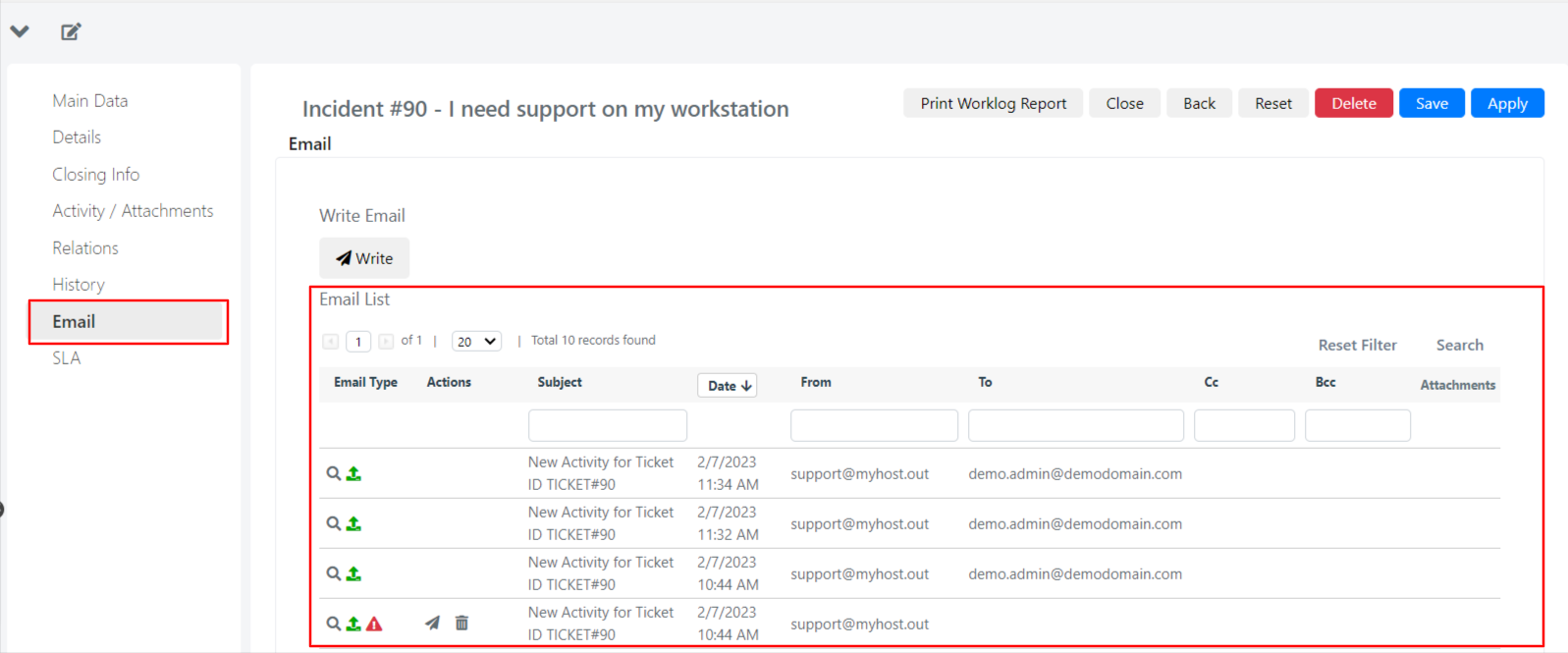
From the Email List field, you can identify which emails are incoming and which are outgoing. The list also shows the subject, date, sender, and recipients.
Click the lens icon to view the message body.
Comments and Email
In a typical workflow, each comment added to a Service Operation triggers an email notification to other actors. Deepser proposes this configuration by default.
For example, if an Operator needs more information from a user, they can add a comment to the Service Operation. Deepser sends an email containing the Operator's request to the user. When the user replies, Deepser links the reply to the Service Operation and creates a comment from its content. The Operator then receives a notification containing the user's response.