Define Advanced Form Template Rules
In Deepser, you can define form template loading rules using PHP scripts. This is useful when conditions are too complex or specific to express with the built-in query builder, such as restricting a template to members of a particular group.
Access the Rules Scripting Area
- Open the configuration menu of the form template.
- Navigate to the Edit Rules tab.
- Click the </> icon above the query builder to open the scripting area.
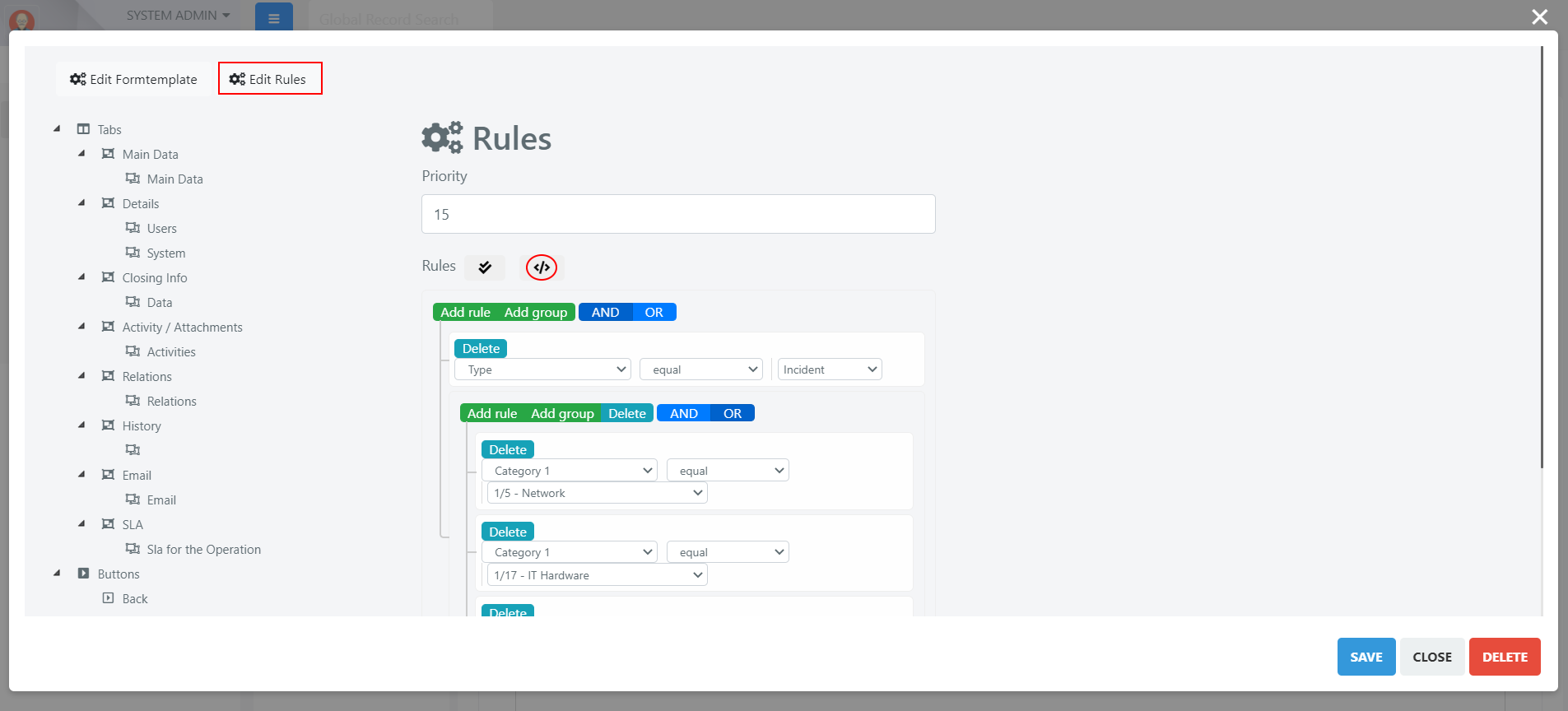
In this area, you will find the code automatically generated by the query builder. You can extend or replace it with custom PHP code.
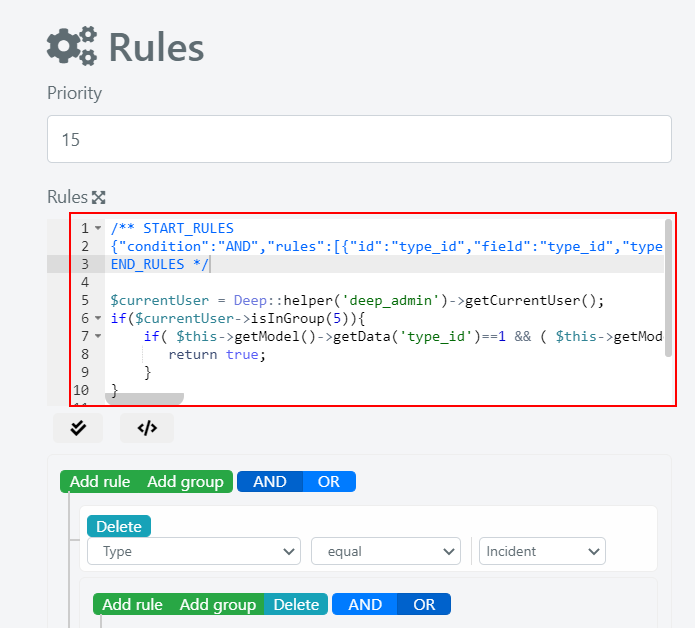
Example: Restrict a Template to IT Second Level Members
In this example, a template is made visible only to Operators who are members of the "IT Second Level" group, and only when certain category conditions are also met.
Enter the following PHP code in the Rules scripting area:
//retrieve the current user
$currentUser = Deep::helper('deep_admin')->getCurrentUser();
//IT Second Level group id = 5
//check if the user is in IT Second Level group
if($currentUser->isInGroup(5)){
    //original condition generated by the query builder
    if( $this->getModel()->getData('type_id')==1 &&
            ( $this->getModel()->getData('category1')==5 ||
                $this->getModel()->getData('category1')==17 ||
                $this->getModel()->getData('category1')==2 )){
        //if both conditions are verified, the template form is loaded
        return true;
    }
}
else{
    //return false and evaluate the rules of the next template
    return false;
}
In this script, the template loads only when the current Operator belongs to group ID 5 (IT Second Level) and the record's type_id is 1 with a matching category1 value. If either condition fails, Deepser moves on to evaluate the next template in priority order.