Advanced Collection Configuration
In Deepser, you can define custom PHP code filters on the data collection displayed in a grid. This is useful when you need advanced conditions that cannot be expressed using the built-in query builder, such as filtering records based on the current user's group membership or combining multiple dynamic criteria.
When to Use Advanced Collection Configuration
The grid configuration menu offers a Prepared Collection option that uses the visual query builder to define static filters (see Configure Grids). However, when your filtering logic requires dynamic values -- such as the currently logged-in Operator's groups, the current date, or computed conditions -- you need to write custom PHP code in the collection scripting area instead.
Access the Collection Scripting Area
- Open the grid configuration menu.
- Click the </> icon to reveal the collection scripting area.
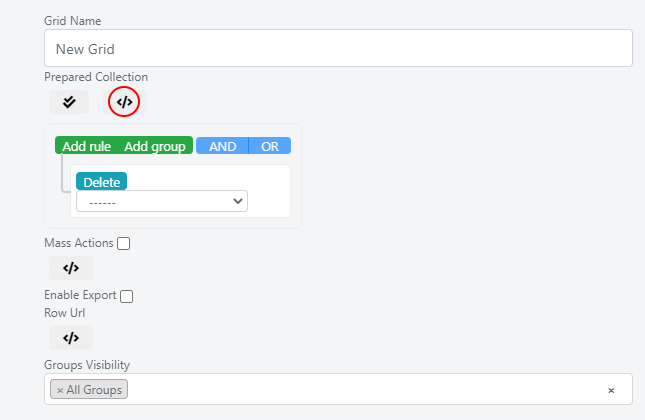
Inside this area, you can insert PHP code to manipulate the data collection through its underlying database query. The $this->getCollection() object provides access to the query, allowing you to add WHERE clauses, joins, and other SQL-level modifications.
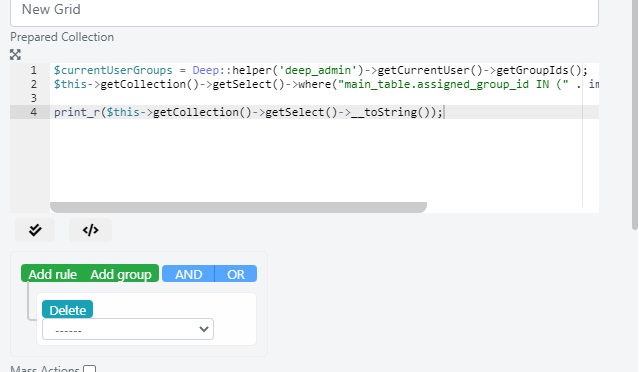
Example: Filter Service Operations by Current User's Groups
In this example, the grid is configured so that only Service Operations assigned to the groups of which the current Operator is a member are retrieved.
// Get the current user object instance
$currentUserGroups = Deep::helper('deep_admin')->getCurrentUser()->getGroupIds();
// Modify the WHERE clause to add the group membership condition
$this->getCollection()->getSelect()->where(
    "main_table.assigned_group_id IN (" . implode(',', $currentUserGroups) . ")"
);
After saving this configuration, the grid will only display Service Operations whose assigned_group_id matches one of the current Operator's groups. This is particularly useful for creating role-specific views where Operators should only see records assigned to their teams.
Changes to the collection scripting area take effect immediately after saving. Test your PHP code carefully, as syntax errors may prevent the grid from loading.