Filter and Sort Grid Records
Deepser grids provide built-in filtering and sorting capabilities that help you quickly locate specific records. You can narrow down results by column values and reorder them with a single click.
Filter Records
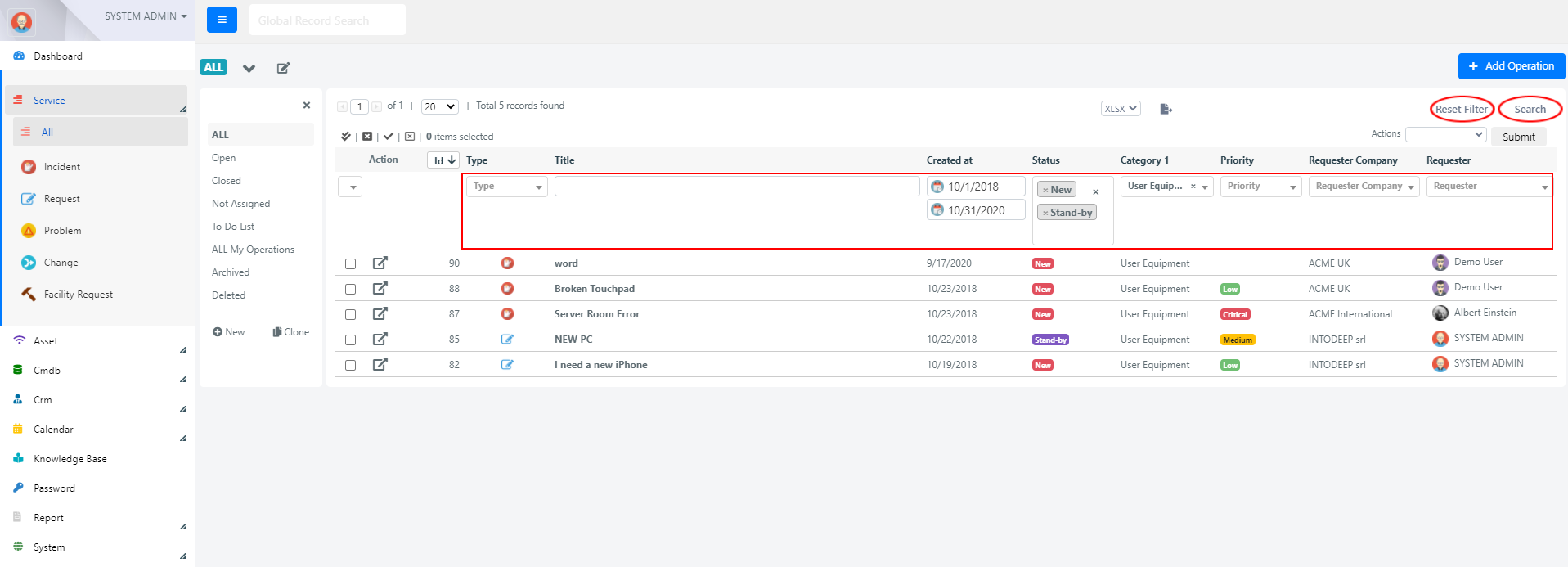
You can filter grid records based on the values of one or more columns. The filter controls appear directly below each column header.

The filter type depends on the column's field type:
| Filter Type | Description |
|---|---|
| Text box | Free-text search for text columns. |
| Date Range | Select a start and end date for date columns. |
| Numerical Range | Specify minimum and maximum values for numeric columns. |
| Select box | Choose a single value from a dropdown. |
| Multiple selection | Choose one or more values from a multi-select dropdown. |
To apply filters:
- Enter or select the desired values in the filter fields below the column headers.
- Click the Search button at the top right of the grid.
To clear all active filters, click the Reset Filters button next to the Search button.
Sort Records
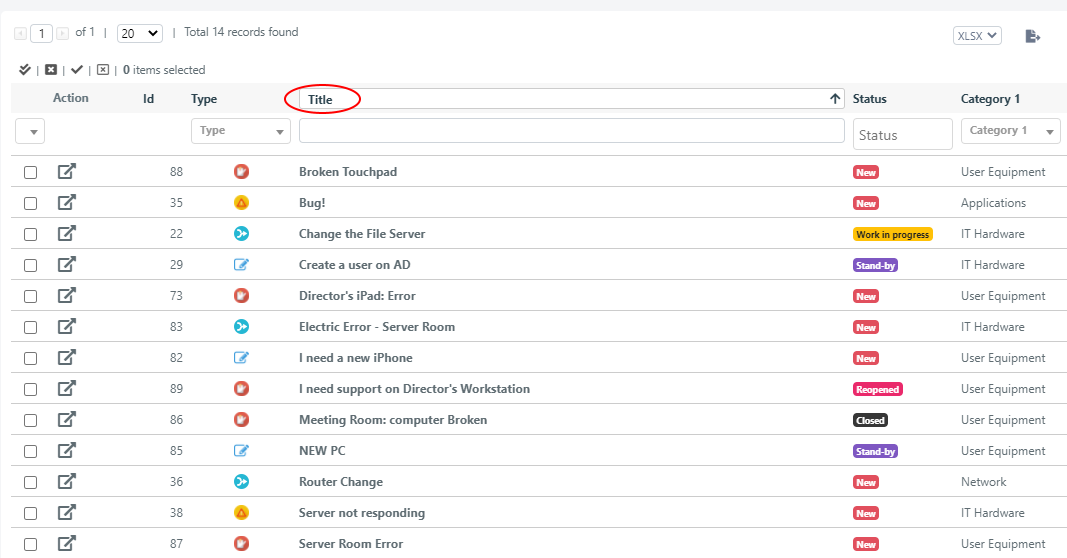
To sort grid records by a column's values, click the column header.
- The first click sorts in ascending order.
- The second click switches to descending order.
note
A column must have the Sortable option enabled in the grid configuration for sorting to work. See Configure Grids for details.