Use and Configure Mass Actions
Mass actions allow you to perform bulk operations on multiple records directly from a grid, such as changing the priority or status of several Service Operations at once. This article covers how to use preconfigured mass actions and how to create custom ones with PHP code.
Use Mass Actions
To perform a mass action on grid records:
-
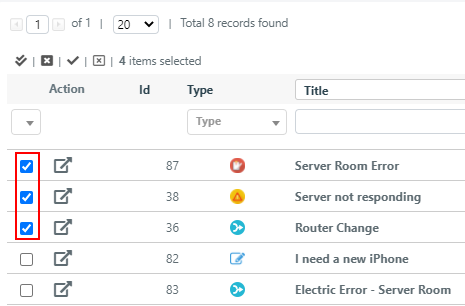
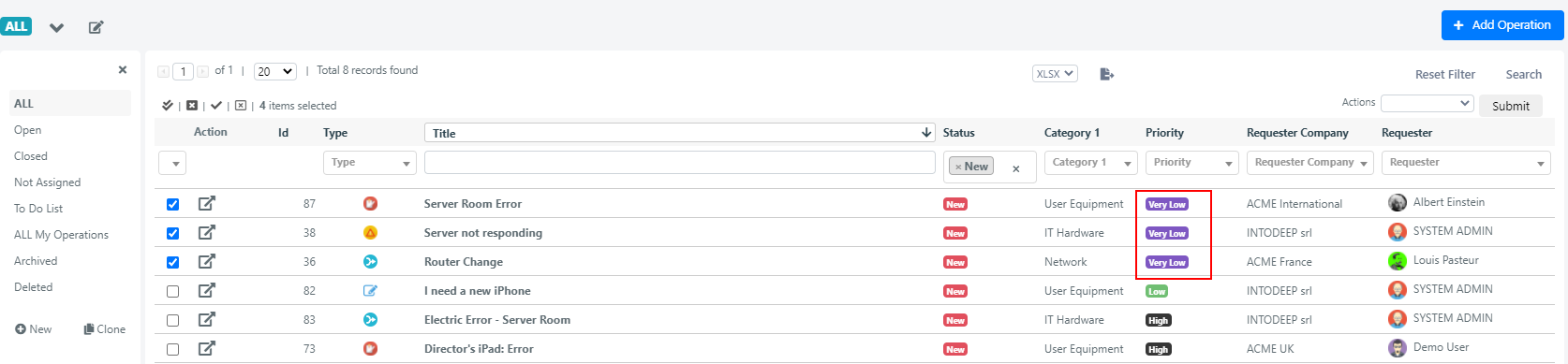
Select the records by checking the checkbox in the leftmost column for each record. You can also use the selection shortcuts for quick select/deselect.

-
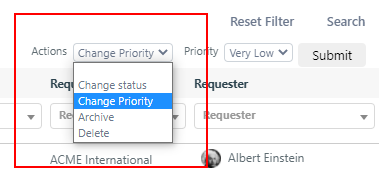
Choose the desired action from the Actions dropdown at the top right of the grid.
-
Click the Submit button to execute the action on all selected records.
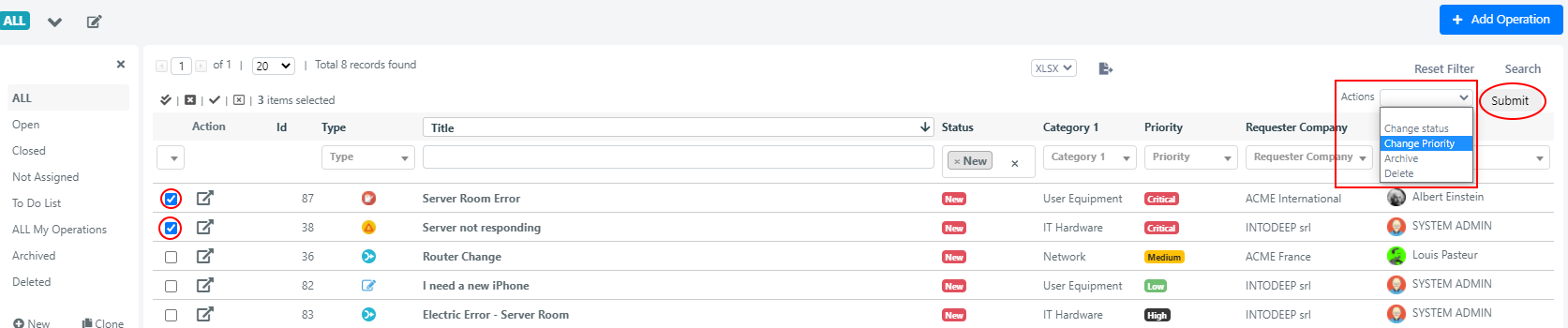
Example: Change Priority for Multiple Service Operations
The following walkthrough demonstrates applying the Modify Priority mass action to several Service Operations.
-
Select records -- Check the rows you want to modify.
-
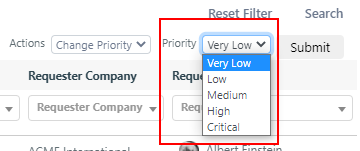
Choose the mass action -- Select Modify Priority from the Actions dropdown.
-
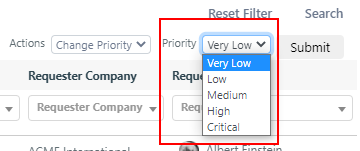
Set the new value -- Select the desired priority level.
-
Execute -- Click Submit. The priority values are updated across all selected records.

Configure Custom Mass Actions
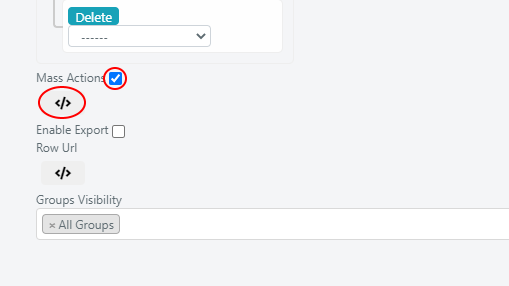
You can define custom mass actions using PHP code. To access the scripting area:
- Open the grid configuration menu.
- Check the checkbox to enable mass actions.
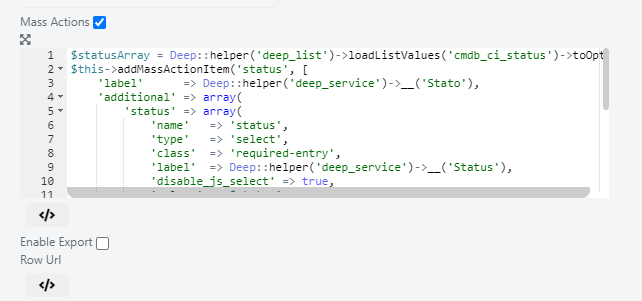
- Click the </> icon to open the scripting area.
Example 1: Mass Action with Select Dropdown
This example configures a mass action in a CMDB module grid to change the status of multiple CIs at once.
// retrieve all states from the list cmdb_ci_status as associative arrays
$statusArray = Deep::helper('deep_list')->loadListValues('cmdb_ci_status')->toOptionHash();
// initialize html component
$this->addMassActionItem('status', [
    'label'      => Deep::helper('deep_cmdb')->__('Stato'),
    'additional' => array(
        'status' => array(
            'name'   => 'status',
            'type'   => 'select',
            'class'  => 'required-entry',
            'label'  => Deep::helper('deep_cmdb')->__('Status'),
            'disable_js_select' => true,
            'values' => $statusArray,
        )
    ),
    //callback contains the logic of the action
    'callback' => function() {
        /** @var Deep_Grid_Model_Grid_Massaction_Callback $this */
        $collection = $this->getGrid()->getModelInstance()->getCollection();
        //$this->getIds() returns the ids of the selected CIs
        $collection->addFieldToFilter('entity_id', ['in' => $this->getIds()]);
        foreach($collection as $ci){
            //$this->getValue() contains the id of the new status
            $ci->setStatus($this->getValue());
            $ci->save();
        }
    }
]);
Example 2: Mass Action with Date Picker
This example configures a mass action on a Service Operation grid to set the Due Date for multiple Service Operations at once.
//retrieve the icon that will open the date-picker
$img = Deep::getDesign()->getSkinUrl('images/grid-cal.gif');
$this->addMassActionItem('due_date', [
    'label'      => Deep::helper('deep_service')->__('Due Date'),
    'additional' => array(
        'due_date' => array(
            'name'   => 'due_date',
            'type'   => 'date',
            'format'   => 'yyyy-M-d',
            'image' => $img,
            'gmtoffset' => true,
            'label'  => Deep::helper('deep_service')->__(''),
            'disable_js_select' => true,
            'build_on_load' => true,
        )
    ),
    //callback contains the logic of the action
    'callback' => function() {
        $collection = $this->getGrid()->getModelInstance()->getCollection();
        //$this->getIds() returns the ids of the selected operations
        $collection->addFieldToFilter('entity_id', ['in' => $this->getIds()]);
        foreach($collection as $operation){
            //$this->getValue() contains the new date
            $operation->setDueDate($this->getValue());
            $operation->save();
        }
    }
]);