Configure Basic Data Binding
The data binding step connects each column in your source file to the corresponding field in Deepser. This ensures that every value from your import file is stored in the correct database field.
Field Config: Entity, File, Code
This area performs the binding (also called "mapping") between each column of the source import file and the fields of the selected model in the database, so that Deepser can populate every field with the correct corresponding value.
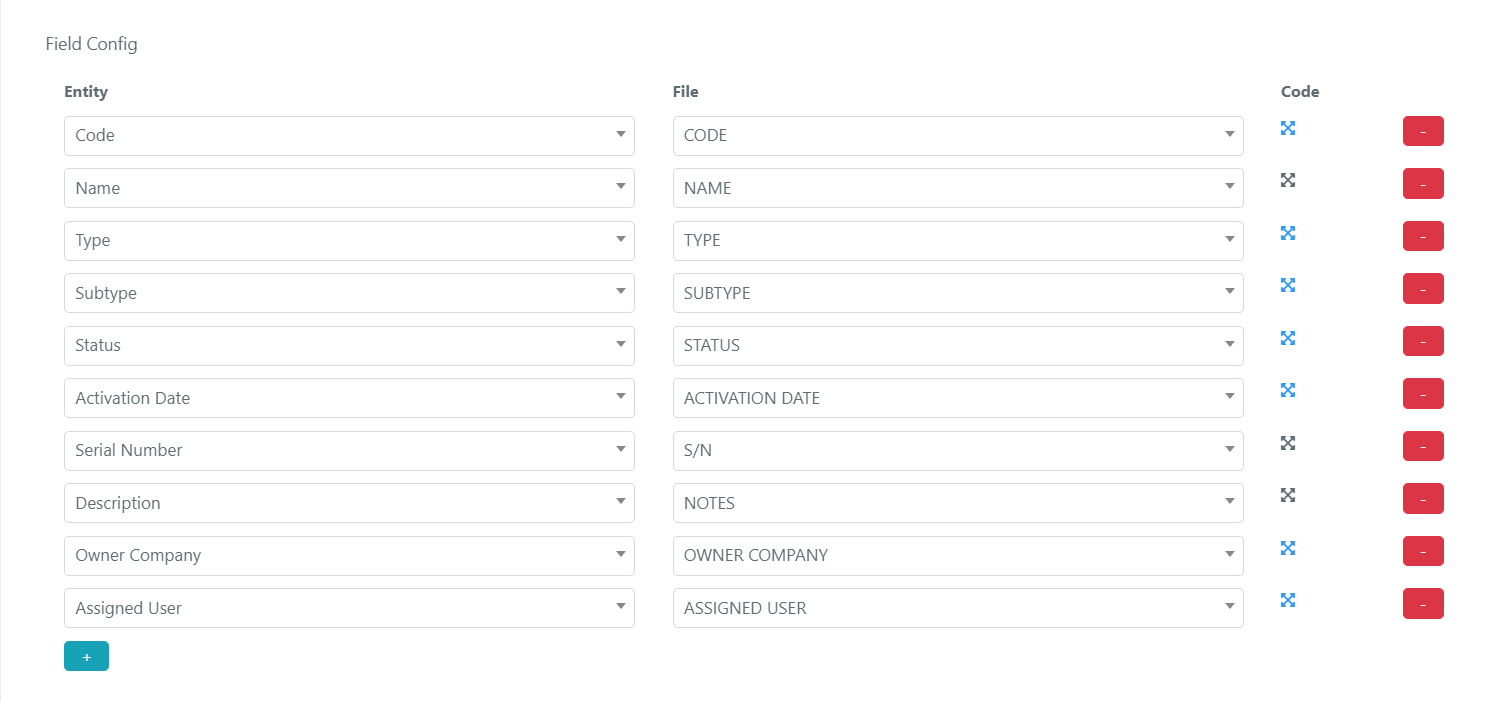
The three columns in the Field Config area are:
- Entity: A list of fields from the entity inside the Deepser database. It is the list of fields (including custom fields) present in the DB table for the selected Model. For example, if you select the "DeepCmdb -- Ci" Model, you will find all the fields of the CIs in the Deepser database table deep_cmdb_ci.
- File: The column of the Excel import file to be read. You select it from a dropdown containing the names of columns in the file header (first row of the Excel).
- Code: By clicking the button in the Code column, a scripting area opens. The PHP code in this area is executed when the value of the selected column is evaluated and saved.
Create a Binding
- Click the + button (light blue, below the fields list) to add a new binding entry. To remove one, click the red minus button on the right side.
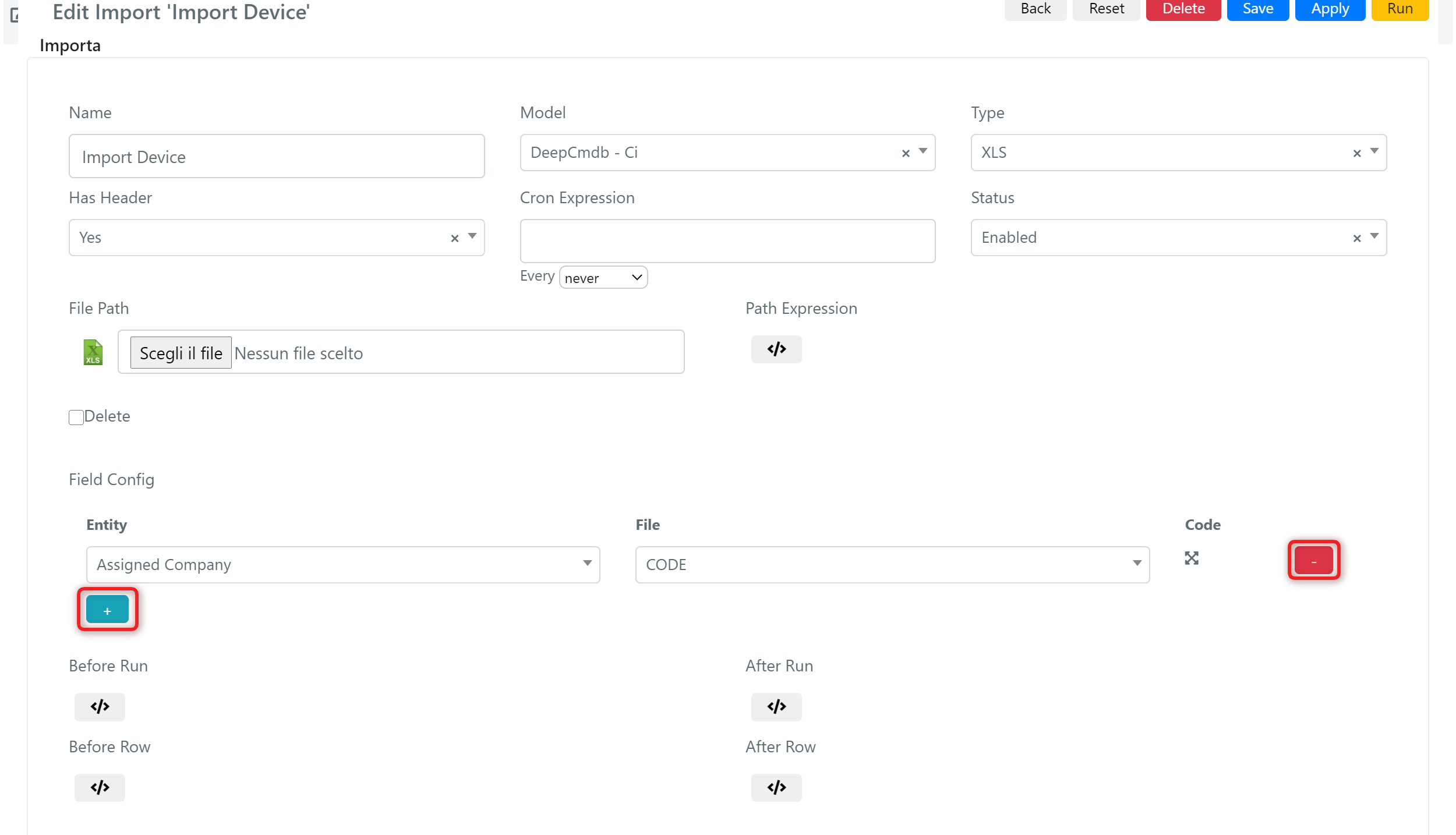
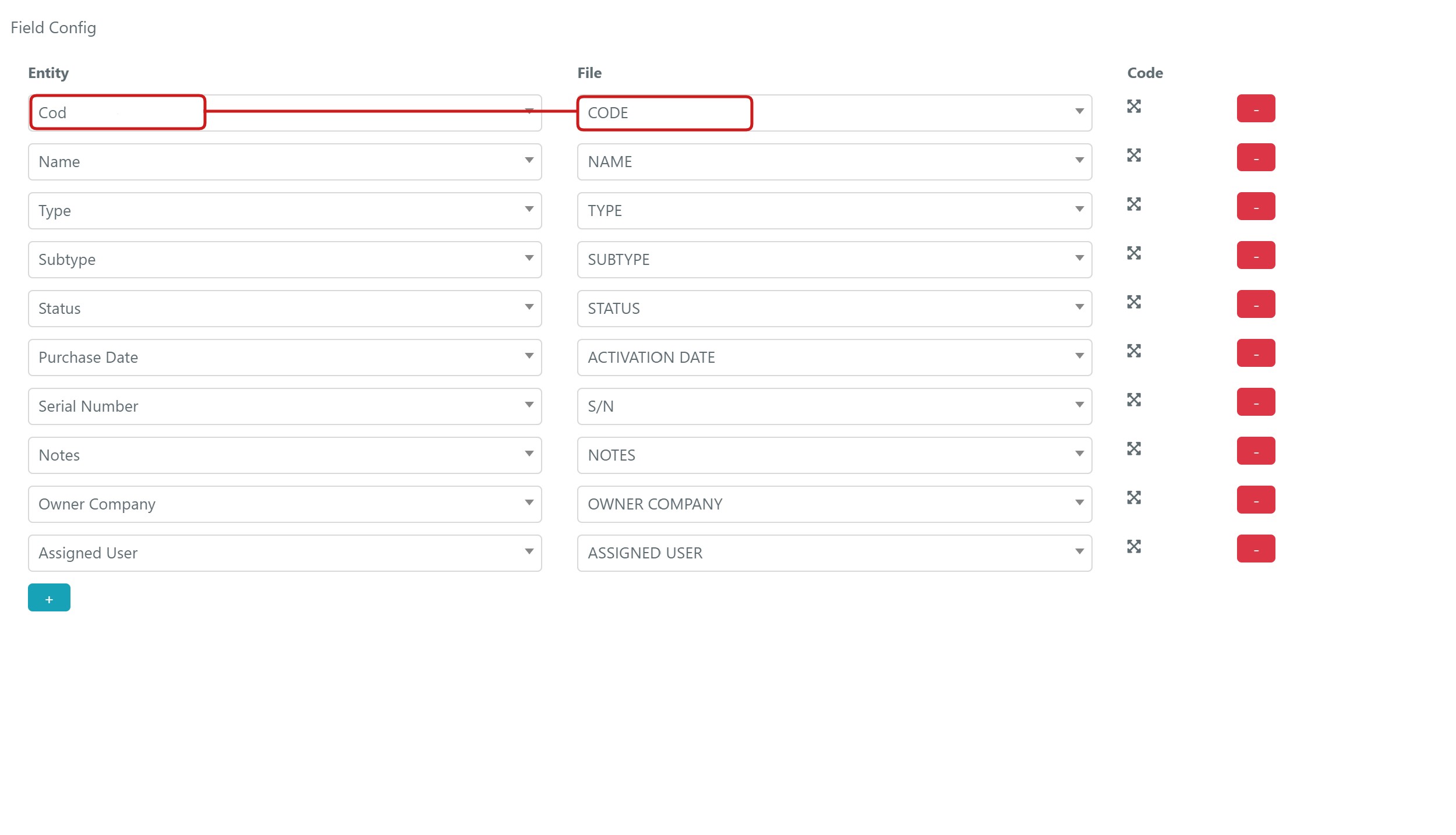
- Bind each field (column name) from the source file to the corresponding one in the Deepser entity model.
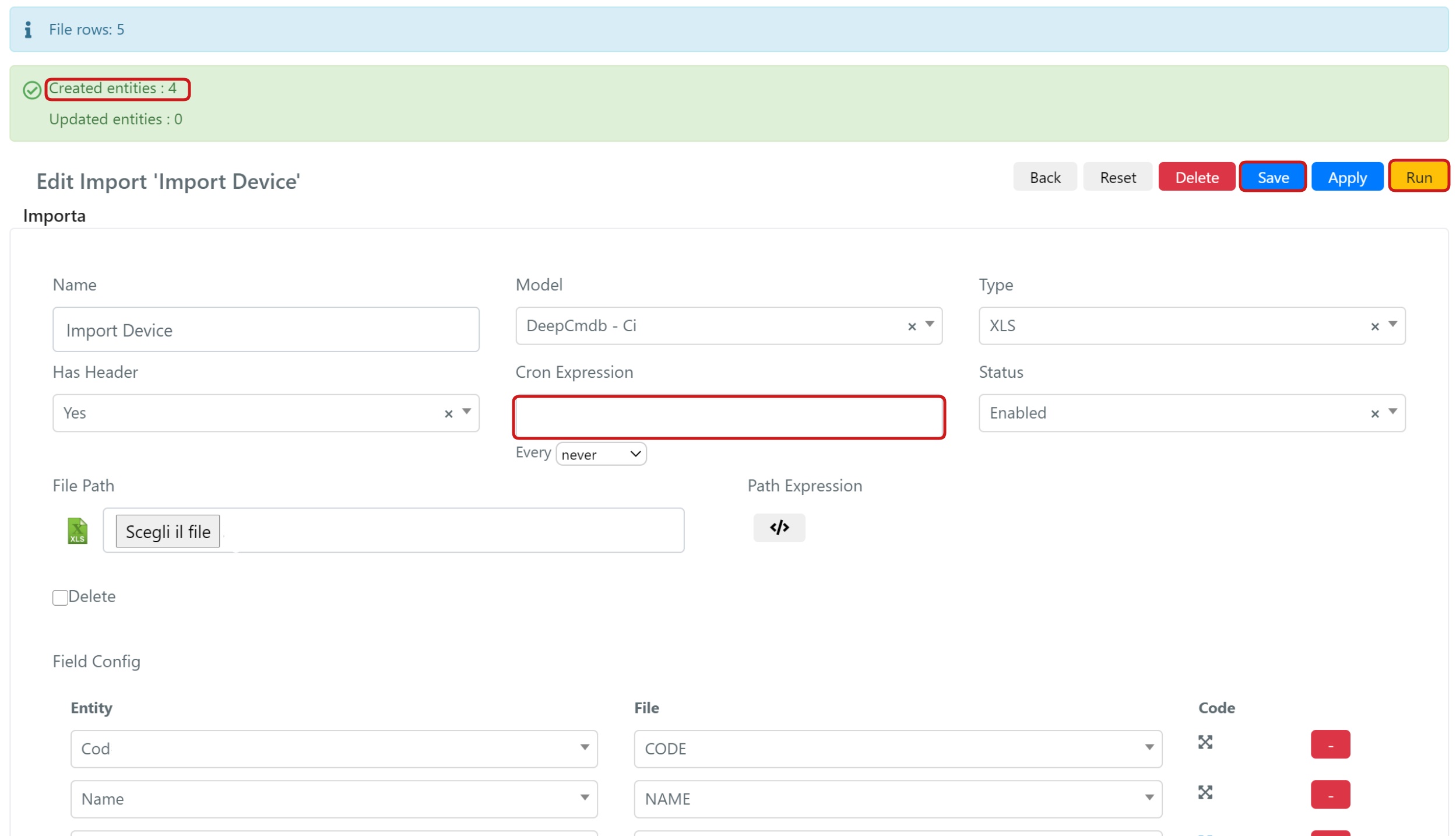
- Once the binding is complete, save the configuration. You can start the import by clicking the yellow Run button, or schedule the import to recur over time using a cron expression. If the import succeeds, a green label indicates how many entities were affected.
tip
For fields that require transformation (such as dates or lookups), use the Code scripting area on each binding row. See Bind Date Values and Bind Type Values for examples.