Import Fundamentals
The Import tool in Deepser lets you bring external data into the system using a structured, configurable procedure. This page covers the import configuration form and explains every available field.
Access the Import Configuration
- In the Deepser Backend, go to System > Tools > Import.
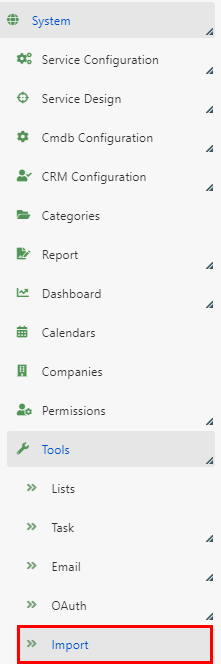
- On the grid page, you can see all imports already configured in your Deepser instance.
- Click a row to view an existing import's configuration, or press Add Import to create a new one.

You will then see the Import configuration form:
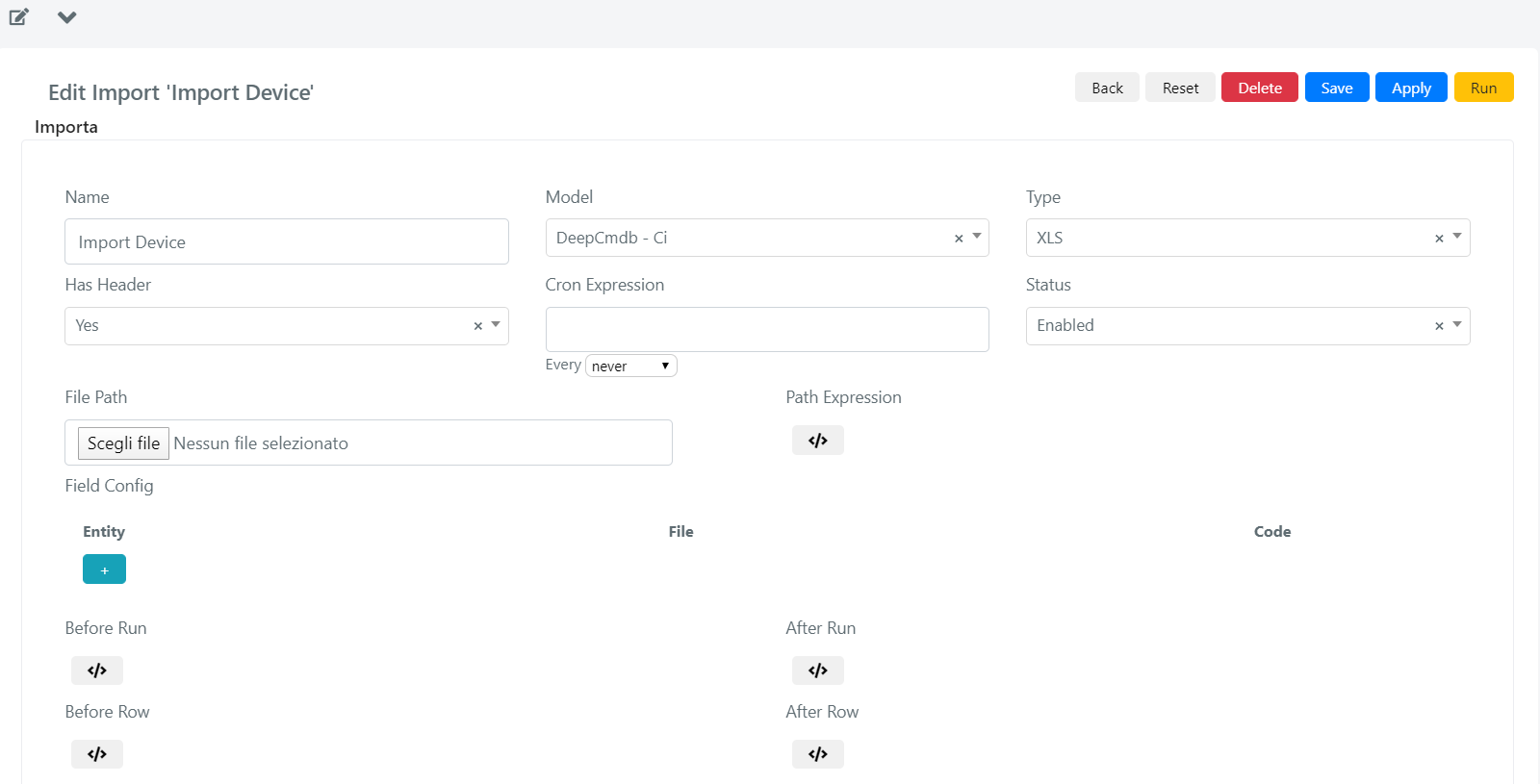
Configuration Fields Reference
| Field | Meaning |
|---|---|
| Name | Name of the Import. |
| Model | Model of the entities that are going to be imported into Deepser (Service Operations, CIs, Companies, etc.). |
| Type | Format of the source file containing the records to be imported in Deepser. |
| Has Header (Yes/No) | Indicates whether the first row of the file is a header. If Yes, Deepser will ignore the data in the first row of the Excel file. |
| Cron Expression | A schedule expression that controls automatic, recurring execution of the import. |
| Status | If Enabled, the import will run; otherwise it will not. |
| File Path | Used to upload the source file containing the records to be imported. |
| Path Expression | Used to dynamically change the name of the file containing the data to be imported. This field is explained with an example below in this document. |
| Entity -- File -- Code | Configuration of the "File Column -- Entity Field" binding. Entity: Model field; File: File column; Code: script to perform specific manipulations of data on the column value (e.g., format a date, convert a value, etc.), executed during cell evaluation. |
| Before Run | Custom PHP code to be executed before the import procedure starts. Used to pre-load data in memory to avoid subsequent massive SQL queries to the DB. For example, you can load the content of a DB table inside an array, then reference it during the import instead of querying the database for every Excel file row. |
| Before Row | Custom PHP code to be executed before each Excel file row is imported. Used to dynamically change the values of the imported row. For example, you can set the status as "New" for every row, or load an existing record from the database instead of importing a new one. |
| After Row | Custom PHP code executed after each row, as soon as every single record has been saved. It runs after every row insert or update. |
| After Run | Custom PHP code executed after all Excel file rows have been imported. Useful for performing custom tasks at the end of the import. |
tip
If you only need a basic import without custom logic, you can skip the scripting fields (Before Run, Before Row, After Row, After Run) and proceed directly to data binding.