Configure a Knowledge Base
Only System Administrators can create a Knowledge Base, while the ability to create or modify articles can be granted to other users through the corresponding configuration form. This guide covers how to set up and manage your Knowledge Bases.
Creating a Knowledge Base
-
To create or configure a Knowledge Base, access the System > Knowledge Base section from the Deepser Backend. On the next screen, click on the button at the top right.
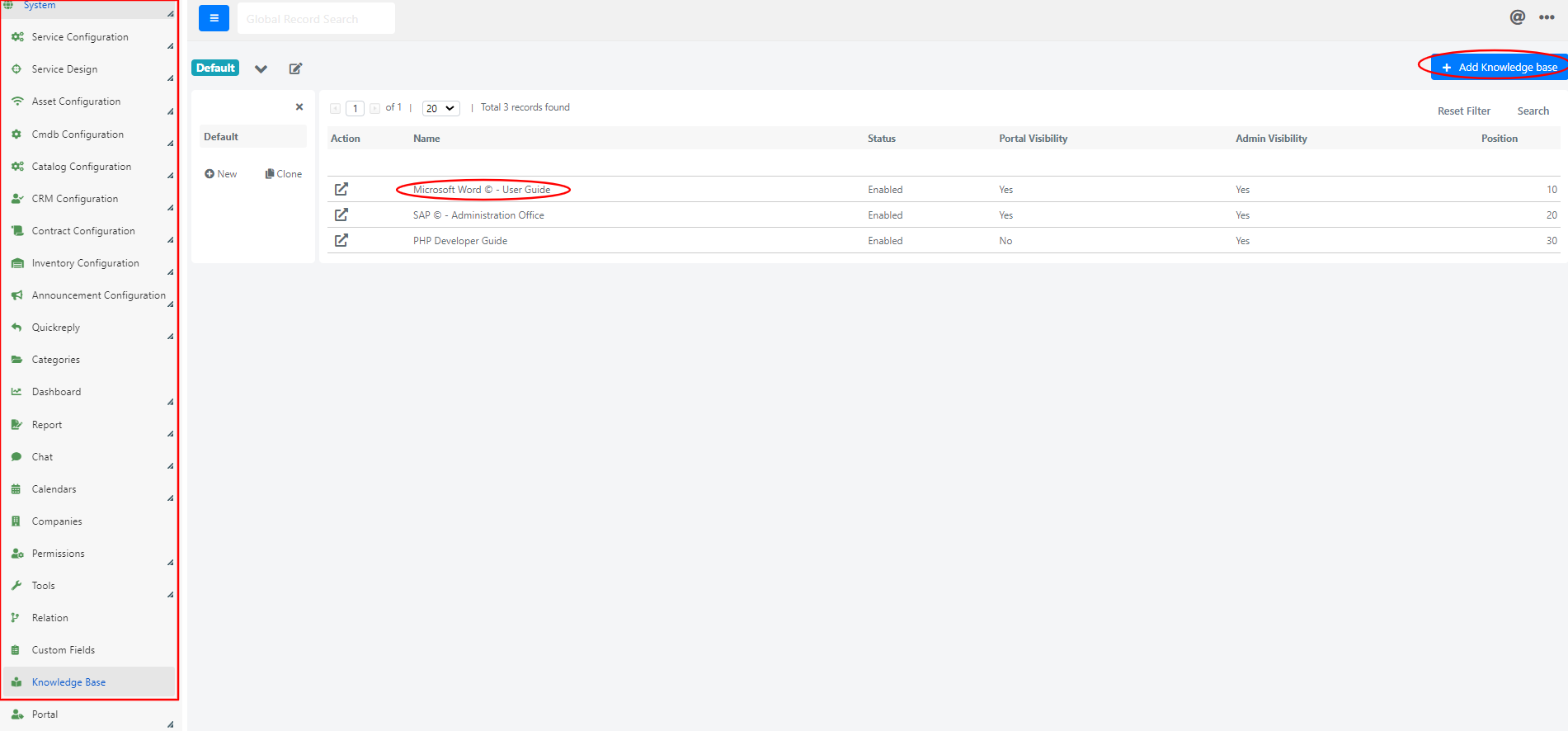
-
The form for creating or modifying a Knowledge Base will then be shown.
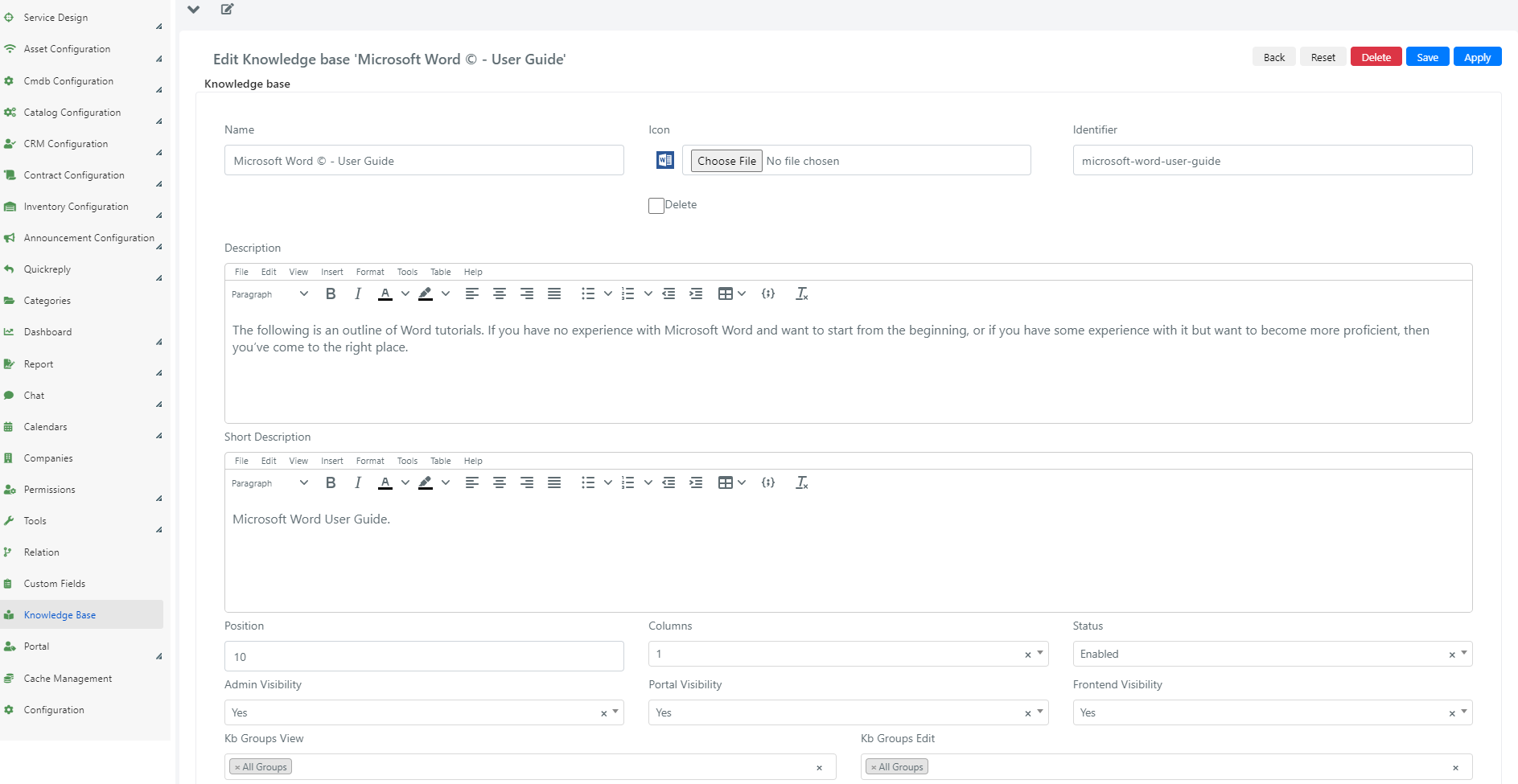
The form fields have the following meaning:
| Field | Description |
|---|---|
| Name | Name of the Knowledge Base. |
| Icon | Optional Knowledge Base icon. |
| Identifier | KB identification code. It is used in the composition of the KB URL if it has been made visible in the Guest Portal. |
| Description | Description of the KB. It is displayed when a KB is opened, before an article is consulted. |
| Brief Description | Brief description. It is displayed in the grid of the Knowledge Base section, where all KBs are shown. |
| Location | Location of the current KB inside the screen, organized as a grid, where the KBs are displayed. |
| Columns | Number of columns occupied by the KB in the KB selection grid. |
| State | State. If the status is enabled, the KB will be visible and searchable. |
| Visibility Administrators | If set to YES, the KB will be visible and searchable by Operators from the Deepser Backend. |
| Visibility in the Portal | If set to YES, the KB will be visible and searchable by authenticated users in the Deepser User Portal. |
| Visibility in Frontend | If set to YES, the KB will be visible and searchable by unauthenticated users in the Deepser Guest Portal. |
| Groups View KB | In this field you specify the groups that should have visibility of the KB. |
| Groups Edit KB | In this field you specify the groups that should have the ability to modify the KB (e.g., creation or deletion of articles). |
Use the Groups View KB and Groups Edit KB fields to control exactly which teams can read or modify your Knowledge Base content.
Search Module Configuration Overview
In Deepser you can configure how the search across various articles is performed, allowing you to obtain better results. Various filter types are used to accomplish this. For details on configuring search filters, see Knowledge Base Filters.