Knowledge Base in Service Operations
Deepser includes a built-in Knowledge Base field within Service Operations that automatically suggests relevant articles to users. This helps reduce the number of Service Operations opened for questions or issues whose answers are already documented in the Knowledge Base.
The suggestions are based on the scope of the Service Operation being created. Articles and the Knowledge Base to which they belong must be visible to the current user and in the area they are accessing (User Portal or Guest Portal) in order to appear as suggestions.
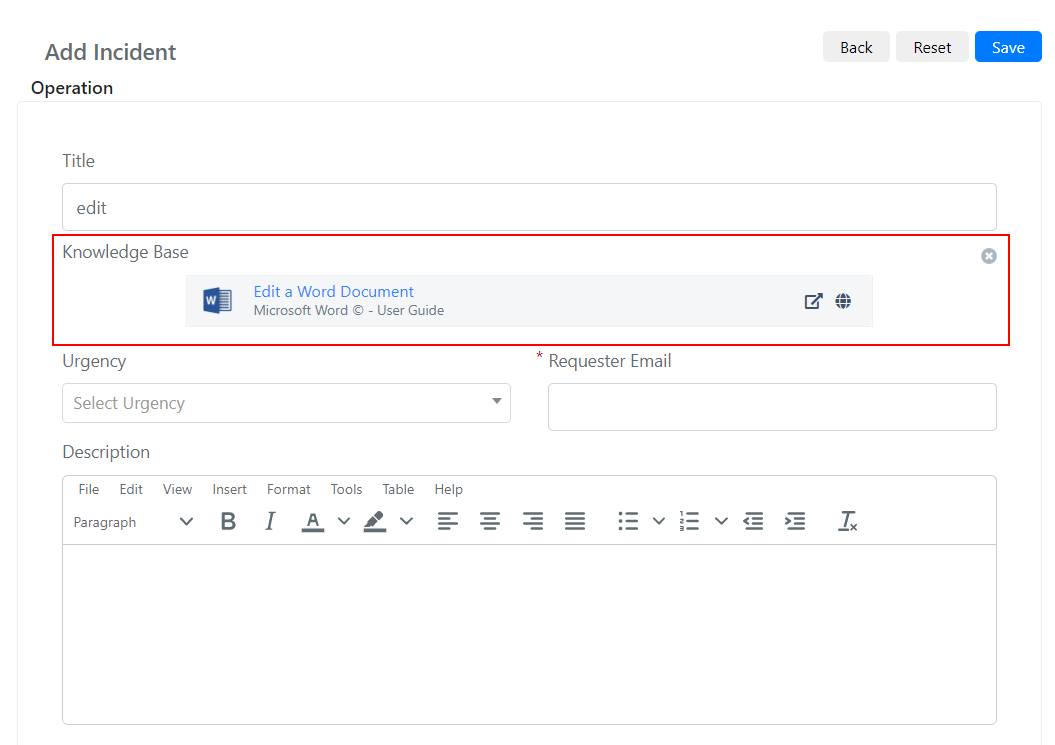
How Article Suggestions Work
When a user creates a new Service Operation, the Knowledge Base field searches for articles that match the title or category of the Service Operation. The matching is controlled by the search filters configured in System > Configuration > Knowledge Base > Configurations > Search. By default, the system matches the Service Operation title against article tags. You can also enable description-based search or category-based filtering for more precise results.
The order in which articles are proposed is based on the number of positive matches between the Service Operation and the article -- articles with more matches appear first.
For articles to appear as suggestions, ensure they have appropriate tags and that their visibility settings match the portal where the Service Operation is being created.