Access and Read the Knowledge Base
Deepser provides multiple entry points for accessing the Knowledge Base, depending on your role and access level. This guide shows you how to open and navigate Knowledge Base articles from each portal.
Accessing the Knowledge Base
You can access and consult the Knowledge Base from three separate entry points:
-
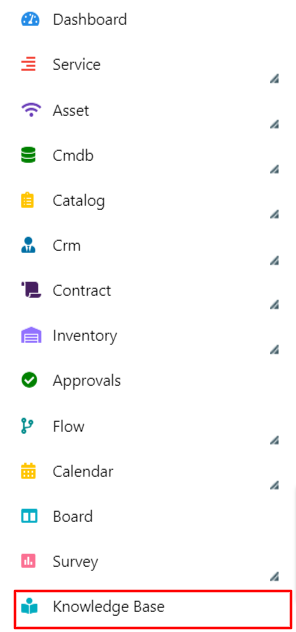
From the Deepser Backend (accessible only by Operators) -- Click on the Knowledge Base item in the main menu.
-
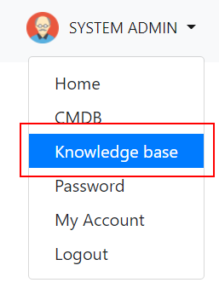
From the User Portal -- Select the Knowledge Base item in the top-right menu.
-
From the Guest Portal -- Select the Knowledge Base item in the top-right menu.

Browsing Articles
-
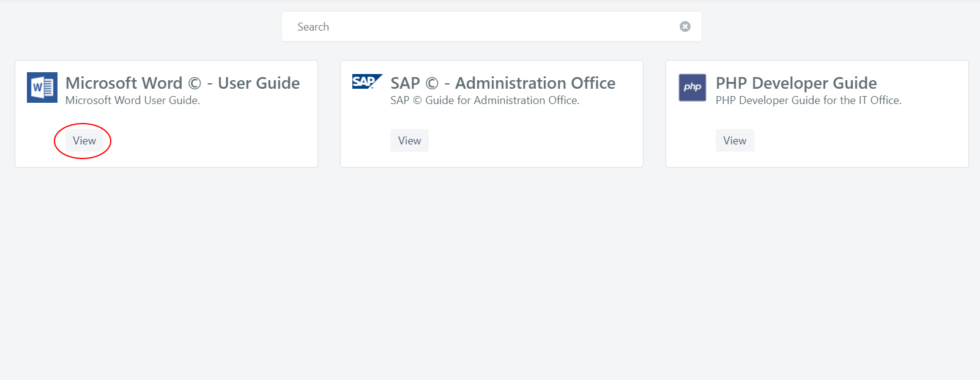
The grid containing the available Knowledge Bases will open. Click on the View button to open the KB you want to consult.
-
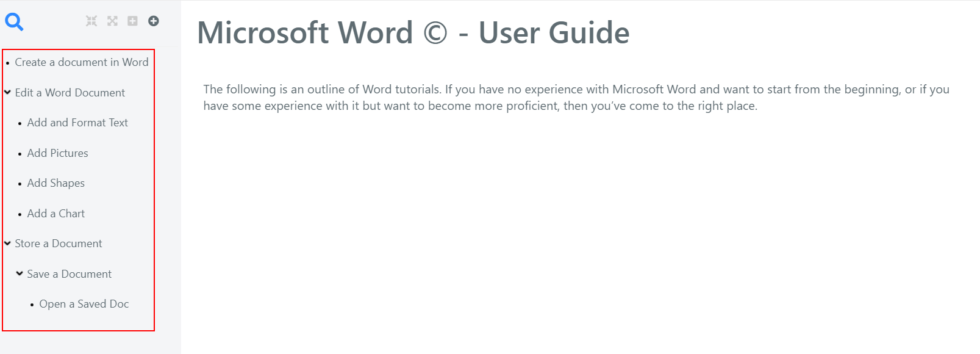
When the Knowledge Base is opened, its description and introduction are displayed. You can navigate through the articles via the left-hand summary.