Configure the Password System
This page covers the key system-level settings for Deepser's Password module, including the encryption passphrase, default permissions, and private password configuration.
System Passphrase
To guarantee the confidentiality of saved public passwords, Deepser encrypts them before saving them into the database using a key defined by the administrator, called the Passphrase.
You must enter a passphrase before defining any password, otherwise an error message will be generated.
To set the passphrase, go to System Configuration -> Password -> Configurations.
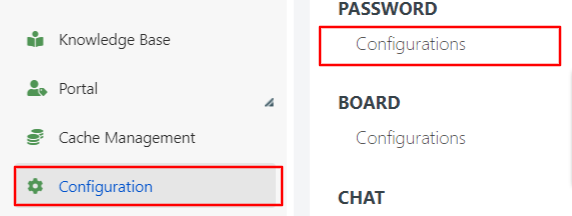
This is the system configuration screen for passwords.
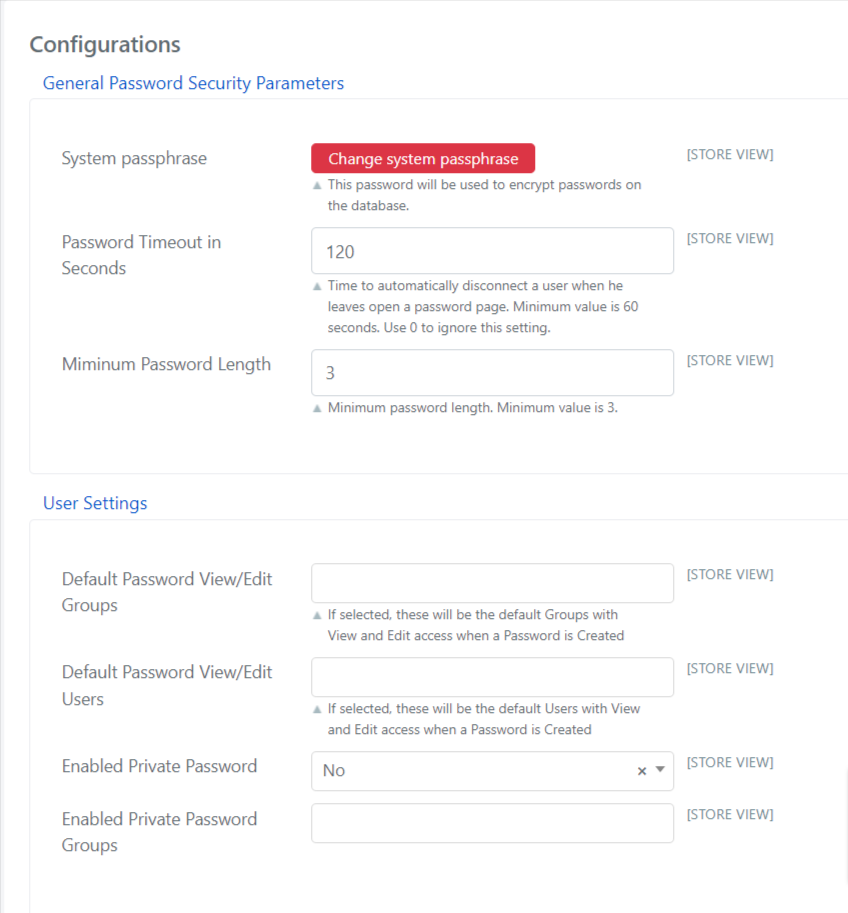
The fields have the following meaning:
| Field | Example / Notes |
|---|---|
| Passphrase | The key with which passwords will be encrypted and decrypted. |
| Password Timeout in Seconds | Time in seconds before the user on the password page is automatically logged out. |
| Minimum Password Length | Indicates the minimum length of passwords (the minimum assignable value is 3). |
| Default Password View/Edit Groups | Indicates the group that will have read/edit access to the password by default, if no group was specified when creating the password. |
| Default Password View/Edit Users | Indicates the user who will be given access to read and change the password by default, if no user was specified when creating the password. |
| Enable Private Password | Gives users the ability to create private passwords. |
| Enable Private Password Groups | Indicates which groups of users can save private passwords. |
Once the passphrase is configured, you can set the minimum password length and, for security reasons, the timeout after which any user on the password page is logged out. This helps prevent unauthorized users from accessing passwords if someone accidentally leaves their computer logged in on the password screen. After the specified time elapses, Deepser automatically logs the user out of the web application.
Default Permissions
Through the fields Default Password View/Edit Groups and Default Password View/Edit Users, Deepser allows you to establish default behavior when no user or group is specified as a viewer or editor in the password creation form.
Private Password
Deepser allows users to save private passwords that are not accessible or editable by anyone except the creator.
These passwords can become public, but the opposite is not possible. Setting Enable Private Password to "Yes" also allows end users to create passwords through the User Portal. All passwords entered through the User Portal are private.
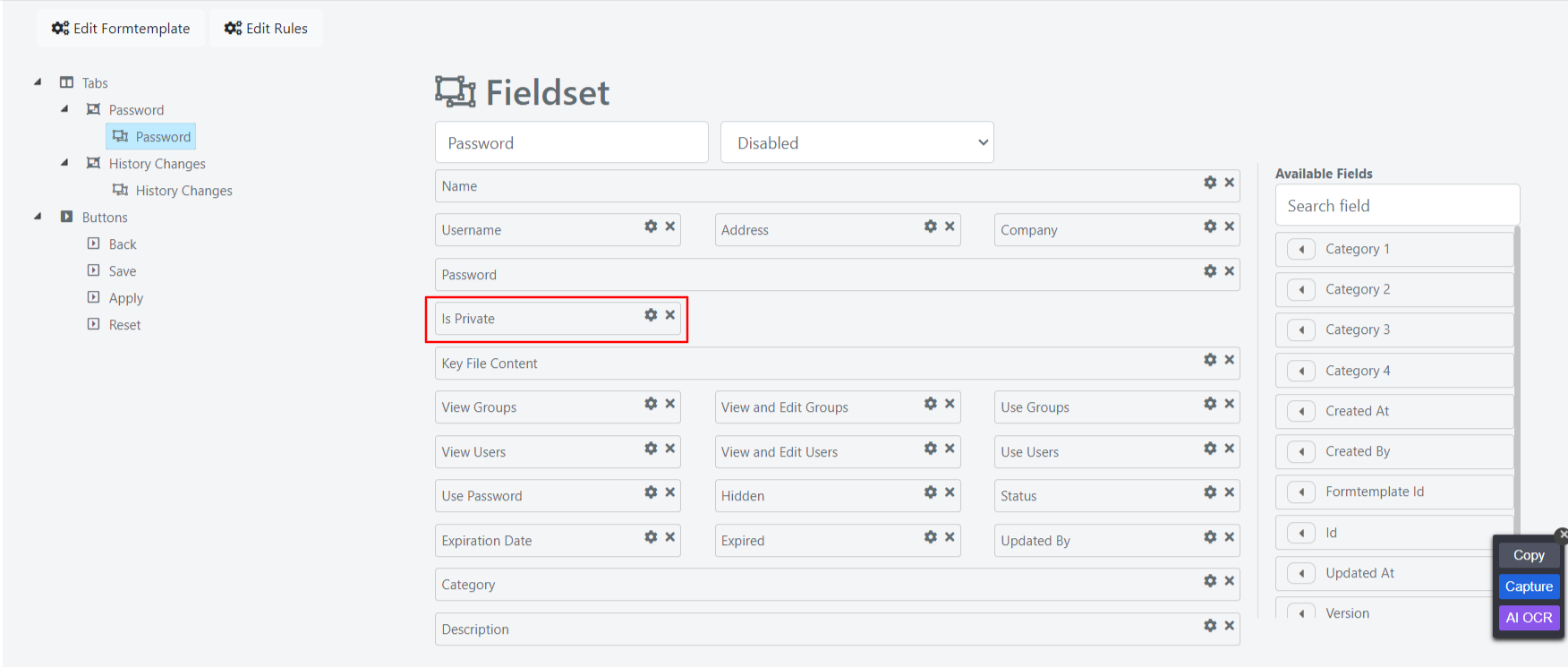
You may need to make the Is Private field visible in the password creation template form. To do this, edit the template using the edit button.
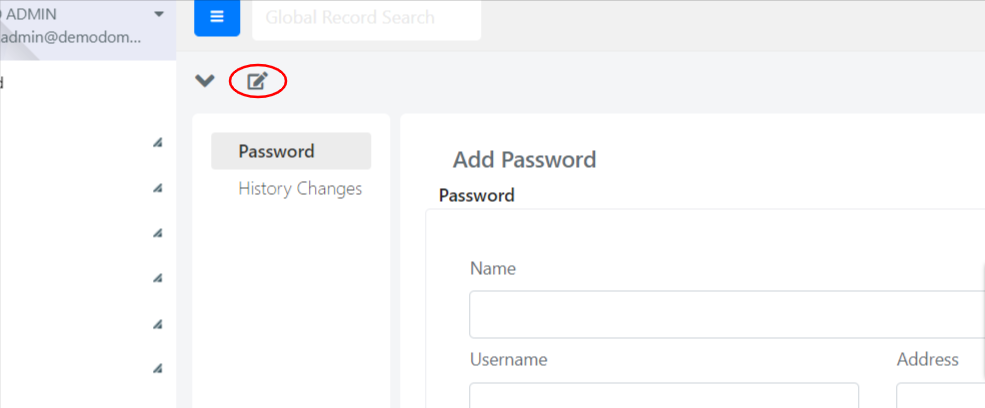
Finally, drag and drop the field and save.