Customize CMS Pages in the Guest Portal
Deepser includes a built-in CMS that lets you control the appearance and content of the Guest Portal. You can create or modify pages and static blocks to tailor the portal experience for guest users.
To access the CMS, go to System > Tools > CMS in the Deepser Backend.
Pages
CMS pages define the structure of the Guest Portal. By default, the Homepage and 404 Not Found pages are already configured, which is sufficient for a basic setup.
The two most important configuration tabs for each page are Page Information and Design.
To modify existing pages or create new ones, go to System > Tools > CMS > Pages in the Deepser Backend.
Page Information
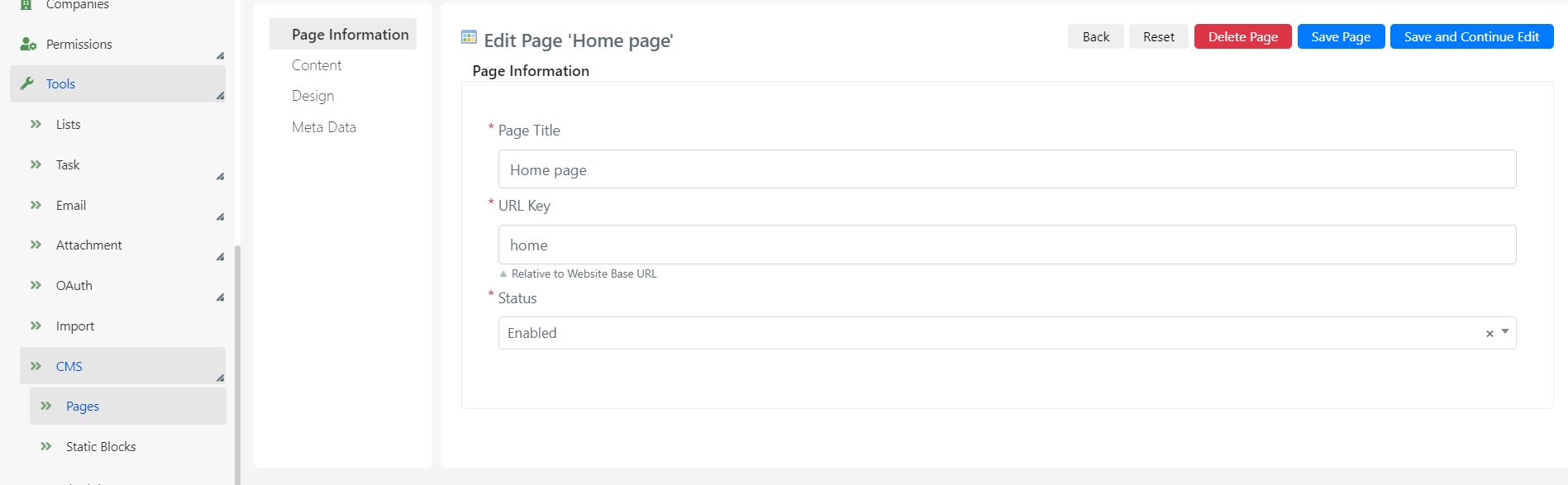
The Page Information tab contains the following fields:
- Page Title: The title of the page.
- URL Key: The page identifier used in the URL.
- Status: The page status (Active/Inactive).
Design
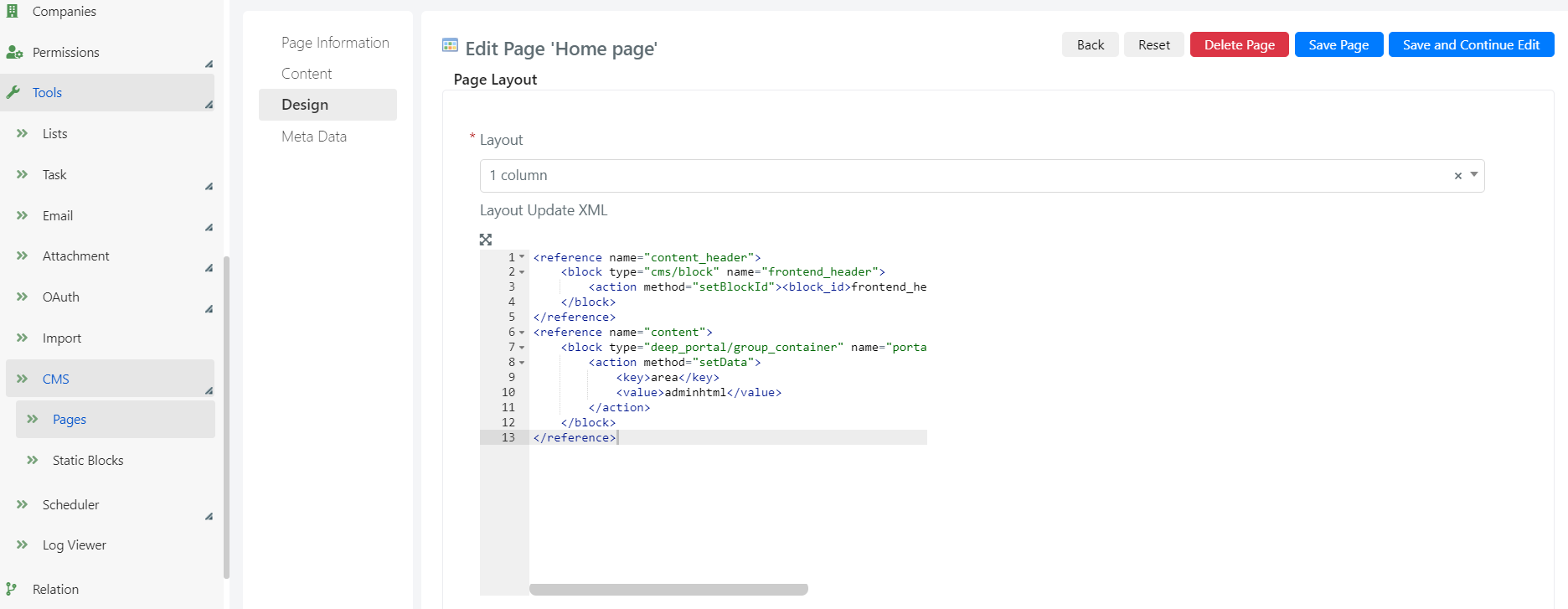
The Design tab allows you to select a page layout from the available options.
Use the Layout Update XML scripting area to add blocks to the page structure. For example, you can inject a custom static block into the homepage layout by referencing its identifier here.
Static Blocks
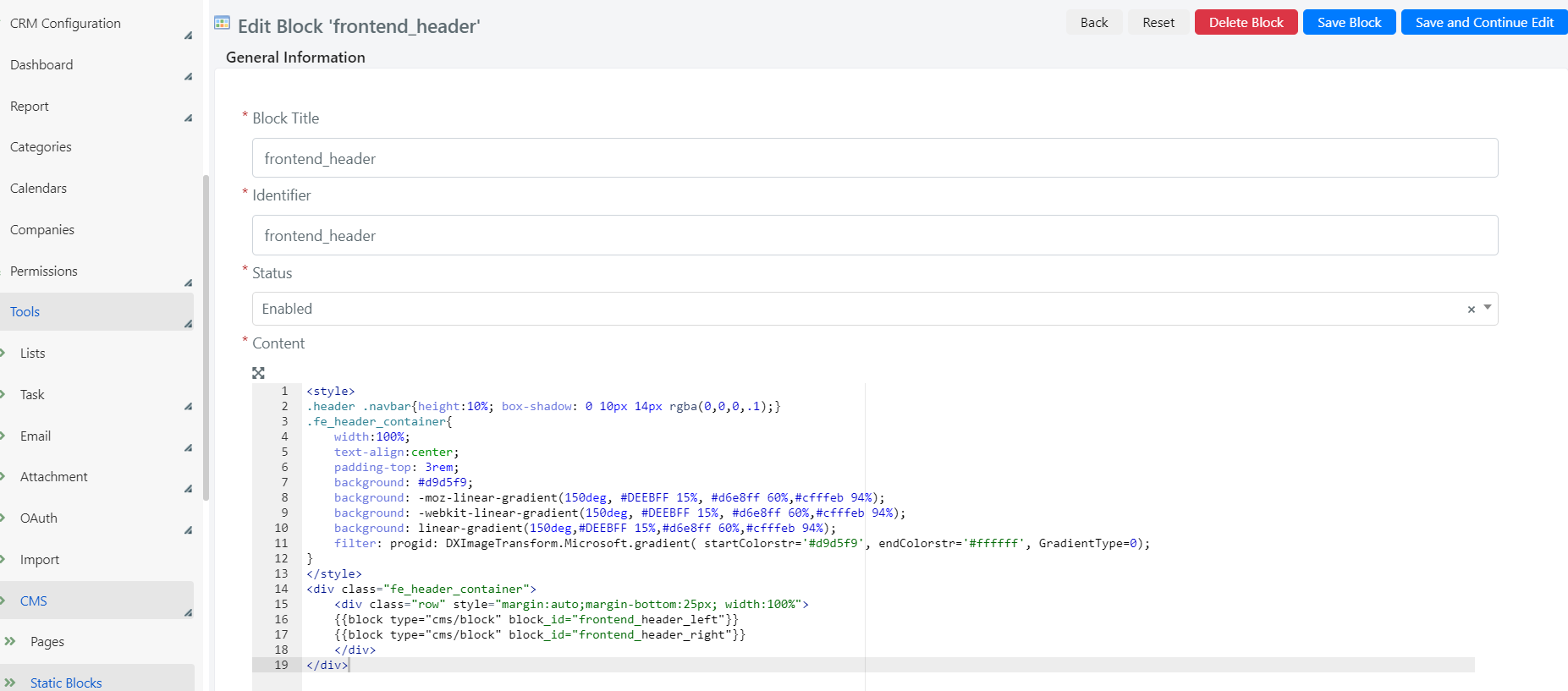
Static blocks are reusable content components that can be injected into CMS pages. You can create new blocks or modify existing ones.
To configure static blocks, go to System > Tools > CMS > Static Blocks in the Deepser Backend.
Each block has the following configuration fields:
- Block Title: The title of the block.
- Identifier: The unique block code used to reference it in page layouts.
- Status: The block status (Active/Inactive).
- Content: The scripting area where you define the HTML structure of the block.