Enable Categories in the Guest Portal
You can control which categories are visible in the Guest Portal by configuring their Frontend Visibility setting. Only categories explicitly enabled will appear to guest users.
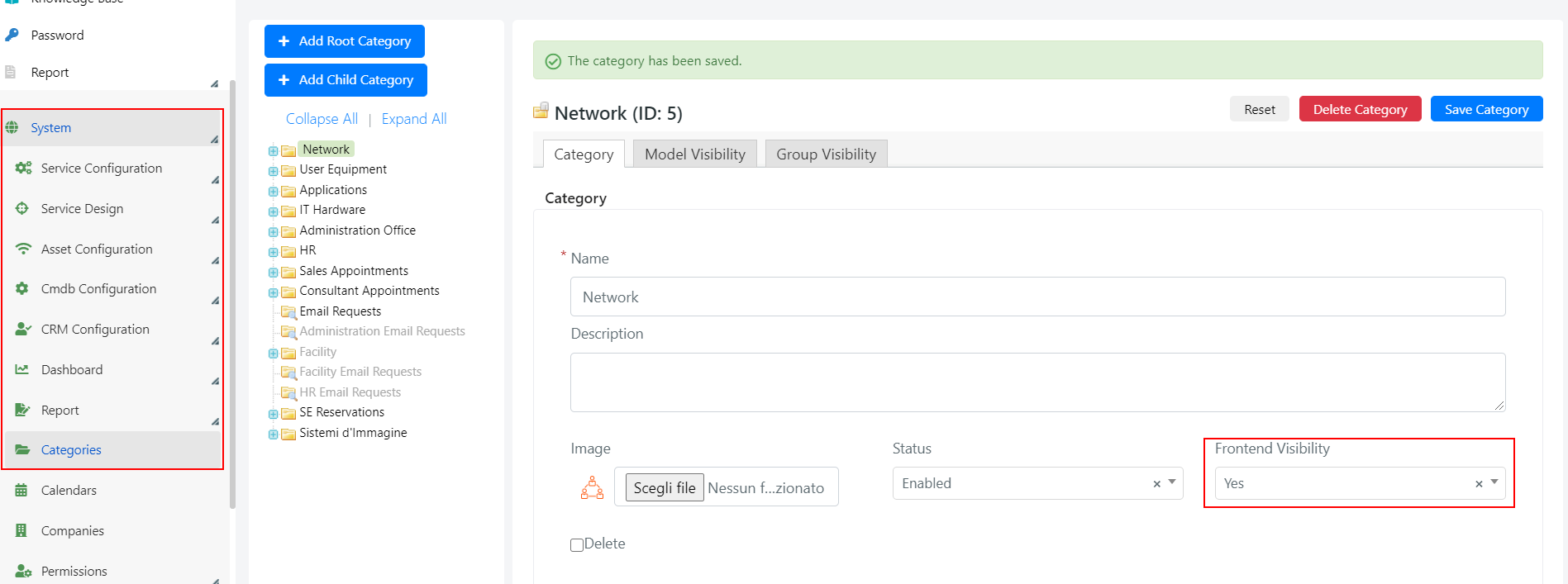
To configure category visibility, go to System > Categories in the Deepser Backend.
Steps
-
Select the desired category in the "Category" tab and set the Frontend Visibility field to YES.
-
If ad-hoc rules are defined for some models, navigate to the "Models Visibility" tab and update the Frontend Visibility field value within those rules.
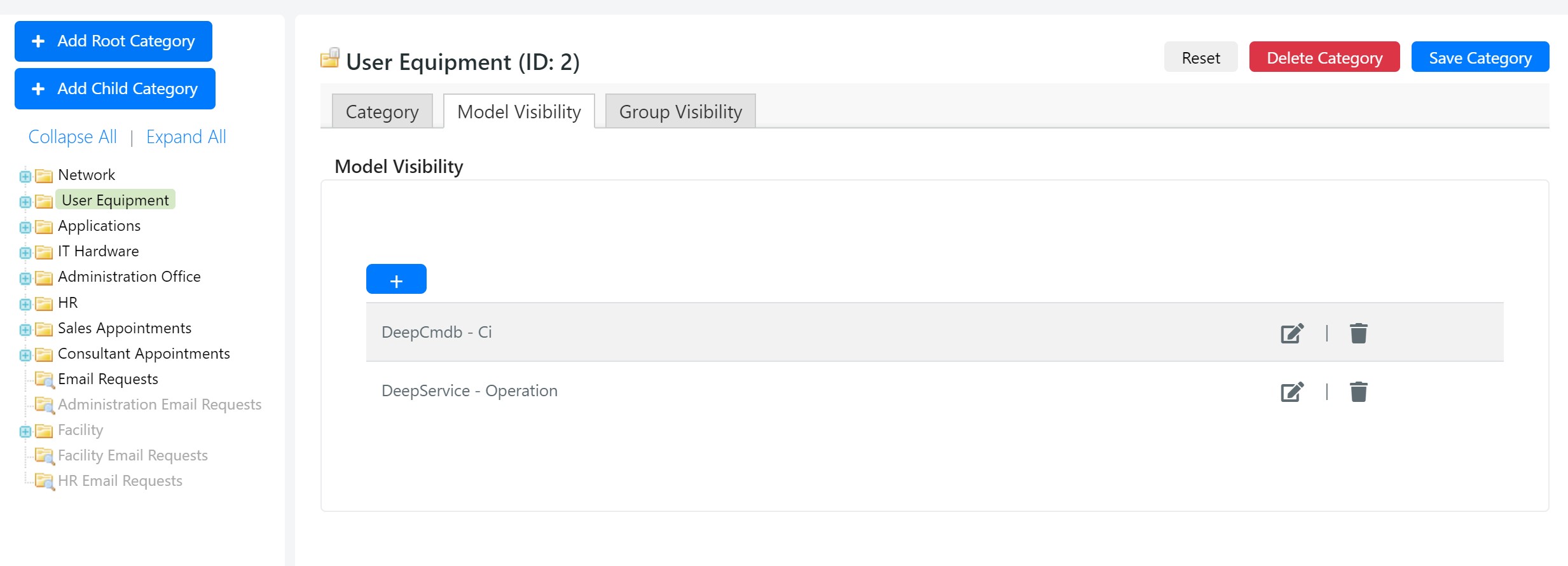
For example, if you have a "Hardware" category with model-specific visibility rules, you must enable Frontend Visibility both on the category itself and on each relevant model rule.