Enable Service Types on the Guest Portal
To allow guest users to create Service Operations from the Guest Portal, you must enable at least one Service Type. Only Service Operations of enabled types can be created by guest users.
Steps
-
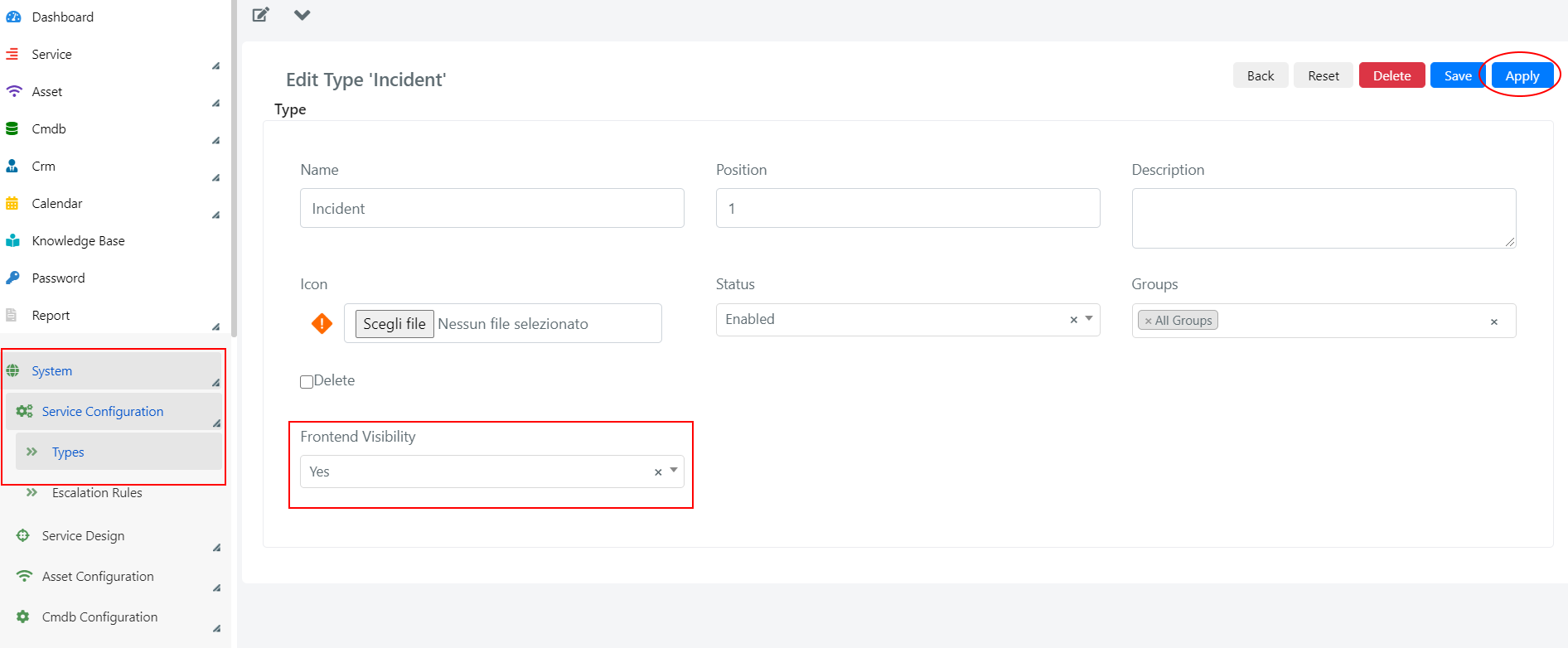
Go to System > Service Configuration > Typologies in the Deepser Backend. Click on the desired type and set the Frontend Visibility field to YES.
-
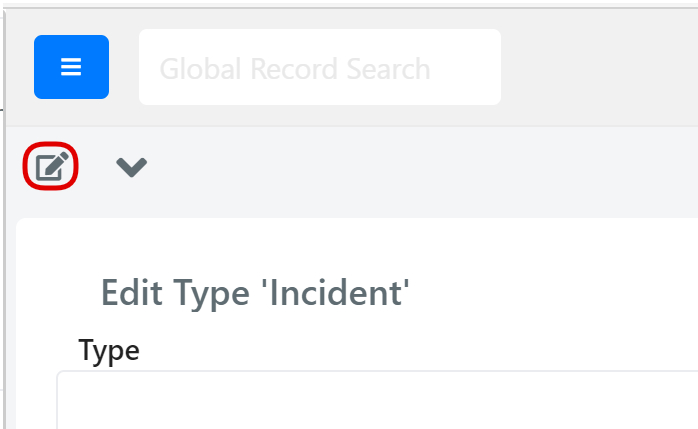
If the Frontend Visibility field is not present on the form, you need to add it. Click the pencil icon in the top left corner to enter form edit mode.
-
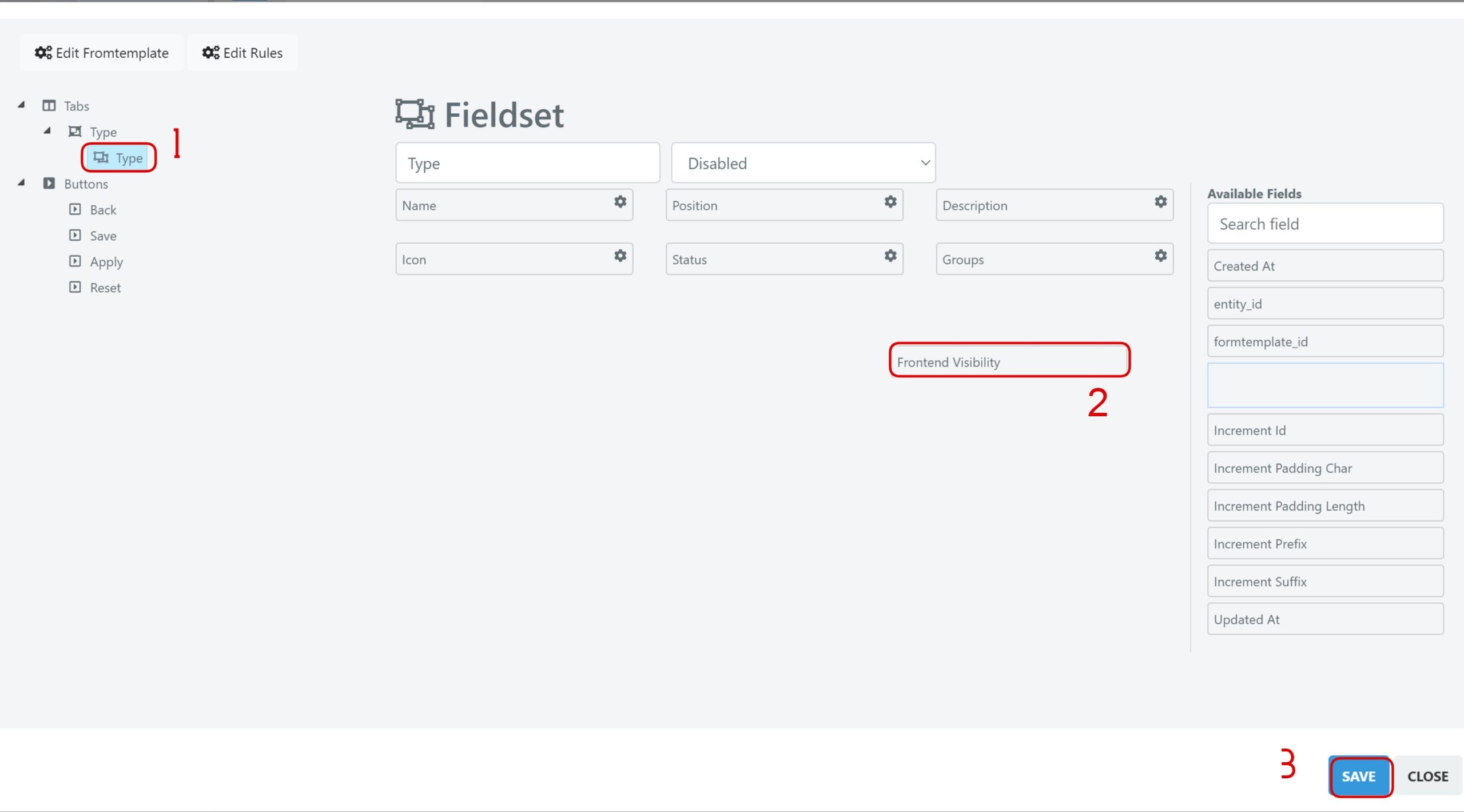
Select the Form Type, drag the Frontend Visibility field into the form via drag and drop, and press Save. Then refresh the page.
For example, if you want guest users to submit "Incident" type requests, navigate to the Incident type configuration and set its Frontend Visibility to YES.