Publish Knowledge Base Articles in the Guest Portal
The Guest Portal can display Knowledge Base articles to users who are not registered in Deepser. This allows you to share support documentation publicly.
Knowledge Base articles published in the Guest Portal are indexed by search engines.
Configure Knowledge Base Visibility
-
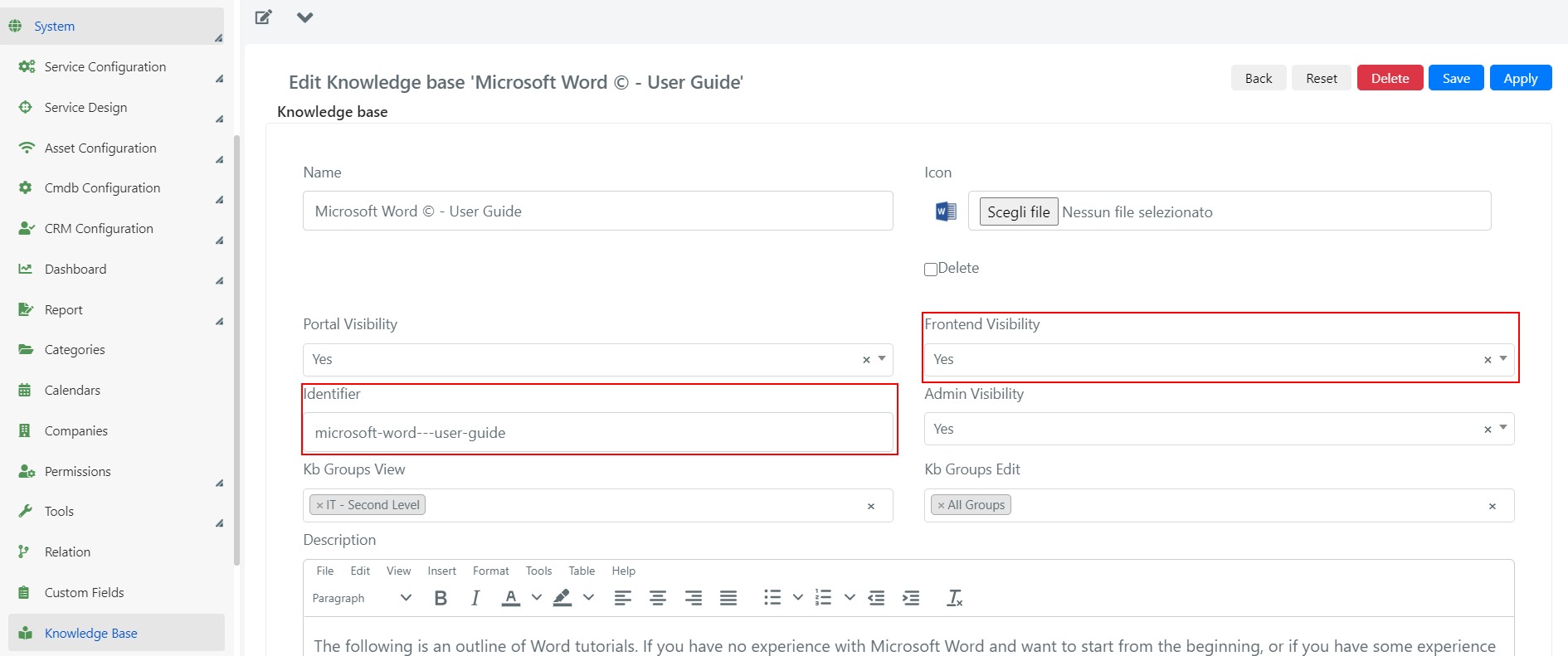
Go to System > Knowledge Base in the Deepser Backend and click on the Knowledge Base you want to make visible. Configure the following fields:
- Frontend Visibility: Set to YES to make the Knowledge Base visible in the Guest Portal.
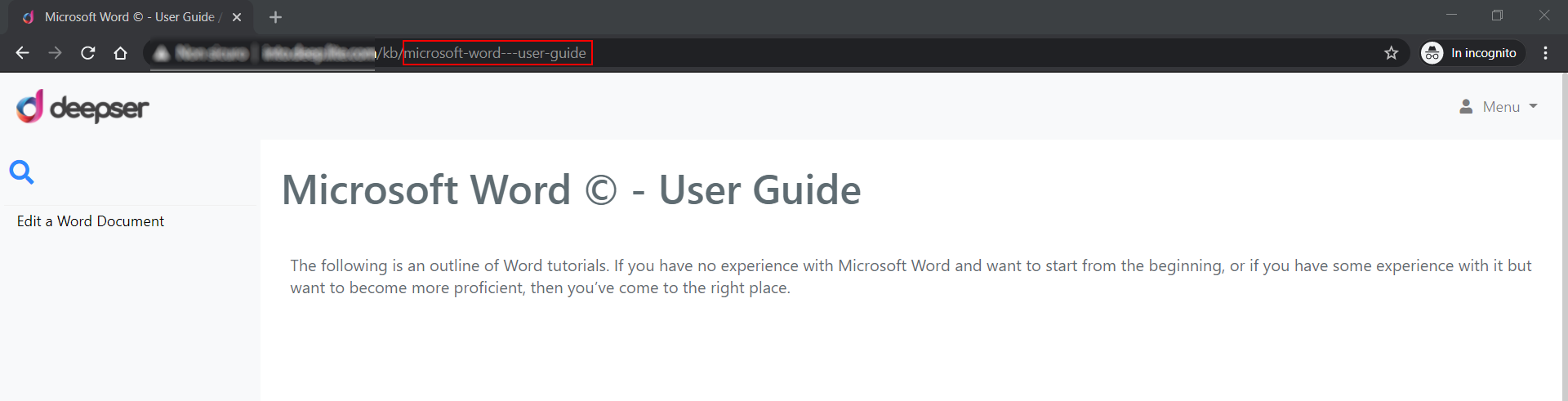
- Identifier: The name that will appear in the URL. If left empty, it is automatically generated when the form is saved.
-
The article page will display the chosen Identifier as the last segment of the URL.
Configure Article Visibility
-
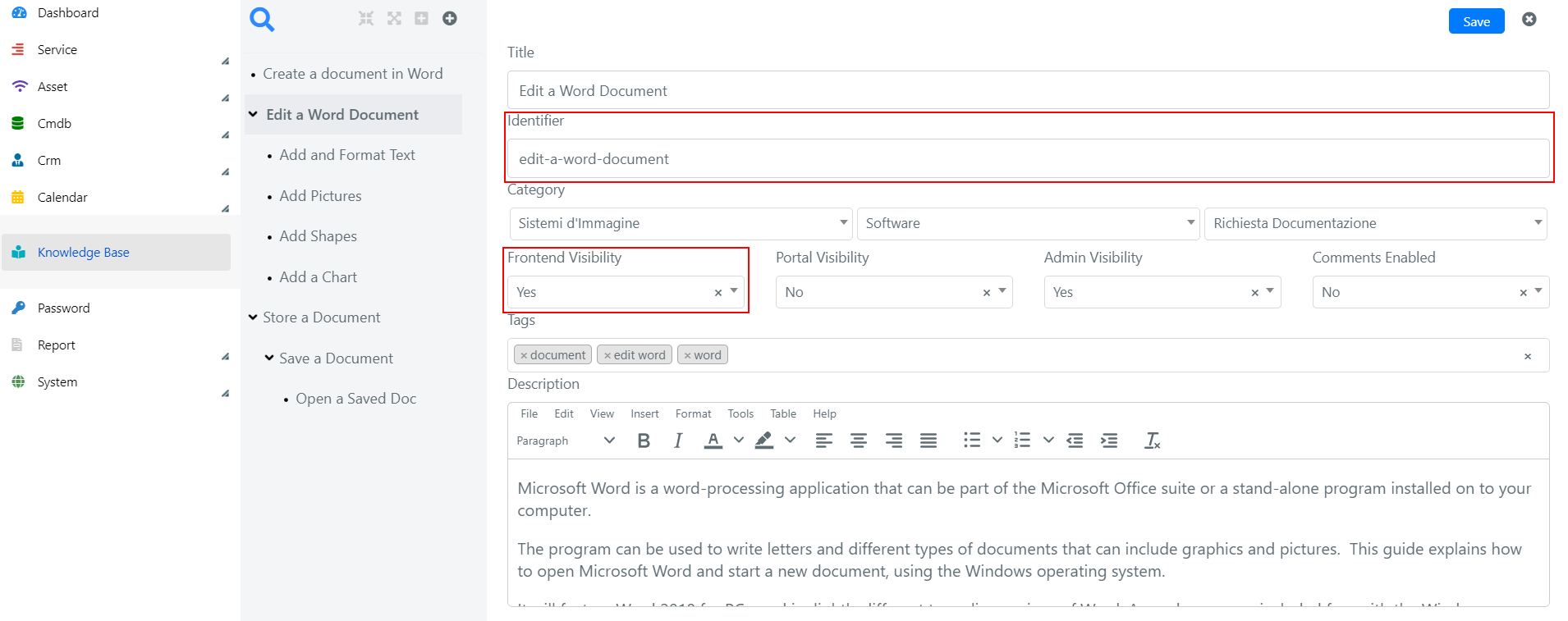
Navigate to the Knowledge Base section in the Deepser Backend and click on the Knowledge Base containing the article you want to publish. Select the article and configure the following fields:
- Frontend Visibility: Set to YES to make the article visible in the Guest Portal.
- Identifier: The name that will appear in the URL. If left empty, it is automatically generated when the form is saved.
-
The article URL will display the chosen Identifier as the last segment.
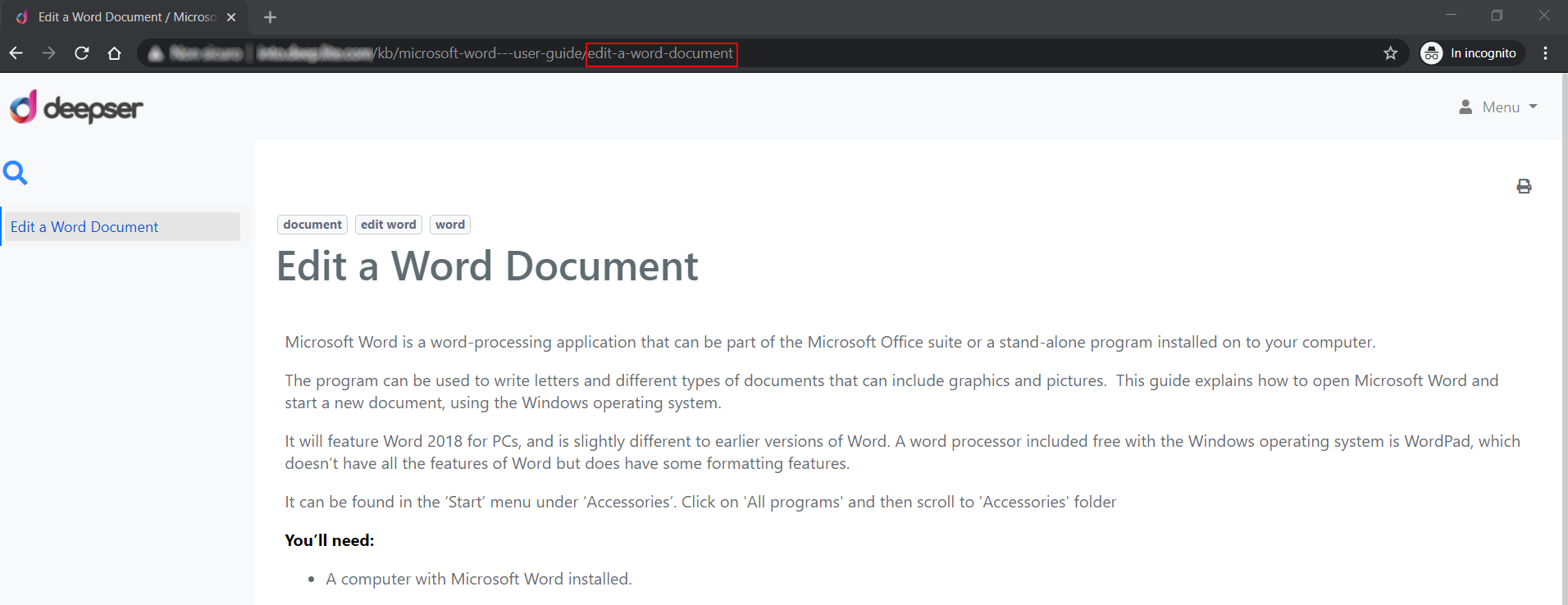
For example, if you set the Knowledge Base identifier to "support" and the article identifier to "getting-started", the resulting URL would be: yourdomain.com/support/getting-started.