Browse the User Portal
The Deepser User Portal is organized into several areas. The most important section supports the creation and management of Service Operations, while the dropdown menu gives you access to additional features.
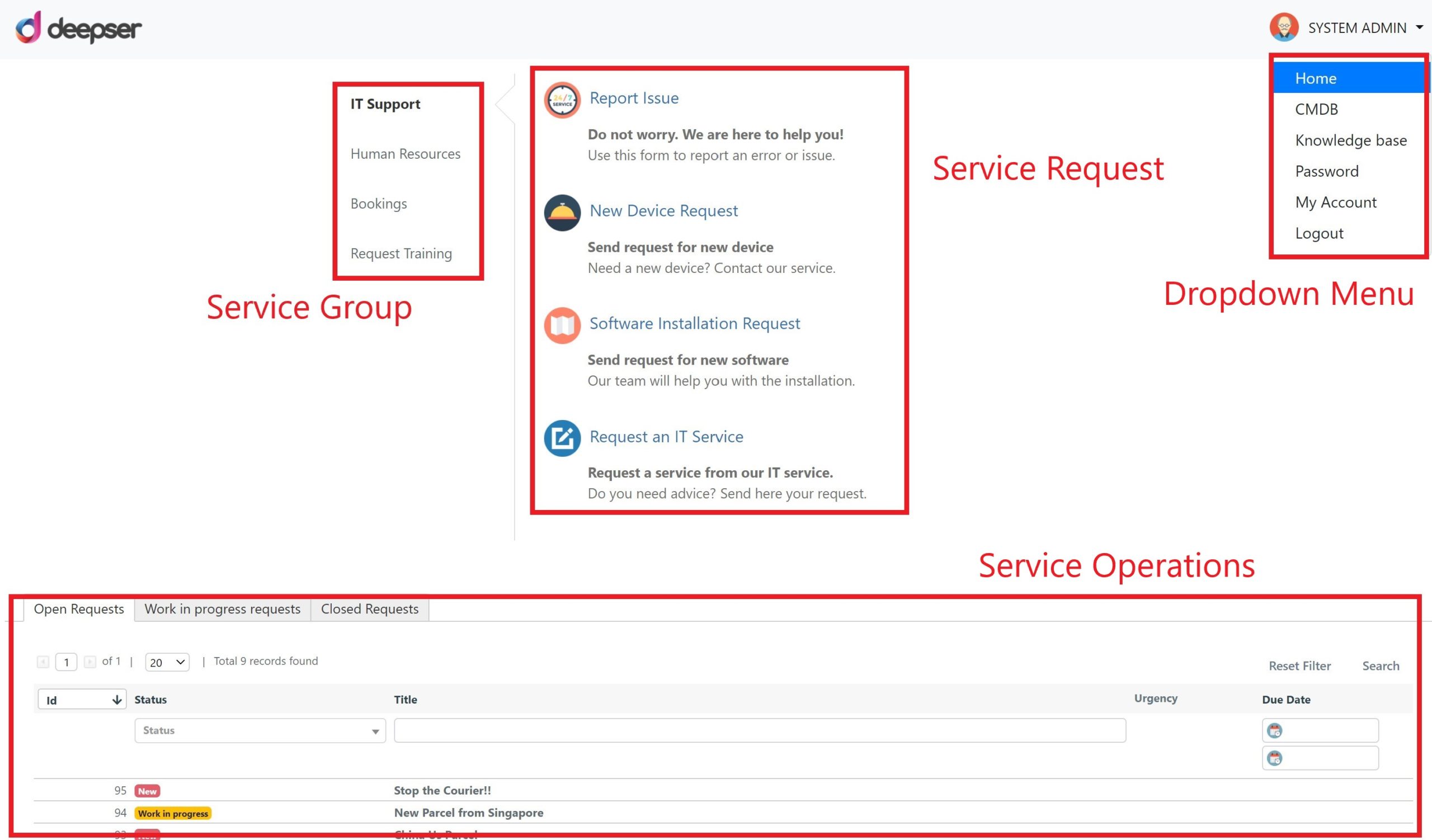
The following table describes each section of the User Portal:
| Function | Section | Description |
|---|---|---|
| Help Desk | Service Group | The group to which a type of service belongs. For example, requesting a new device is part of the IT Support group. |
| Service Request | Service Request | The type of Service Operation that will be created. For example, a new device request falls under the "Requests" type. |
| Service Operations | Service Operations | All Service Operations visible to the current user, displayed in customizable grids (e.g., open, in progress, closed). |
| Other Modules | Dropdown | Appears by clicking the arrow to the right of the user. Provides navigation to CMDB, Knowledge Base, Password Manager, and other modules configured as visible in the User Portal. |