Enable Other Modules in the User Portal
The User Portal can provide end users with access to CMDB, CRM, Knowledge Base, and Password Manager modules, as well as worklogs. This guide shows you how to enable each module and customize their grids.
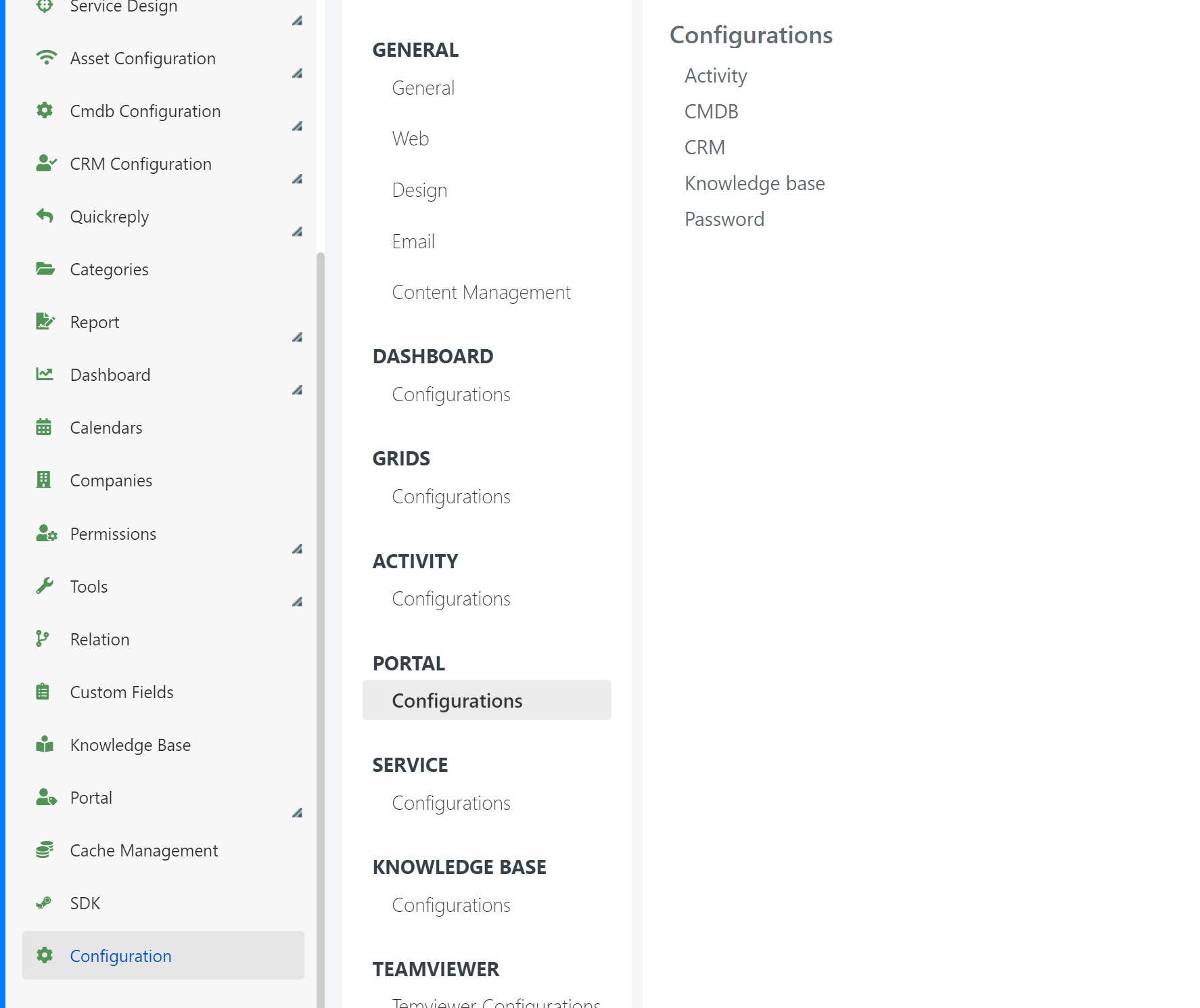
To begin, go to System > Configuration > Portal > Configuration in the Deepser Backend.
Enable the Password Manager
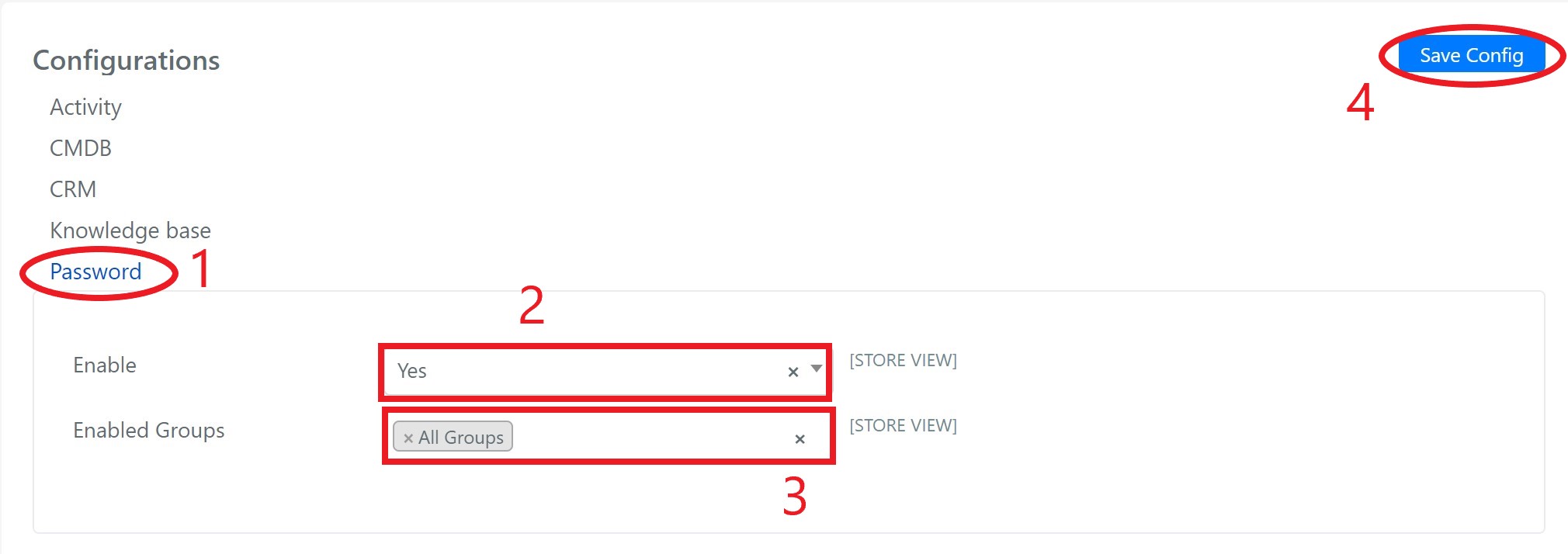
Select Password, set Enabled to Yes, select the groups that will have access, and click Save Configuration.
Enable the Knowledge Base
Select the Knowledge Base item, set Enabled to Yes, select the groups that will have access, and click Save Configuration.
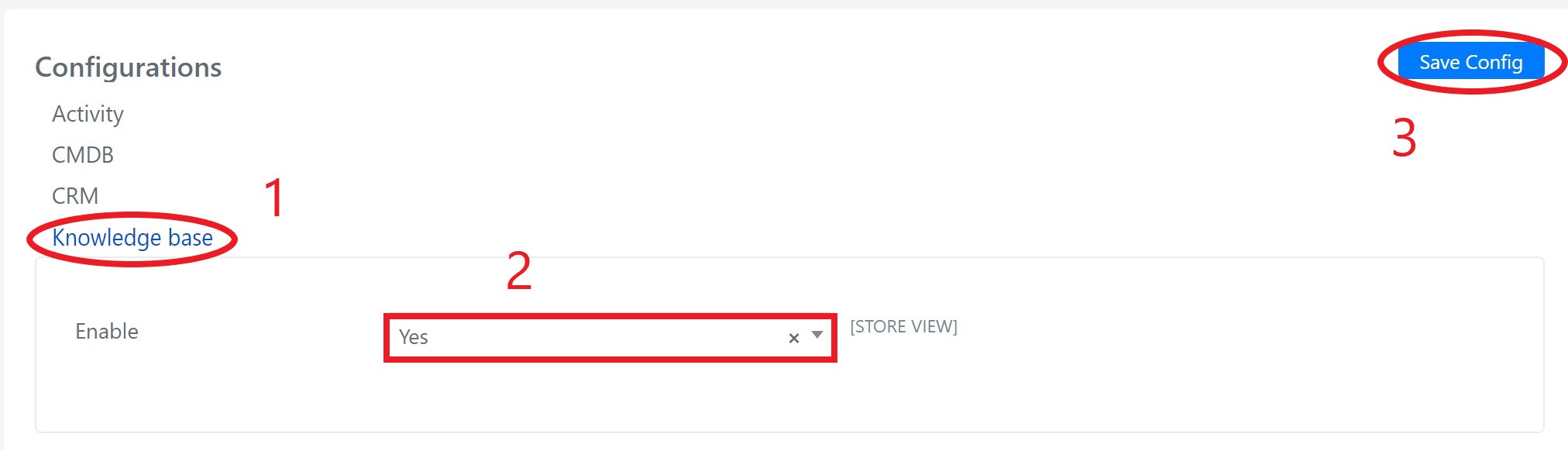
To be visible in the portal, both articles (accessible from the KB editor) and sections (System > Knowledge Base) must have Portal Visibility set to Yes.

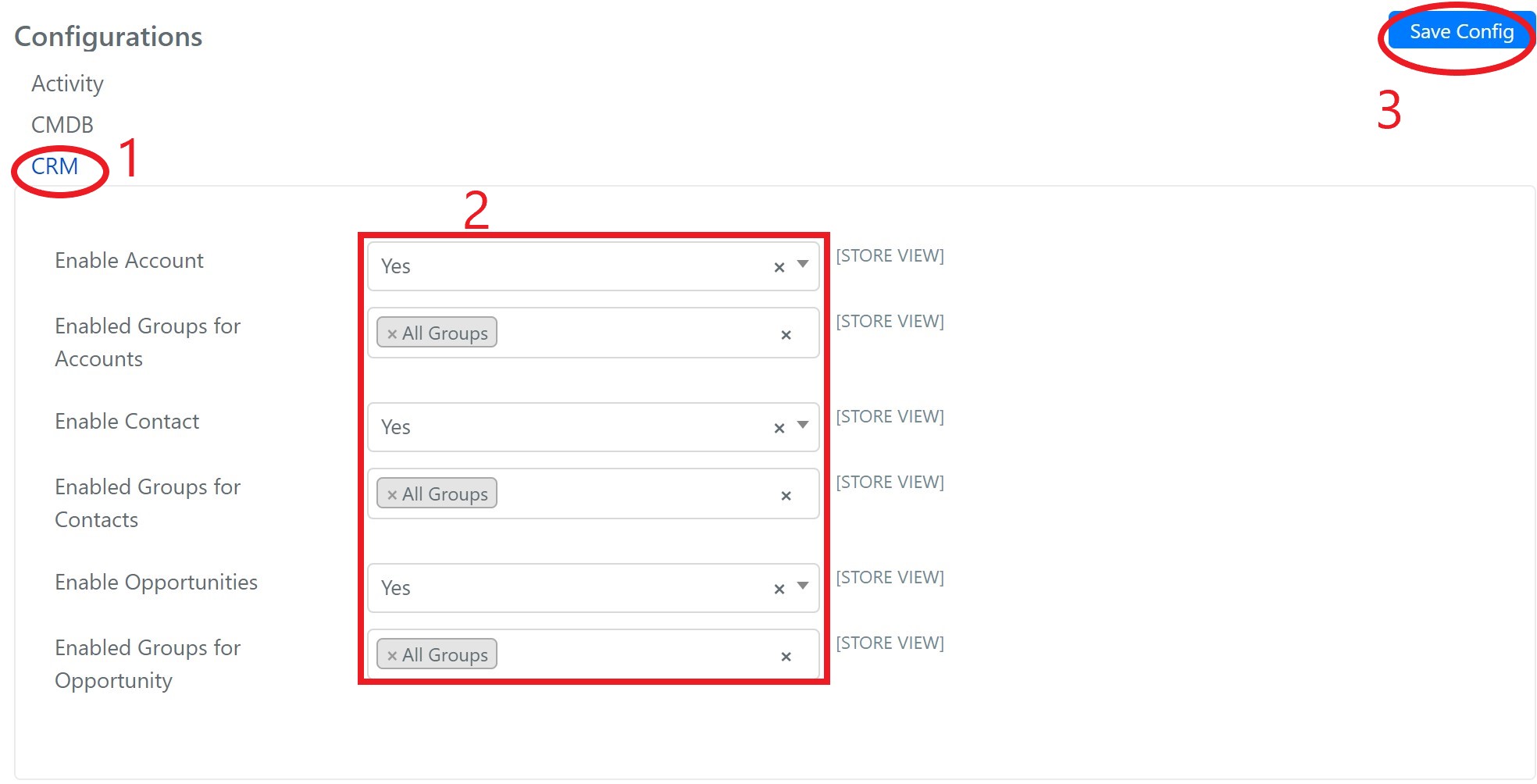
Enable the CRM Module
Select the CRM item. For each type of item, set Enabled to Yes and select the groups that will have access, then click Save Configuration.
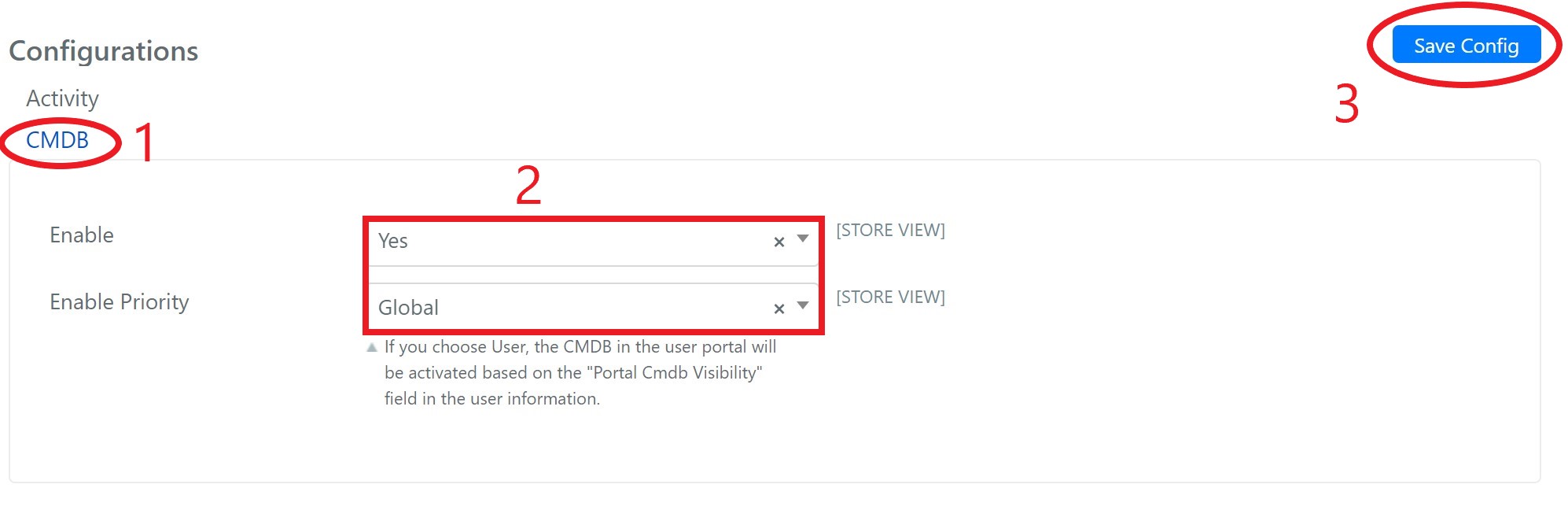
Enable the CMDB Module
Select the CMDB item and set Enabled to Yes. The Enable Priority parameter lets you choose whether to follow the CMDB Portal Visibility value set for each user, or to enable it for all users. Click Save Configuration.
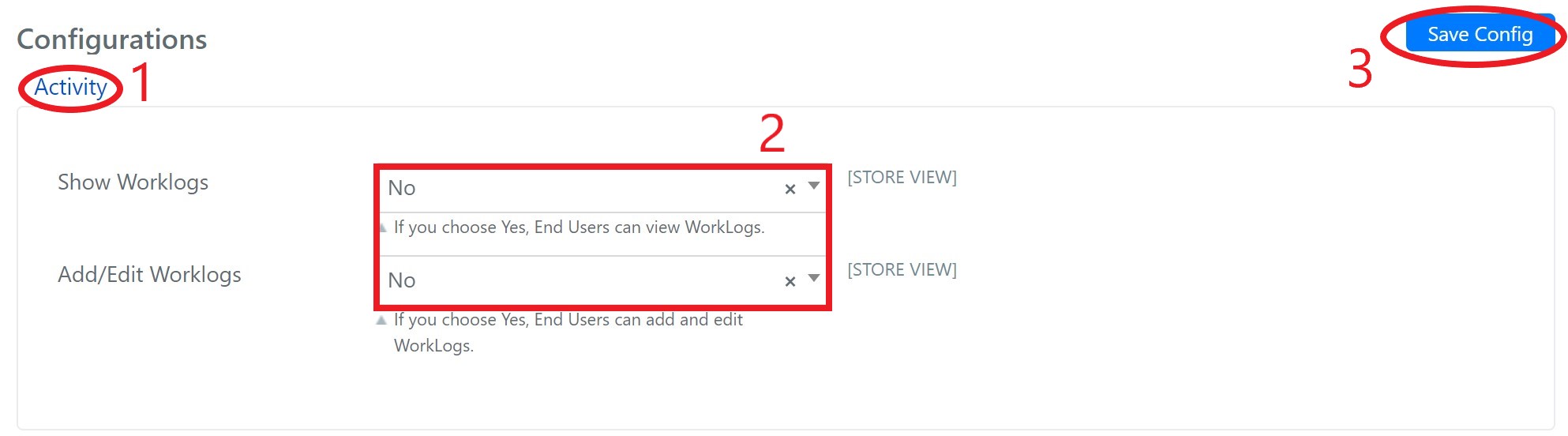
Enable Worklogs
To show activities to end users, select the Activity item. Set Show Worklogs to Yes. To allow end users to add and edit worklogs, set Add/Edit Worklogs to Yes. Click Save Configuration.
Customize Module Grids
The CMDB, CRM, and Password Manager modules have editable grids in the User Portal, allowing you to filter or reorganize the display of each element.
Password Manager Grid
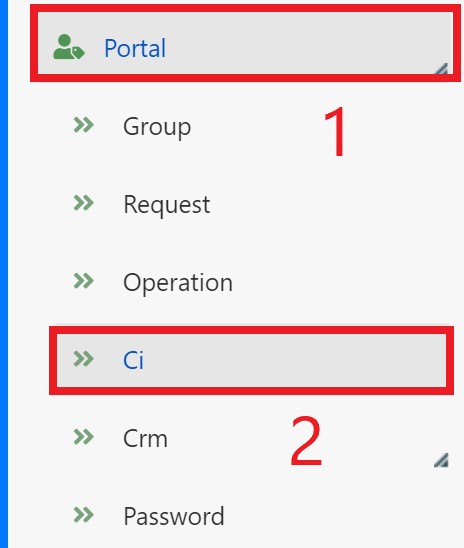
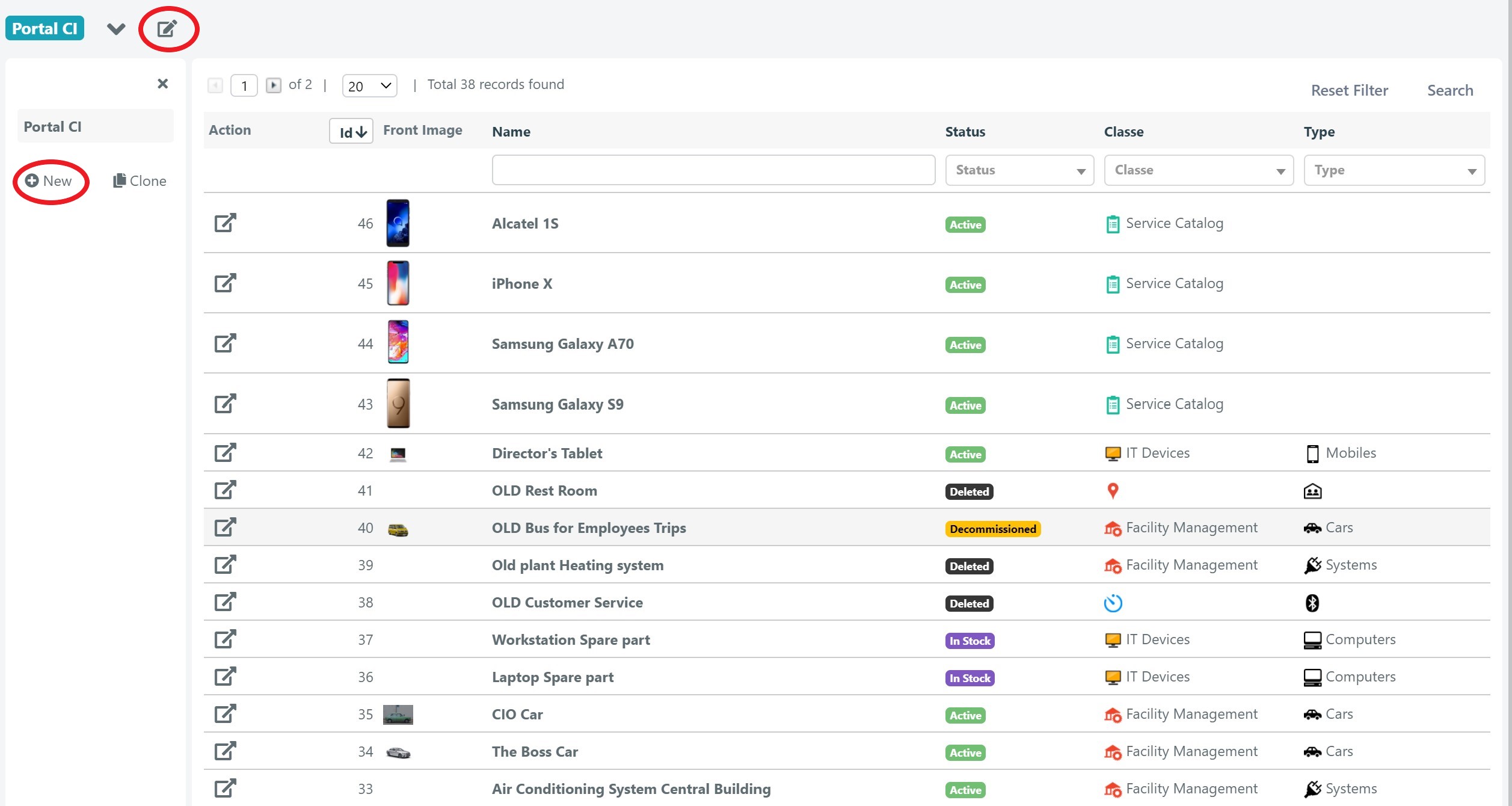
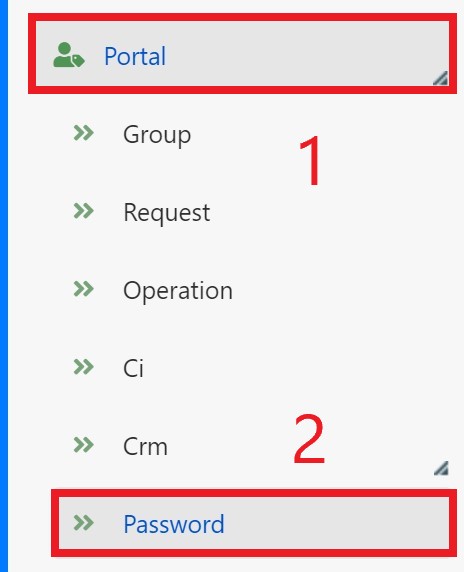
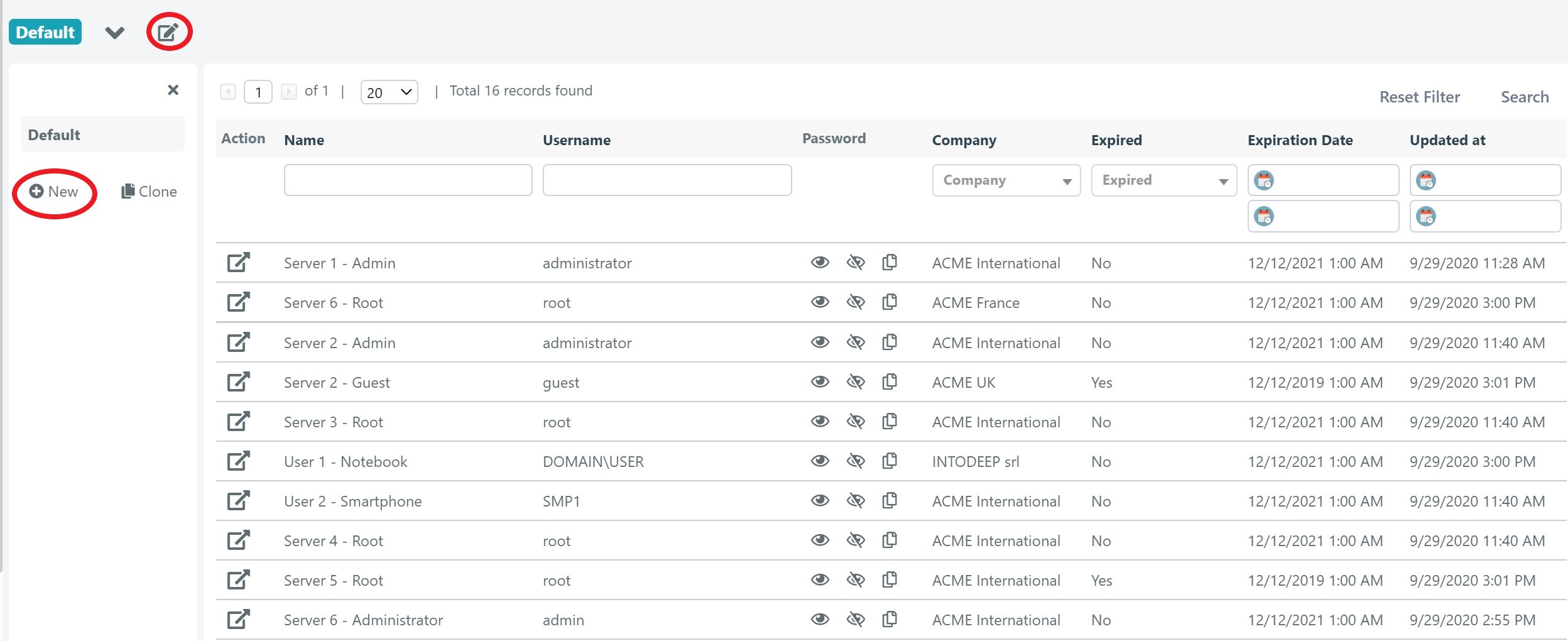
To customize the Password Manager grid, navigate to System > Portal > Password. Click the pencil icon to modify the existing grid, or click New to create a new one.
CRM Grid
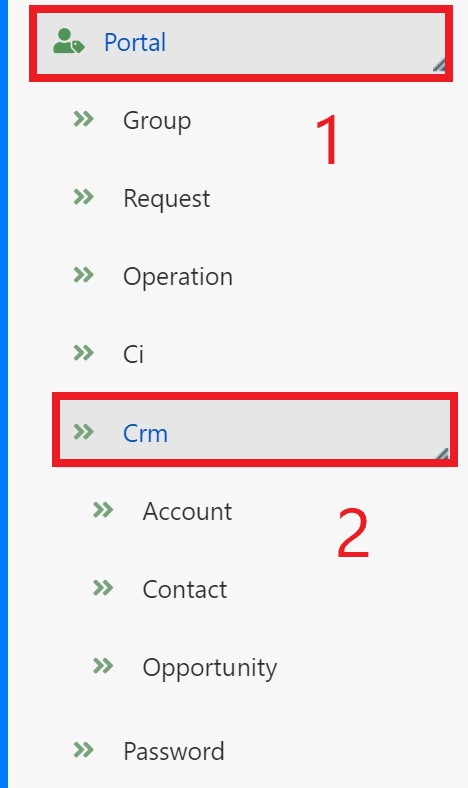
To customize the CRM grid, navigate to System > Portal > CRM and select the type of element (Account, Contact, or Opportunity). The procedure is the same for all three.
CMDB Grid
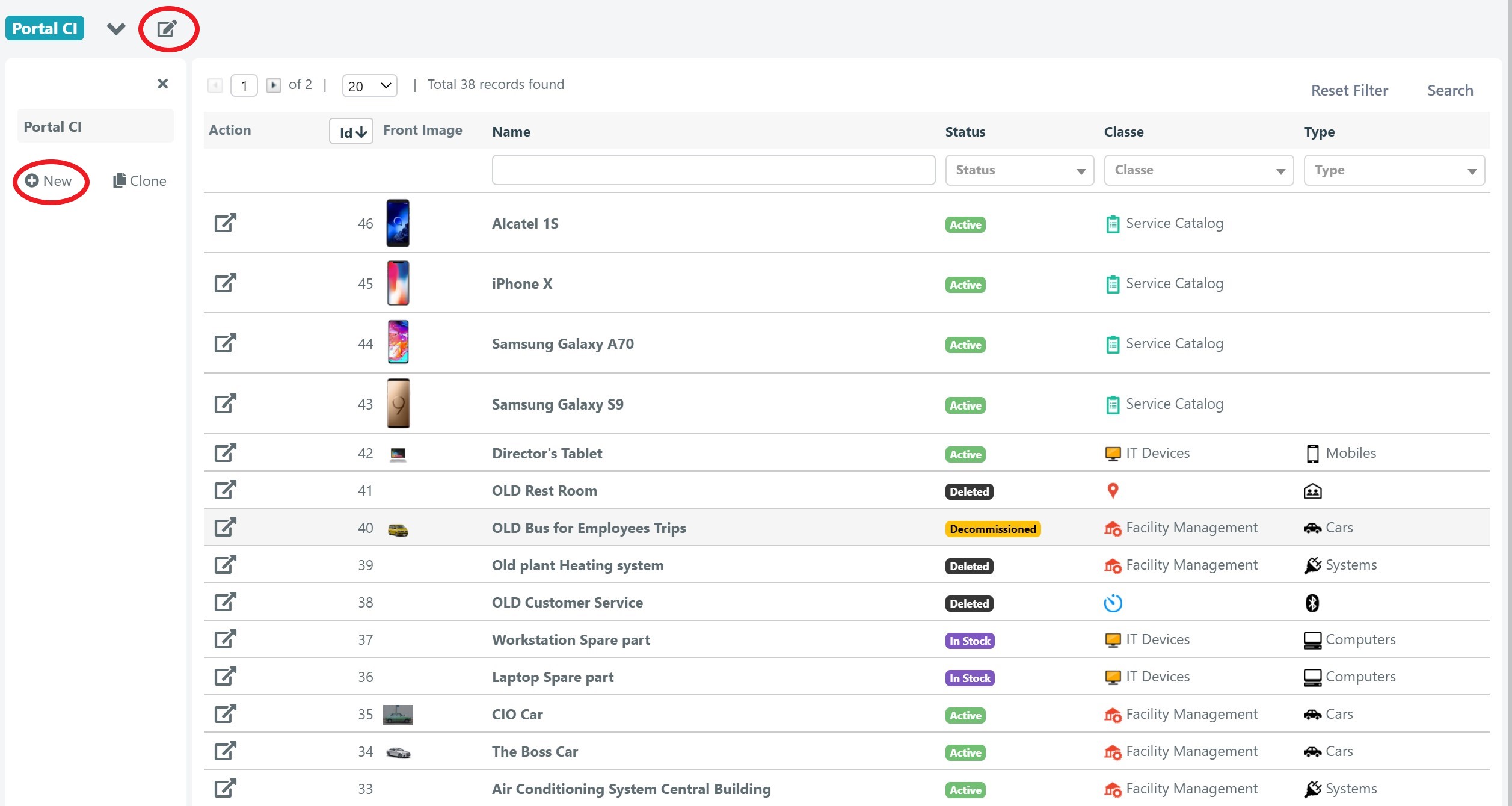
To customize the CMDB grid, navigate to System > Portal > CI and select the type of element. The procedure is the same for all CI types.