Project Module
The Project module in Deepser is a tool for project management and scheduling. It integrates with the Gantt chart, making it possible to manage tasks and their dependencies, track progress, and more.

Create a New Project
To create a new project, follow these steps:
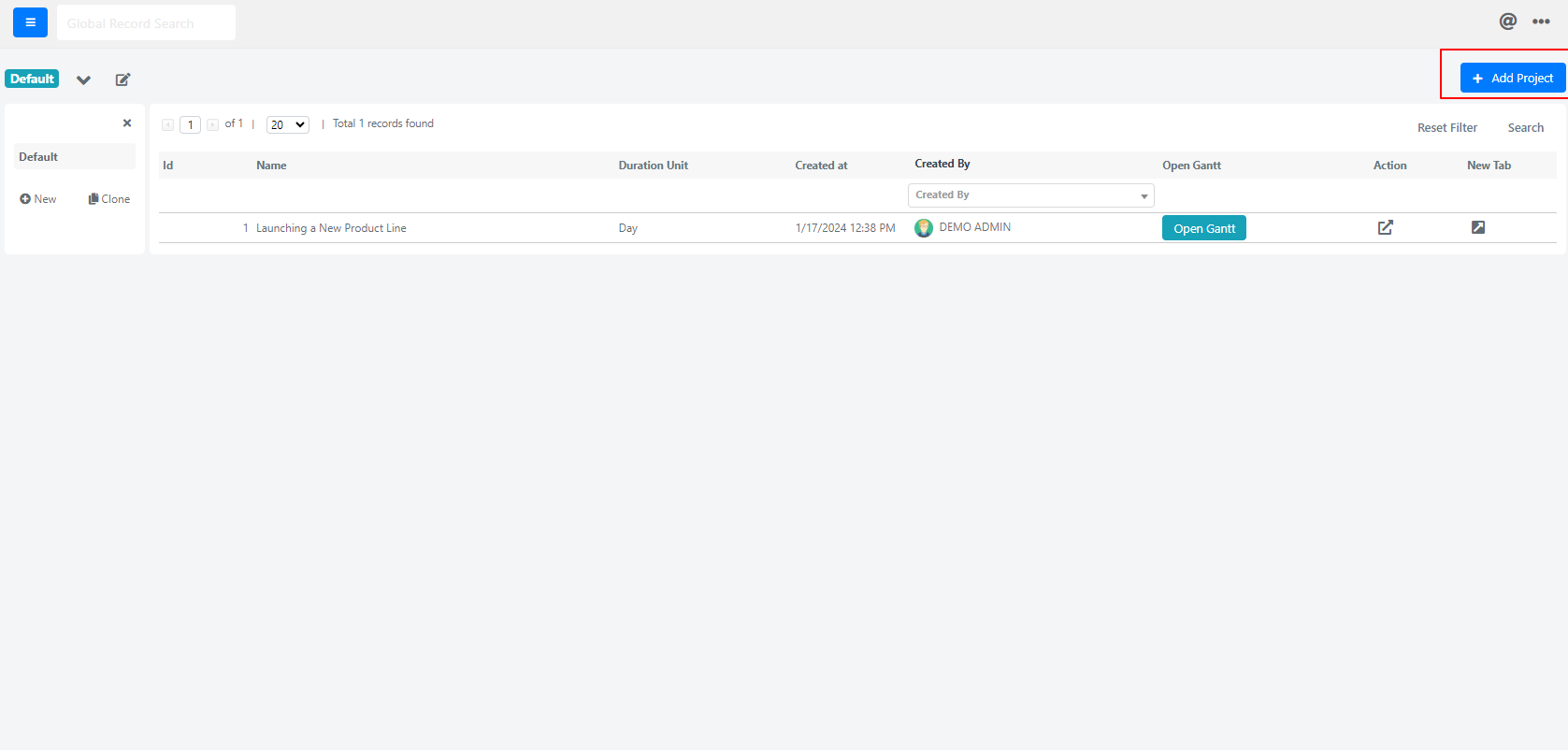
- Click All from the menu to display the grid with all projects.
- Click the button in the top-right corner.
- Fill in the project form with the required values.
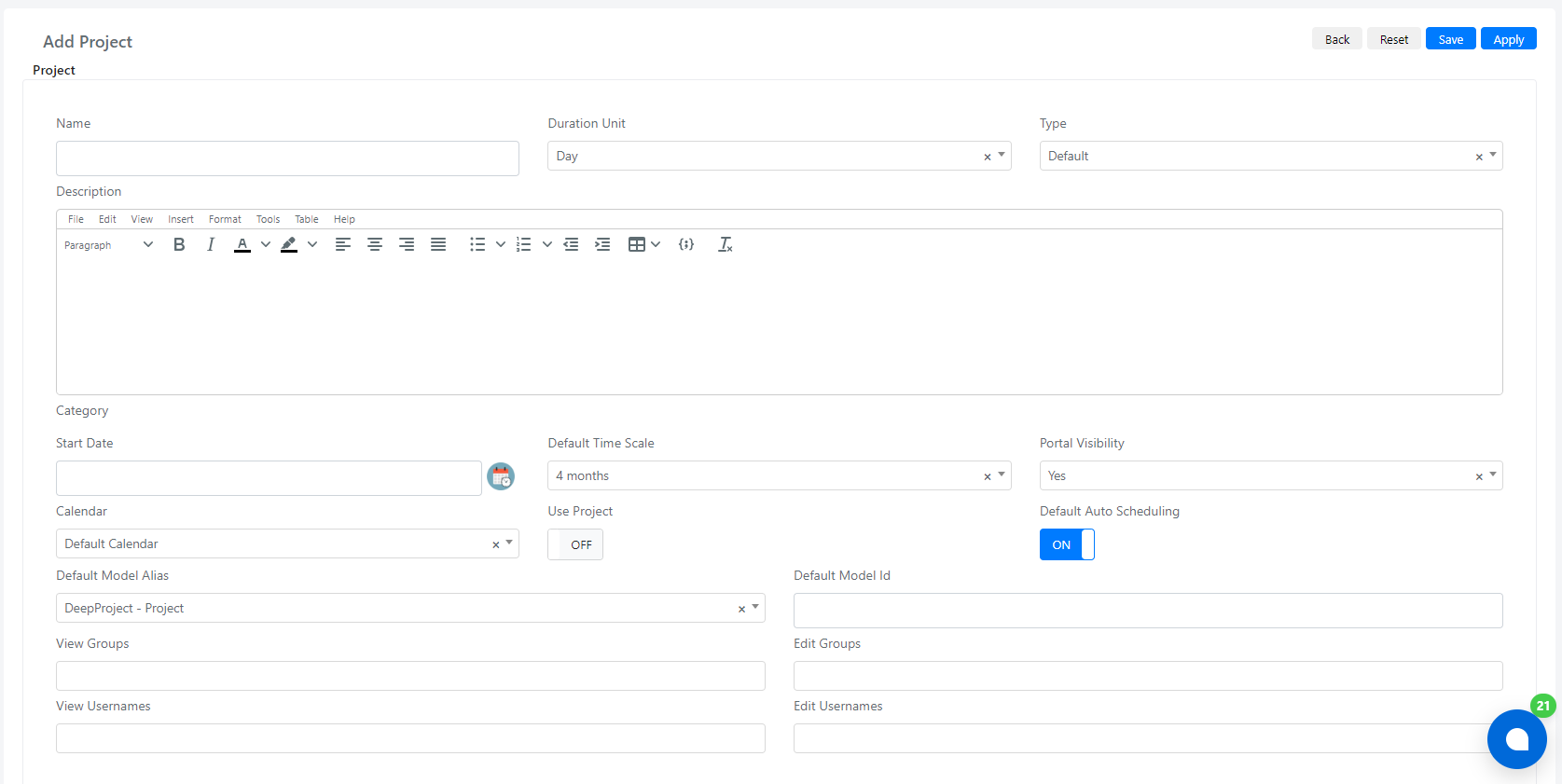
Below is a list of all available fields and their purposes:
| Field | Description |
|---|---|
| Name | Project Name. |
| Duration Unit | Select field that indicates the duration of tasks inside this project: Days or Hours. |
| Type | Project defined Type. |
| Description | Project Description. |
| Start Date | The date from which the project will start. |
| Default Time Scaling | Select field where you can choose the time scaling for Gantt, such as 4 months, 1 week, etc. |
| Default Auto Scheduling | When switched to "ON", tasks are automatically scheduled once they are created. |
| Use Project | When switched to "ON", allows this project to be used in other modules in Deepser such as Service Operations, CMDB, etc. |
| View Groups | Multiselect field with all the groups that can only view this project. |
| View Usernames | Multiselect field with all the users that are able to view this project. |
| Edit Groups | The groups selected in this field are able to view and edit this project. |
| Edit Usernames | The users selected in this field are able to view and edit this project. |
tip
To view this project on the Gantt chart, click the button in the top-right corner that appears after the project is saved.