Project Tasks
Project tasks are the building blocks of your project plan in Deepser. Each task can be configured with scheduling details, dependencies, constraints, and assignments to track work from start to finish.
This is the form template displayed when a task is opened:
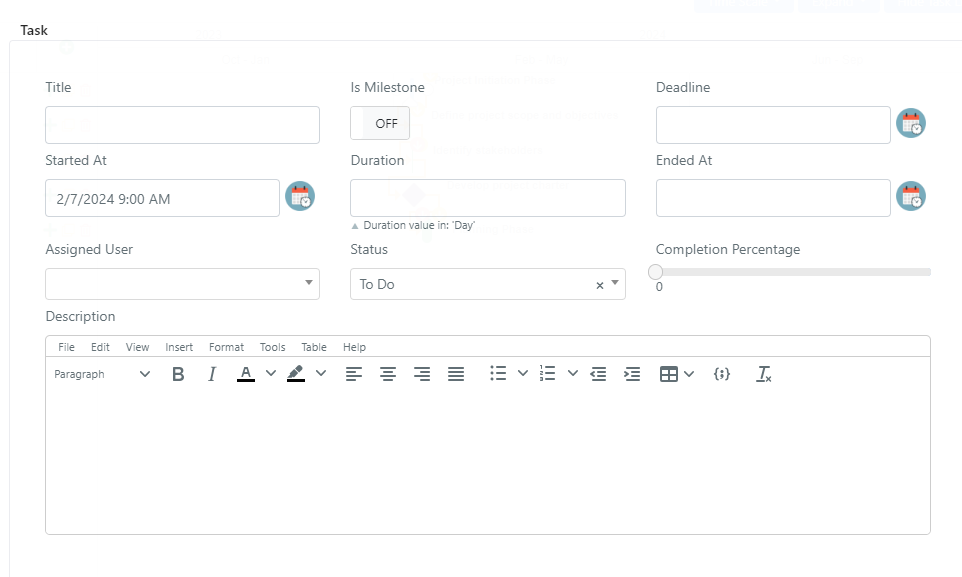
| Field | Description |
|---|---|
| Title | Title for this task. |
| Is Milestone | When switched to "ON", marks this task as a main phase for the project. |
| Deadline | Sets a constraint for this task to finish by a particular date. |
| Started At | Automatically populated with the start date of the project, but you can change it based on the needs for this task. |
| Duration | Sets a duration for the task, measured in days or hours based on the "Duration Unit" field on the project. Automatically calculated if the "Ended At" field is set. |
| Ended At | Sets the date when the task is planned to end. Automatically calculated if the "Duration" field is set. |
| Assigned User | Select field where you can assign this task to a user. |
| Status | Status field that represents the task's progress, with values: "To Do", "In Progress", "Done", "Deleted". |
| Completion Percentage | Progress bar field measured in percentage, where you can set the completion percentage of this task. |
| Description | Field to add a description for this task. |
Link and Constraint
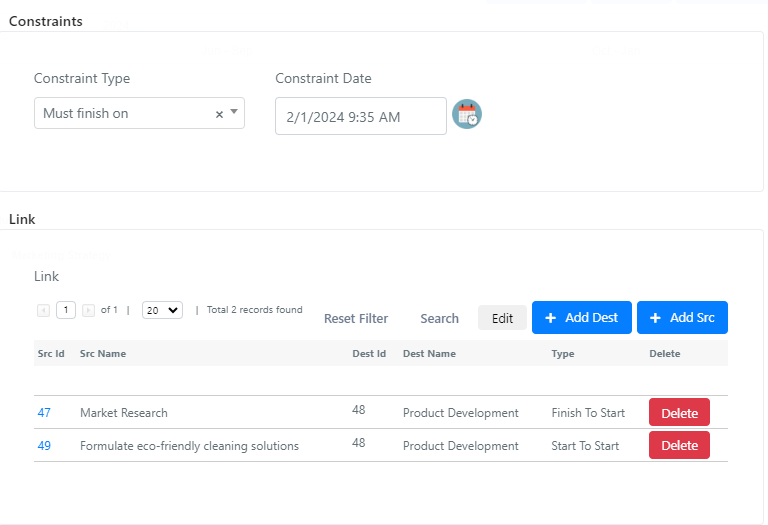
Constraint Type — This field restricts when the task should finish. When set to "As Soon As Possible" or "As Late As Possible", you cannot set a constraint date for this task. For every other value, a constraint date should be set.
Constraint Date — Based on the constraint type, you can set a constraint date for this task.
Link — This is a grid with all the dependency tasks linked to this task. You can directly add a dependency by using the "Add Dest" or "Add Src" buttons.
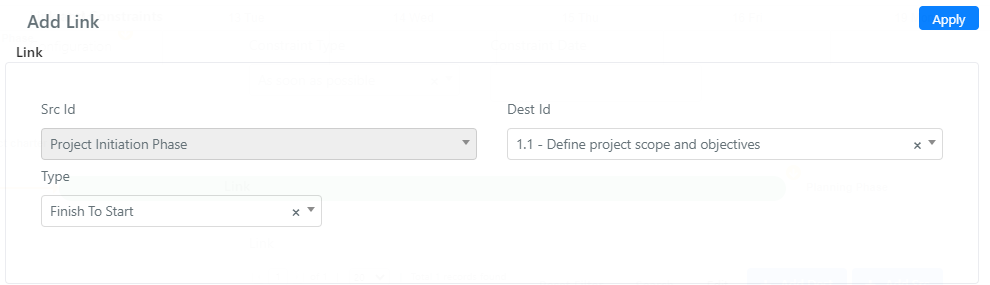
Add Dest Button
By clicking "Add Dest", you can add a task that is dependent on the current task. The Src Id field is autocompleted with the current task, and in the Dest Id field you can select the dependent task.
Dependency Types:
- Finish to Start: The dependent task cannot start until the preceding task finishes.
- Start to Start: The dependent task cannot start until the preceding task starts.
- Finish to Finish: The dependent task cannot finish until the preceding task finishes.
- Start to Finish: The dependent task cannot finish until the preceding task starts.
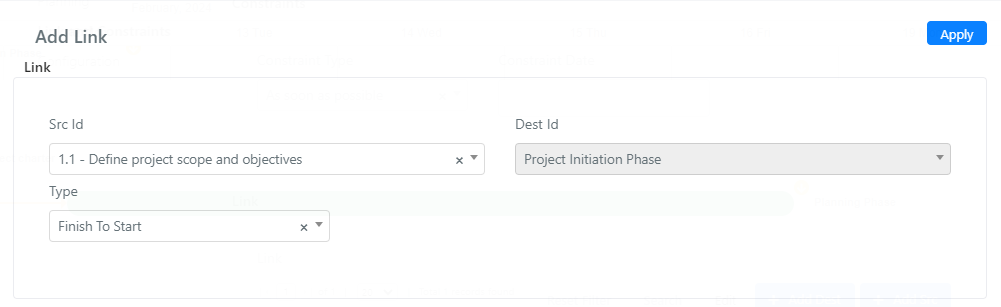
Add Src Button
Creates a dependency for this task based on another task. The Dest Id field is autocompleted with the current task, and in the Src Id field you can select the main task linked to this task.
Configuration
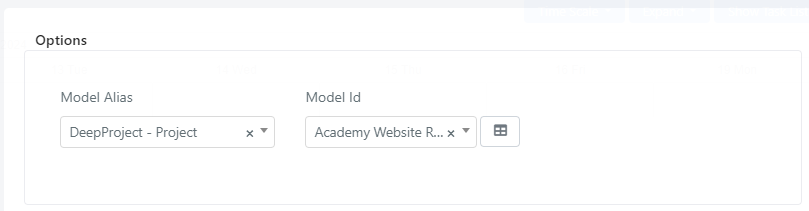
- Model Alias — Field to choose a Deepser model connected to this task. This field is autocompleted with the project model, but you can also choose other models such as Service Operations.
- Model Id — You can choose the model to connect this task to. This field is autocompleted with the current project.
Subtasks
For every task in the table, there is an option to add a subtask by clicking the + button.
The fields for a subtask are the same as for a main task. The difference is that the subtask is directly dependent on the main task.
Subtasks inherit the same field structure as main tasks but are automatically linked as dependents of their parent task.
