Modify a Relation Using a Custom Event
In Deepser, you can modify relations using a custom event to automate relationship management workflows. This is useful for creating flows that include, for example, an approval phase.
Example: Access Management with Relations
In this example, you will create a flow for managing the relation between users and the CI class Location. The objective is to keep records of which end users can access the CI class "Location".
A special service type (Access Management) is created so that by opening a Service Operation of this type, users can request access to a "Location". Once the request is sent, it is evaluated by the Operators in the Deepser Backend, and if approved, the relation between the requesting user and the location is mapped.
Configure the Relation
- Go to System > Relation and click the Add Relation button.
- Set the Source Model field to "DeepCmdb -- Ci".
- Set the Destination Model field to "DeepAdmin -- User".
- In the Source section, configure the Source Id Field with the value "entity_id".
- In the Source Label Fields and Source Search Field fields, enter "Name".
- In the Destination section, set the Dest Id Field as "user_id".
- In the Dest Search Field, set "username".
- Click the Save or Apply button to save the relation.
Configure a Custom Field on CIs
- Go to System > Custom Fields and choose the model "DeepCmdb -- CI".
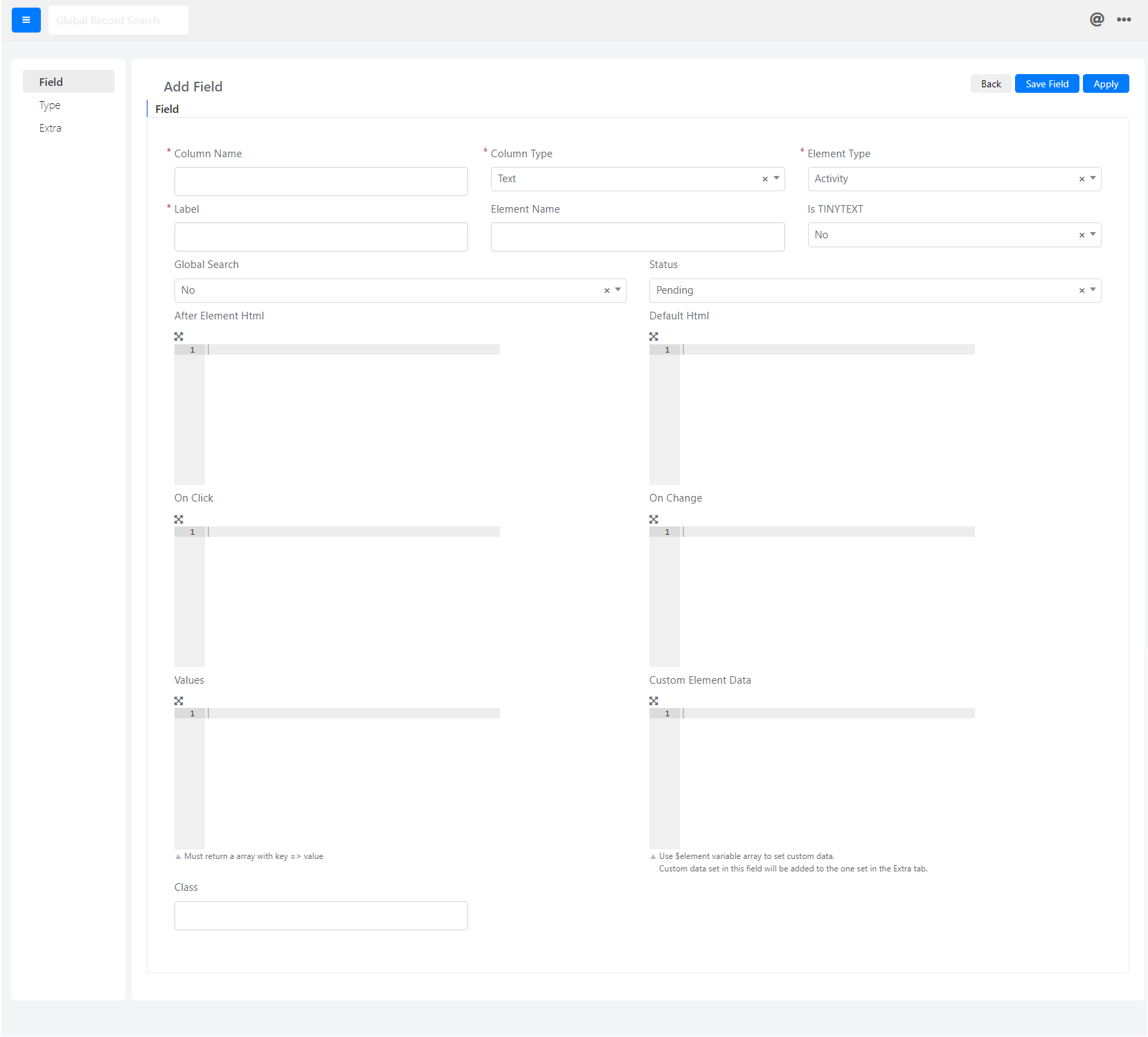
- Navigate to the Fields item and click Add Field.
-
Configure the fields as follows:
- Column Name: Set to "cust_ci_user_relation".
- Column Type: Set to "Don't Create DB Column".
- Element Type: Set to "Relationgrid".
- Label: Set to "Allowed Users".
- Status: Set to "Enabled".
- Relation: Select the name of the relation created previously.
-
Click the Save or Apply button to save the field.
Configure the Custom Event
As a prerequisite for this step, you need a special service type with related form templates on the User Portal side.
- Go to System > Custom Fields and choose the model "DeepService -- Operation".
- Go to the Events tab and click the Add Event button.
In this example, the "cust_ci_id" field is used. Check the field names to fit your configuration, in case you do not use the default fields.
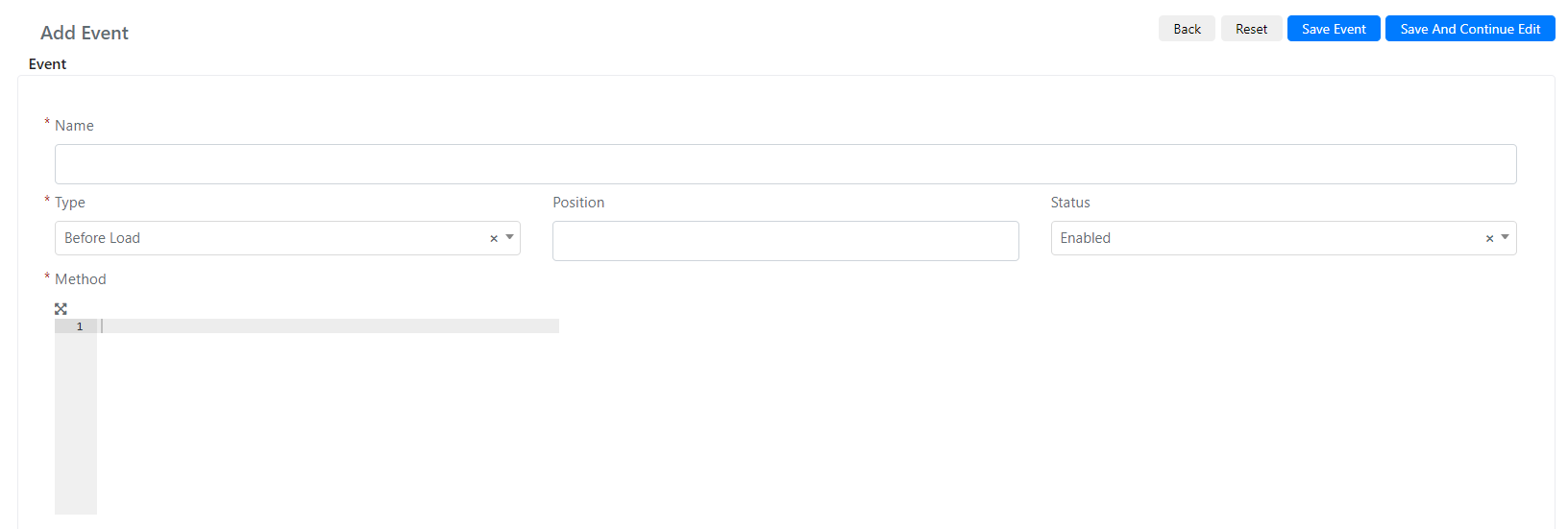
- Fill in the Name field with the name you want to give to the event, and set the Type field to "After Save".
- In the Method field, enter the following code:
					$operationType = 13;
$approvedOperationStatus = 8;

/**If this is setted  and the type id is Access Managemt**/
if($this && $this->getData('type_id') == $operationType ){
    /**Check if the request is approved**/
    if($this->getStatus() == $approvedOperationStatus){
        /**Load the Relation**/
        $relation = Deep::getModel('deep_relation/relation')->load(5);
        /**Get Ci id**/
        $ciId = $this->getData('cust_ci_id');
        /**Load the requester user**/
        $requester = $this->getRequesterUser();
        /**If the CIid is set and the requester is not an empty object**/
        if($ciId && $requester && $requester->getId()){
            /**Adding The requester user in relation with the ci**/
           $relation->addRoles($requester->getId(),[$ciId]);
        }
    }
}
- Click the Save or Apply button to save the event.