Use a Relation Grid Field
The Relation Grid field allows you to add and remove elements related to an entity directly from the form view. This guide walks you through adding and removing CIs linked to a Service Operation.
Add a CI to a Service Operation
- Open the Service Operation -- for example, an incident with a specific ID.
- Navigate to the Relations tab.

- Click the Add button.
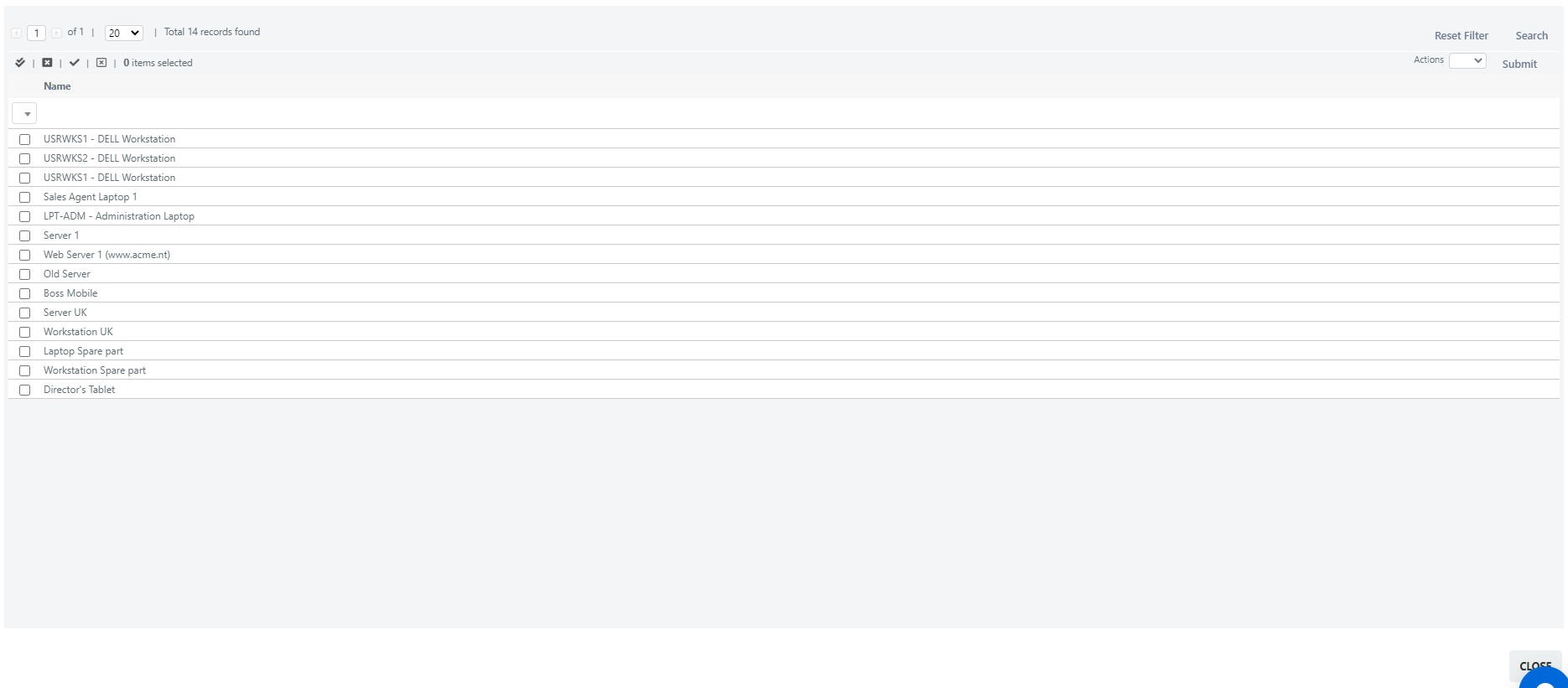
- Select the checkbox next to the item you want to add, then choose Add from the menu at the top left.

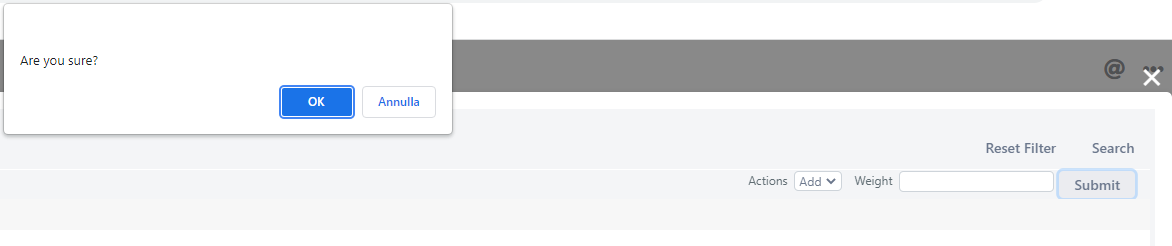
- Click Submit to confirm.
- A confirmation alert appears. Click the OK button.
- Click the Close button in the lower right corner. The added item now appears in the grid.

Remove a CI from a Service Operation
- Select the checkbox next to the item you want to remove.
- Choose Delete from the menu at the upper left corner of the field.

- A confirmation popup appears. Click the OK button.

The item is now removed.
