Catalog and Price List
The Catalog module in Deepser is a macrocategory composed of the following entities:
- Product: here you can create, maintain, and store products.
- Price Lists: here you can manage and set up different price lists.

Once configured and registered in Deepser, these entities can be used within the modules that require them, such as Quotes, Invoices, Orders, and Contract Lines.
Catalog Configurations
The Catalog module allows you to configure and manage different types of products and price lists. These configurations are the responsibility of administrator users, who can access the dedicated configuration section from System > Catalog Configuration.

Product Type Configuration
By clicking to configure the product types, you can define a product type to differentiate the various nature of products (for example, Physical Products, Training Services, and so on).
When you access the list of product types -- either by clicking the "+ Add Product Type" creation button or by modifying an already existing type -- the following screen appears:
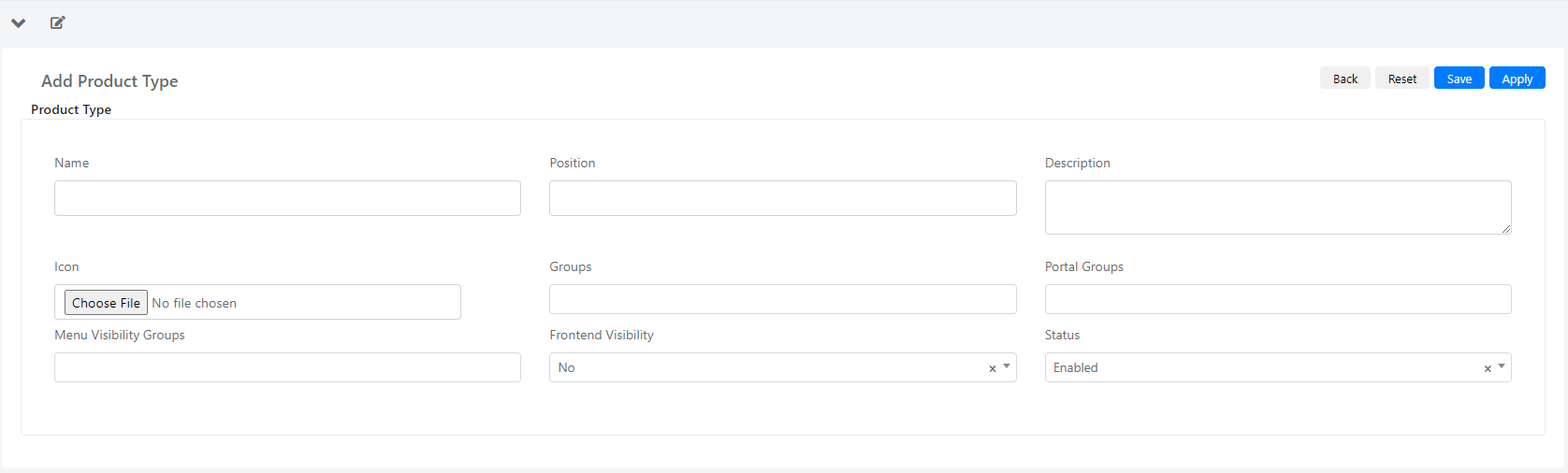
Below is the list of available fields and their meaning:
| Field | Description |
|---|---|
| Name | This field indicates the name of the product type. |
| Position | Used to indicate the viewing position within the Deepser Catalog menu. |
| Description | Descriptive field. |
| Icon | Through this field you can associate an icon with the product type. |
| Groups | Identifies which groups have access to the product type from the Deepser Backend. |
| Portal Groups | Identifies which groups have access to the product type from the User Portal. |
| Groups Menu Visibility | By specifying one or more groups in this field, you allow them to view the product type item in the Catalog menu. |
| Frontend Visibility | With this flag you can enable the availability of the product type within the User Portal. |
| Status | Through this field, you can decide whether to enable or disable a product type. |
Price List Type Configuration
By clicking to configure the types of price lists -- either by modifying an existing type or by creating a new one -- the following screen appears:
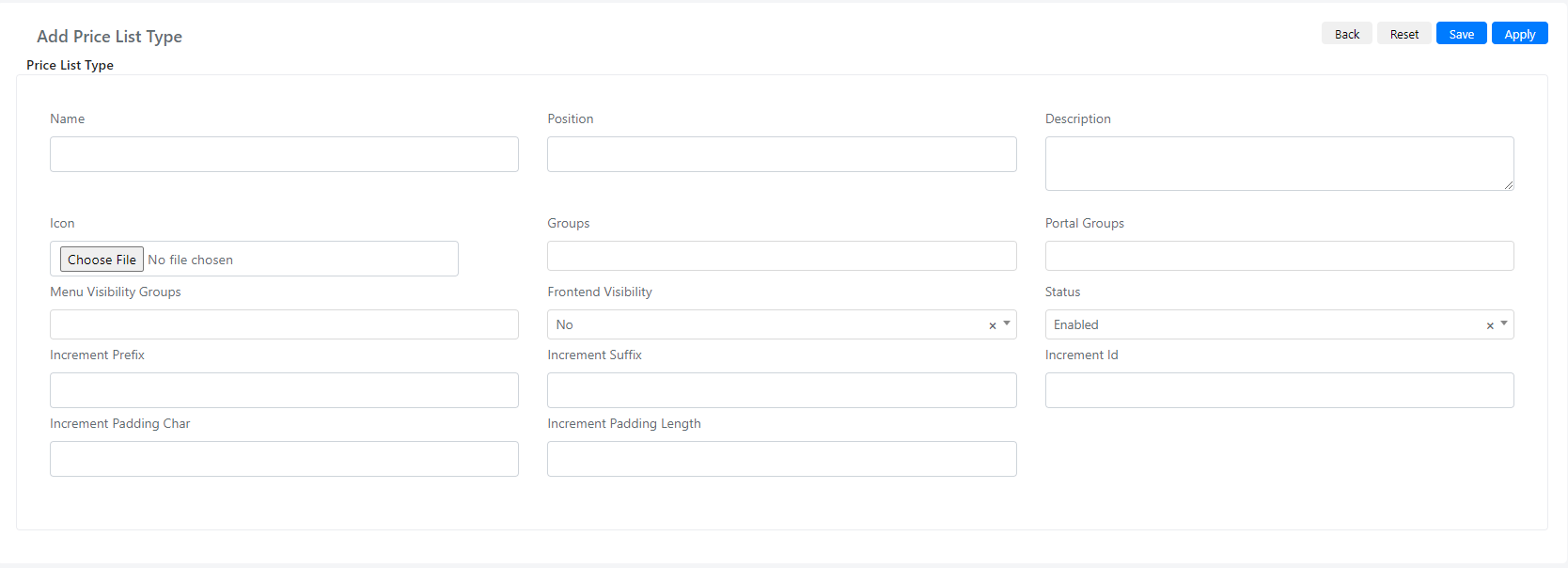
Below is the list of available fields and their meaning:
| Field | Description |
|---|---|
| Name | This field indicates the name of the price list type. |
| Position | Used to indicate the viewing position within the Deepser Catalog menu. |
| Description | Descriptive field. |
| Icon | Through this field you can associate an icon with the type of price list. |
| Groups | Identifies which groups have access to the price list type from the Deepser Backend. |
| Portal Groups | Identifies which groups have access to the price list type from the User Portal. |
| Groups Menu Visibility | By specifying one or more groups in this field, you allow them to view the price list type item in the Catalog menu. |
| Frontend Visibility | With this flag you can enable the availability of the type of price list within the User Portal. |
| Status | Through this field, you can decide whether to enable or disable a type of price list. |
| Incremental Prefix | Using this field, you can configure a prefix to be applied in price list numbering. (Used to enhance the Incremental ID field present in the price list main data.) |
| Incremental Suffix | Using this field, you can configure a suffix to be applied in the price list numbering. (Used to enhance the Incremental ID field present in the price list main data.) |
| Incremental ID | Using this field, you can configure an ID to be applied in the price list numbering. (Used to enhance the Incremental ID field present in the price list main data.) |
| Incremental Padding Font | Using this field, you can configure a padding character to be applied in the price list numbering. (Used to enhance the Incremental ID field present in the price list main data.) |
| Incremental Padding Length | Using this field, you can configure the length of the padding to be applied in the price list numbering. (Used to enhance the Incremental ID field present in the price list main data.) |