Operation Billing
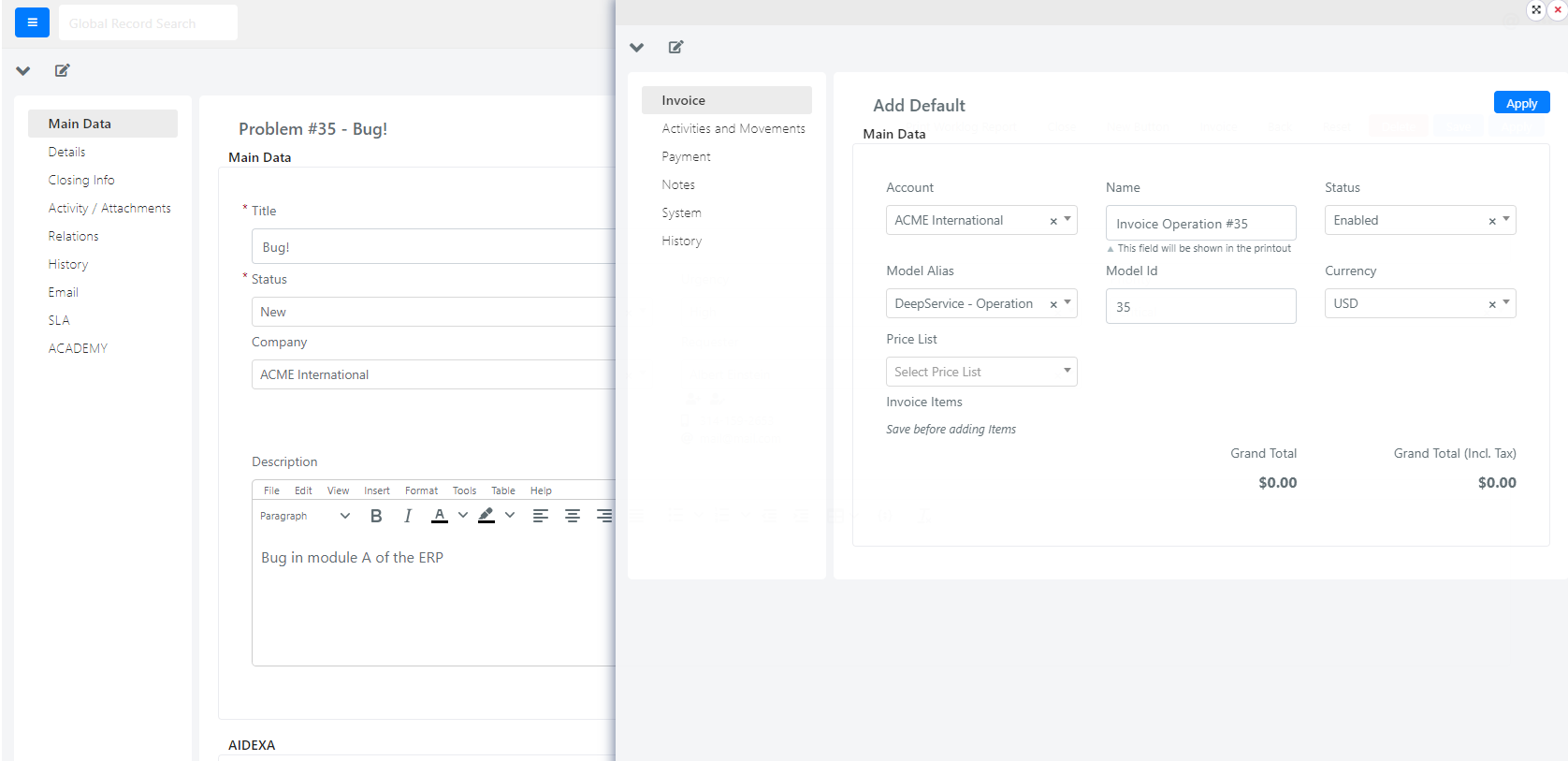
This section explains how to configure a button that opens the invoice form, linking it directly to a Service Operation. When clicked, the button opens a floating window with pre-filled invoice data.
Create the Invoice Button
-
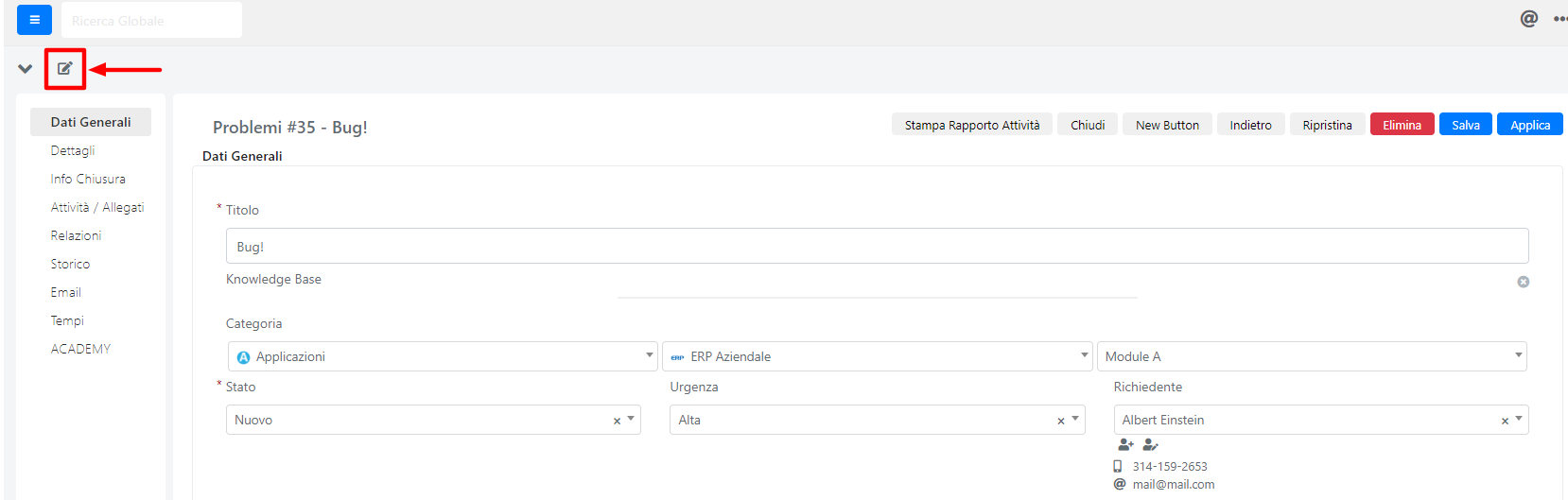
In the desired form template, click the pencil icon in the upper left side.
-
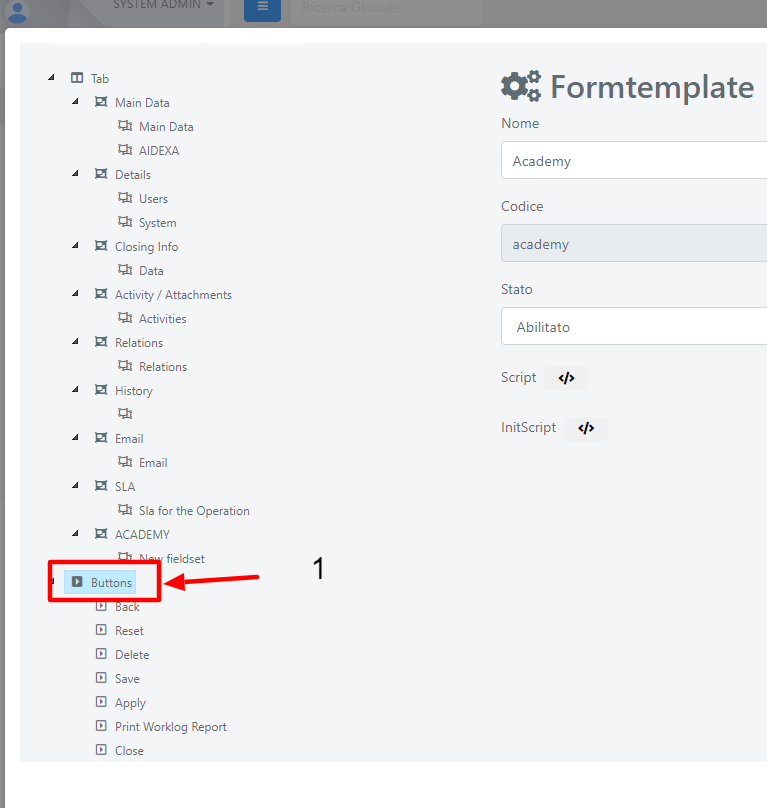
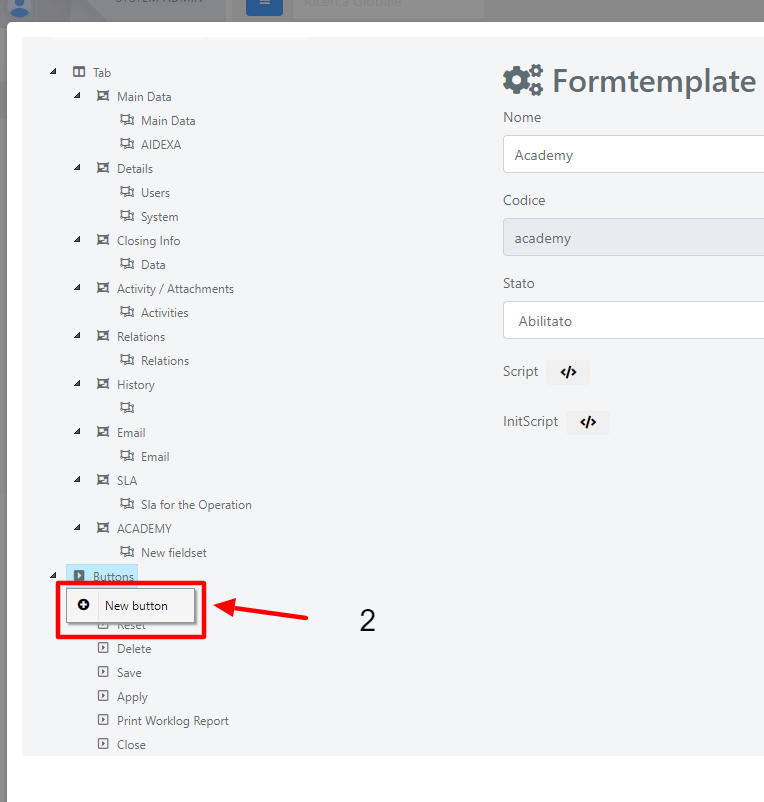
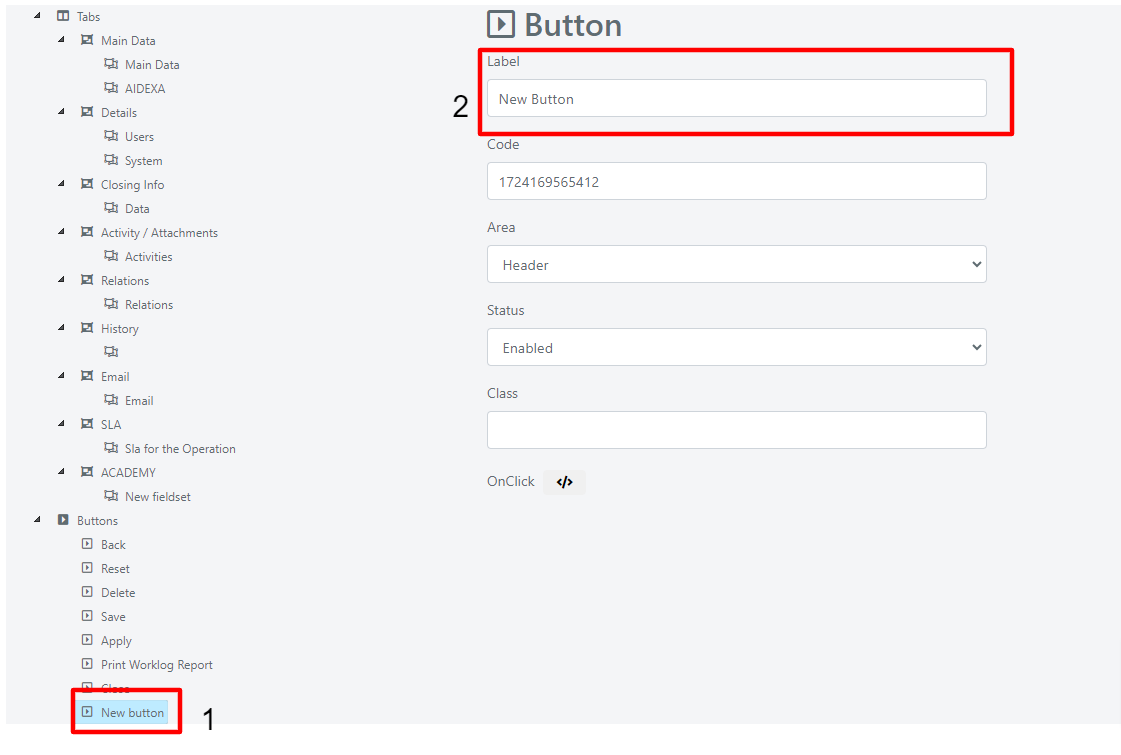
In the floating window that opens, right-click on "Buttons" (1) and click New Button.
-
Open the new button (1) and replace the label "New Button" (2) with, for example, "Invoice".
Add the OnClick Code
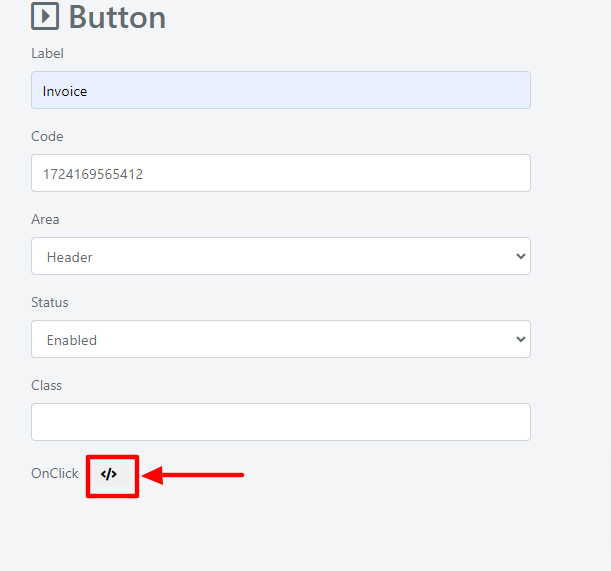
- Insert the following code inside the OnClick handler:
					$url = Deep::getUrl('*/sales_invoice/new', [
        'type' => 1,
        'only_content' => 1,
    ]);
$operation =  Deep::registry('current_model_instance');
$accountId = Deep::getModel('deep_company/company')->load($operation->getRequesterCompanyId())->getAccountId();
$urlParms = http_build_query([
        'invoice[model_id]' => $operation->getId(),
        'invoice[model_alias]' => 'deep_service/operation',
        'invoice[account_id]' => $accountId,
        'invoice[name]' => 'Invoice Operation #'.$operation->getId()
    ]);
$url = $url . "?" . $urlParms;
$jsFloating = <<
With this configuration, when you click the Invoice button, a floating window opens to create the already pre-filled invoice.