Price List
Price Lists in Deepser allow you to create customized price rules according to products, minimum quantity, and minimum price. This section covers the fields available when creating or editing a price list.
Main Data
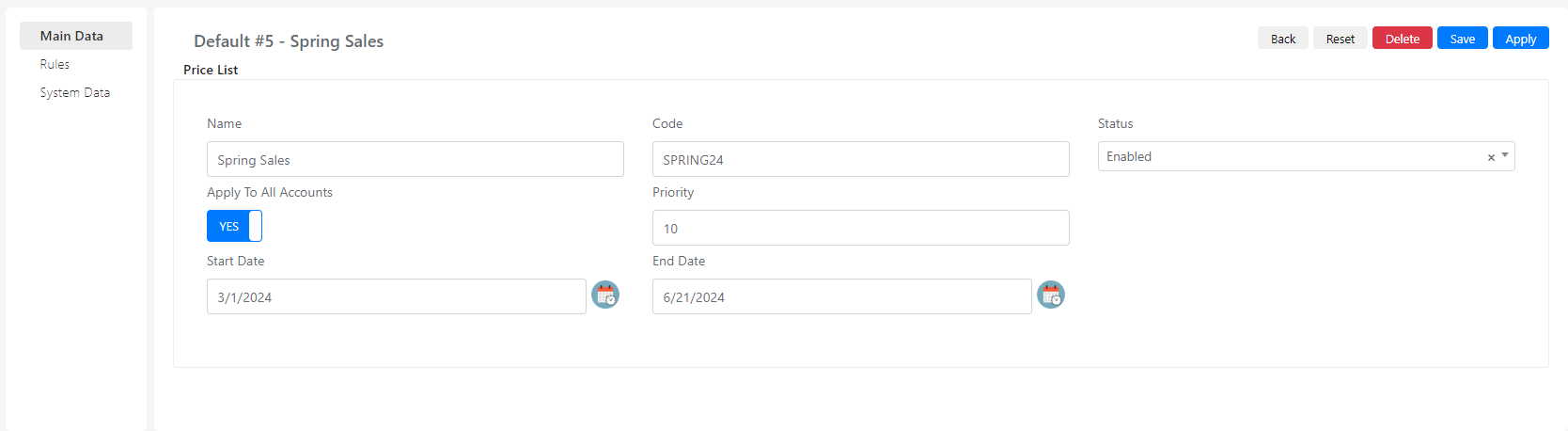
| Field | Description |
|---|---|
| Name | Text field that you populate with the price list's name. |
| Code | Text field that is unique for every price list. |
| Status | Select field indicating whether a price list is enabled or disabled. |
| Apply to all Accounts | Checkbox field used to apply this price list to all Accounts in Deepser. When set to "YES," the price list applies to all Accounts. Otherwise, you can choose specific Accounts. |
| Priority | This field determines the priority of the price list when multiple price lists are applicable to an Account. It resolves conflicts between price lists and determines which one takes precedence. |
| Start Date | Datetime field used to set the start date from when this price list becomes available. |
| End Date | Datetime field used to set the end date of this price list's application. |
Rules
Price List Rules allow you to create discounts and special pricing based on various conditions.
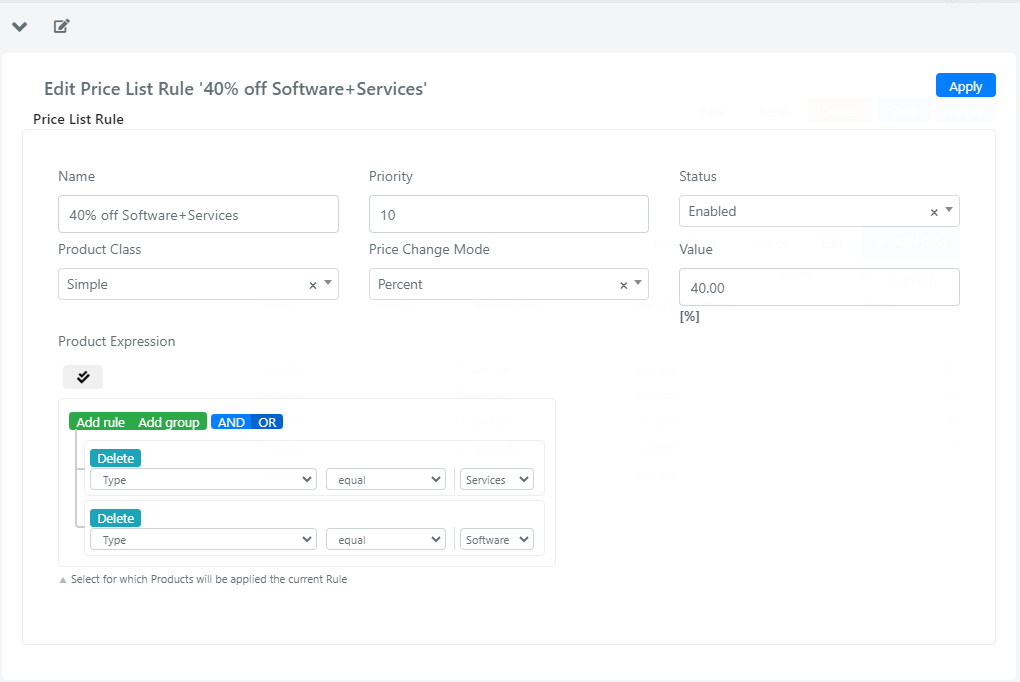
| Field | Description |
|---|---|
| Name | Text field that you populate with the rule name. |
| Priority | Text field that sets the priority determining the order in which multiple rules are applied. When multiple price list rules could apply to a product, Deepser applies them based on their priority. |
| Status | Select field indicating whether a rule is enabled or disabled. |
| Product Class | Select field used to set the class of product that this rule applies to. |
| Price Change Mode | Select field that sets the mode by which this rule is applied, which can be: percent, fixed, or amount. Percent: applies a percentage discount. Fixed: applies a fixed price amount. Amount: directly modifies the product value within the reference document. |
| Value | The value of discount applied to the products. This value can be measured as a percentage or as a fixed number. |
| Product Expression | A query builder field where you can set filters on the products you want this rule to apply to. |