Worklogs Billing
This section explains how to bill worklog activities related to Service Operations. You create the invoice directly from the DeepSales -- Invoice module and select the invoice type.

Filling in the Invoice Form
On the screen that opens, fill in the basic fields as described below:
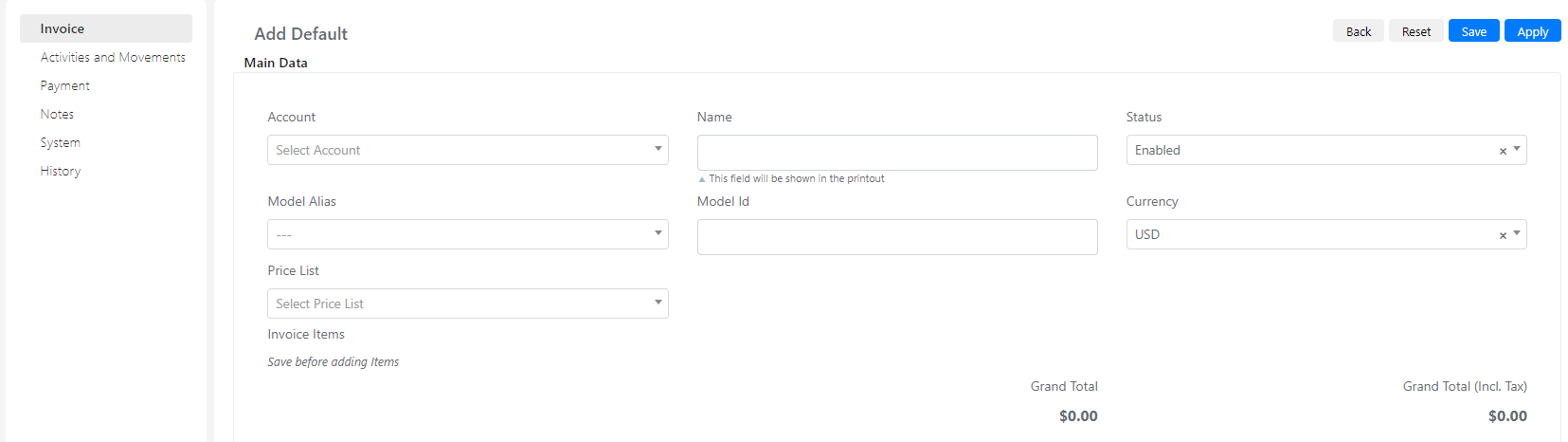
| Field | Value | Note |
|---|---|---|
| Account | Account to be billed for the Service Operation. | |
| Name | Invoice name. | |
| Status | Enabled | |
| Model Alias | DeepService -- Operation | Fundamental field for selecting activities. |
| Model ID | Fundamental field for selecting activities. It corresponds to the ID of the Service Operation. |
Selecting Activities to Bill
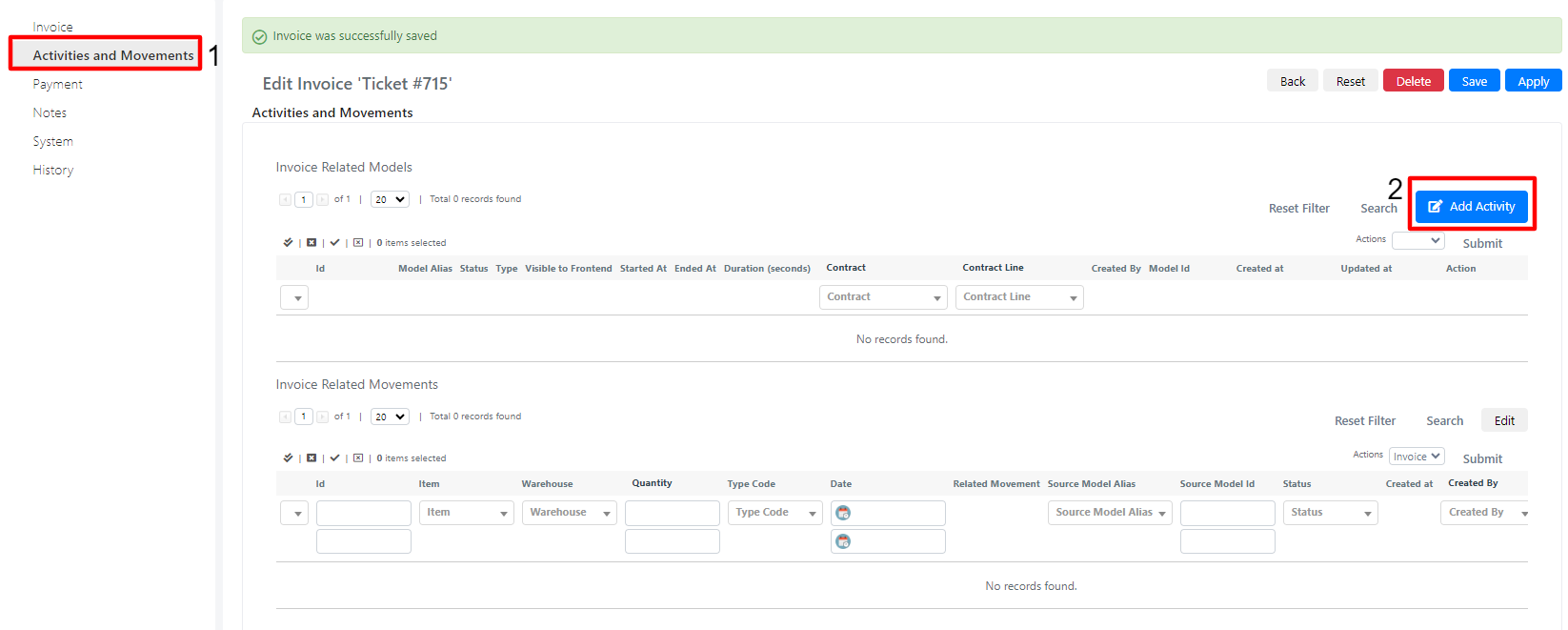
Once you have filled in the fields and pressed the "Apply" button, move to the "Activities and Movements" tab (1) to select the activities to be billed.
To view the worklogs linked to the Service Operation, press the "Add Activity" button (2).
After pressing the button, a floating window opens containing the activities you can bill. These are filtered according to the ID entered in the "Model ID" field of the invoice.
Select the worklogs of interest (1) to add them to the invoice via the "Add" (2) mass action.

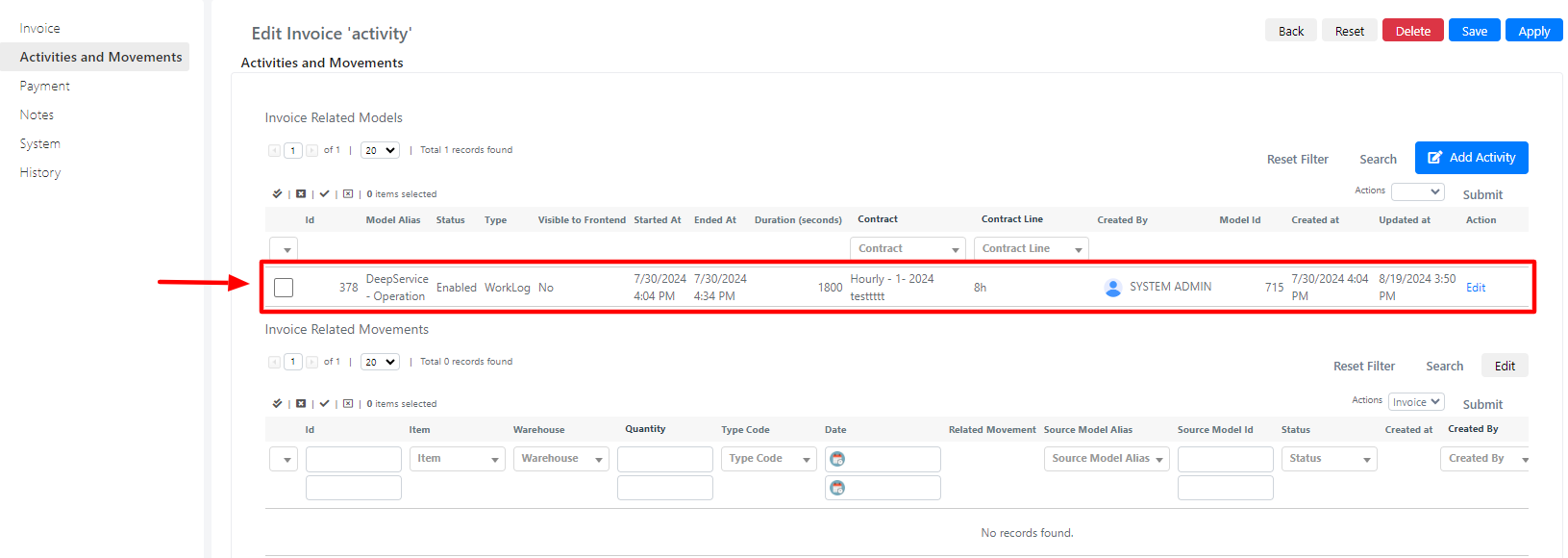
Once you press the "Submit" button, the worklogs are added to the invoice and appear in the activities grid.