Service Operation Fields Reference
This reference describes every field and tab available on a Service Operation form in Deepser. Use it to understand what each field controls and how the tabs are organized. It is intended for Operators and administrators.
Main Data Fields
The Service Operation form is organized in tabs. The default tabs are Main Data, Details, Closing Info, Activity/Attachments, Email, History, Relations, and SLA.
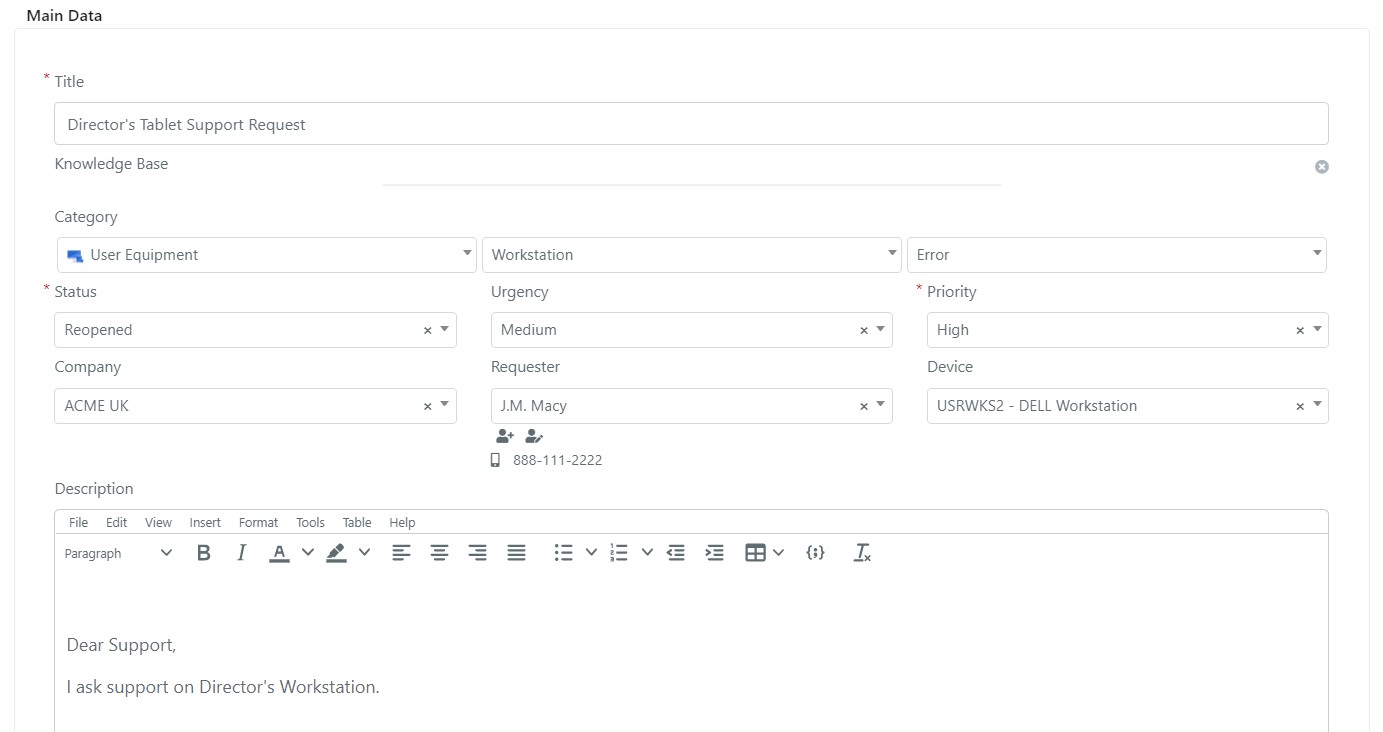
The Main Data tab contains the primary fields:
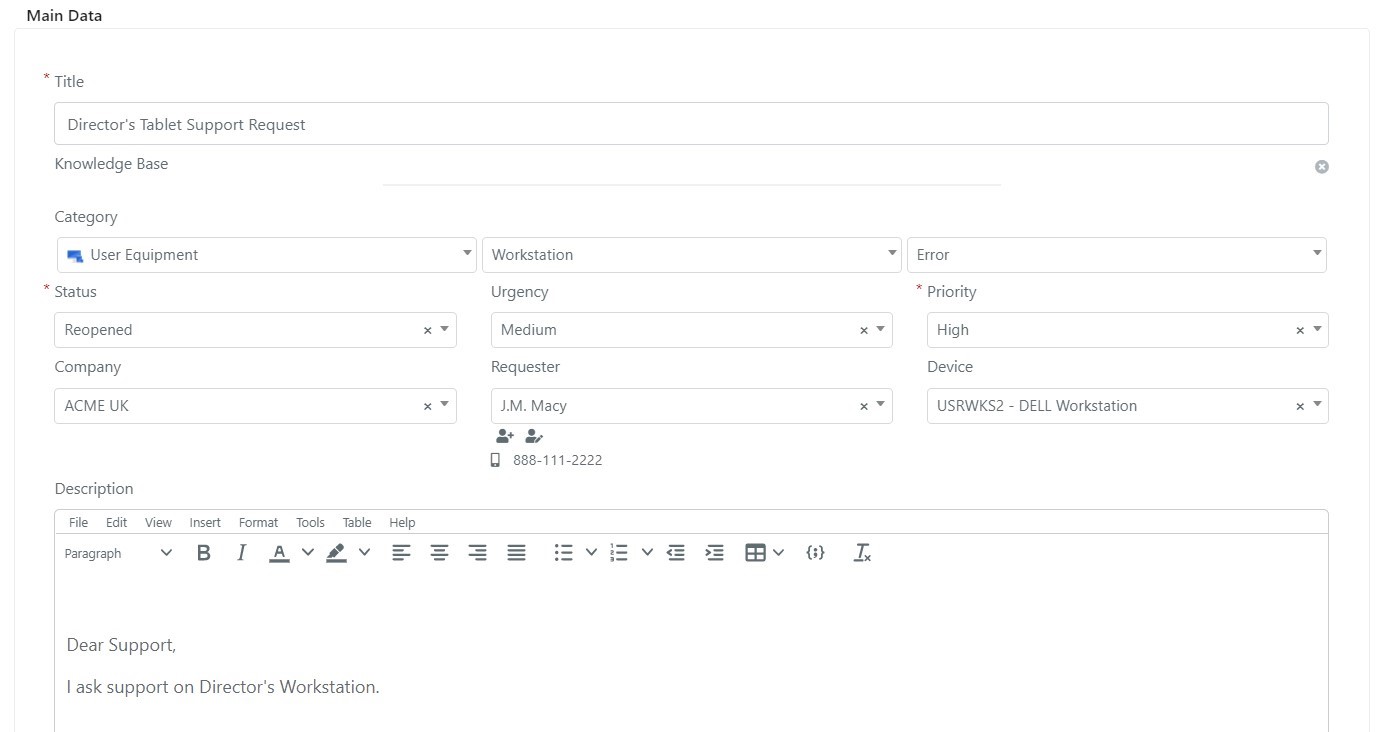
| Field | Description |
|---|---|
| Title | A brief description of the Service Operation. |
| Category | Determines workgroup assignment and catalogues the scope of the request. |
| Status | The current lifecycle state of the Service Operation. |
| Priority | The importance as assessed by the Operator working on the Service Operation. |
| Urgency | The importance as perceived by the user who submitted it. |
| Company | The company associated with the Service Operation, auto-filled based on the requester's company. |
| Requester | The user who requested the service. If the Service Operation originated from an unassigned email, this field contains the sender address. |
| Device | The CMDB device the Service Operation relates to. |
| Description | Detailed information and any additional context. |
Operation Statuses
Service Operation statuses track the lifecycle of each record. Every status belongs to a class, which is a simpler logical grouping.
| Class | Meaning |
|---|---|
| Open | The Service Operation has not been resolved and still requires processing. |
| Closed | The Service Operation has been resolved and processing is finished. |
| Deleted | The Service Operation has been logically removed (rejected or created in error). |
The default status values are:
| Status | Class | Meaning |
|---|---|---|
| New | Open | Just created, not yet processed. |
| In Process | Open | Currently being worked on. |
| Closed | Closed | Processed and completed. |
| Reopened | Open | Previously closed but reopened (e.g., non-resolving solution). |
| Stand-By | Open | On hold. |
| Deleted | Deleted | Logically deleted due to an entry error or Operator decision. |
Details Tab
This tab contains system and assignment data.
| Field | Description |
|---|---|
| Submit User | The user who entered the Service Operation (may differ from the Requester -- for example, a secretary submitting on behalf of their manager). |
| Requester User | The user actually requesting the service. |
| Assigned Group | The work team responsible for processing the Service Operation. |
| Assigned To | The Operator, Key User, or end user assigned to the Service Operation. |
| Mailbox | The email box used to send notifications. If empty, the system default is used. |
| Archived | Whether the Service Operation has been archived (e.g., at year-end for closed records). |
| Deleted | Whether the Service Operation has been logically deleted. Logically deleted records appear in the Deleted grid. |
| Created At | Date the record was created. |
| Updated At | Date the record was last updated. |
| Closed At | Date the record was closed. Cleared if the record is reopened. |
| Archived At | Date the Service Operation was archived. |
| Updated By | The user who last updated the record. |
| Deleted At | Date of logical deletion. |
Closing Info Tab
This tab contains data relevant to resolution and closure.
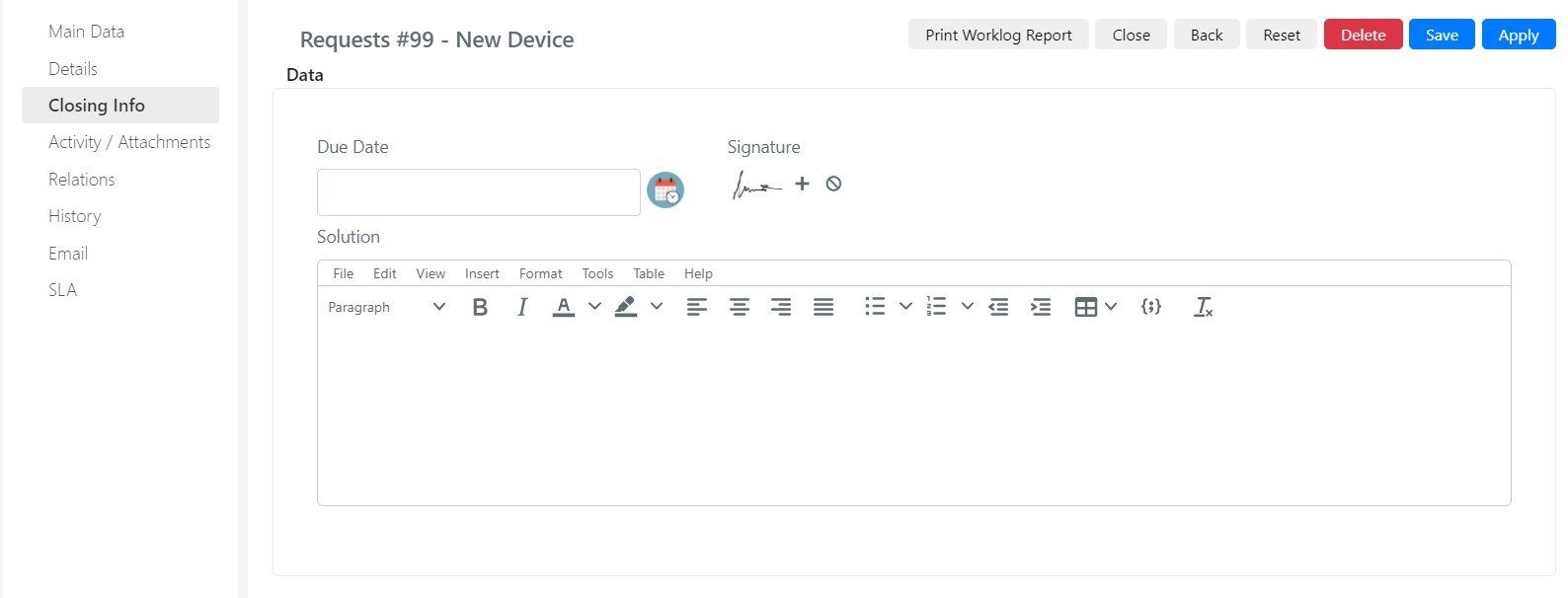
| Field | Description |
|---|---|
| Due Date | The expiration date of the Service Operation. |
| Signature | A mouse-drawn signature, typically from the user who resolved the Service Operation. |
| Solution | A description of how the Service Operation was resolved. |
History Tab
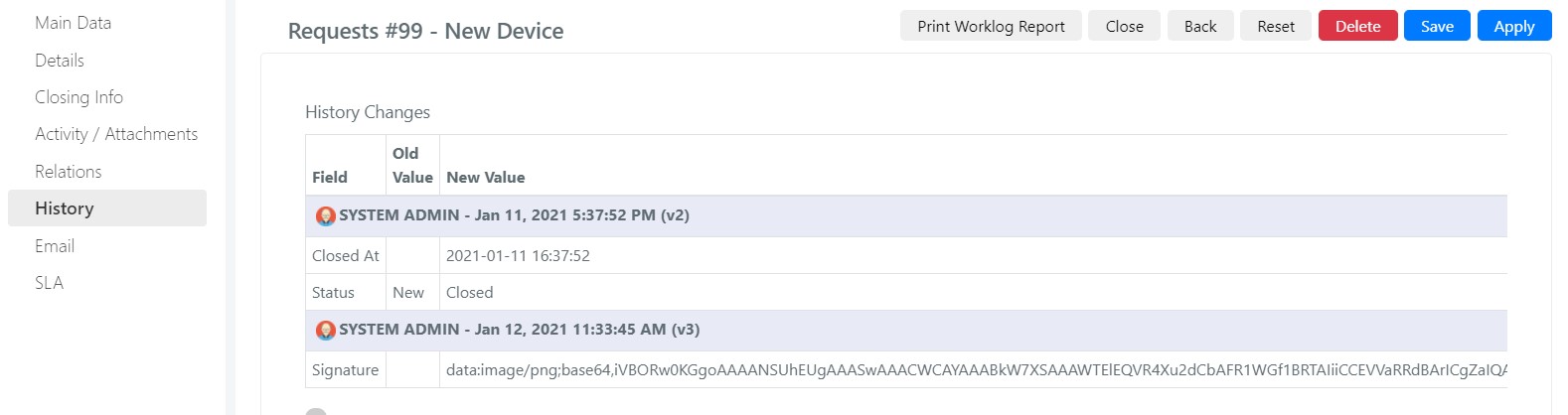
This tab shows a grid of all changes made to the Service Operation. Each edit is grouped by the user who performed it and displays the previous value alongside the new value for each modified field.
Activities/Attachments Tab
This tab contains comments, worklogs, attachments, tasks, and a remote control option via TeamViewer.
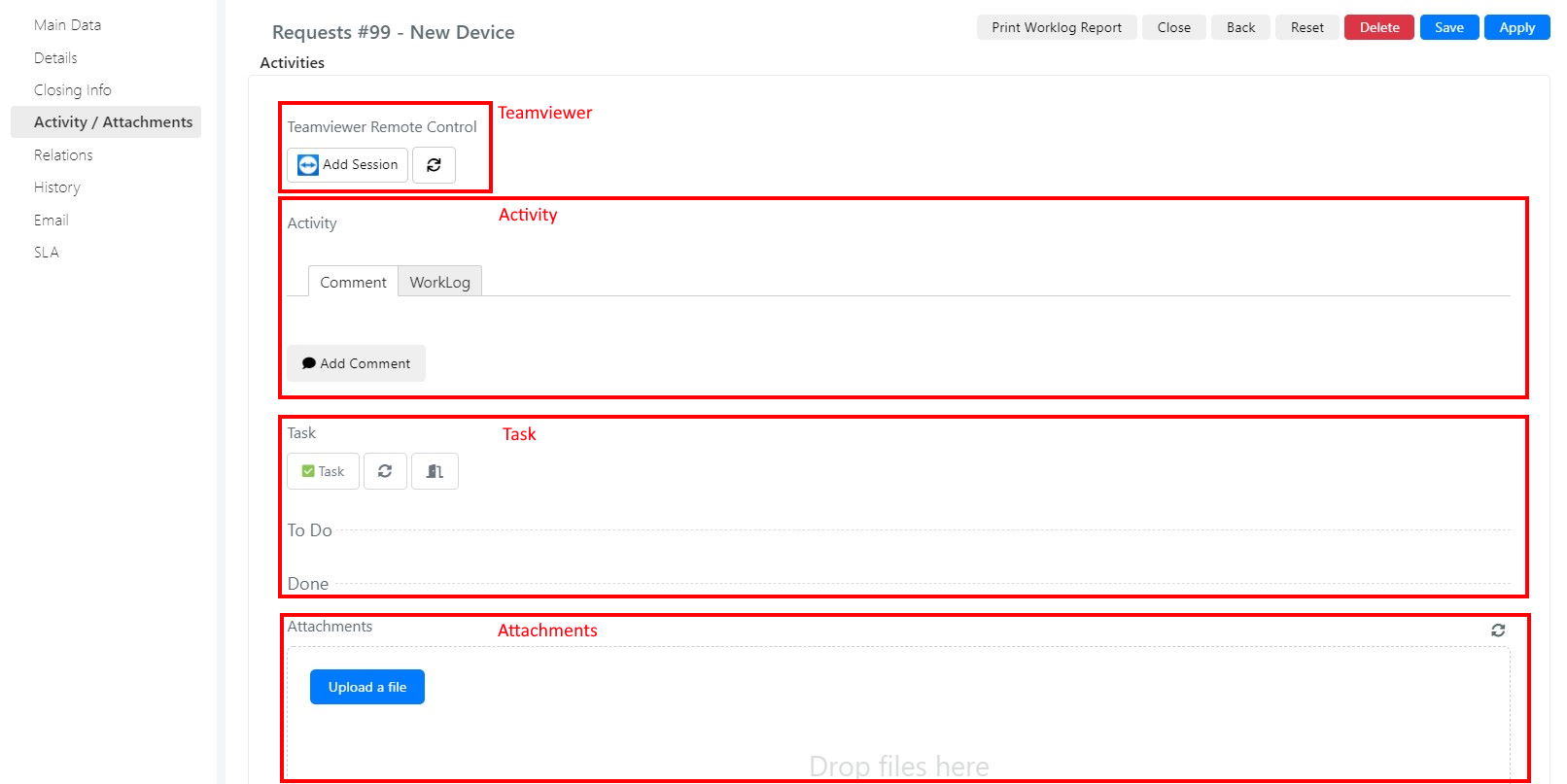
| Area | Description |
|---|---|
| TeamViewer | Start a remote control session with the configured TeamViewer account. A worklog with the call duration can be created at the end of the session. |
| Activities | Insert comments or work activities using the corresponding sub-tabs. |
| Task | Enter and view all tasks related to the Service Operation. |
| Attachments | Attach files and documents to the Service Operation. |
Email Tab
This tab lists all email messages related to the Service Operation, including body, subject, date, and sender/recipient details.
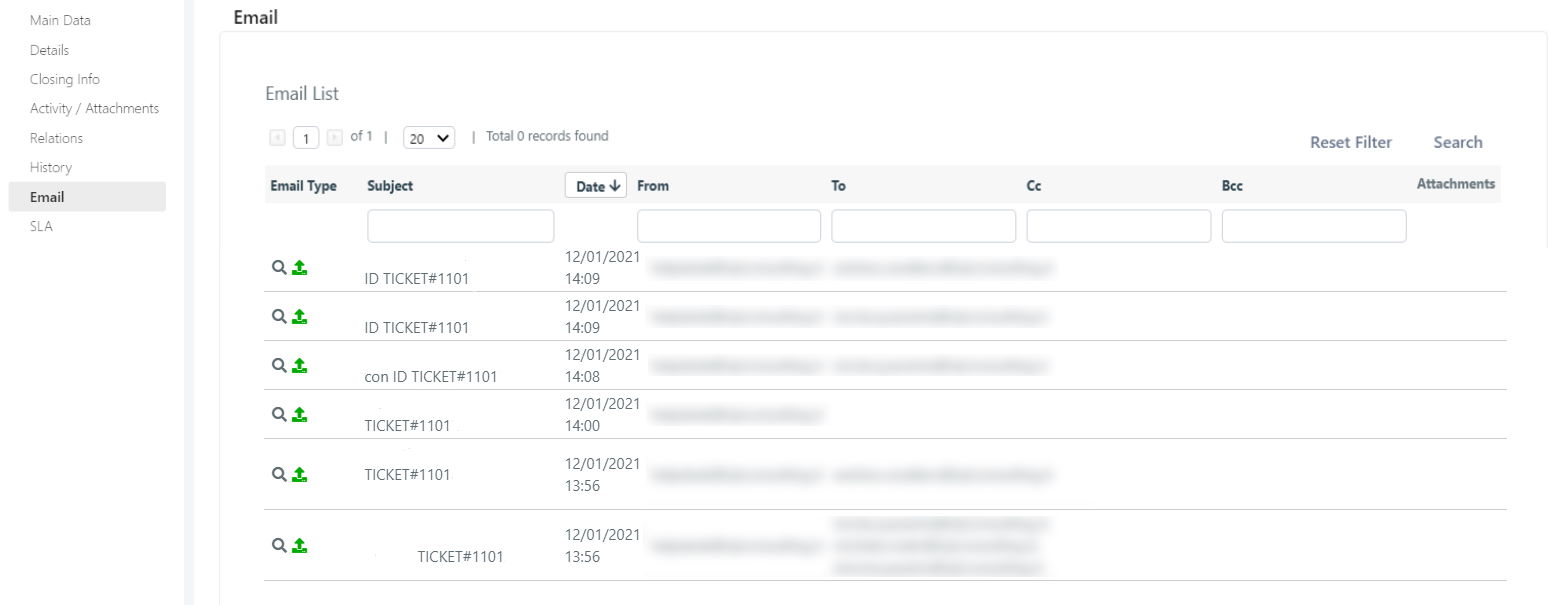
Messages can be:
- Inbound: Messages that can generate Service Operations or comments via email rules.
- Outbound: Notification emails generated by the Service Operation.
Relations Tab
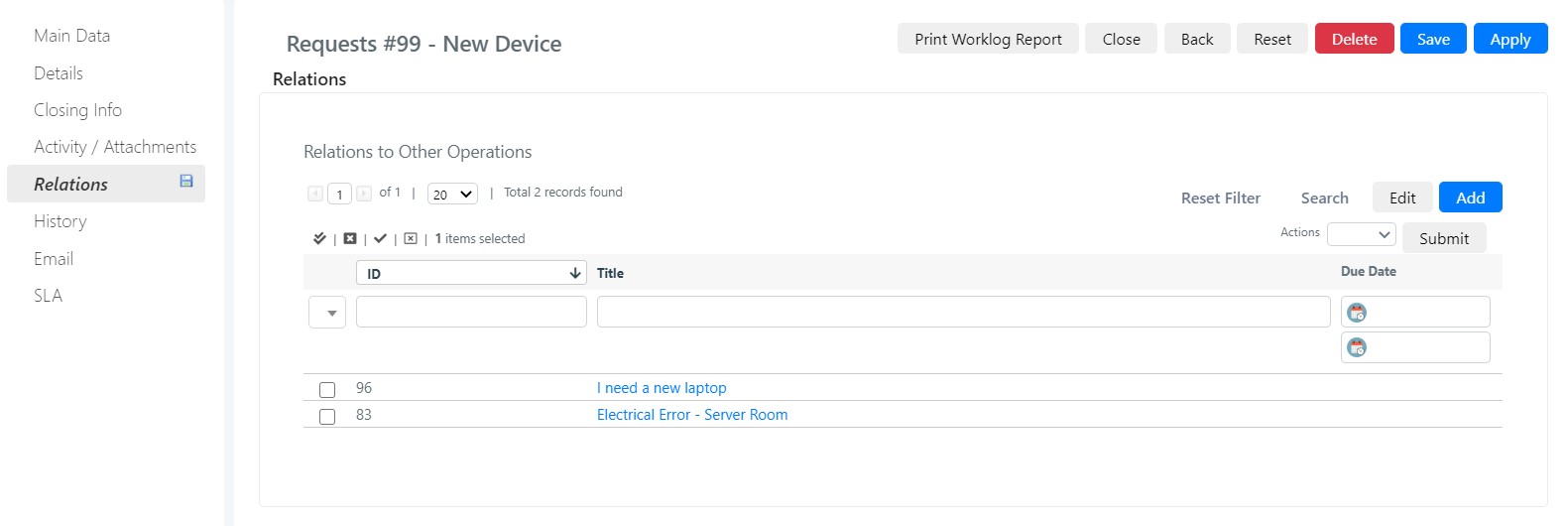
This tab displays all Service Operations that are related to the current one.
SLA Tab
This tab shows a grid with all timers configured to calculate SLAs for the Service Operation.
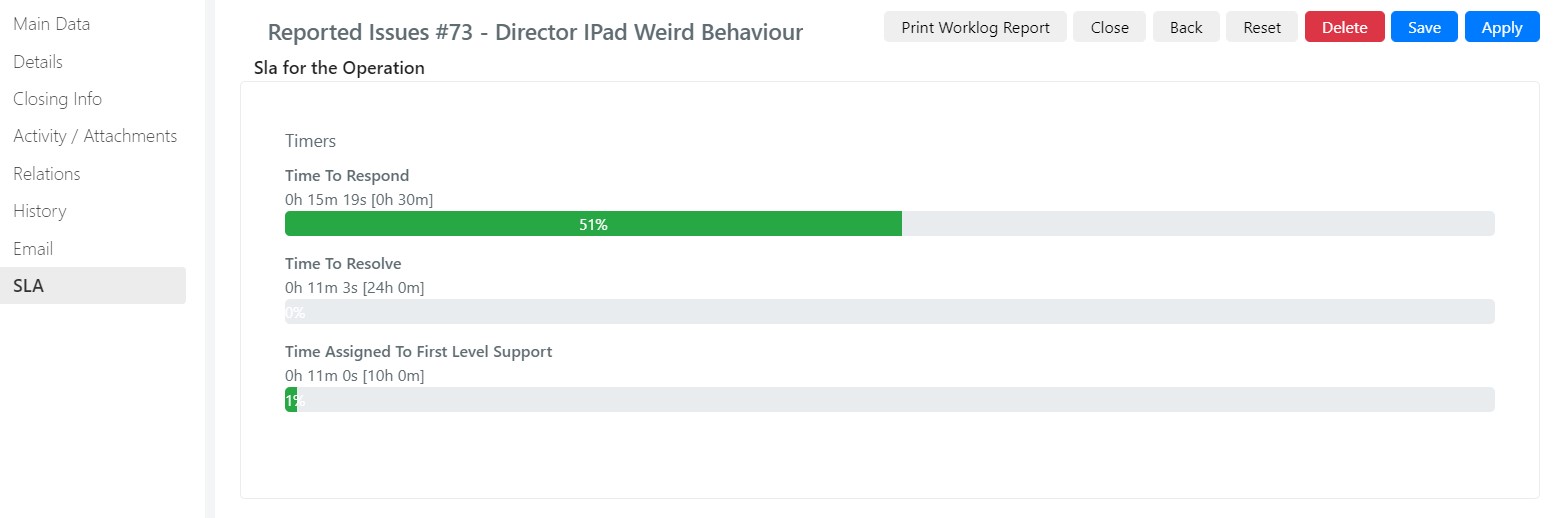
SLA timers must be configured correctly for Service Operations in order to appear in this tab.