Service Types
Service types in Deepser classify the various kinds of Service Operations that your organization manages, such as incidents, requests, problems, and changes. They also let you control visibility rules for specific groups or users based on the type of service. This article explains what service types are, how they affect the User Portal and Deepser Backend, and how to create them.
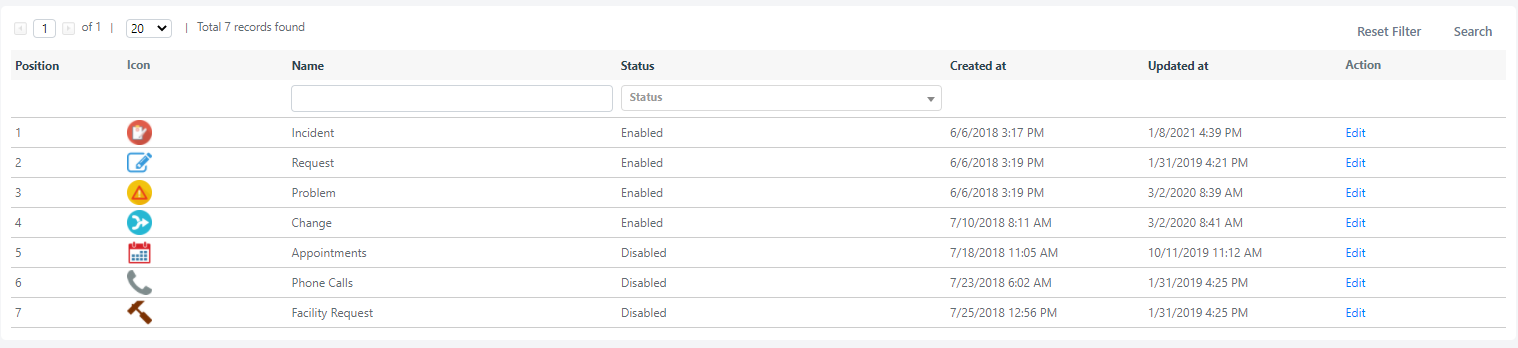
To manage group visibility for service types, refer to the appropriate section of the Academy.
Create a Service Type
-
Navigate to System -> Service Configuration -> Types.
-
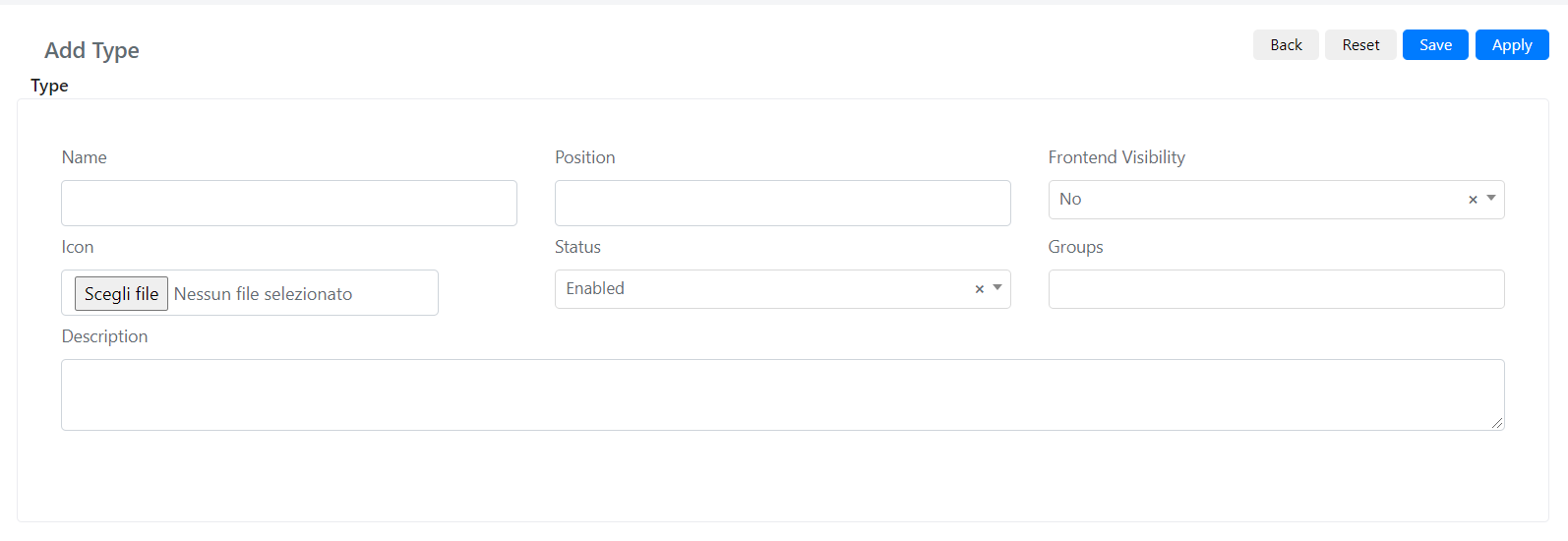
Click the Add Type button in the upper right corner. The following screen opens:
-
Fill in the fields described below:
Field Description Name The name of the service type. Position Display order within the "Service" tab in the Deepser Backend. If left empty, Deepser assigns position 0. Ties are broken by entity ID (lowest first). Frontend Visibility Whether this service type is visible in the User Portal. Icon The icon associated with the service type for easy identification. Status If Active, the type is displayed and usable. Otherwise, it is neither visible nor selectable. Groups Which groups can see this service type. Use the pseudo group "All Groups" for universal visibility. Users in unlisted groups cannot see the type, even if they are the requester or assignee. Description A description of the service type. -
Click Save or Apply to confirm.
For example, you might create a "Facility Request" service type with Frontend Visibility enabled so end users can submit facility-related Service Operations directly from the User Portal.