Configure SLA Metrics
Metrics in Deepser are the time-based counters used to track SLA performance -- for example, how quickly an Operator responds to a Service Operation or how long it takes to resolve one. This guide explains how to create and configure metrics. It is intended for administrators setting up SLA policies.

What Is a Metric
A metric starts counting when its Start condition evaluates to true and stops when its Stop condition is met. Deepser can handle numerous metrics simultaneously, each with its own start/stop logic and associated goals.
Create a Metric
-
Navigate to System > Service Design > SLA > Metric.
-
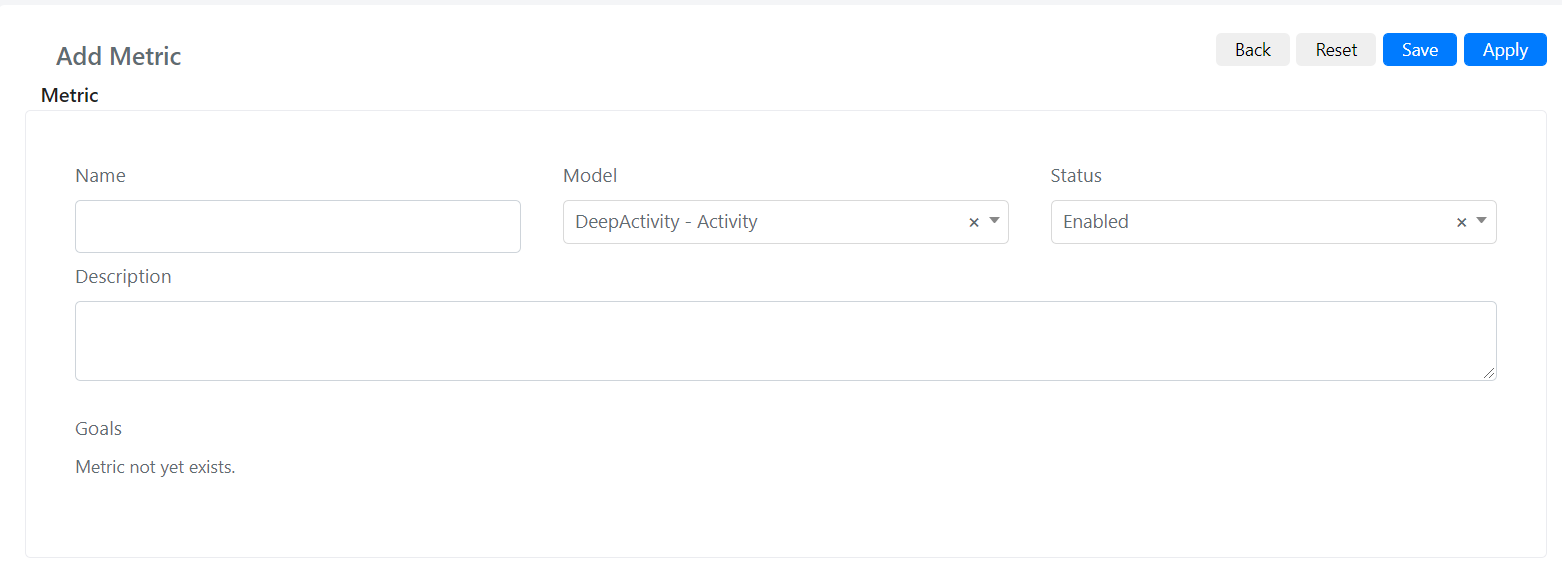
Click the Add Metric button. The following screen opens:
-
Fill in the fields:
Field Description Name The name of the metric. Model The model on which this metric is evaluated. Status If "Enabled", the metric is active; otherwise it is not evaluated. Description A description of what the metric measures. -
Click Save.
Example: Time to Close Metric
Suppose you want a metric that starts counting when a Service Operation is in "New" status and stops when it is closed.
-
Navigate to System > Service Design > SLA > Metric and click Add Metric.
-
Set Name to "Time to close".
-
Set Model to "DeepService -- Operation".
-
Add a Description as needed.
-
After saving, the Start and Stop query builders appear. Configure the Start query builder to match status "New":

-
Configure the Stop query builder to match the closed status:

-
Click Save or Apply.
Before the metric becomes operational, you must define goals. See Configure SLA Goals for instructions.