Use Mentions to Notify Users
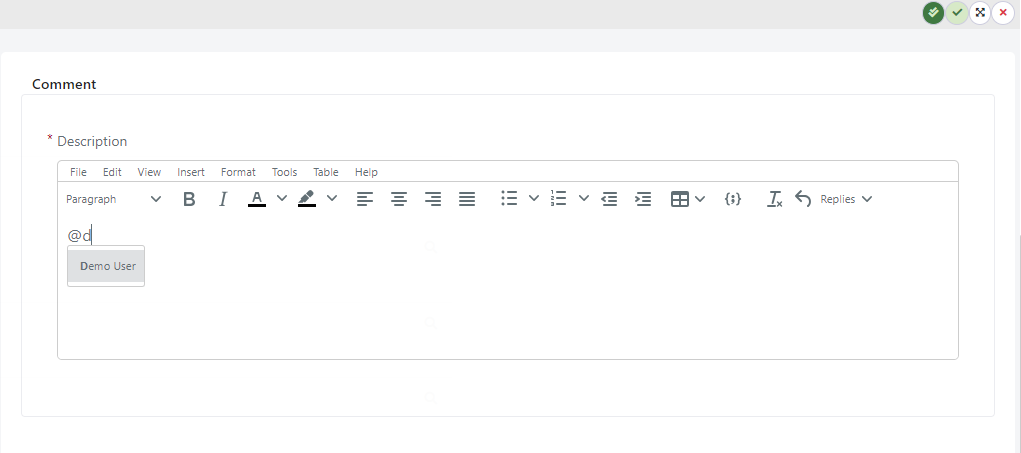
The Mentions feature in Deepser allows you to tag specific individuals within Service Operations, comments, or other communication threads using the "@" symbol. This guide explains how mentions work and how to enable them for end users. It is relevant for Administrators who configure mention settings and for Operators who use mentions in daily work.
When you type "@" followed by a username, the mentioned person receives an email notification, ensuring they see and respond to the issue quickly. This helps teams collaborate more effectively, keeps everyone aligned, and speeds up the problem-solving process.
By default, mentions are enabled for Administrators, Operators, and Key Users, but remain disabled for end users.
The mentioned user must have an active email address configured in their profile to receive notification emails.
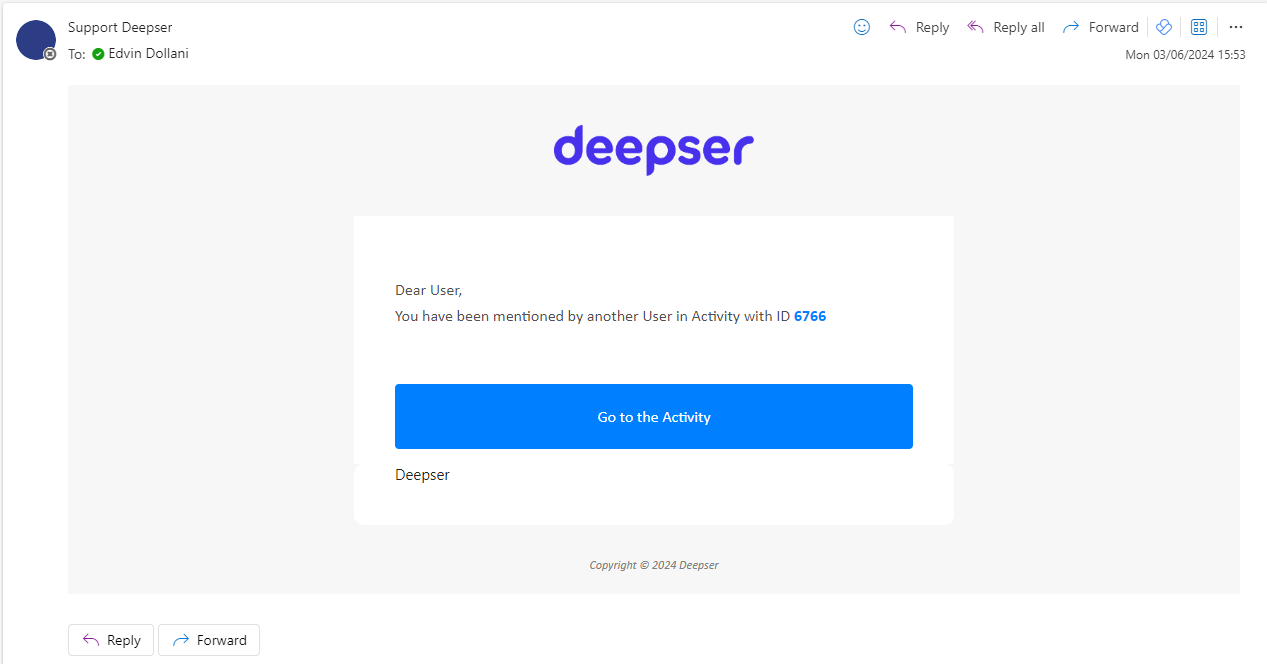
Once you have mentioned a user, they will be notified via email.
Enable Mentions for End Users
To enable mentions for end users:
- Go to System > Custom Fields.
- Navigate to the module where mentions should be enabled.
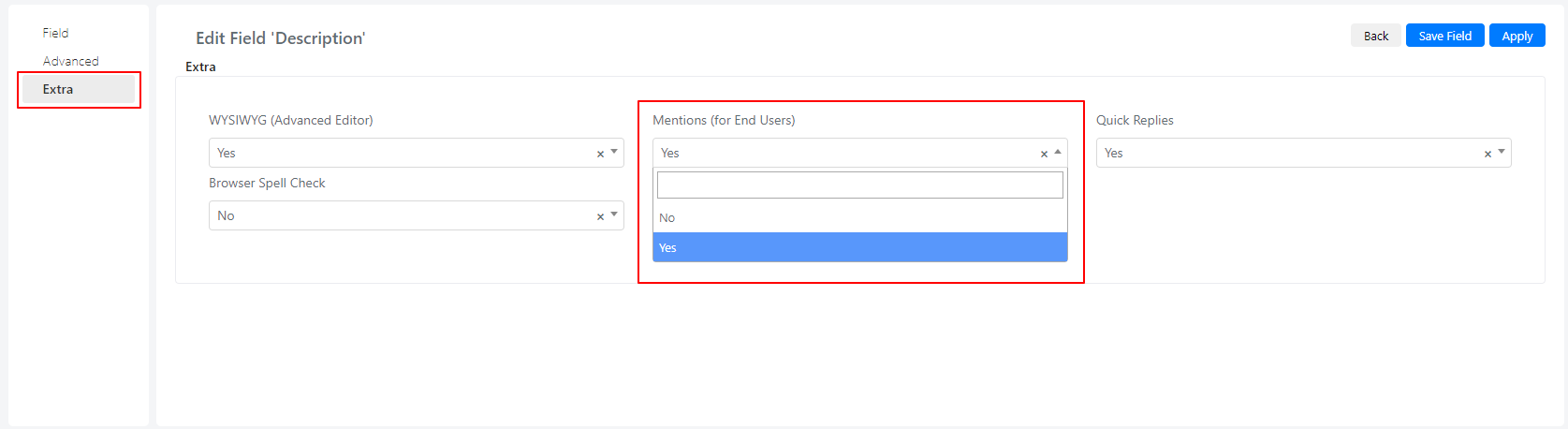
- Open the description field and go to the Extra tab.
- Enable or disable mentions from the Mentions (for End Users) field.
Example: Enable Mentions in Activity Comments
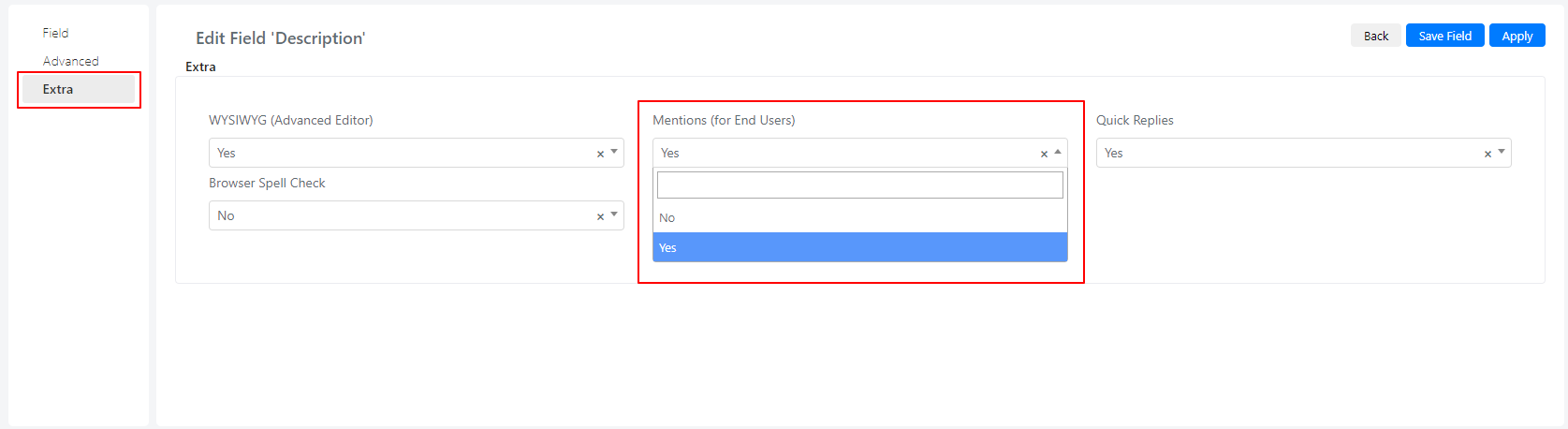
This example shows how to enable mentions for comments in the Activity module.
- Navigate to the Activity module under System > Custom Fields.
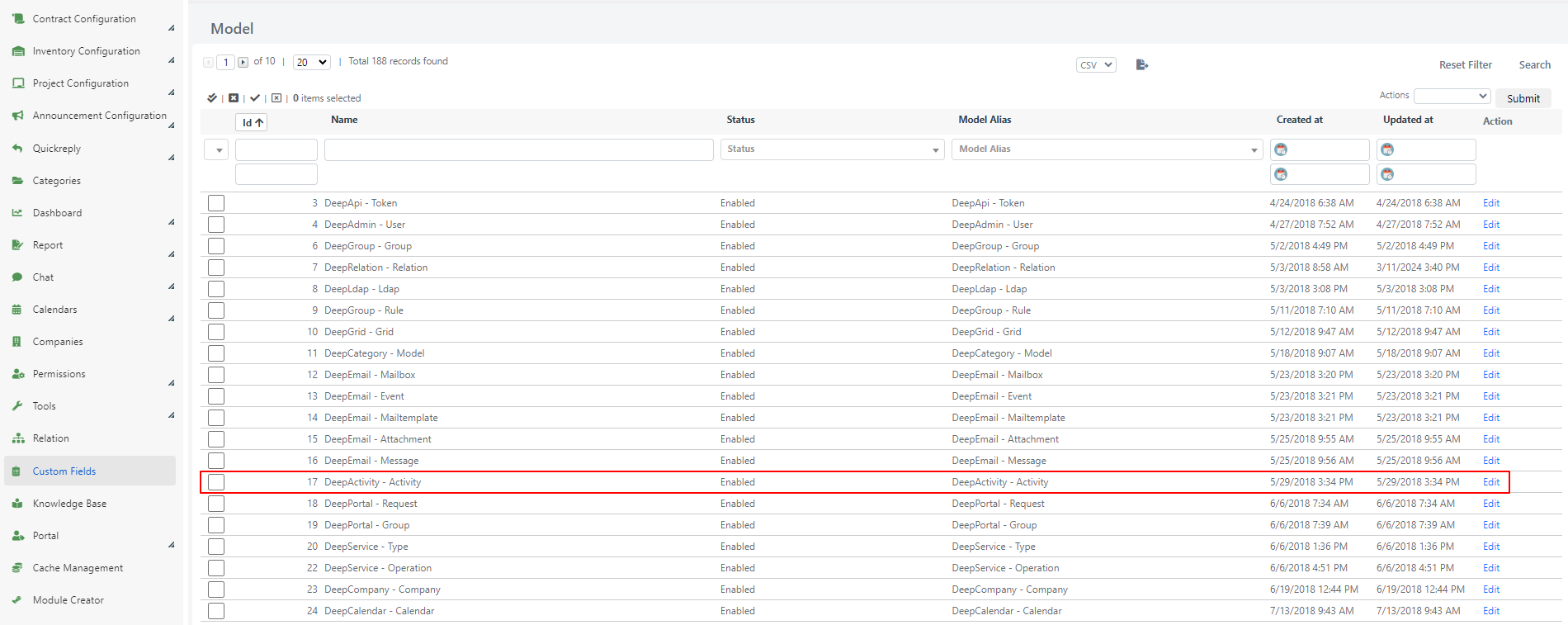
- Open the module and go to the Fields tab.
- Open the description field configuration.
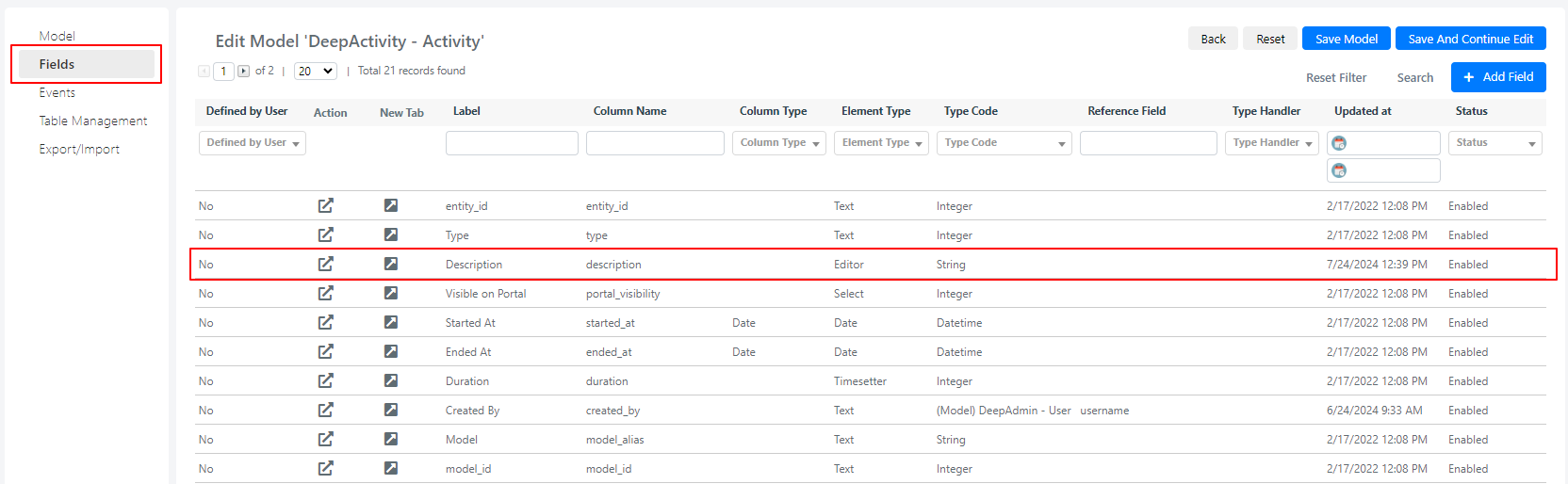
- Go to the Extra tab and enable or disable mentions from the Mentions (for End Users) field.