Backend Approval Structure
This page explains the structure of an approval request as it appears to an Operator in the Deepser Backend. Understanding these fields helps you manage and respond to approval workflows efficiently.
After opening your Deepser Backend, click on the "Approvals" module.
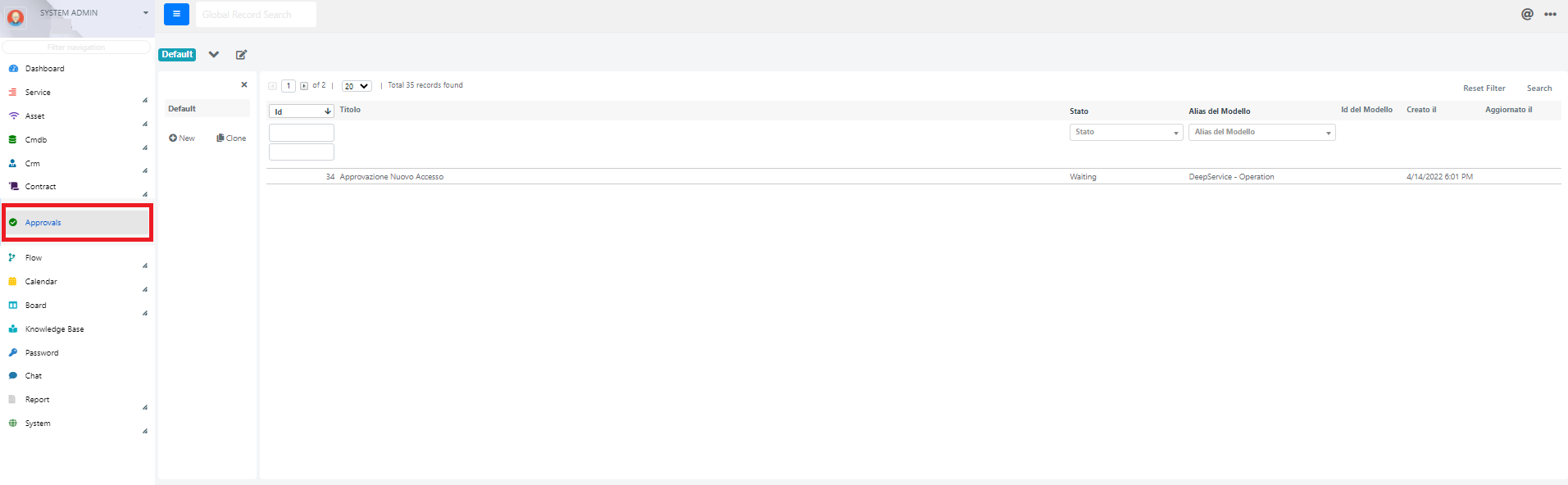
The following screen will open:
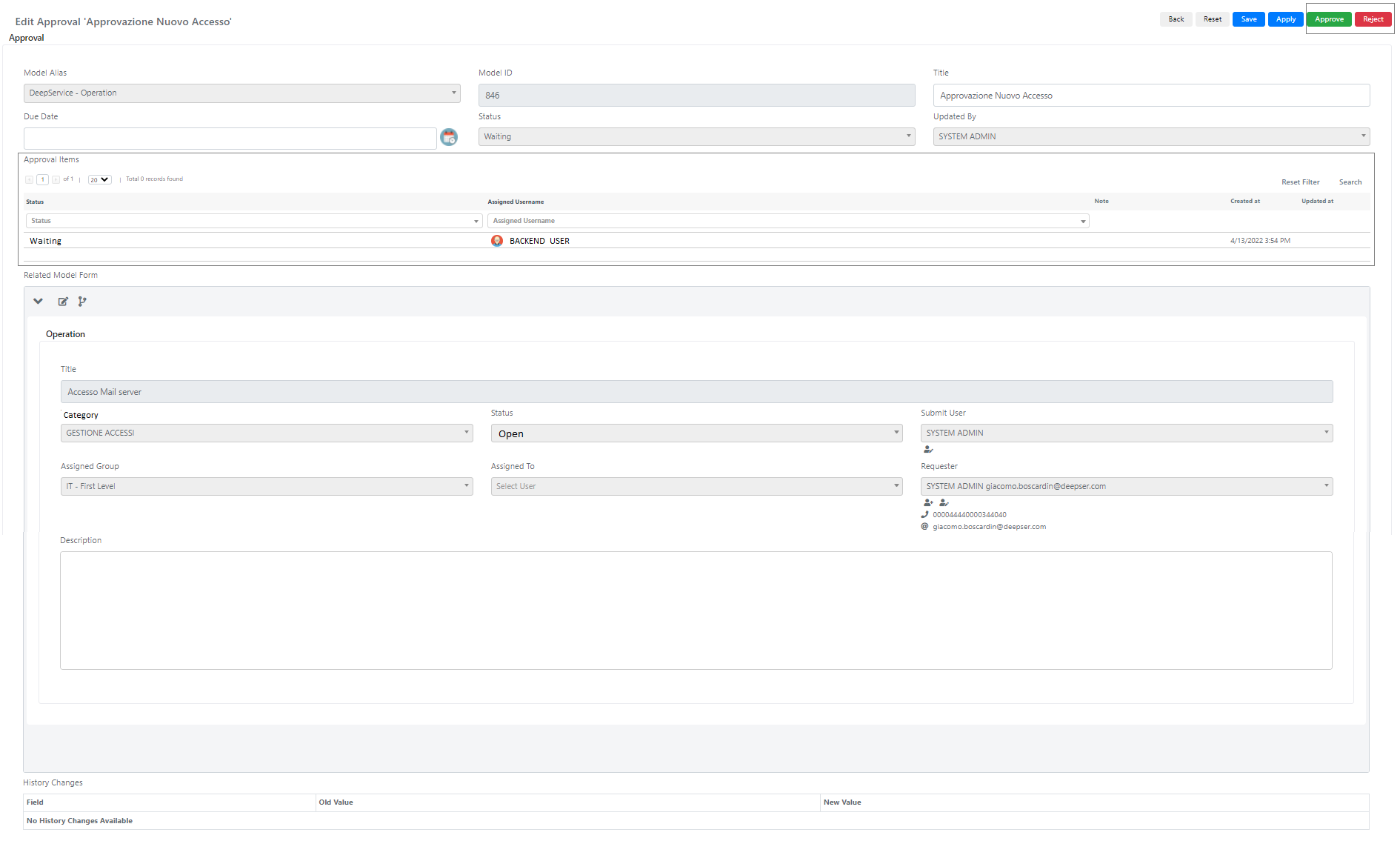
The Approval structure contains the following fields:
| Name | Description | Note |
|---|---|---|
| Model Alias | Represents the model from which the approval process starts. | In our example, your supervisor has created a Service Operation from which an approval process started. |
| Title | Represents the name of the approval process. | This field can be edited by the Operator. |
| Due Date | Represents the expiration date by which the approval process must be approved or refused. | This field can be edited by the Operator. |
| Status | Represents the current condition of the approval process. |
Inside the "Approval Items" section, a grid is shown with the Operators responsible for accepting or refusing the approval workflows.
Inside the "Related Model Form" section, you can see the recap of the Service Operation that triggered the approval process.
The Operator can read the Title, the Category, the Status, the Assigned Group, and the Description of the Service Operation related to the approval process.
Only the "Description" field can be edited by the Operator inside the "Related Model Form" section.
The Operator can also edit the Form Template of the Service Operation and can see how the Execution of the approval process is running by clicking the button shown below, located at the top left of the "Related Model Form."

After reviewing the details, the Operator can simply Approve or Reject the approval process using the Green or Red button located at the top right.
Related Articles
- Portal Approval Structure -- Approval structure in the User Portal
- Workflow Actions -- Configure the "Ask for Approval" action
- Multi Stage Flow -- Configure multi-stage approvals