Configure Flow Triggers
The Trigger block is the foundational building block of every flow. It determines the conditions under which a flow will execute, making it essential for proper workflow configuration.
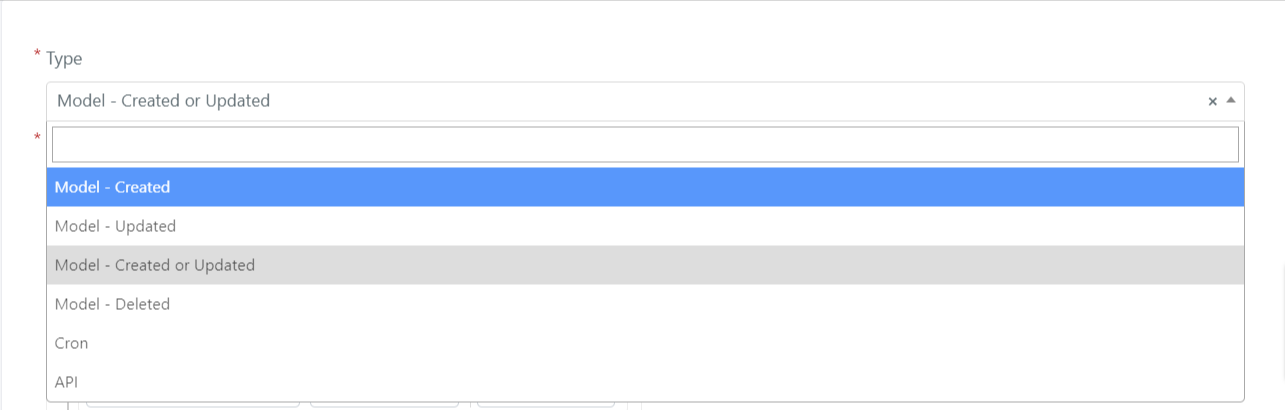
In the flow form, you can configure the trigger field to execute the associated flow in the following ways:
- Model -- Created
- Model -- Updated
- Model -- Created or Updated
- Model -- Deleted
- Cron
- API
Below you will find the possible macro configurations for each trigger type.
Model -- Created
If the trigger block is configured as Model -- Created, the associated flow will execute when a Deepser entity, specified in the "Model" field as shown below, is created (for example, when creating a Service Operation).

You can also define more specific conditions for the entity being created in order to execute the associated flow.
For example, if you want to run a flow when creating an "Incident" type Service Operation, configure the field as follows:
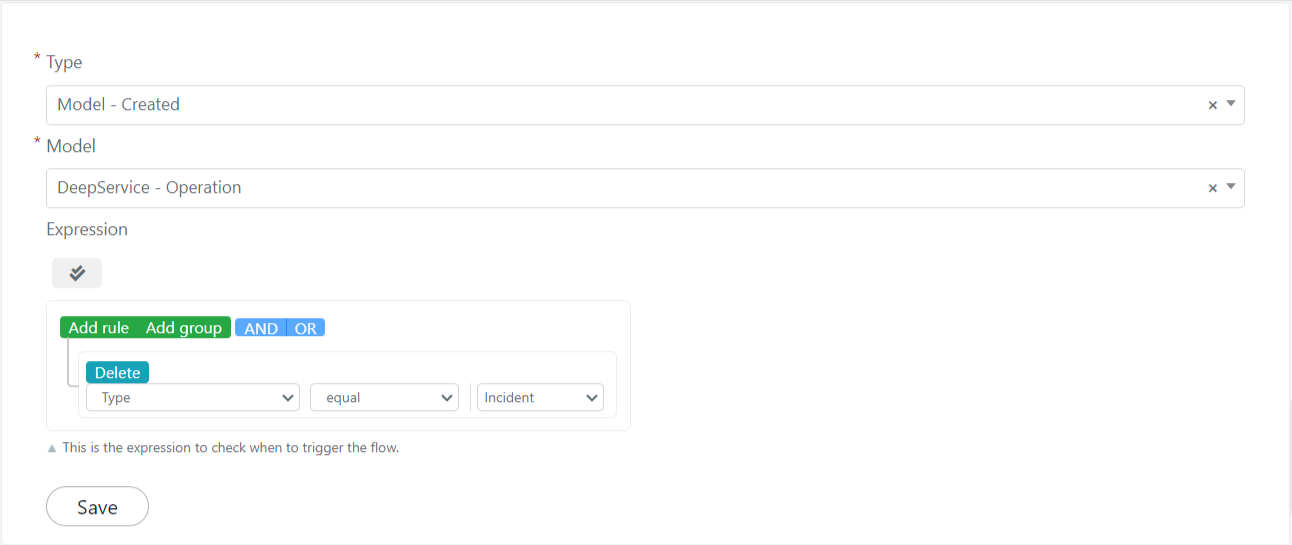
Click the Save button in the "Trigger" block to save your configuration.
Model -- Updated
If the trigger block is configured as Model -- Updated, the associated flow will execute when a Deepser entity, specified in the "Model" field as shown below, is modified.
You can also define more specific conditions for the entity being modified in order to execute the associated flow.
You can also define whether the flow associated with the trigger should execute only once or multiple times using the "Run Trigger" field:

Below is a list of values this field can take and their meaning:
- Once For Model -- The associated flow will only execute once for each entity.
- Only If Not Currently Waiting on Model -- The associated flow will execute only if it is not currently awaiting approval on the same entity.
- Always -- The associated flow will execute each time the associated entity is updated.
For example, if you want to run a flow when modifying an "Incident" type Service Operation, configure the field as follows:
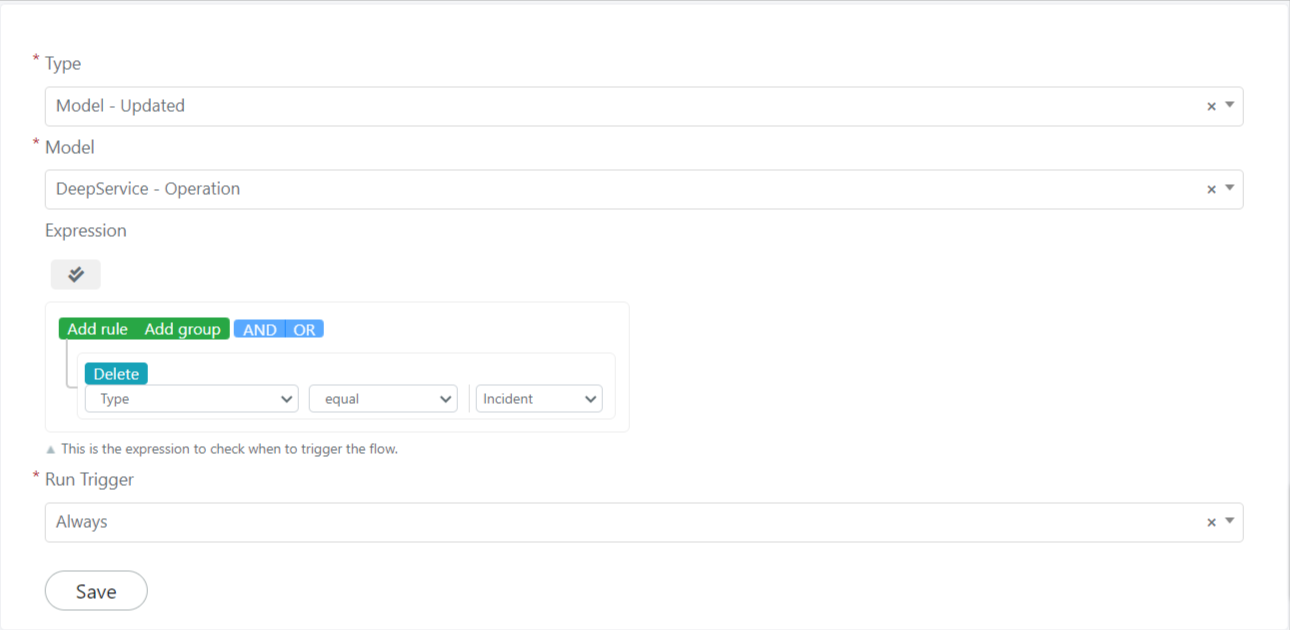
Click the Save button in the "Trigger" block to save your configuration.
Model -- Created or Updated
If configured as Model -- Created or Updated, the associated flow will execute when a Deepser entity, specified in the "Model" field as shown below, is created or modified.
You can also define more specific conditions for the entity being modified in order to execute the associated flow.
You can also define whether the flow associated with the trigger should execute only once or multiple times using the "Run Trigger" field:

Below is a list of values this field can take and their meaning:
- Once For Model -- The associated flow will only execute once for each entity.
- Only If Not Currently Waiting on Model -- The associated flow will execute only if it is not currently awaiting approval on the same entity.
- Always -- The associated flow will execute each time the associated entity is updated.
For example, if you want to run a flow when creating or modifying an "Incident" type Service Operation, configure the field as follows:
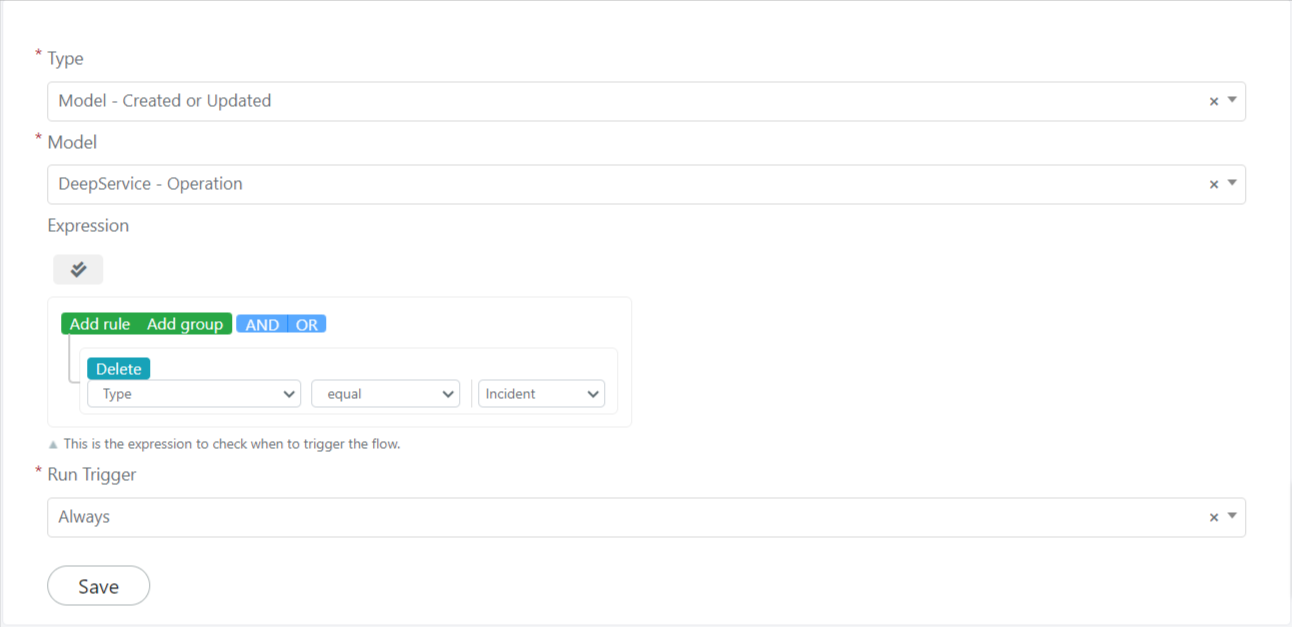
Click the Save button in the "Trigger" block to save your configuration.
Model -- Deleted
If configured as Model -- Deleted, the associated flow will execute when a Deepser entity, specified in the "Model" field as shown below, is deleted.
You can also define more specific conditions for the entity being deleted in order to execute the associated flow.
Below is a list of values this field can take and their meaning:
- Once For Model -- The associated flow will only execute once for each entity.
- Only If Not Currently Waiting on Model -- The associated flow will execute only if it is not currently awaiting approval on the same entity.
- Always -- The associated flow will execute each time the associated entity is updated.
For example, if you want to run a flow when deleting an "Incident" type Service Operation, configure the field as follows:
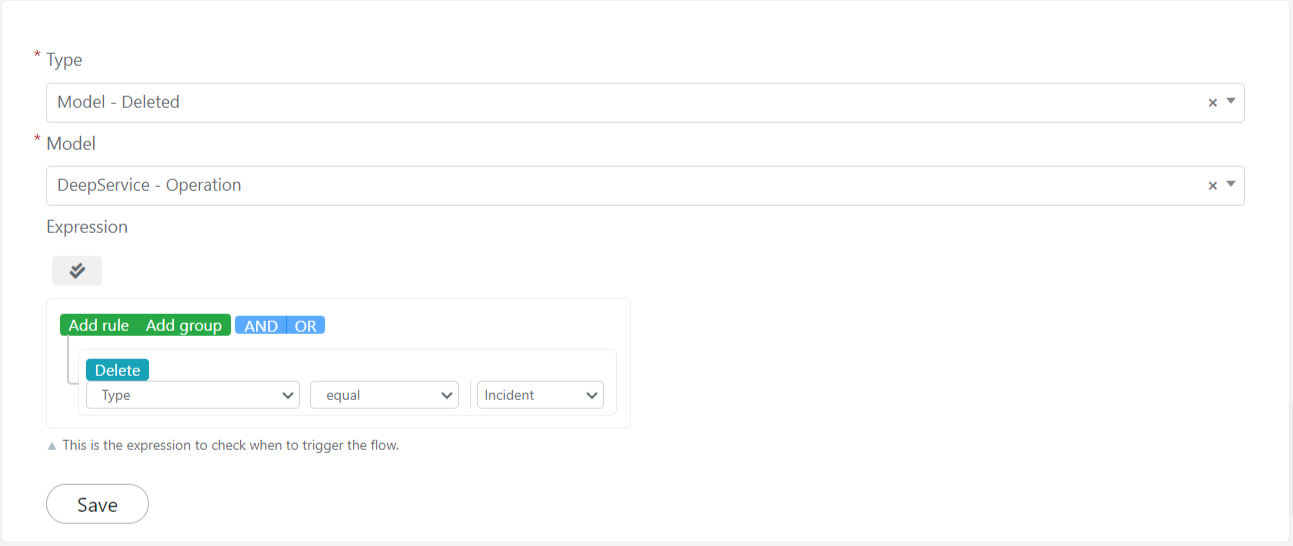
Click the Save button in the "Trigger" block to save your configuration.
Cron
If the trigger is configured as Cron, the associated flow will execute at a time interval established by the cron expression.
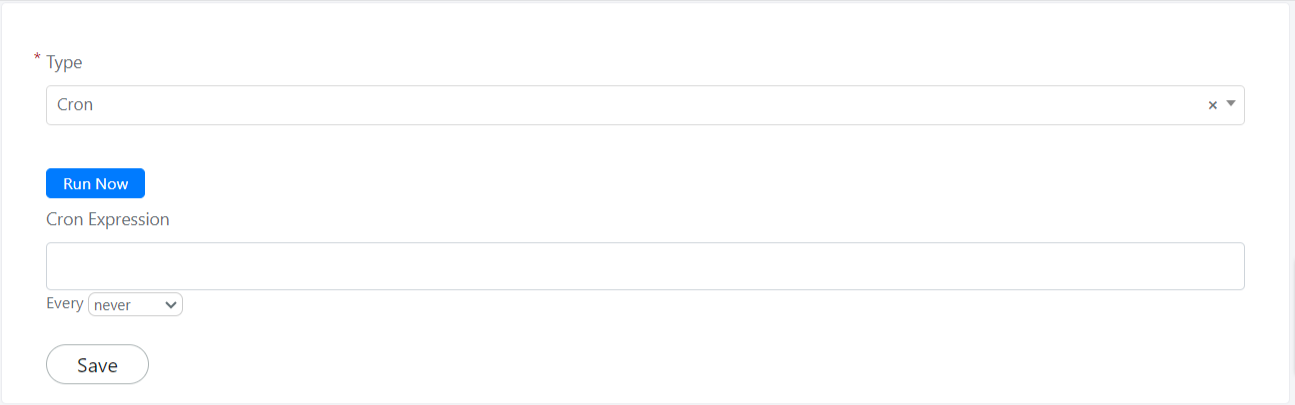
For example, if you want to run a flow every 5 minutes, configure the field as follows:
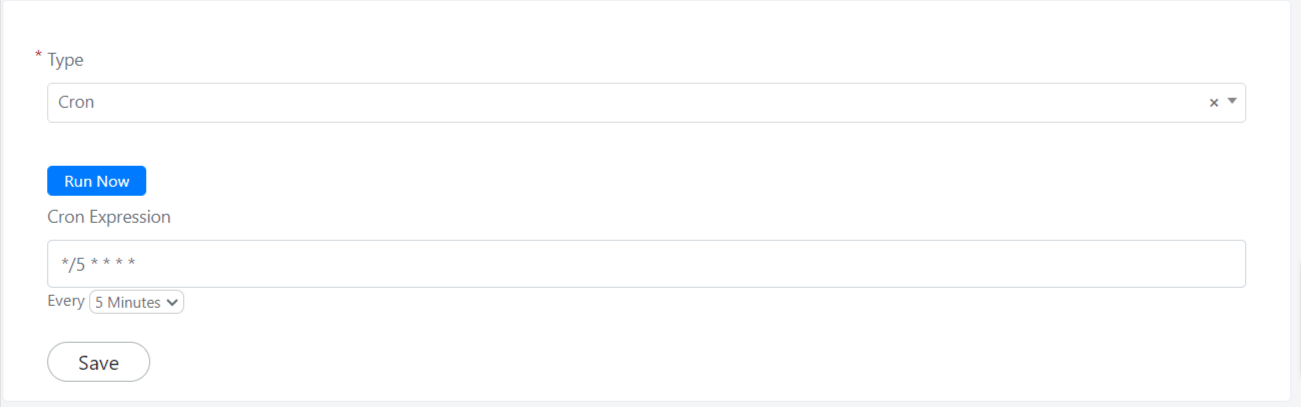
Click the Save button in the "Trigger" block to save your configuration.
API
If the Trigger block is configured as an "API" type, the associated flow will execute when an API call is made to its endpoint URL.
You can obtain the endpoint URL after saving the flow. Click on it to copy all the URLs.
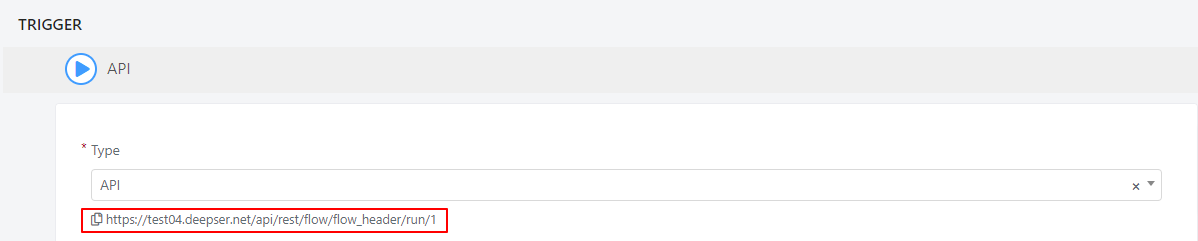
In the "API Trigger" block, you can also configure as many inputs and outputs as you need.
As an input parameter, you can pass the following types: String, Integer, Array, or Attachment.
As an output parameter, you can configure the flow to return the following types: String, Integer, Decimal, Datetime, Boolean, Array, a single model, or an entire collection.
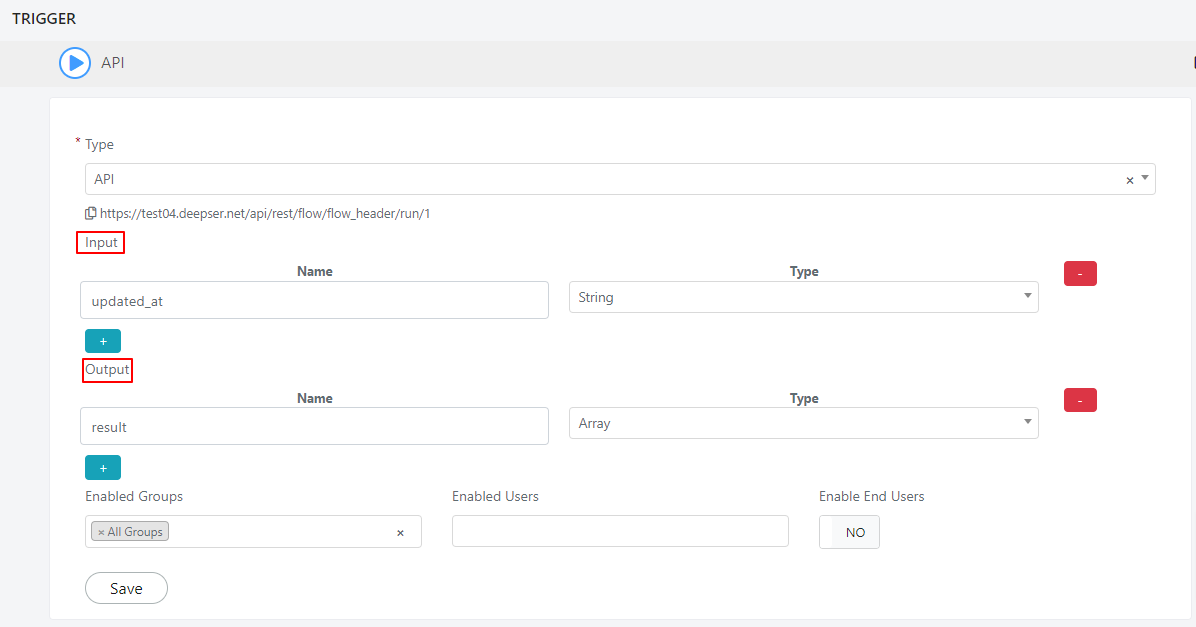
You can control the usability of the created flow by configuring the following fields:

| Field | Description |
|---|---|
| Enable Group | Restricts the flow to a specific group. |
| Enable User | Restricts the flow to a specific user. |
| Enable End User | Allows end users to execute the flow. |
You can make different HTTP request methods using the API trigger type, such as POST, GET, DELETE, and PUT.
API Configuration Example
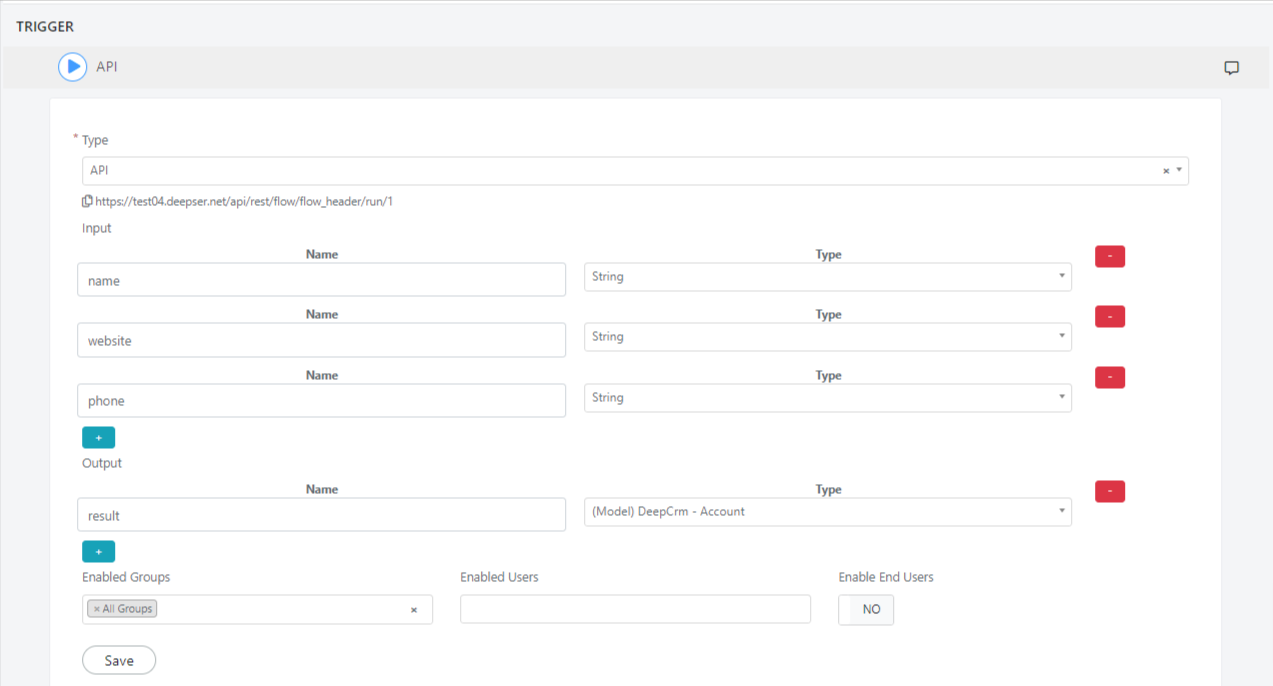
This section explains how to set up a Flow with an API Trigger for a CRM Account creation in Deepser.
For example, when making a POST request to create a record, you must provide all the inputs defined in the API trigger block in the request body.
The names of the inputs should match:
{
   "name":"My Company Example",
   "website":"www.deepser.com",
    "phone": "000 111 2222"
}
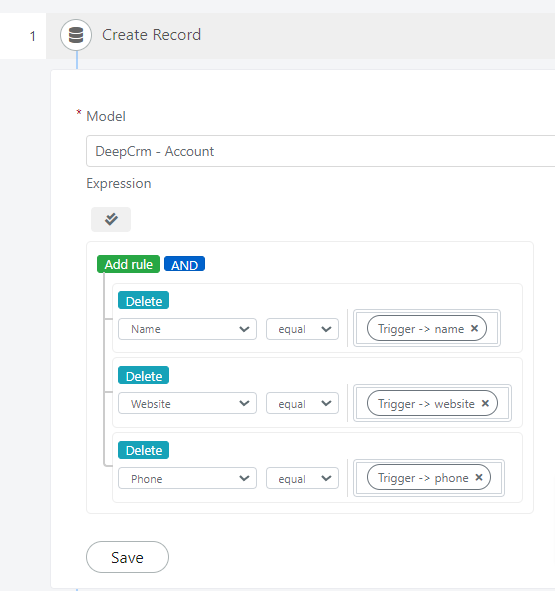
For the model to be created, you must add an action of type "Create Record" and provide as a rule expression all the values from the request body.
To get the output you need from the API, choose the logical block "Assign values to API Outputs". The output types that you define in this block should match the types in the Trigger.
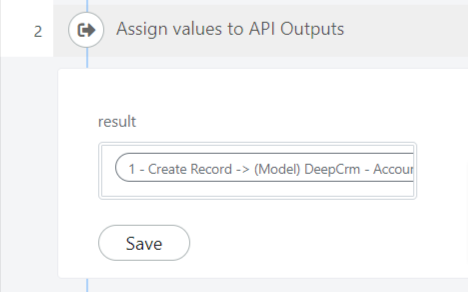
The output is returned as a JSON object from the response. It contains all the outputs you defined in the Trigger section (in our case, the "entity" section of the object) and other generic information related to the executed flow (the "context" section of the object).
{
    "output": {
        "result": {
            "name": "My Company Example",
            "website": "www.deepser.com",
            "phone": "000 111 2222",
            "created_at": "2024-07-10 12:37:14",
            "created_by": "admin",
            "current_version": 1,
            "updated_by": "admin",
            "company_id": 0,
            "updated_at": "2024-07-10 12:37:14",
            "entity_id": 6
        }
    },
    "context": {
        "status": 3,
        "depth": 1,
        "flow_header_id": 1,
        "flow_id": 15,
        "source": "trigger",
        "created_at": "2024-07-10 12:37:14",
        "updated_at": "2024-07-10 12:37:14",
        "entity_id": 31,
        "current_node_id": 1,
        "status_label": "Completed"
    }
}
Related Articles
- Use the Flow Designer -- Build and manage workflows
- Workflow Actions -- Available action blocks
- Workflow Samples -- Complete flow examples