

Creating an account in the CRM
The following guide addresses the issue of creating an Account in the CRM, explaining the meaning of the standard input form fields.
1 – Open CRM – Account, Via CRM -> Account
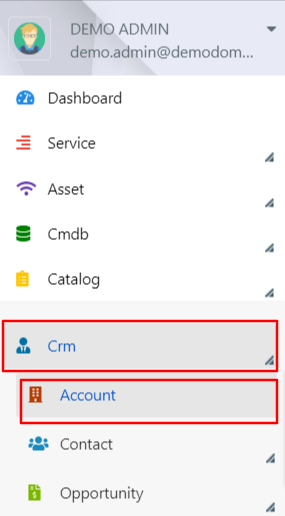
2 – The following fields will be displayed in the Insert Form:
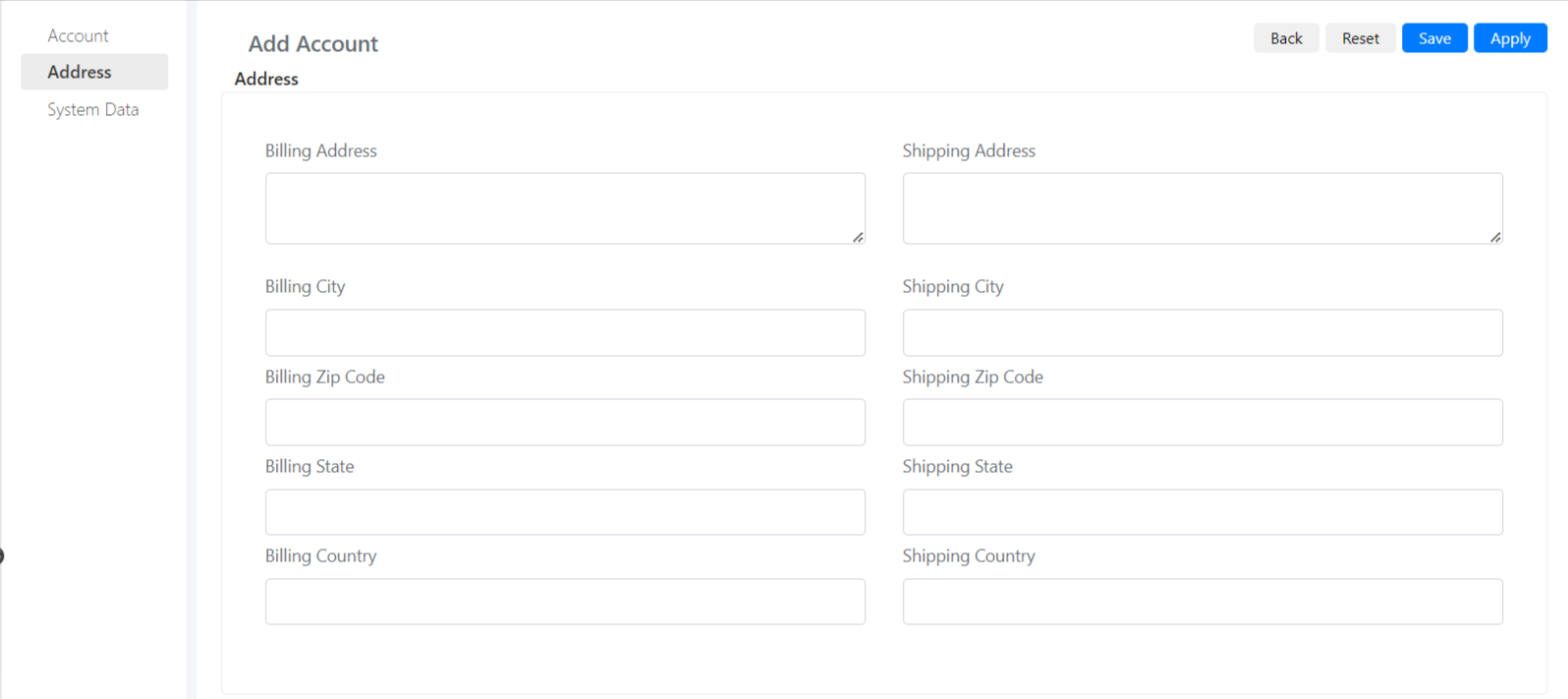
The meaning of the fields is as follows:
| Camp | Description |
| Name | The Company Account Name |
| Type | Indicates the type of Account |
| Parent Account | Allows you to Establish a hierarchy between different accounts. He then manages Divisions and Corporate Headquarters. For example, an ACME Account may be parent of ACME Italy and ACME France. |
| State | Enable or Disable L Account |
| Linked Company | Field that maintains a reference to a Company present in Deepser Companies. (See the section Buttons) |
| Owner User | Allows you to specify the Account Administrator. |
| Website | My Account website |
| Phone | Your Account Phone Number |
| Fax | Fax of Account |
| Industry | Area of Account Reference |
| Employees | Number of Employees |
| Satisfaction Rating | Customer Account Satisfaction Level |
| Logo | Account Logo Image |
| Notes | Additional Notes |
| Task | Task Related to Account |
